uOS - AAA OpenID Connect

 Zyxel Employee



AAA OpenID Connect (OIDC)
OpenID Connect (OIDC) is a modern identity layer built on top of the OAuth 2.0 protocol. While OAuth 2.0 is primarily concerned with authorization (granting permission), OIDC introduces standardized authentication, allowing the firewall to verify the specific identity of a user through user claims.
Key Configuration Parameters
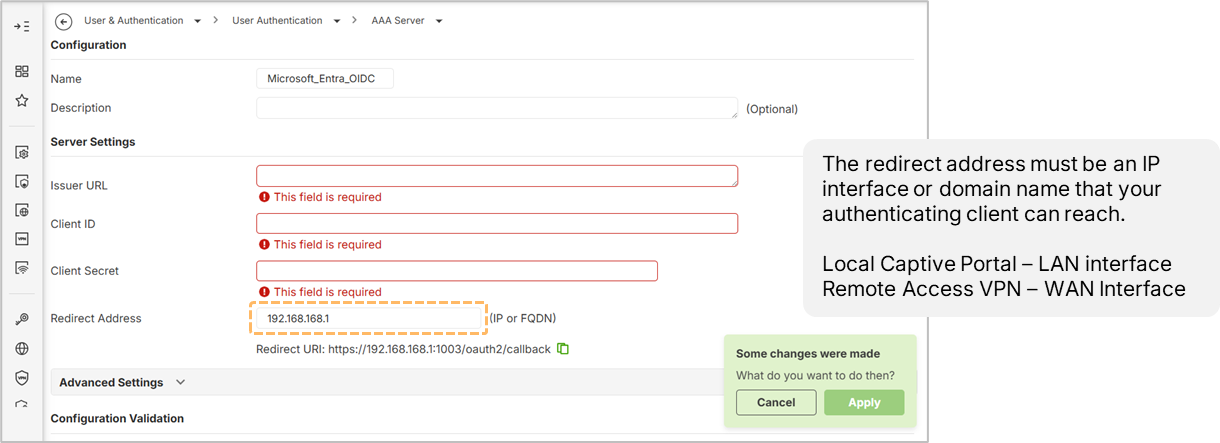
Setting up an OIDC profile on the firewall (currently available via the Local Web GUI) requires four essential parameters:
- Issuer URL: The URL of the discovery document from the Identity Provider (IDP).
- Client ID: The unique application ID assigned by the IDP.
- Client Secret: A secure key generated for the application to authenticate with the IDP.
- Redirect Address: The specific URL or IP of the firewall interface where the client is sent after successful authentication.
Authentication Proxy
OIDC operations rely on an Authentication Proxy. Administrators must enable this proxy (typically using HTTPS port 1003) and ensure it is whitelisted in the security policy to allow traffic from the WAN to the device.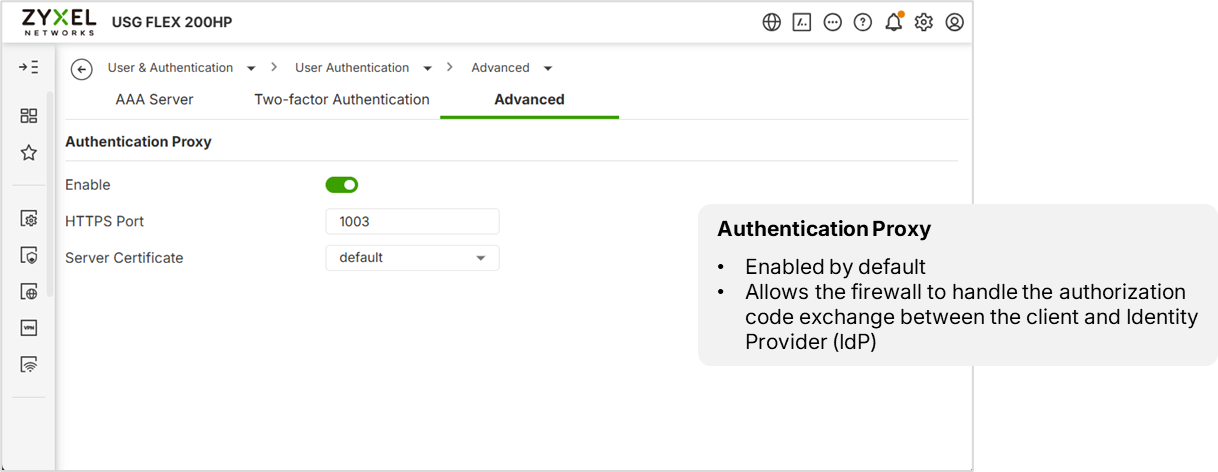
Identity Provider (IDP) Setup
Using Microsoft Entra (formerly Azure AD) as an example, the process involves:
- App Registration: Creating an application entry and setting the Redirect URI to match the firewall's setting.
- API Permissions: Granting Admin Consent for the required permissions; without this, users will see an "Admin Approval" error.
- User Assignment: Assigning specific users to the application. If "Assignment Required" is enabled, only designated users can authenticate.
Login Name Attributes and Claims
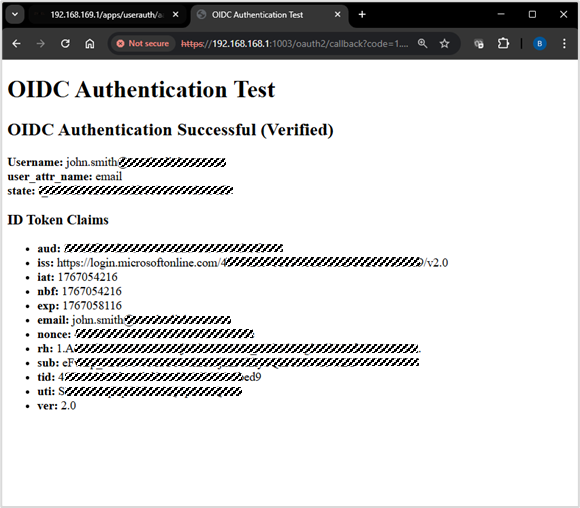
The firewall identifies users based on a Login Name Attribute, which defaults to the email claim. A common point of failure occurs when the email field in the IDP user profile is left blank; the firewall will fail the authentication because it cannot find the required attribute in the ID token claim.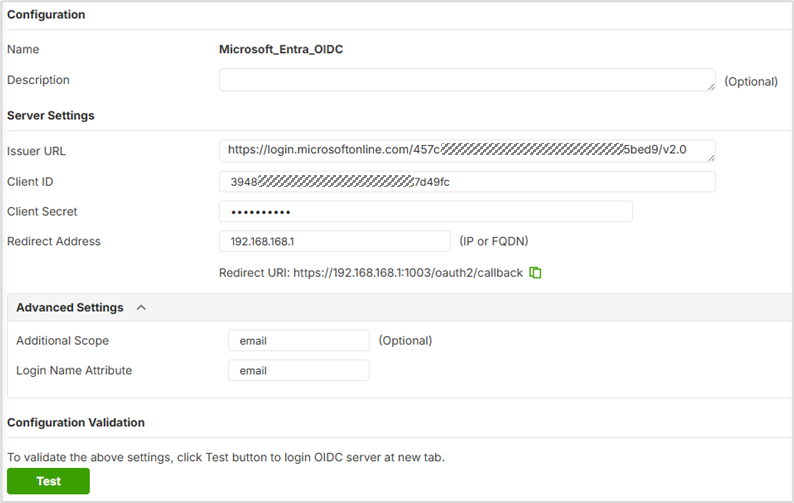
Verification
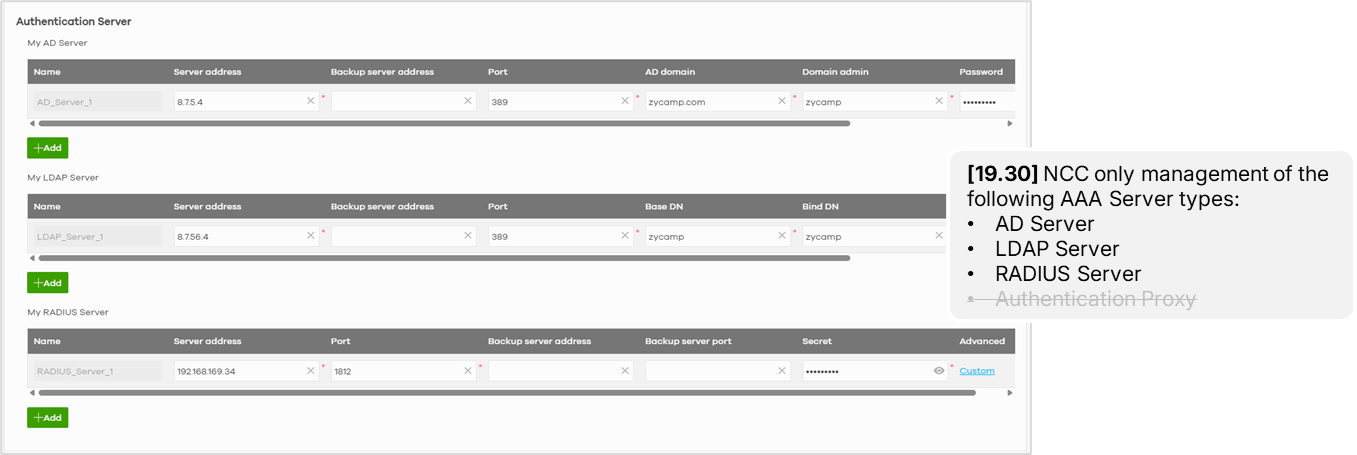
Note: NCC No Support for OIDC Profile Management
Configure full OIDC setup in the firewall local GUI.
Categories
- All Categories
- 442 Beta Program
- 3K Nebula
- 232 Nebula Ideas
- 132 Nebula Status and Incidents
- 6.7K Security
- 691 USG FLEX H Series
- 365 Security Ideas
- 1.8K Switch
- 87 Switch Ideas
- 1.4K Wireless
- 56 Wireless Ideas
- 7.1K Consumer Product
- 312 Service & License
- 505 News and Release
- 97 Security Advisories
- 31 Education Center
- 10 [Campaign] Zyxel Network Detective
- 5.1K FAQ
- 34 Documents
- 89 About Community
- 112 Security Highlight