uOS - Remote Access VPN with OIDC
Options

Zyxel_Claudia
Posts: 254




 Zyxel Employee
Zyxel Employee
Remote Access VPN with OIDC
The H Series supports OpenID Connect for remote access VPNs, specifically for SSL VPN deployments.
Compatibility Scope
- Supported: SSL VPN using the OpenVPN Connect application.
- Unsupported: IKEv2/IPsec and the Zyxel SecuExtender client are not supported as they lack a built-in browser to handle the OIDC login pop-up.
Setup Essentials
- Pre-configure: Complete full OIDC setup
- SSL VPN – Authentication Settings
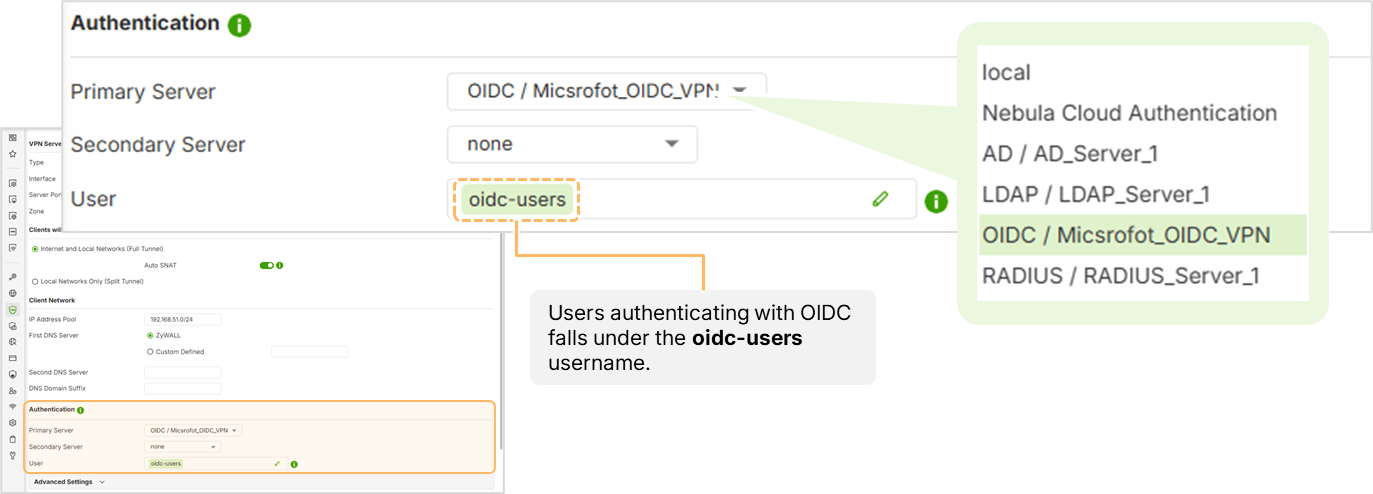
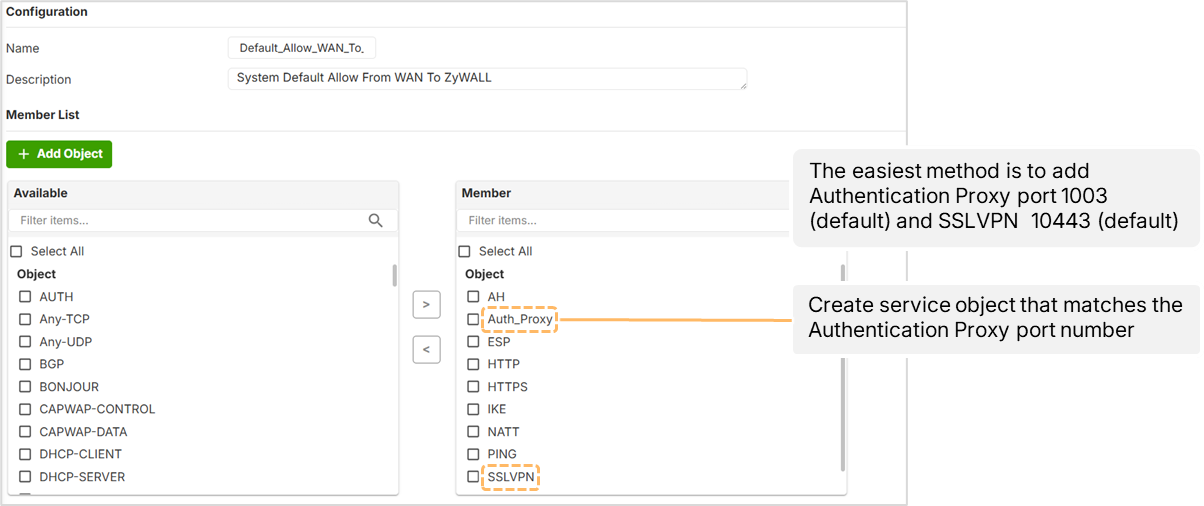
- Authentication Proxy: Must be enabled (default port 1003) and allowed in the WAN-to-Zywall security policy.
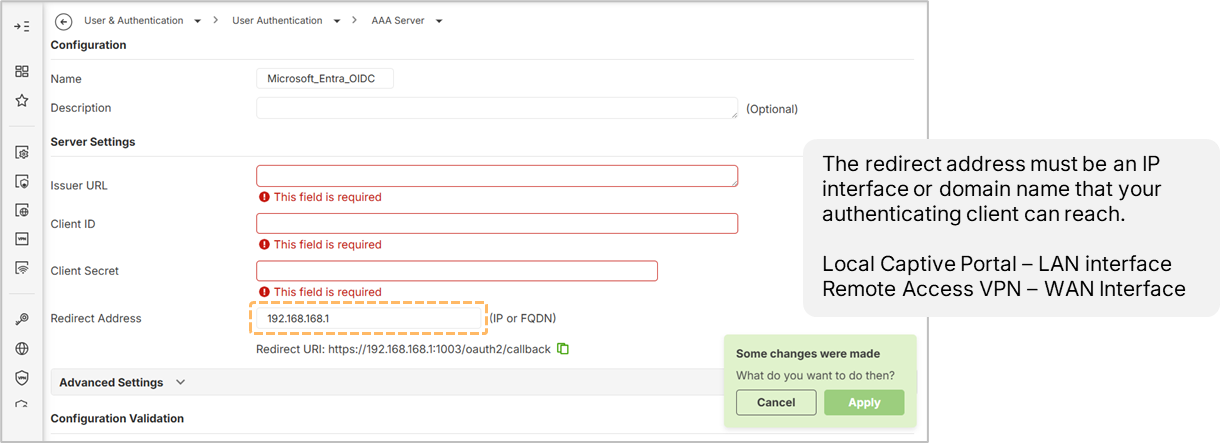
- Redirect URI: Must be set to the WAN IP or public FQDN of the firewall so remote clients can finalize authentication.
- Troubleshooting: If a timeout occurs, verify that port 10443 and port 1003 are allowed.
0
Categories
- All Categories
- 442 Beta Program
- 3.1K Nebula
- 243 Nebula Ideas
- 6.8K Security
- 781 USG FLEX H Series
- 387 Security Ideas
- 1.8K Switch
- 87 Switch Ideas
- 1.5K Wireless
- 58 Wireless Ideas
- 7.2K Consumer Product
- 324 Service & License
- 527 News and Release
- 101 Security Advisories
- 31 Education Center
- 10 [Campaign] Zyxel Network Detective
- 5.3K FAQ
- 34 Documents
- 91 About Community
- 121 Security Highlight