How to disable Layer 2 isolation on Access Point?
Options

Zyxel_JoyLee
Posts: 183  Zyxel Employee


Zyxel Employee
in SSID
To disable Layer 2 isolation on your Zyxel AP, you will generally need to access the wireless settings of your device and modify the SSID configuration.
Here are the general steps:
Scenario 1: Guest Network function is enabled
- Navigate to Site-wide > Configure > Access points > SSID settings
- Look for Guest Network
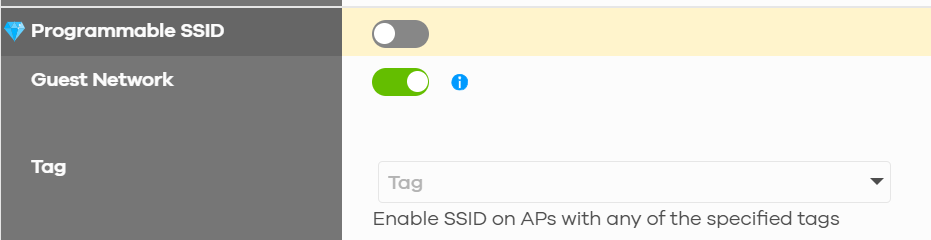
3. Turn off "Guest Network" button and click Save button
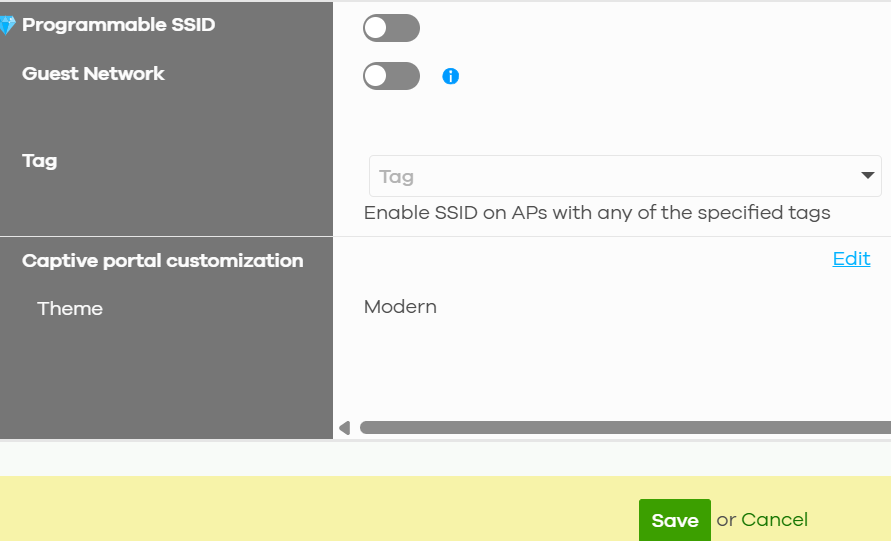
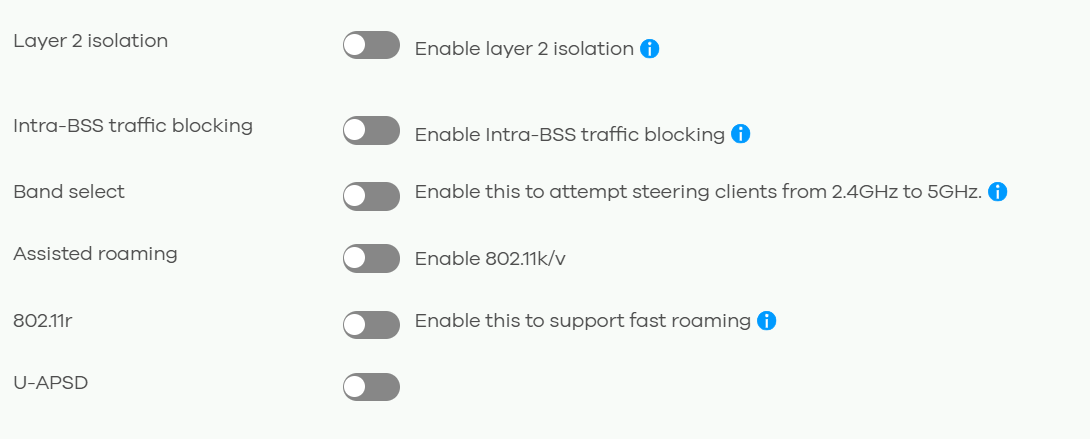
4. Navigate to Site-wide > Configure > Access points > SSID advanced settings
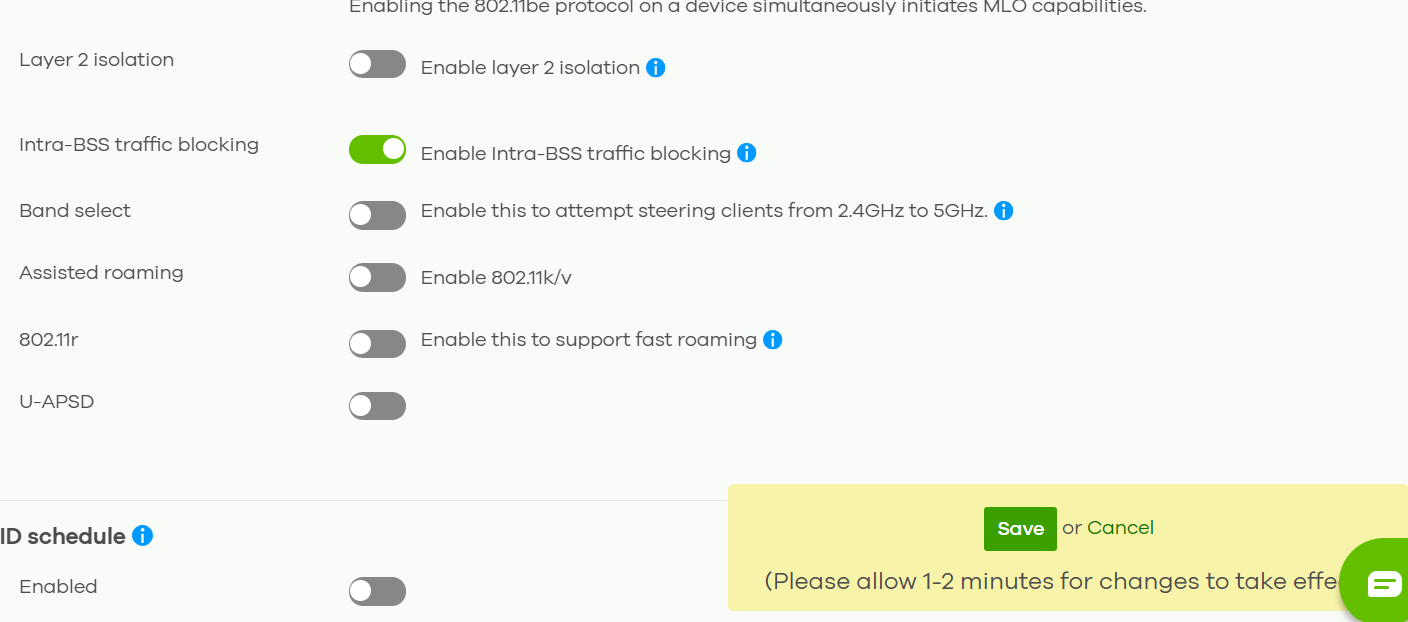
5. Look for Layer 2 Isolation: Enable layer 2 isolation and "Enable layer 2 isolation" button is turned off
Scenario 2: Guest Network function is not enabled
- Navigate to Site-wide > Configure > Access points > SSID advanced settings
- Look for Layer 2 Isolation: Enable layer 2 isolation
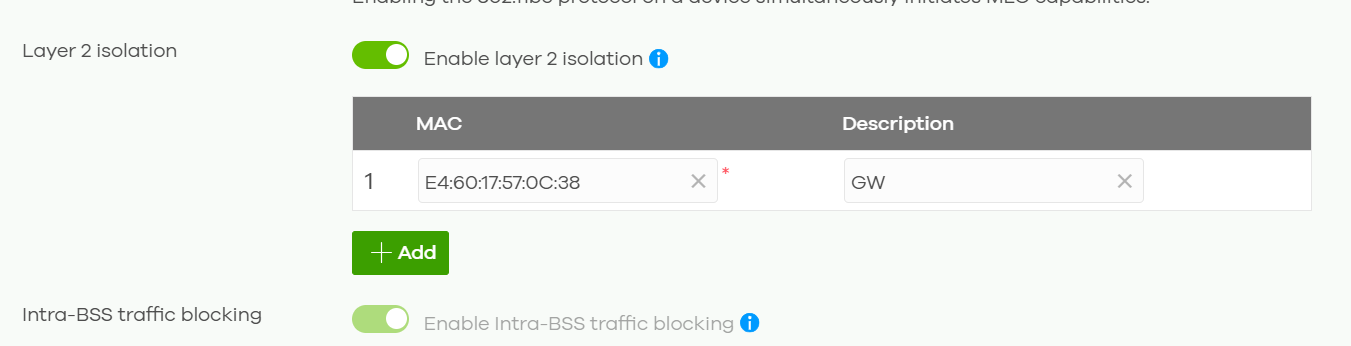
3. Turn off "Enable layer 2 isolation" button and click Save button
0
Categories
- All Categories
- 442 Beta Program
- 3.1K Nebula
- 234 Nebula Ideas
- 6.7K Security
- 706 USG FLEX H Series
- 369 Security Ideas
- 1.8K Switch
- 87 Switch Ideas
- 1.4K Wireless
- 56 Wireless Ideas
- 7.1K Consumer Product
- 313 Service & License
- 512 News and Release
- 99 Security Advisories
- 31 Education Center
- 10 [Campaign] Zyxel Network Detective
- 5.2K FAQ
- 34 Documents
- 89 About Community
- 116 Security Highlight