[Marketplace] How Can I Switch the Payment method for Subscription?
Options

Zyxel_Judy
Posts: 2,725  Zyxel Employee




Zyxel Employee
This article uses the Gold Security Pack including Nebula Pro Pack for USG FLEX 200 (Annual Plan, Paid Yearly) as an example. To switch the payment method for your subscription, please follow these steps:
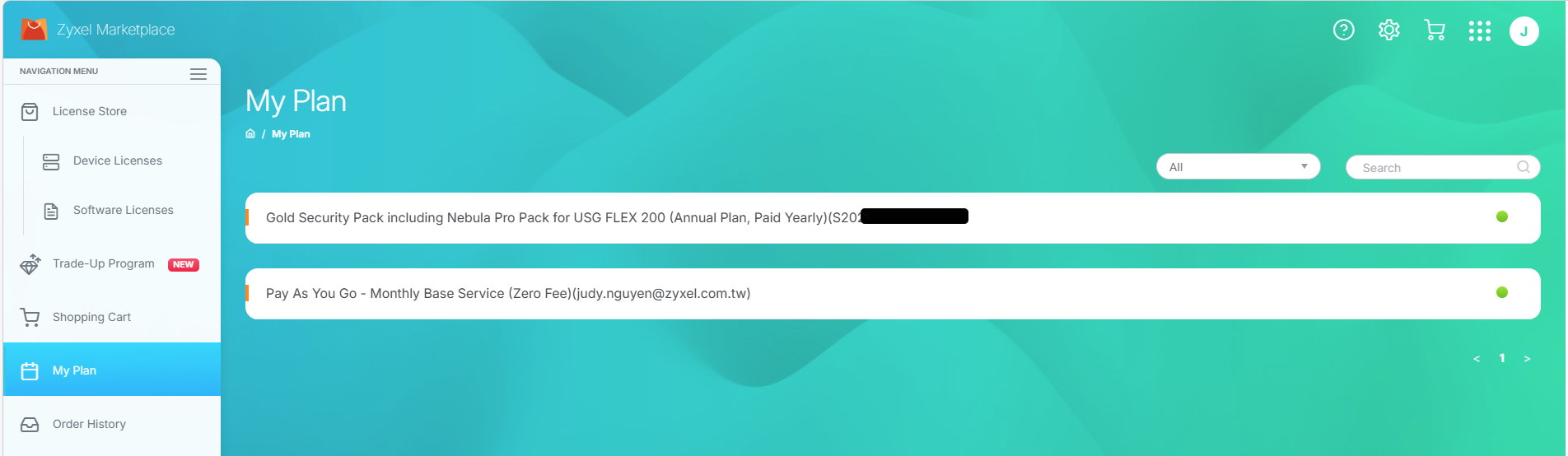
- Go to Marketplace > My plan and select the plan associated with your device.
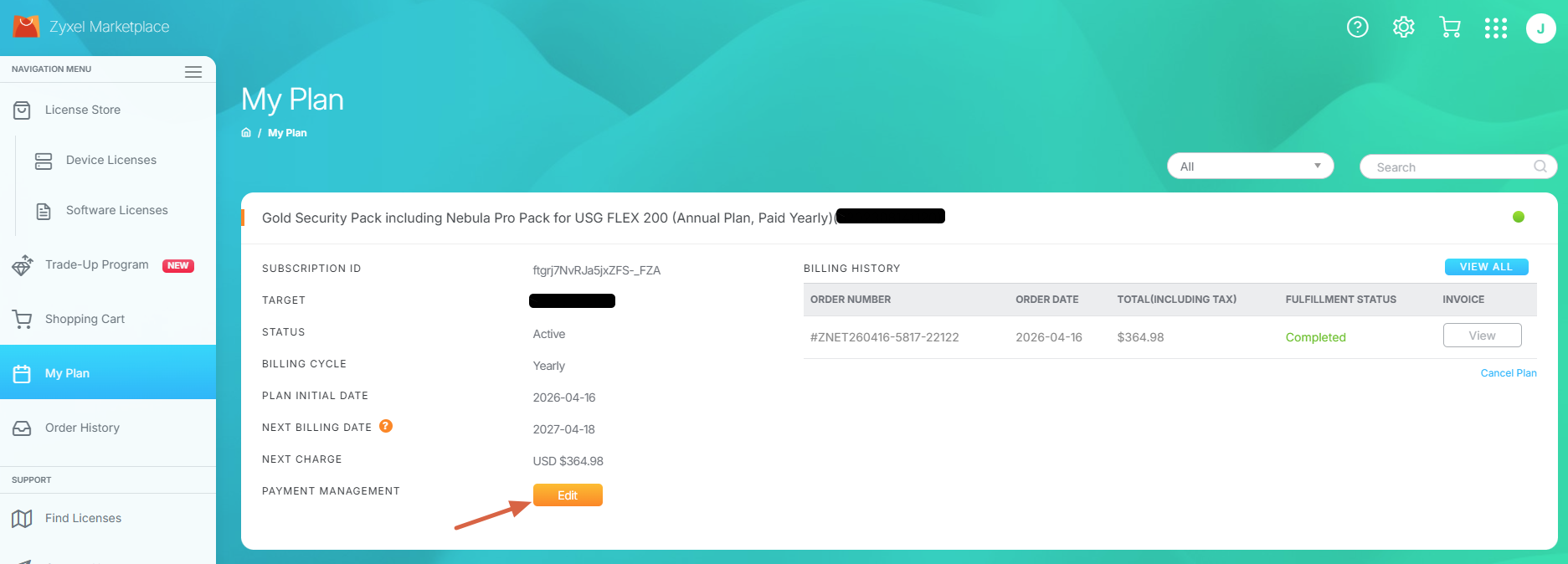
- Click the Edit button on the Payment section.
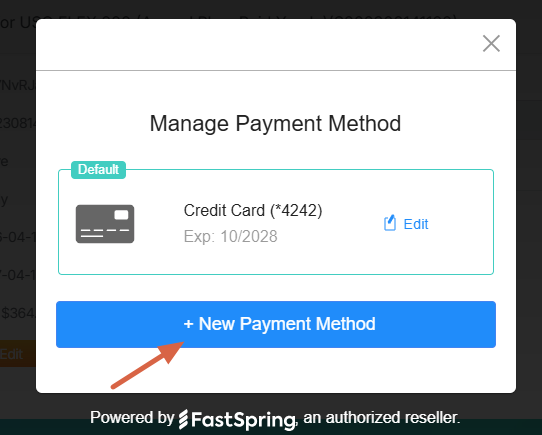
- Click + New Payment Method
- Select Payment Method
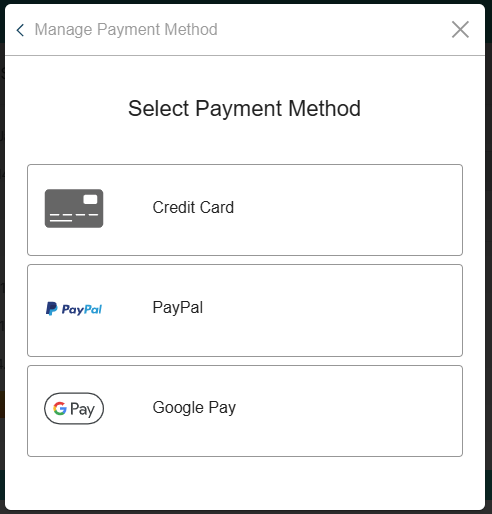
- Enter your payment method details and click Save. The image below uses a credit card as an example for reference.
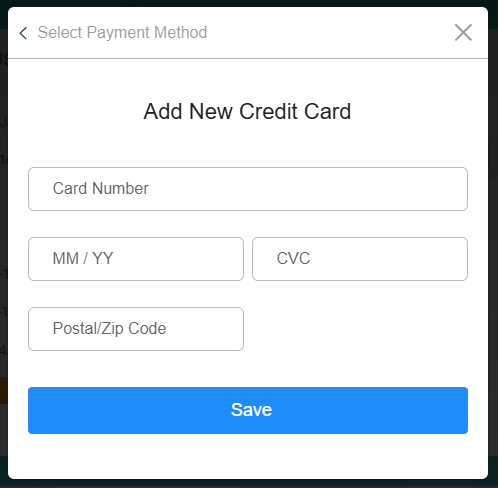
Once completed, please select your preferred method to proceed.
Zyxel_Judy
0
Categories
- All Categories
- 442 Beta Program
- 3.1K Nebula
- 237 Nebula Ideas
- 6.8K Security
- 747 USG FLEX H Series
- 377 Security Ideas
- 1.8K Switch
- 87 Switch Ideas
- 1.5K Wireless
- 58 Wireless Ideas
- 7.2K Consumer Product
- 319 Service & License
- 512 News and Release
- 99 Security Advisories
- 31 Education Center
- 10 [Campaign] Zyxel Network Detective
- 5.3K FAQ
- 34 Documents
- 90 About Community
- 119 Security Highlight