[Circle] How do I purchase only Nebula Pro for my whole organization with Pay As You Go?
Options

Zyxel_Judy
Posts: 2,782




 Zyxel Employee
Zyxel Employee
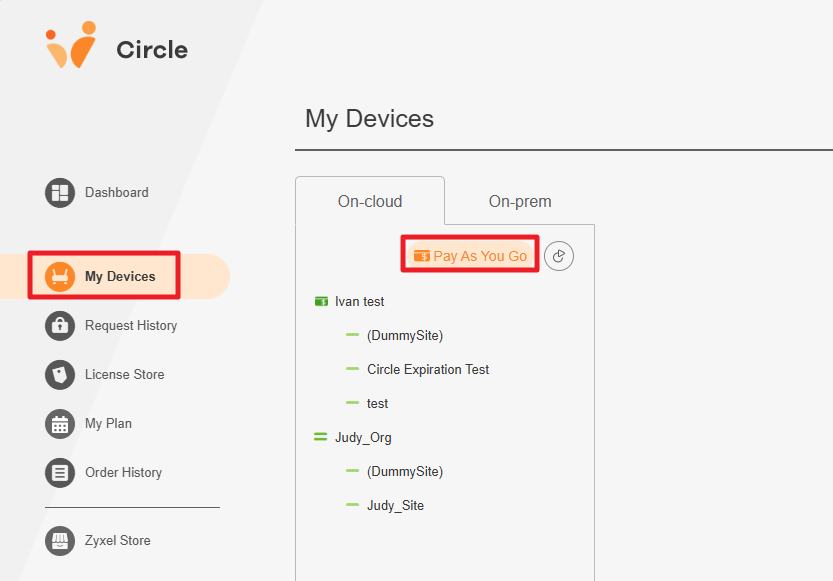
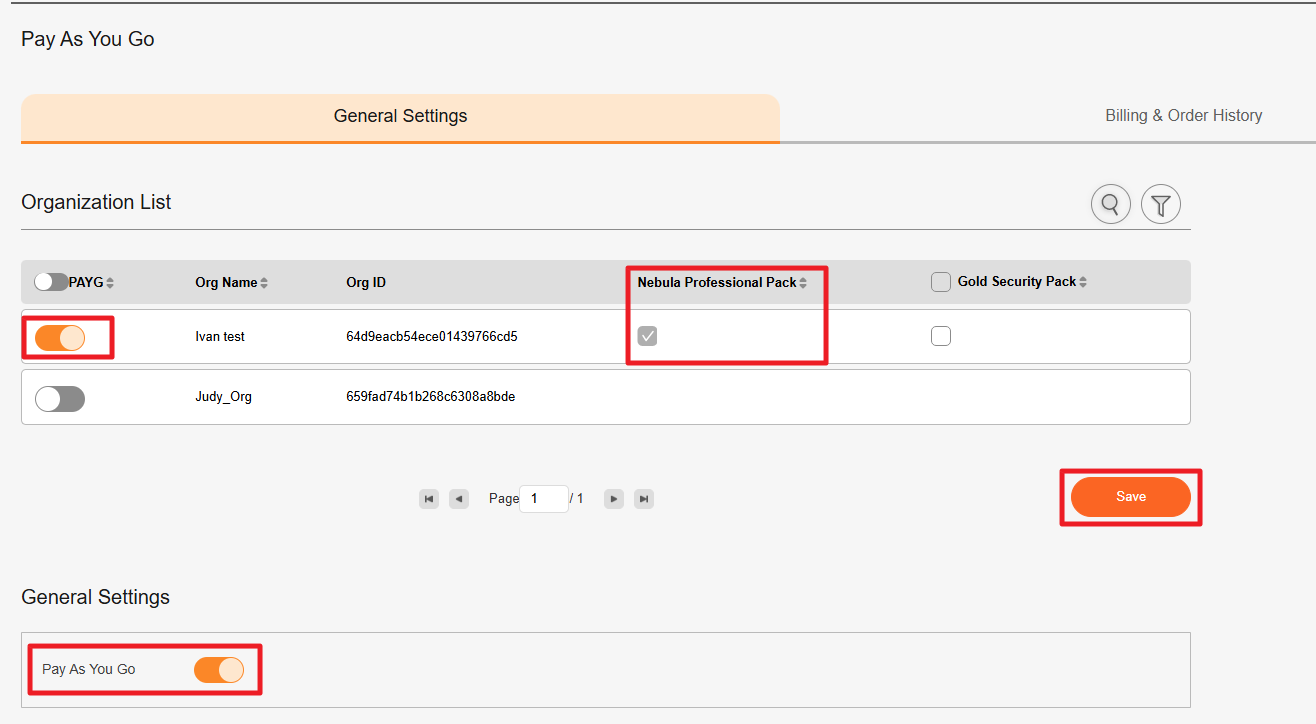
To enable Pay As You Go (PAYG) with only Nebula Pro for your organization, please follow the steps below:
- Go to My Devices > Pay As You Go.
- Under General Settings, enable Pay As You Go.
- Under Organization List, enable PAYG for the organization you want to configure.
- Unselect GSP for the organization, leaving only NPRO enabled.
- Click the Save button.
Zyxel_Judy
0
Categories
- All Categories
- 442 Beta Program
- 3.1K Nebula
- 243 Nebula Ideas
- 6.8K Security
- 783 USG FLEX H Series
- 389 Security Ideas
- 1.8K Switch
- 87 Switch Ideas
- 1.5K Wireless
- 58 Wireless Ideas
- 7.2K Consumer Product
- 325 Service & License
- 527 News and Release
- 101 Security Advisories
- 31 Education Center
- 10 [Campaign] Zyxel Network Detective
- 5.3K FAQ
- 34 Documents
- 91 About Community
- 122 Security Highlight