MSP Admin and Teams UIX Enhancement
Options

Zyxel_Lynn
Posts: 212




 Zyxel Employee
Zyxel Employee
UIX Enhancements for MSP Administrators and Teams
Nebula 20.00 introduces significant UI/UX improvements for Managed Service Providers (MSPs) to streamline multi-organization management and reduce administrative confusion.
Enhanced Context Navigation
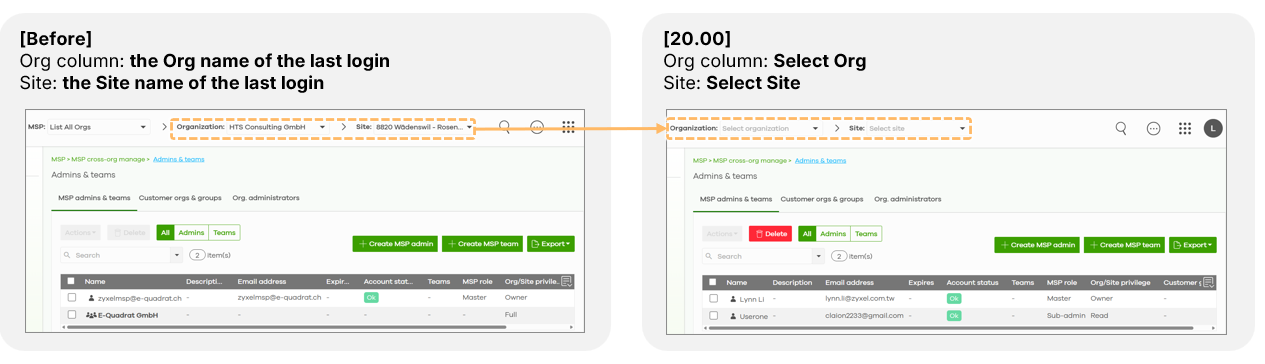
- Intentional Selection: The Organization and Site selectors in the top navigation bar now default to "Select Org" and "Select Site" rather than showing the last accessed location. This ensures administrators are always operating within a consciously chosen context.
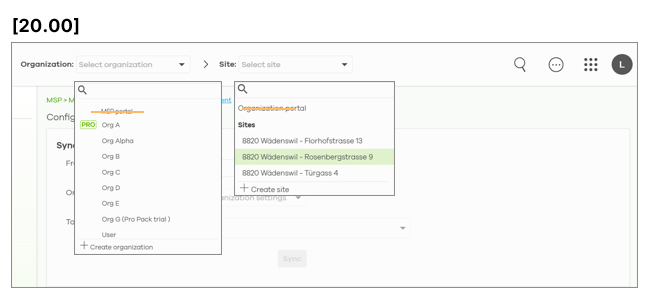
- Refined Dropdowns: To prevent accidental navigation, the MSP portal has been removed from the organization dropdown, and the organization portal has been removed from the site selector.
UI Simplification and Redundancy Removal
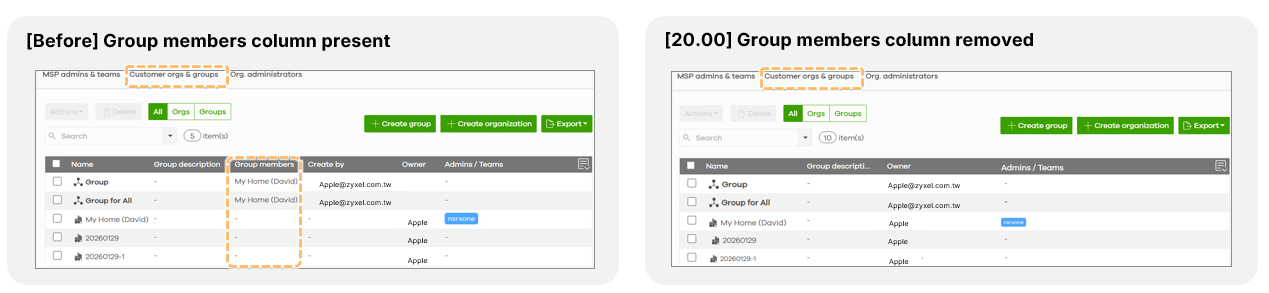
- Consolidated Member Views: The redundant "Group Members" column has been removed from the Customer Org and Group tables. Member details are now accessible via a simplified pop-up window triggered by double-clicking a group.
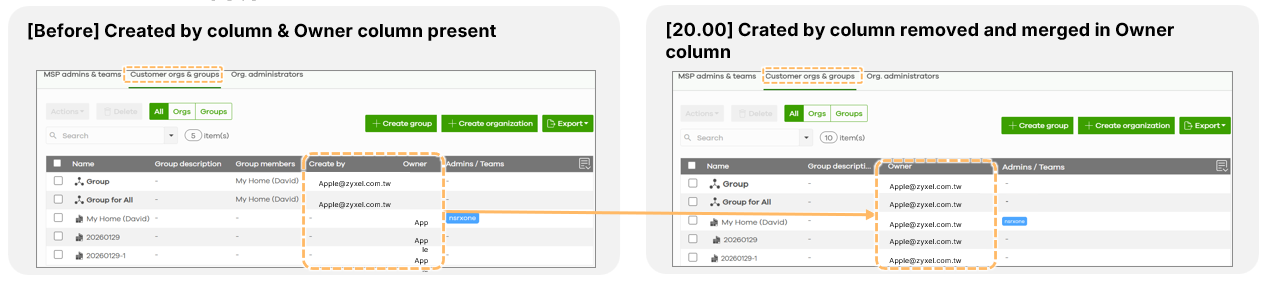
- Merged Ownership Data: The "Created by" and "Owner" columns have been combined into a single "Owner" column displaying only the owner's email address. If an MSP backup account is deleted, ownership of their groups automatically transfers to the MSP master.
- Administrator Table Optimization: In the Org-wide administrator table, if an MSP Master is also the Org Owner, the system now displays a single entry marked with a purple "MSP" label to avoid duplicate records.

Flexible Onboarding and Role Clarity
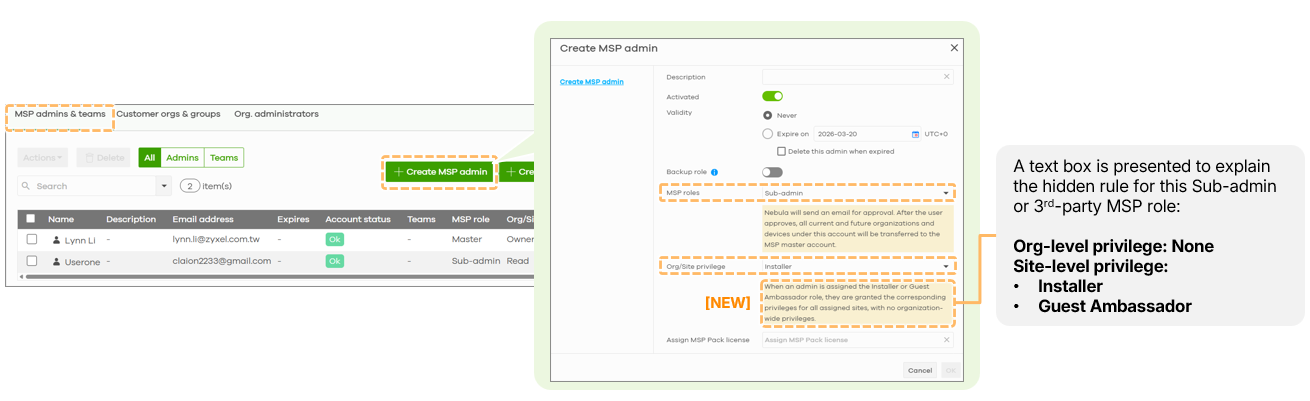
During the creation of MSP Admins or Teams, a new text box provides clarity on roles like "Installer" or "Guest Ambassador," explaining that these permissions apply to all assigned sites without granting broad organization-level access.
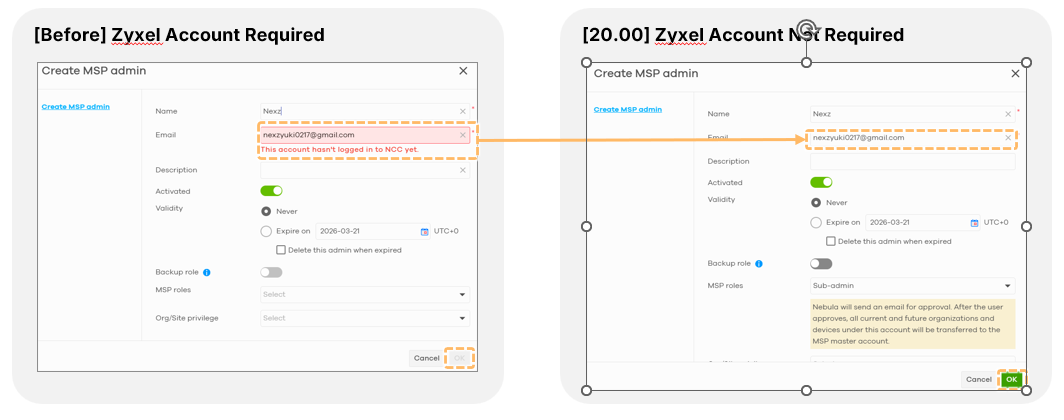
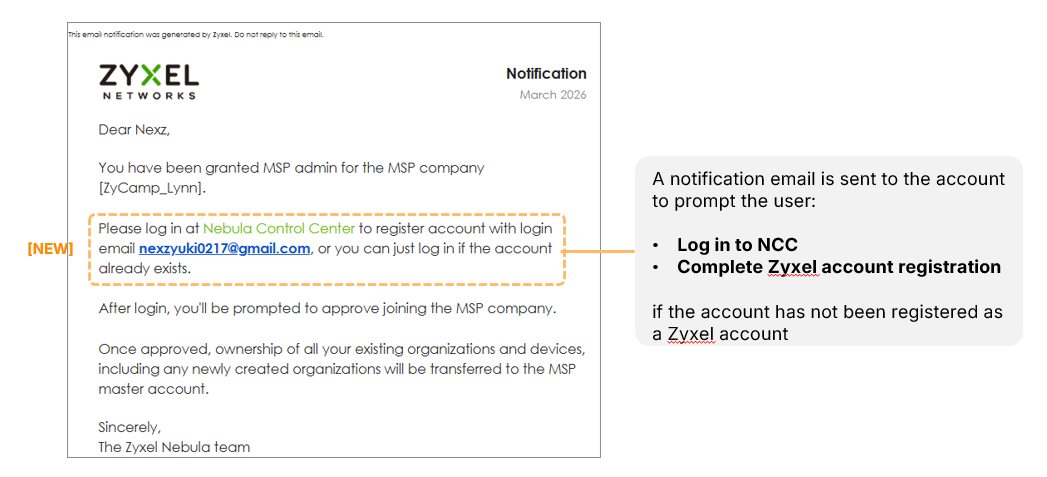
 Furthermore, MSPs can now create administrator accounts without requiring the recipient to have a pre-existing Zyxel account; the system sends an updated notification email that guides the new user through the registration process.
0
Categories
- All Categories
- 442 Beta Program
- 3.1K Nebula
- 243 Nebula Ideas
- 6.8K Security
- 783 USG FLEX H Series
- 389 Security Ideas
- 1.8K Switch
- 87 Switch Ideas
- 1.5K Wireless
- 58 Wireless Ideas
- 7.2K Consumer Product
- 325 Service & License
- 527 News and Release
- 101 Security Advisories
- 31 Education Center
- 10 [Campaign] Zyxel Network Detective
- 5.3K FAQ
- 34 Documents
- 91 About Community
- 122 Security Highlight