MSP Portal UIX Refresh and Fix





 Zyxel Employee
Visualized Management: MSP Portal UIX Refresh
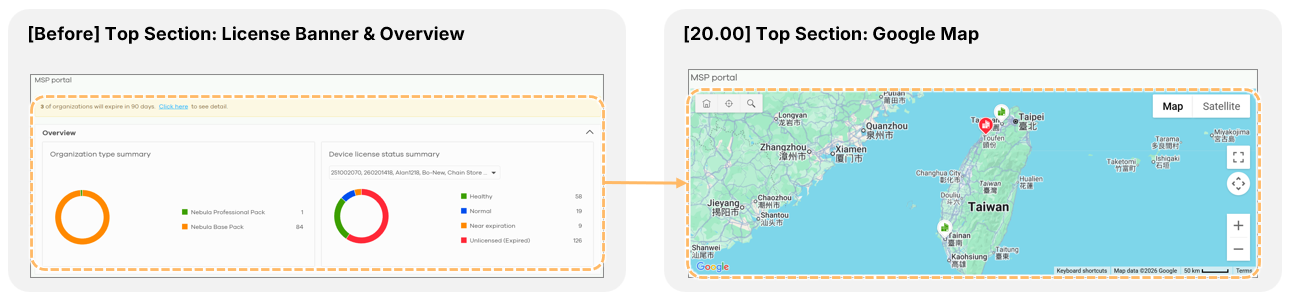
The Nebula 20.00 update brings a major visual refresh to the MSP Portal, highlighted by a new Google Map integration for geographic organization management.
Google Map Visualization
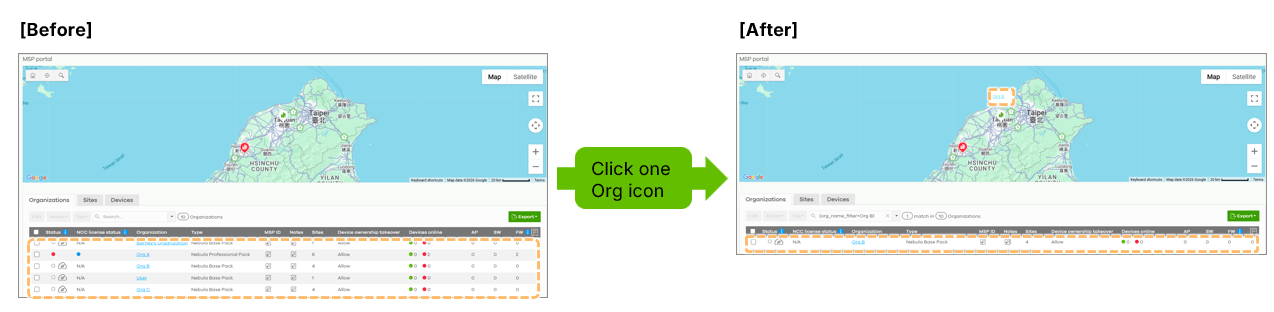
The top section of the MSP portal, which previously contained license banners and summary tables, is now a map-centric interface. This allows MSPs to view the physical locations of their managed organizations, providing a clear geographic overview of their customer base.
Configuring Organization Locations
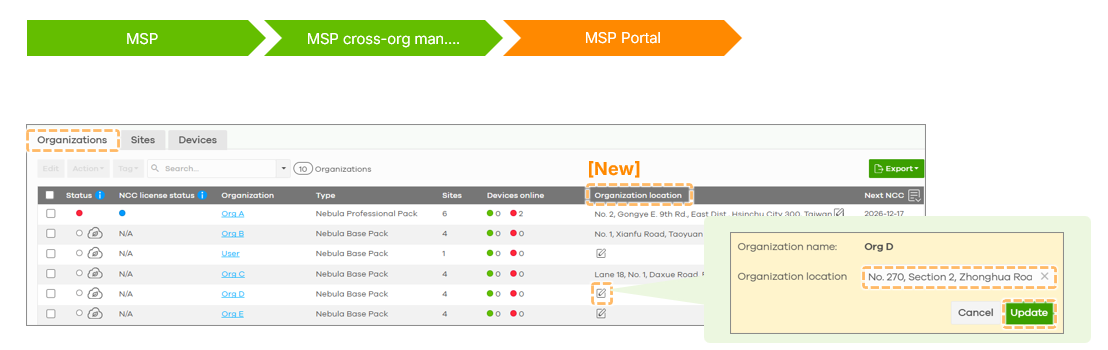
Organizations appear on the map once their physical coordinates are defined. This can happen automatically based on the location of the first created site or manually via the MSP > MSP cross-org manage > MSP Portal > Organization tab.
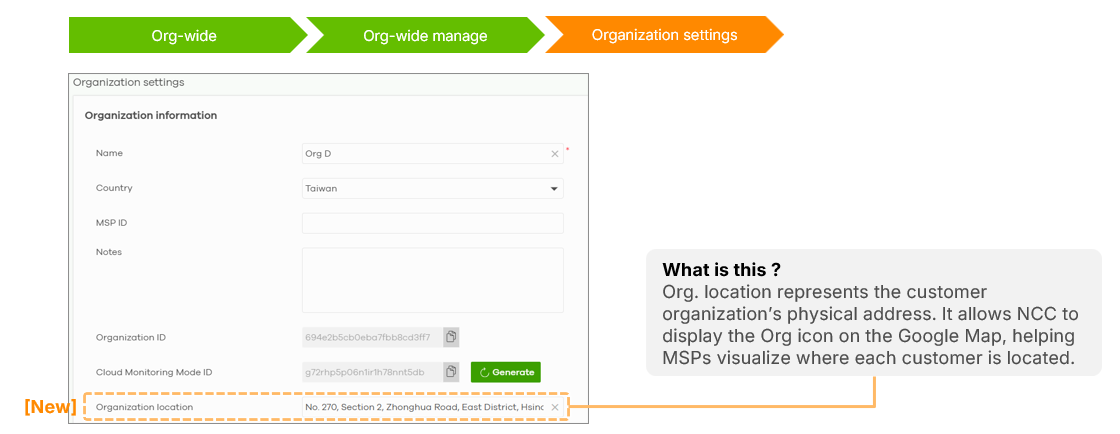
 Physical addresses can also be entered directly in Organization-wide > Org-wide Manage > Organization settings.
Status Monitoring via Map Icons
The map uses color-coded icons to signify the health of each organization:
- Green: Healthy status with no offline devices.
- Red: Organization currently has offline devices.
- White: Organization has no devices registered.
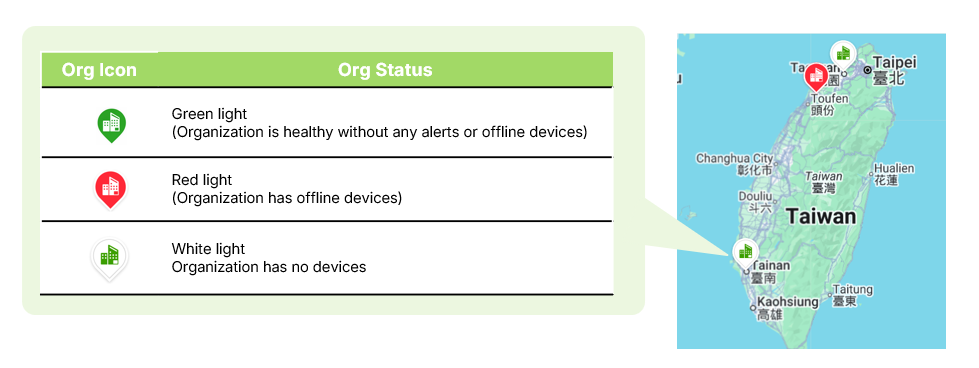
Clicking an icon displays the organization's name and automatically filters the underlying data table to show only that organization's information.
Additional UIX Fixes
General improvements include renaming the "Security Appliance" column to "Firewall" to reflect a broader range of supported devices (USG Flex, ATP, H series).

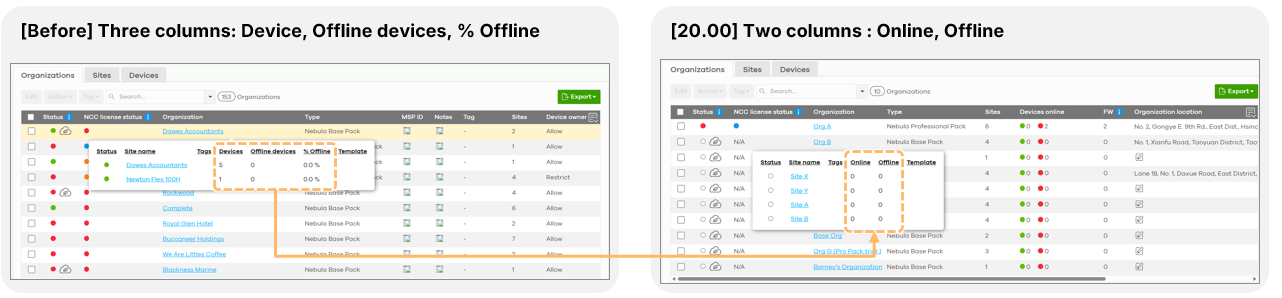
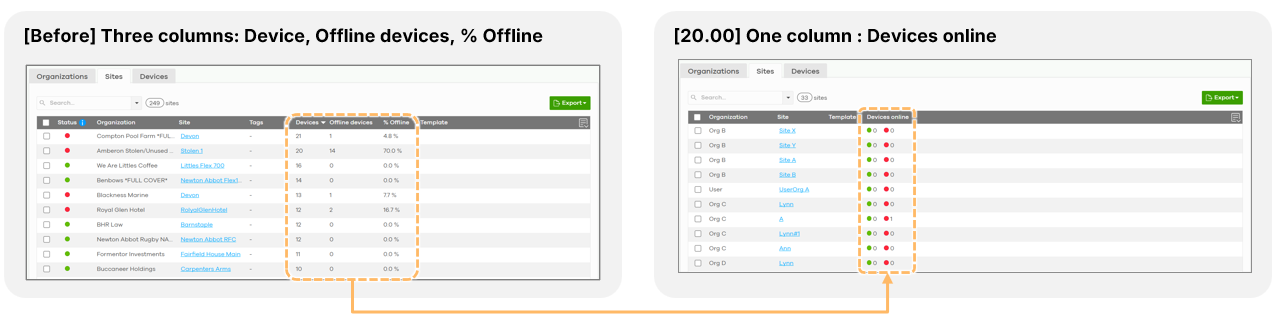
The organization and site tabs have been simplified, replacing complex percentage-based offline tracking with straightforward "Online" and "Offline" device count columns for better readability.
Categories
- All Categories
- 442 Beta Program
- 3.1K Nebula
- 243 Nebula Ideas
- 6.8K Security
- 781 USG FLEX H Series
- 387 Security Ideas
- 1.8K Switch
- 87 Switch Ideas
- 1.5K Wireless
- 58 Wireless Ideas
- 7.2K Consumer Product
- 324 Service & License
- 527 News and Release
- 101 Security Advisories
- 31 Education Center
- 10 [Campaign] Zyxel Network Detective
- 5.3K FAQ
- 34 Documents
- 91 About Community
- 121 Security Highlight