MSP Product ID





 Zyxel Employee
Asset Tracking with MSP Product ID
Managed Service Providers can now better align Nebula devices with their internal asset management systems using the new MSP Product ID field.
Custom Identification Guidelines
The MSP Product ID is an optional, user-defined unique identifier that supports 1 to 64 characters, including multilingual input. Because it is intended for internal tracking, the system permits duplicate IDs across different devices if required by the MSP's internal database. For hardware like stacking switches, each individual member of the stack can be assigned its own unique MSP Product ID.
Configuration and Visibility
Administrators can configure the field in two locations: Organization-wide > License & inventory > Devices
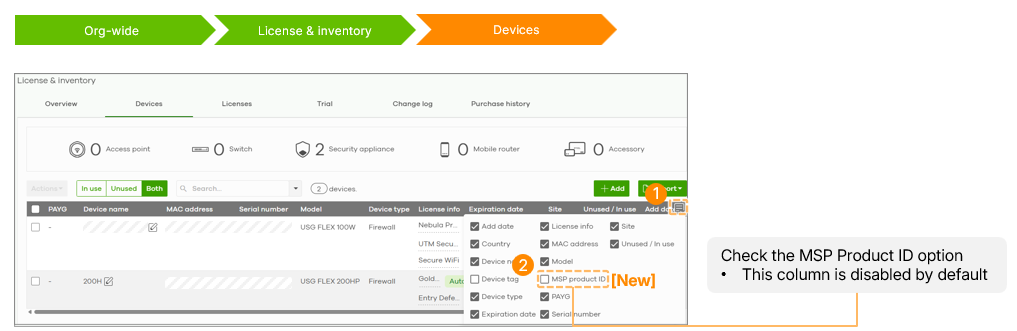
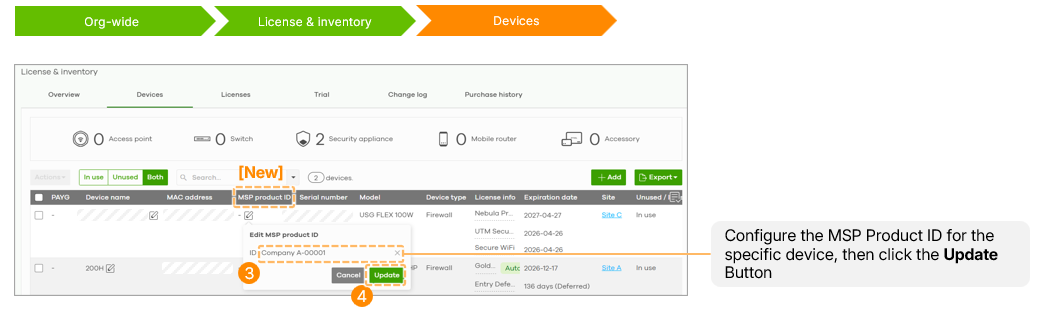
or MSP-wide > Cross-org manage > Device & license inventory.
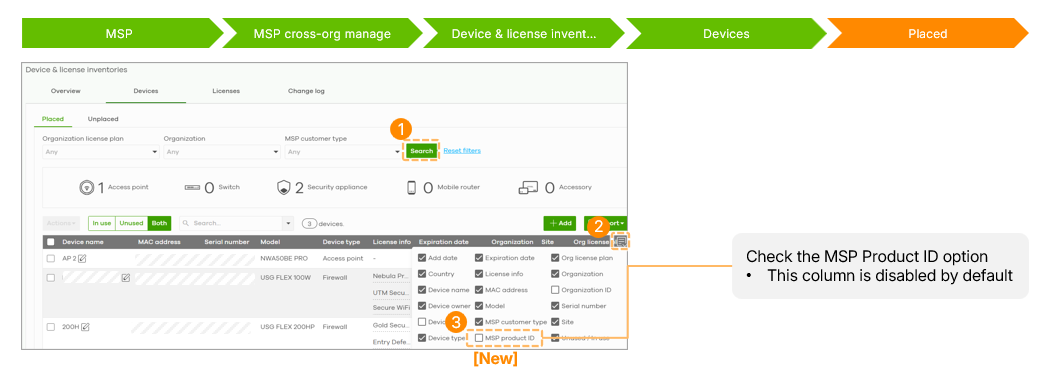
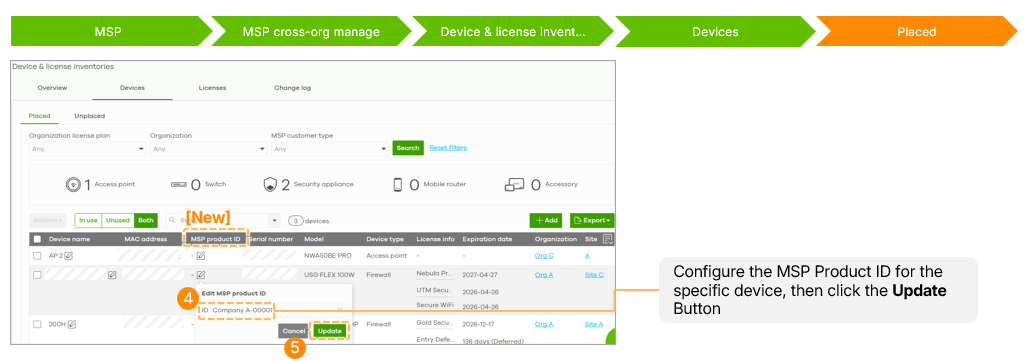
The column is disabled by default and must be enabled via the table's filter icon. Once set, the ID is visible on the Device Detail page, the Site-wide device list, and within the topology view pop-up windows.
Audit Logs and Licensing
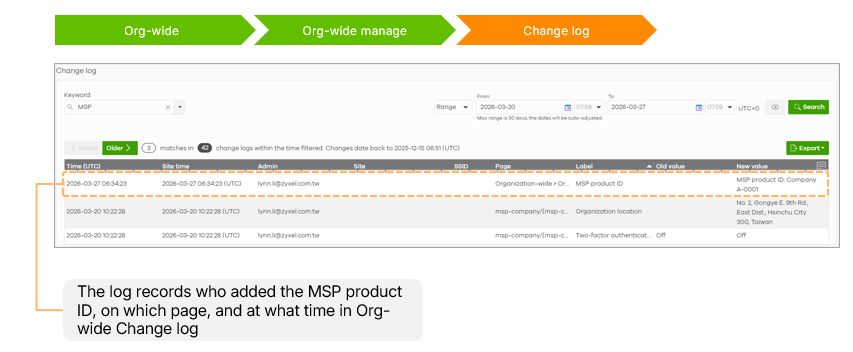
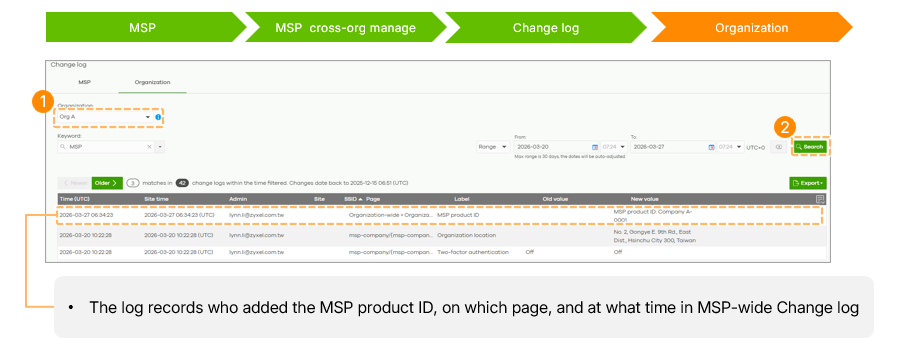
All modifications to the MSP Product ID are recorded in both the Org-wide and MSP-wide Change Logs, providing a clear audit trail of who made the change and when.
This feature is device-based and does not require an MSP or Pro Pack license. Configuration requires Organization Owner or Full privilege.
Categories
- All Categories
- 442 Beta Program
- 3.1K Nebula
- 243 Nebula Ideas
- 6.8K Security
- 783 USG FLEX H Series
- 389 Security Ideas
- 1.8K Switch
- 87 Switch Ideas
- 1.5K Wireless
- 58 Wireless Ideas
- 7.2K Consumer Product
- 325 Service & License
- 527 News and Release
- 101 Security Advisories
- 31 Education Center
- 10 [Campaign] Zyxel Network Detective
- 5.3K FAQ
- 34 Documents
- 91 About Community
- 122 Security Highlight