Editing Device Name





 Zyxel Employee
Flexible Device Naming Enhancements
Nebula 20.00 improves administrative efficiency by providing multiple new entry points for renaming networking devices directly within the core management tables.
Direct Name Editing
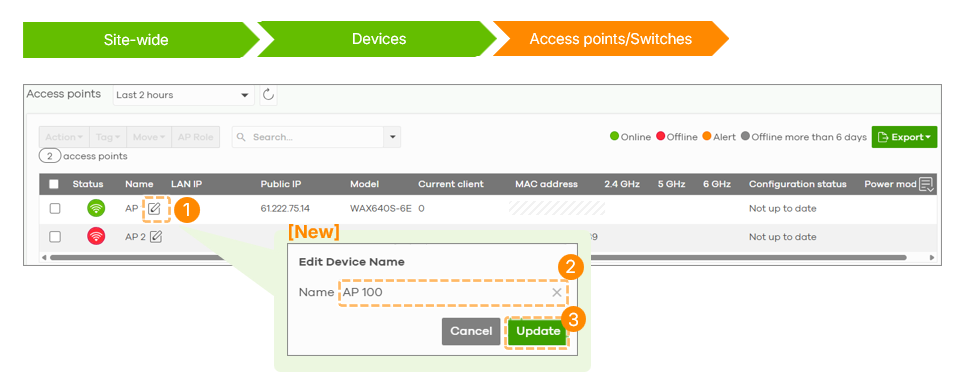
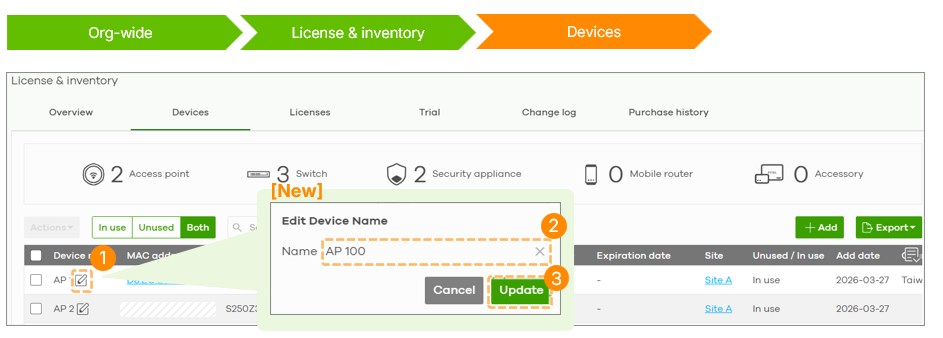
Instead of navigating to the Device Detail or Topology pages, administrators can now edit device names using a pencil icon in the following locations:
- Site-wide > Device List page: Available for Access Points and Switches.
- Organization-wide > License & Inventory > Devices: Renaming can be performed directly within the device tab.
Stacking Switch Logic
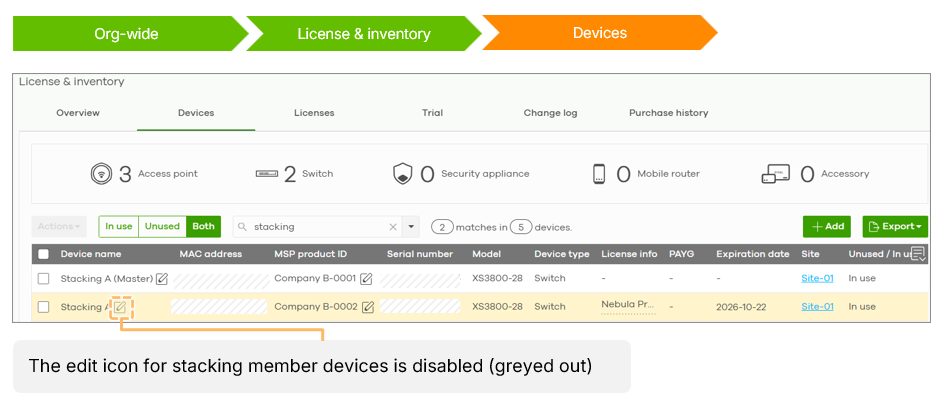
In stacking configurations, the name of the master device can be edited, while the backup members automatically inherit and share the master's name. Consequently, the edit icon is disabled for backup units to maintain consistency within the stack.
Logging and Permissions
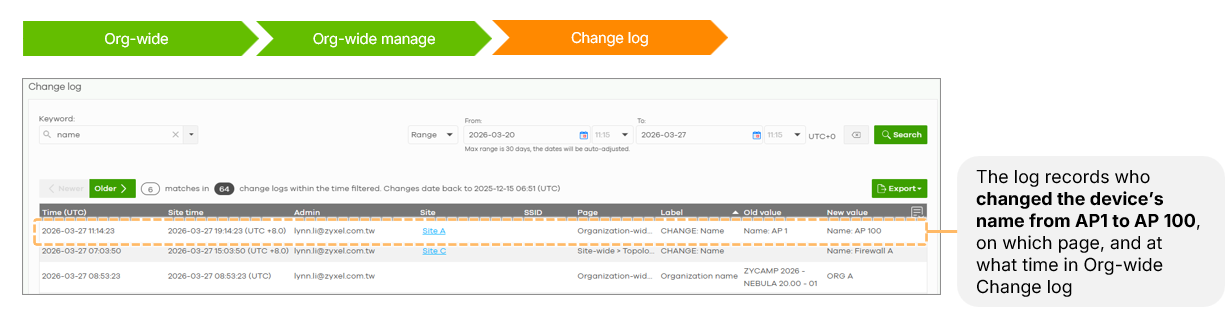
Every name change is recorded in the Org-wide Change Log, documenting the administrator, the previous name, the new name, and the timestamp. This feature requires no additional license and can be accessed by Site-level with Full or Installer privileges, Org-level with Owner, delegated Owner, or Full privileges.
Categories
- All Categories
- 442 Beta Program
- 3.1K Nebula
- 243 Nebula Ideas
- 6.8K Security
- 783 USG FLEX H Series
- 389 Security Ideas
- 1.8K Switch
- 87 Switch Ideas
- 1.5K Wireless
- 58 Wireless Ideas
- 7.2K Consumer Product
- 325 Service & License
- 527 News and Release
- 101 Security Advisories
- 31 Education Center
- 10 [Campaign] Zyxel Network Detective
- 5.3K FAQ
- 34 Documents
- 91 About Community
- 122 Security Highlight