SSID Priority





 Zyxel Employee
Optimizing Wireless Traffic with SSID Priority (VIP QoS)
SSID Priority, or VIP QoS, is now supported for Nebula Cloud Managed Access Points, enabling granular control over wireless traffic forwarding based on the importance of each SSID.
Priority Level Classification
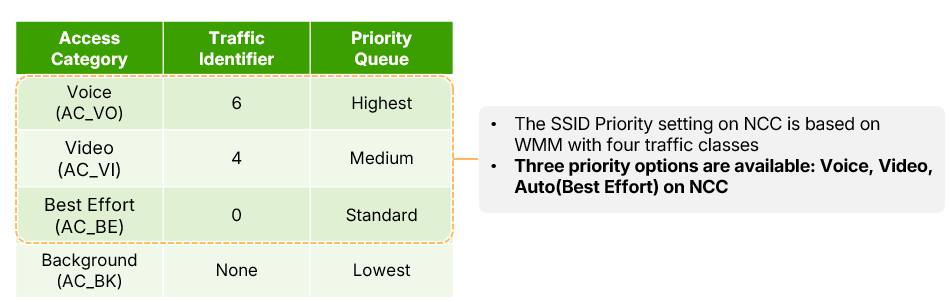
Administrators can choose from three priority levels that utilize the Wireless Multimedia (WMM) framework:
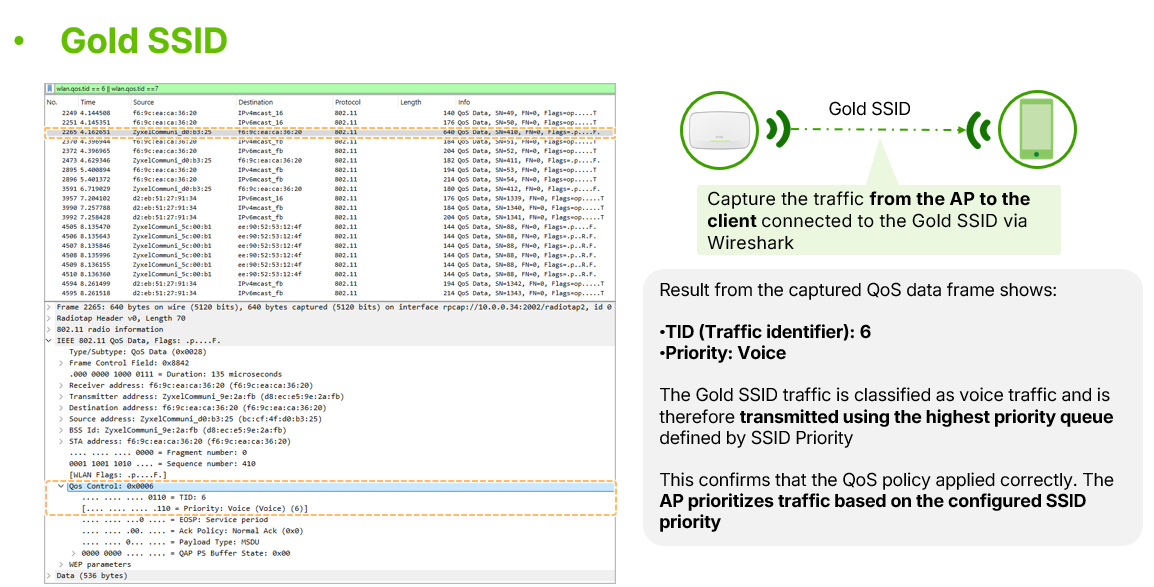
- Gold: Maps to the WMM Voice category, granting the highest forwarding priority and ensuring minimal latency even in congested networks.
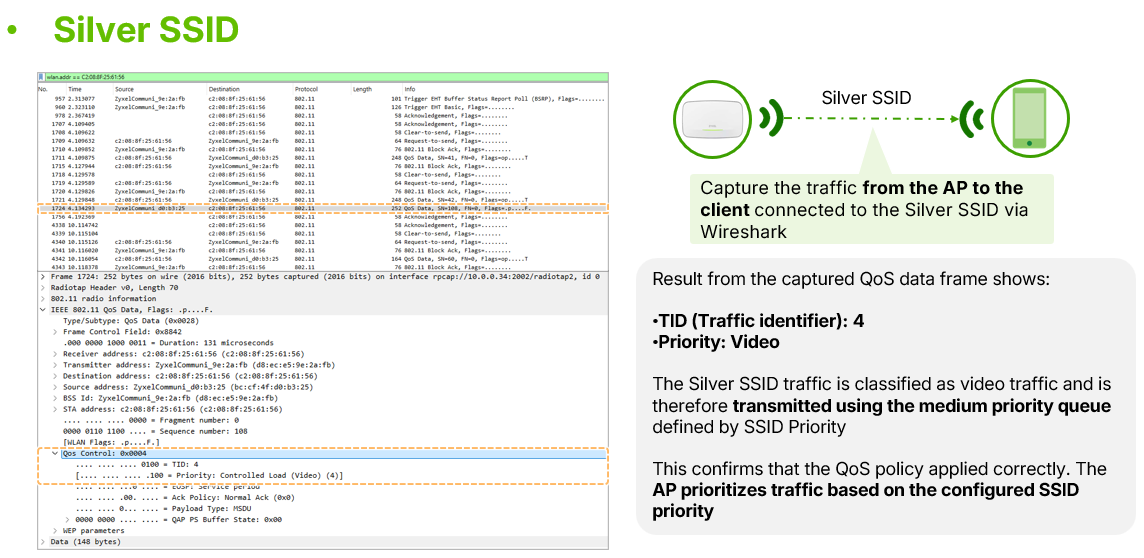
- Silver: Maps to the WMM Video category for medium forwarding priority.
- Auto: The default setting, mapping to the WMM Best Effort category.
Interaction with Wired QoS (802.1p)
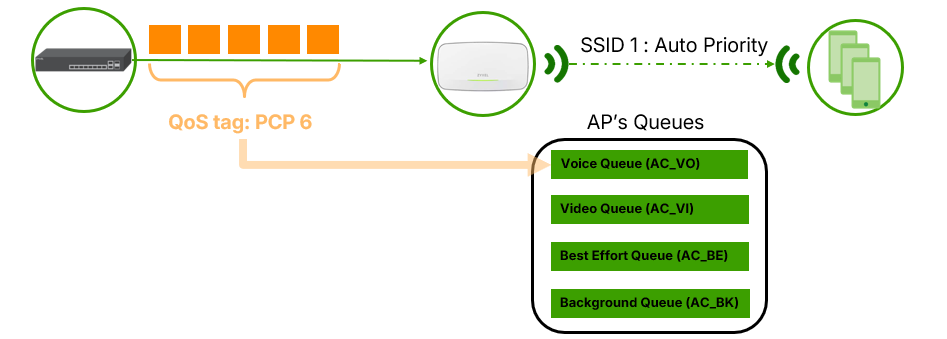
When an SSID is set to Auto, the AP reads the original QoS tags of incoming packets and forwards them accordingly.
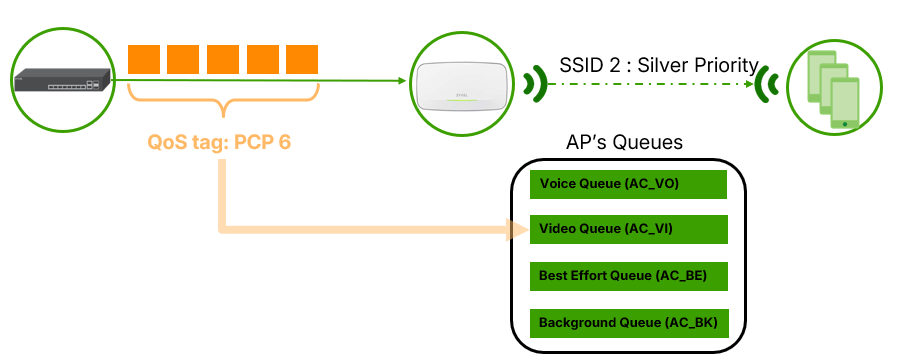
However, if Gold or Silver is selected, the AP overrides the original QoS marking to ensure the traffic adheres to the SSID's specific priority queue.
Configuration and Verification
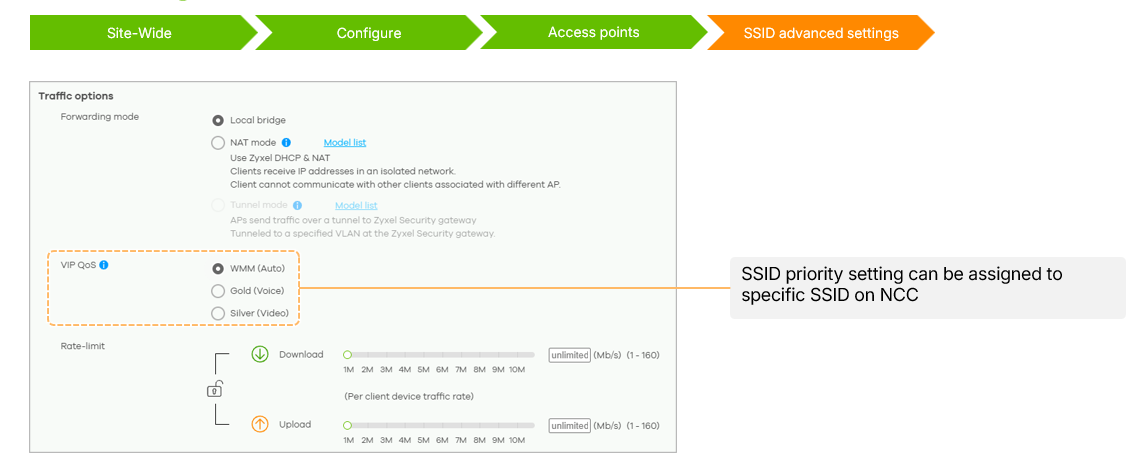
The feature can be configured under Site-wide > Configure > Access point > SSID advanced settings in the VIP QoS section.
The applied policy can be verified using Wireshark, where Gold traffic is marked with a Traffic Identifier (TID) of 6 and Silver traffic with a TID of 4.
SSID Priority requires no additional licensing and is available to all users.


Categories
- All Categories
- 442 Beta Program
- 3.1K Nebula
- 243 Nebula Ideas
- 6.8K Security
- 783 USG FLEX H Series
- 389 Security Ideas
- 1.8K Switch
- 87 Switch Ideas
- 1.5K Wireless
- 58 Wireless Ideas
- 7.2K Consumer Product
- 325 Service & License
- 527 News and Release
- 101 Security Advisories
- 31 Education Center
- 10 [Campaign] Zyxel Network Detective
- 5.3K FAQ
- 34 Documents
- 91 About Community
- 122 Security Highlight