Captive Portal-User Limit Control





 Zyxel Employee
Advanced Captive Portal Management: User Limit Protection
Nebula 20.00 introduces "Existing User Protection," a new feature designed to give administrators greater control over simultaneous login limits for Captive Portal accounts.
Understanding Login Behavior
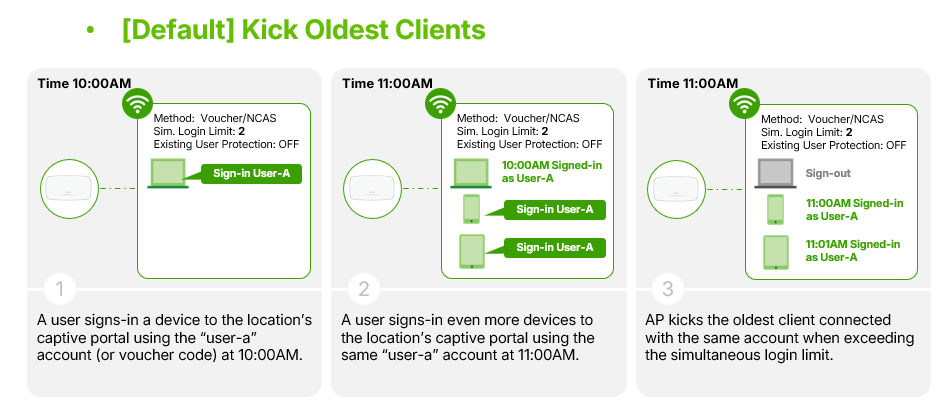
Simultaneous login limits define how many endpoint devices can use a single account at the same time. The default Nebula behavior is to "kick all" existing clients when a new device attempts to authenticate with an account that has reached its limit.
Protecting Active Sessions
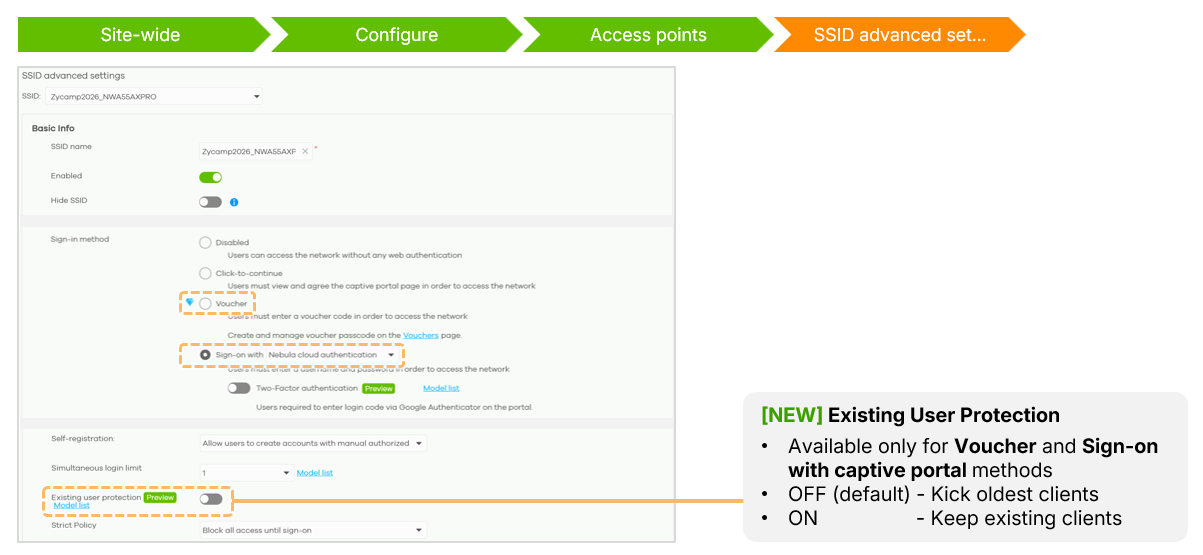
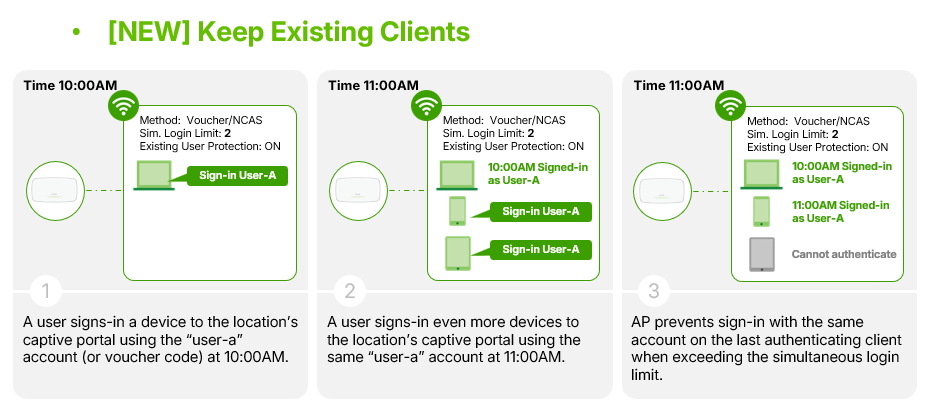
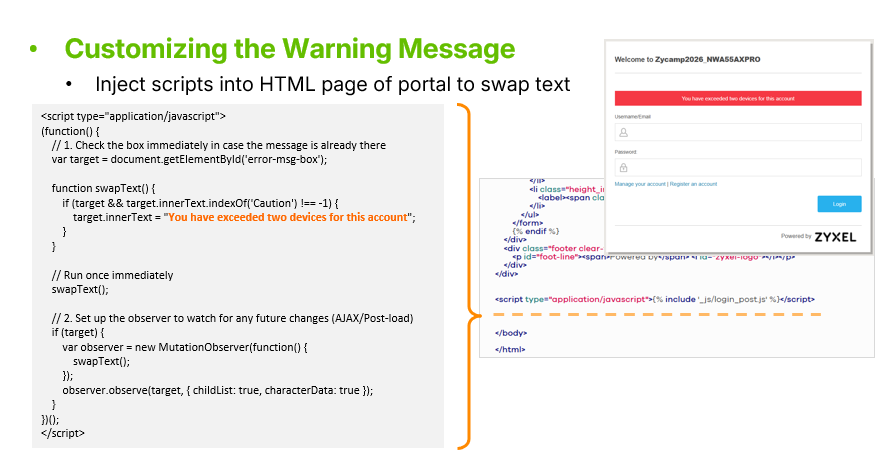
By enabling "Existing User Protection," the system keeps all current clients connected and prevents any new devices from authenticating until an existing session expires or is manually cleared. New users will receive a warning message stating that the user has already logged in via other devices.
Monitoring and Customization
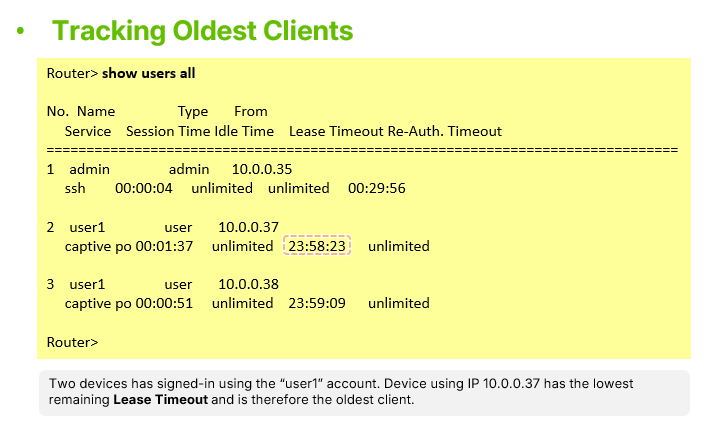
Administrators can monitor active portal users by executing the `show users all` command in the AP CLI, which identifies the oldest sessions through their remaining leasing time.
Additionally, the warning message displayed to users can be fully customized by editing the HTML content within the Captive Portal theme customization page.


Categories
- All Categories
- 442 Beta Program
- 3.1K Nebula
- 243 Nebula Ideas
- 6.8K Security
- 783 USG FLEX H Series
- 389 Security Ideas
- 1.8K Switch
- 87 Switch Ideas
- 1.5K Wireless
- 58 Wireless Ideas
- 7.2K Consumer Product
- 325 Service & License
- 527 News and Release
- 101 Security Advisories
- 31 Education Center
- 10 [Campaign] Zyxel Network Detective
- 5.3K FAQ
- 34 Documents
- 91 About Community
- 122 Security Highlight