Why the "AP Role Capability" show "Remote AP" even though the "Remote AP" function is disabled?



 Zyxel Employee
The AP model does not support Remote AP function the "AP role capability" will show Standard.
The AP model supports Remote AP function the "AP role capability" will show Remote AP even if you did not enable remote AP function.
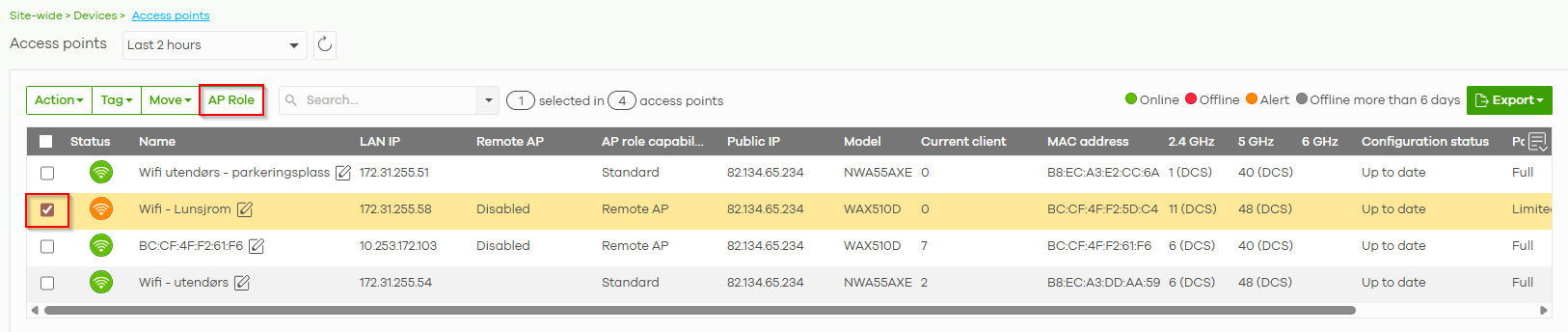
The "AP Role" tab will be highlighted (activated) when selecting any AP model that supports the remote AP function(with Remote AP capability)—on the Access Points page.
If an AP does not support Remote AP capability, the “AP Role” tab will be grayed out.
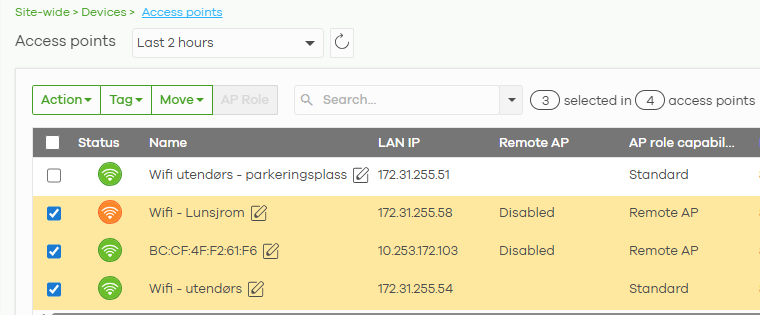
The "AP Role" setting is designed to override the per-AP "Remote AP" function.
The "Remote AP" option should be disabled by default whenever you click on the "AP Role" tab.
The behavior is by design, as shown in the following example.
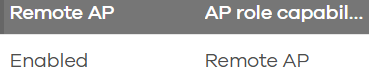
1. The "Remote AP" option is disabled in per AP list and the "Remote AP" column is disabled in the Access Points list.
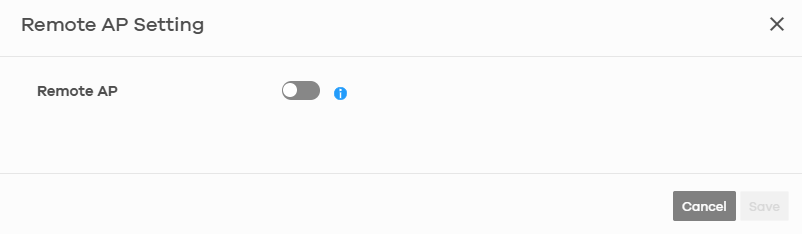

2. The "AP Role" tab will be highlighted (activated) when selecting any AP model that supports the remote AP function and click "AP Role" tab. The "Remote AP Setting" page is pop up.
The "Remote AP" option is disabled as default setting
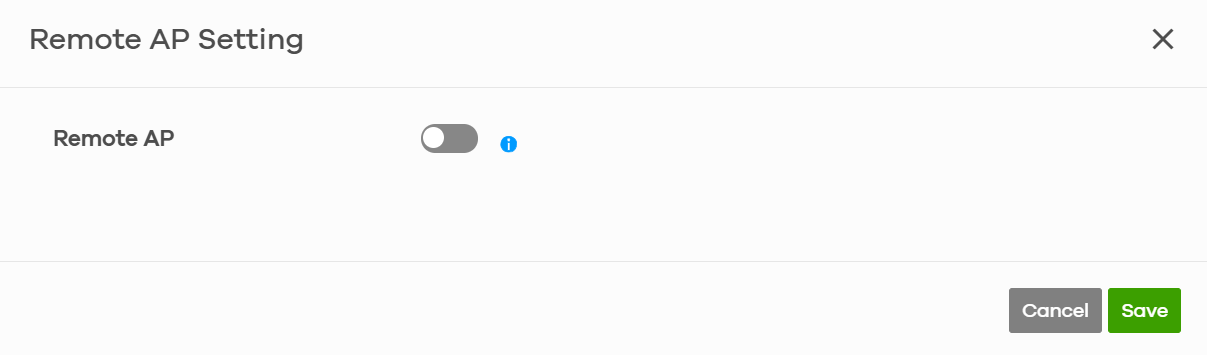
3. Enable "Remote AP" function and Click "Save"
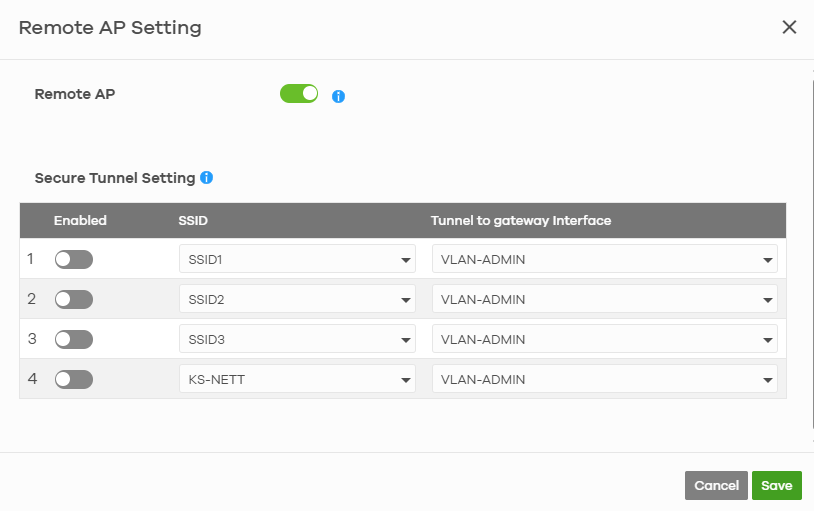
4.The "Remote AP" option has become enabled in the per-AP list, and the "Remote AP" column is enabled in the Access Points list.

5. Selecting the AP in Access points list again and click "AP Role".
The "Remote AP" option is always disabled as default setting
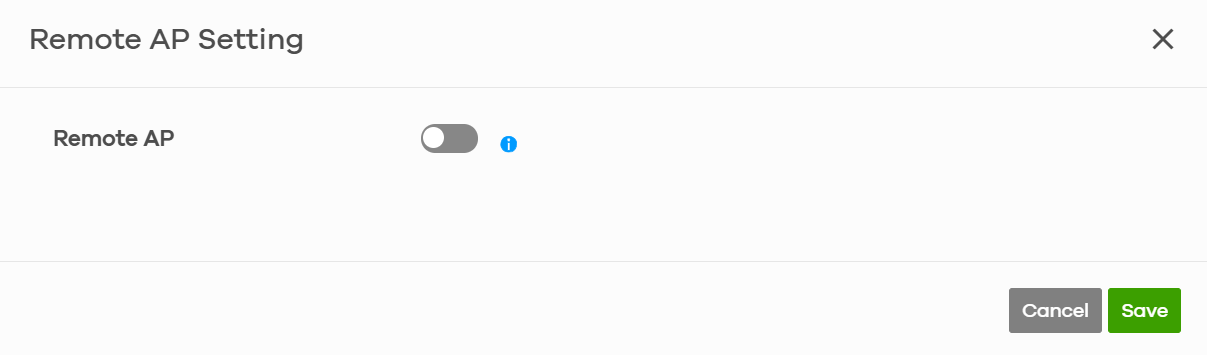
Then click "Save" button
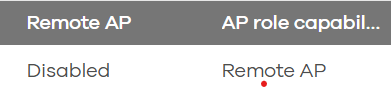
6. The "Remote AP" option has become disabled in the per-AP list, and the "Remote AP" column is disabled in the Access Points list.

Categories
- All Categories
- 442 Beta Program
- 3.1K Nebula
- 243 Nebula Ideas
- 6.8K Security
- 783 USG FLEX H Series
- 389 Security Ideas
- 1.8K Switch
- 87 Switch Ideas
- 1.5K Wireless
- 58 Wireless Ideas
- 7.2K Consumer Product
- 325 Service & License
- 527 News and Release
- 101 Security Advisories
- 31 Education Center
- 10 [Campaign] Zyxel Network Detective
- 5.3K FAQ
- 34 Documents
- 91 About Community
- 122 Security Highlight