To construct VLAN traffic through WDS between standalone APs



 Zyxel Employee
Topology: Firewall(DHCP server)------switch-----root ap ((( repeater ap
Procedure
- Connect all APs to the switch through Ethernet cable
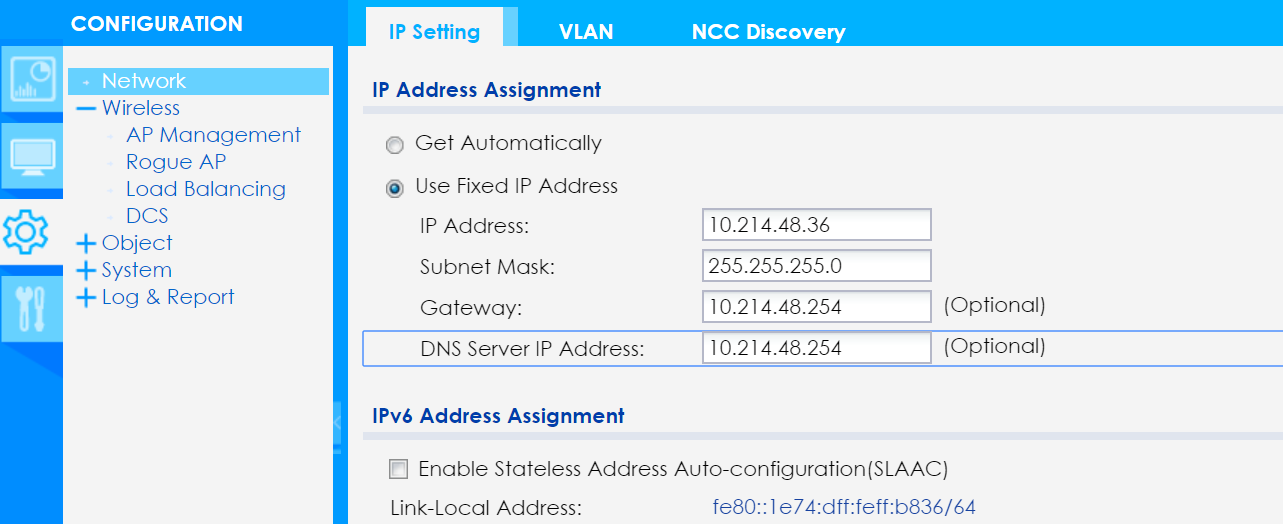
- Go to CONFIGURATION > Network > IP Setting, and configure all the APs with static IP addresses.
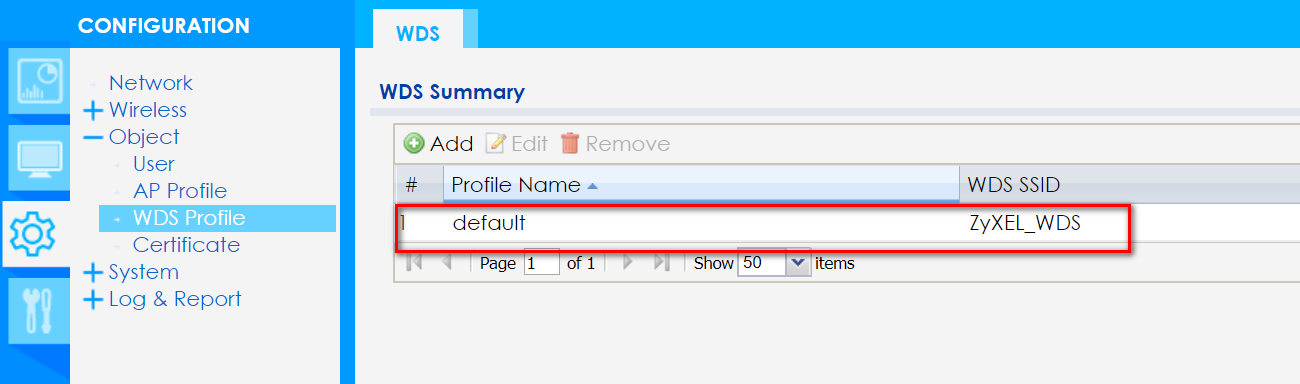
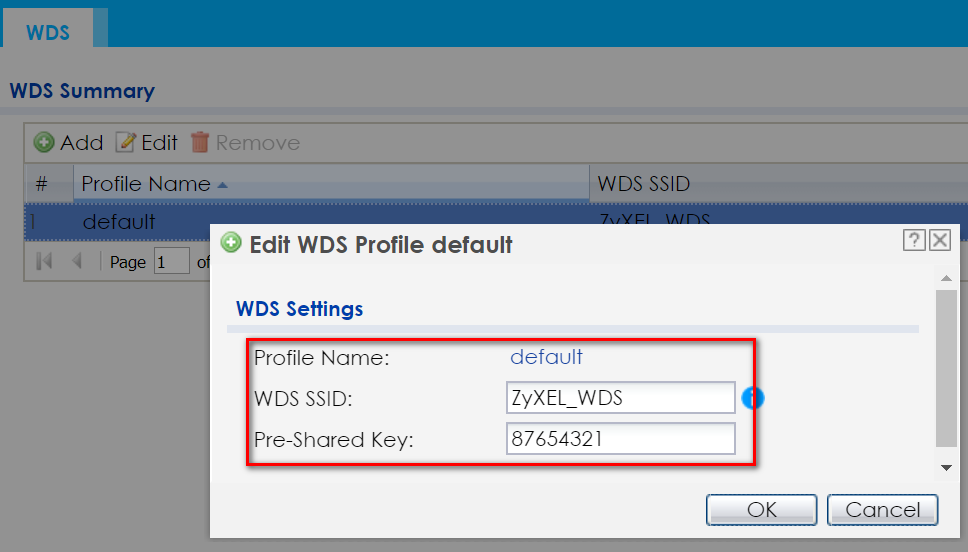
3. Go to CONFIGURATION > Object > WDS Profile > WDS, and configure the WDS SSID. Also confirm the WDS SSID and Pre-Shared Key on all APs are the same.
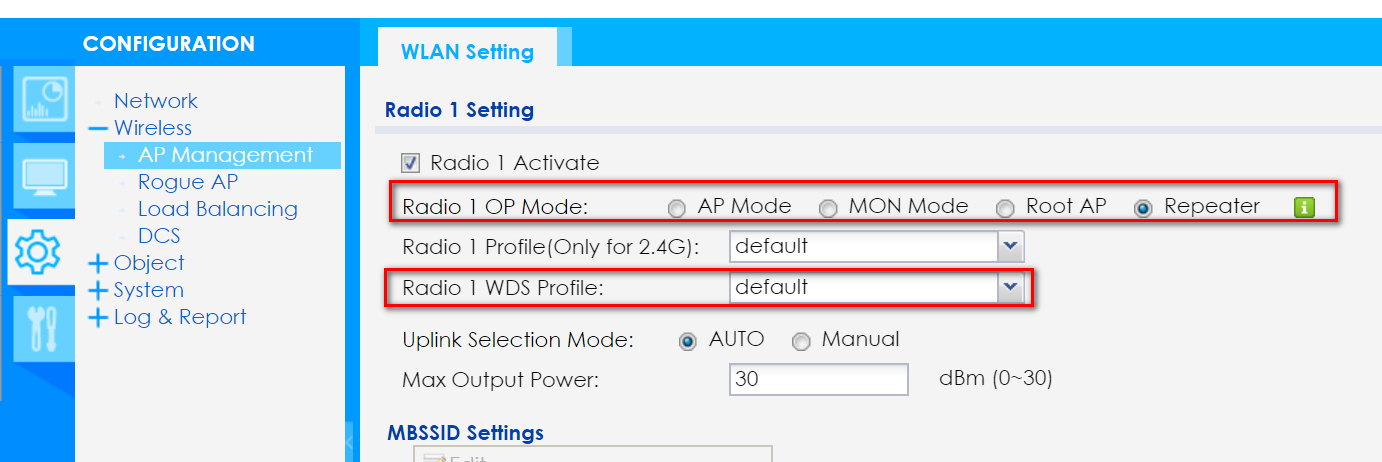
4. (On root AP) Go to CONFIGURATION > Wireless > AP Management > WLAN Setting. Set the Radio 1 OP Mode as "Root AP", and choose the Radio 1 WDS Profile as "default"(it depends on the WDS profile that you configured.).
5. (On repeater AP)Go to CONFIGURATION > Wireless > AP Management > WLAN Setting. Set the Radio 1 OP Mode as "Repeater", and choose the Radio 1 WDS Profile as "default"(it depends on the WDS profile that you configured.).
6. Remove the cable line of the Repeater AP, and boot it up in the location you'd like to.
7. Verification of WDS Link
-(On Root AP) Go to MONITOR > Wireless > WDS Downlink Info, and you will see the Repeater AP MAC address.
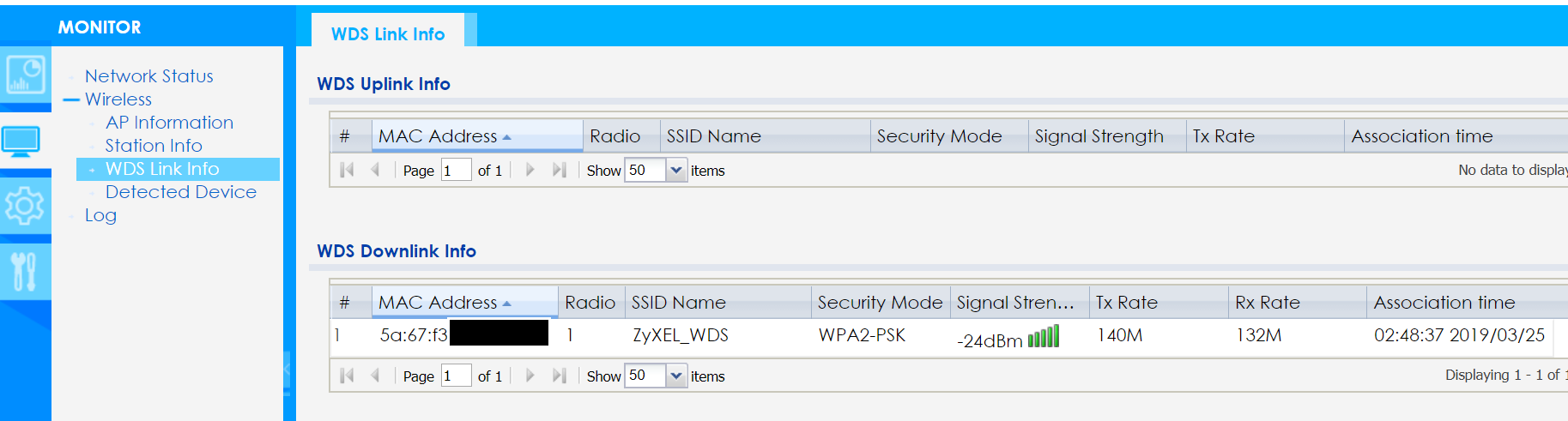
-(On Repeater AP) Go to MONITOR > Wireless > WDS Uplink Info, and you will see the Root AP MAC address.

8. Configure SSID in local bridge mode with VLAN ID 20 on root AP
Note: VLAN ID 20 is configured on switch and firewall(DHCP server)
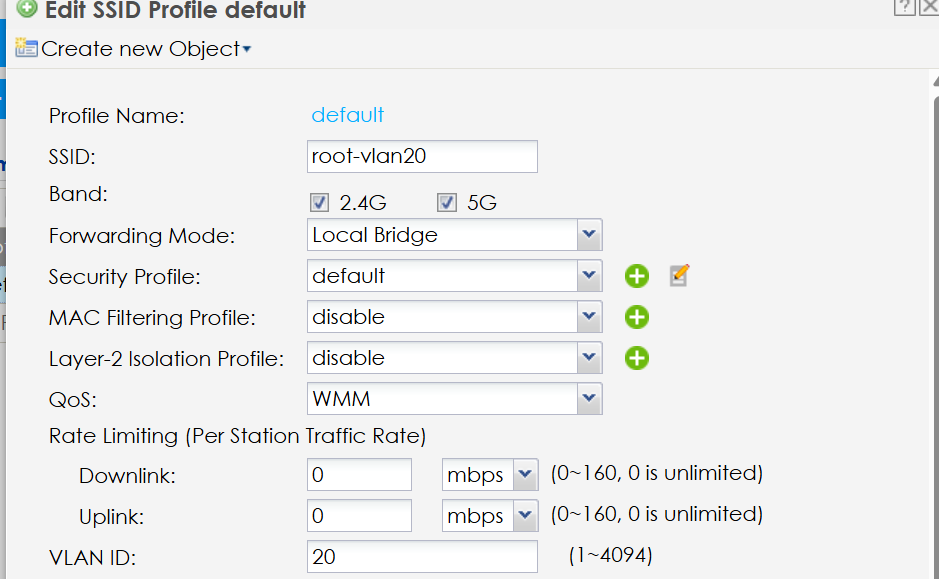
9. Configure SSID in local bridge mode with VLAN ID 20 on repeater AP
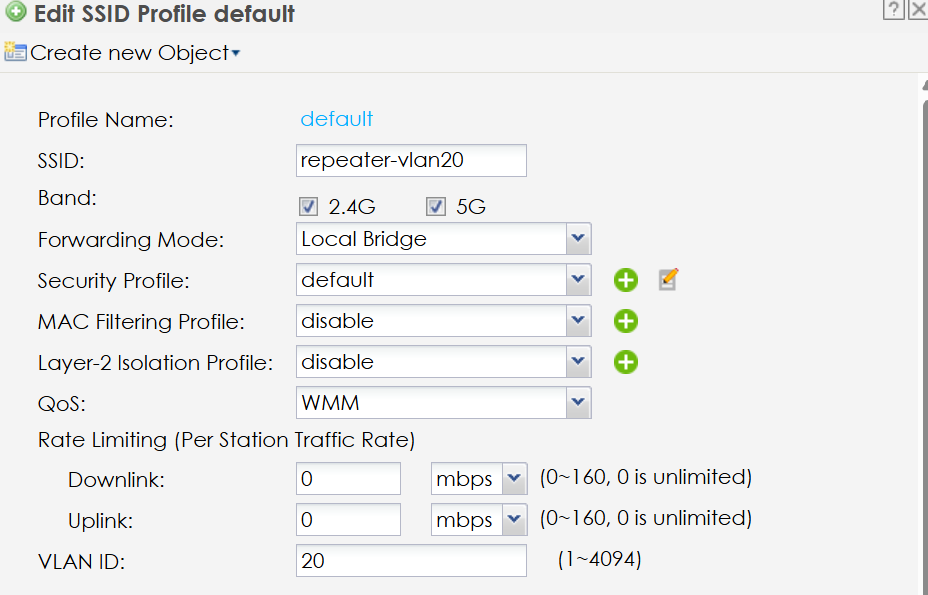
10. Wireless client connects to SSID repeater-vlan20 and obtain IP from VLAN
11. Login the WEB GUI of repeater ap to check station info

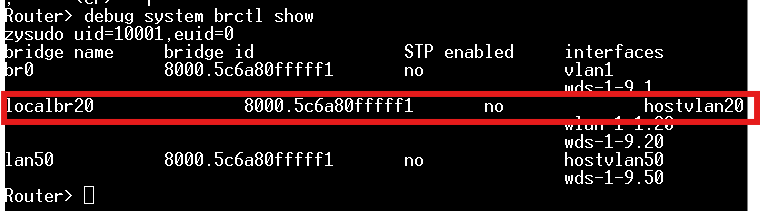
12. Verification of VLAN interface on root and repeater ap
- SSH to root and repeater and type CLI "debug system brctl show"
Categories
- All Categories
- 442 Beta Program
- 3.1K Nebula
- 243 Nebula Ideas
- 6.8K Security
- 783 USG FLEX H Series
- 389 Security Ideas
- 1.8K Switch
- 87 Switch Ideas
- 1.5K Wireless
- 58 Wireless Ideas
- 7.2K Consumer Product
- 325 Service & License
- 527 News and Release
- 101 Security Advisories
- 31 Education Center
- 10 [Campaign] Zyxel Network Detective
- 5.3K FAQ
- 34 Documents
- 91 About Community
- 122 Security Highlight