How can I set up email alerts for 'Content Filter' category-related events on the USG Flex H?
Options

Zyxel_Jeff
Posts: 1,408




 Zyxel Employee
Zyxel Employee
in Maintenance
Question :
How can I set up email alerts for 'Content Filter' category-related events on the USG Flex H?
Answer:
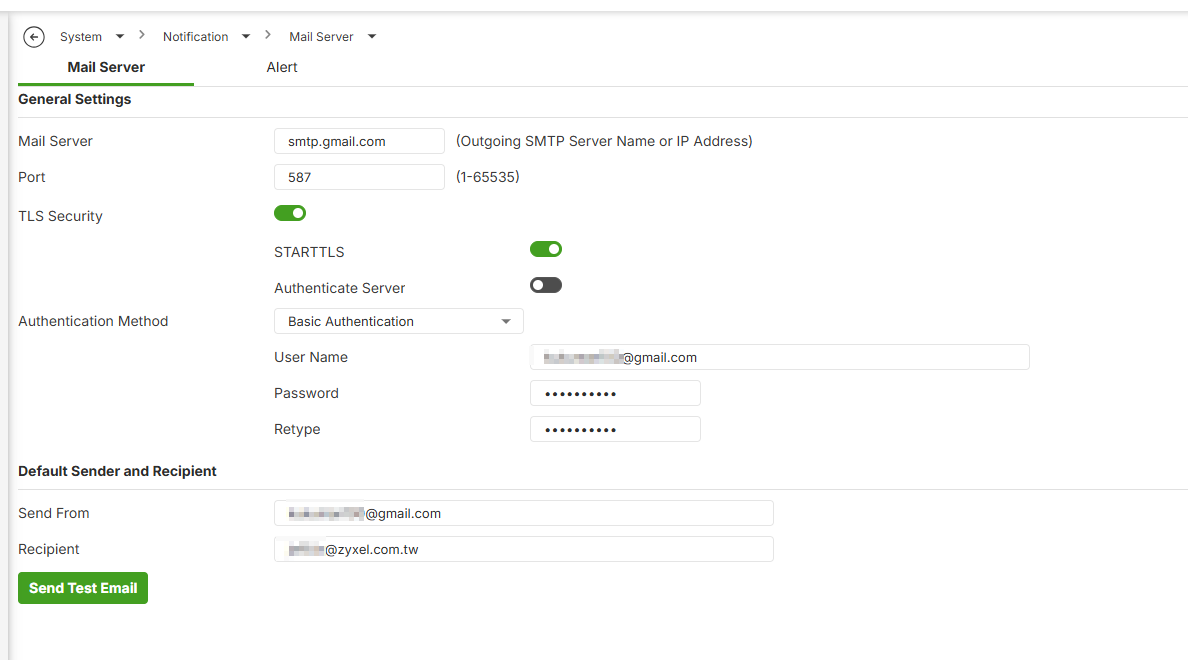
The user can navigate to System > Notification > Mail Server to complete the necessary configuration and ensure that emails can be sent normally.
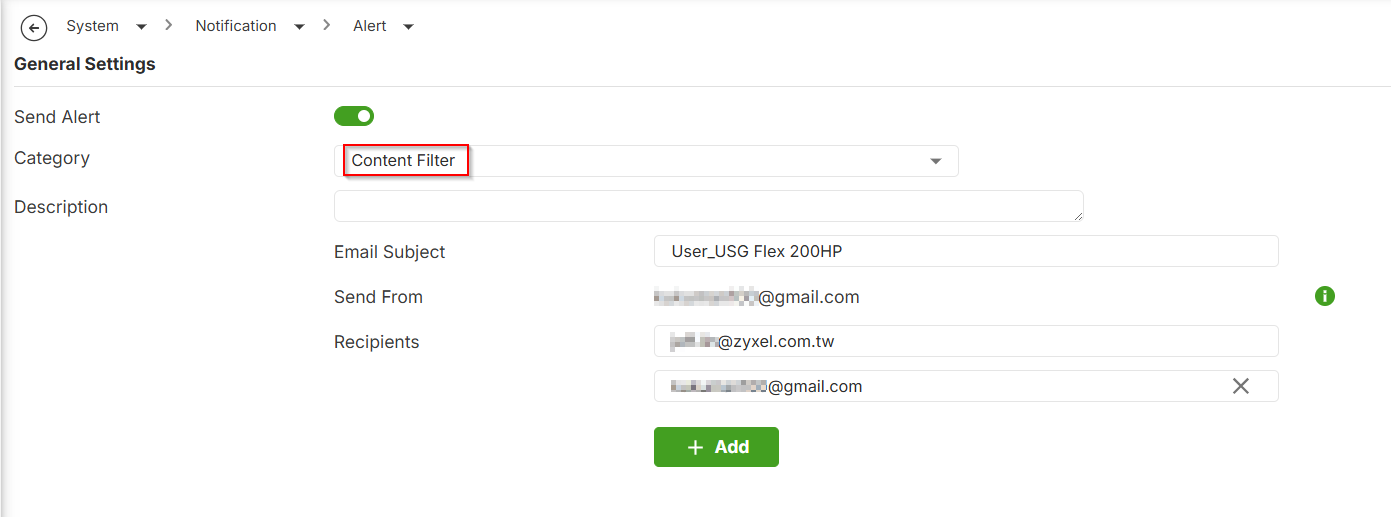
Then navigate to System > Notification > Alert to enable the setting. Select the “Content Filter” category, configure the email subject, specify the sender email address, and add the recipients.
Verification :
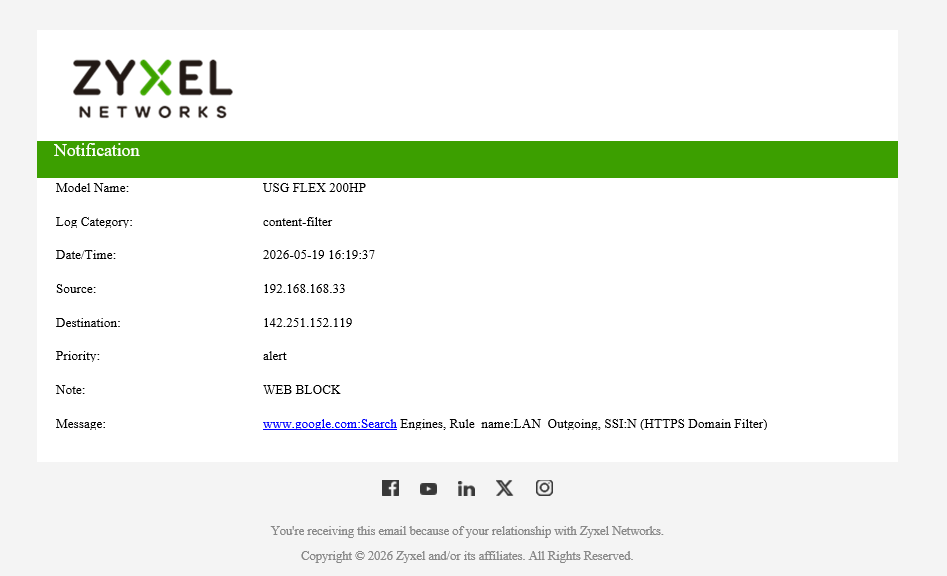
When a Content Filter category-related alert event occurs, such as a WEB BLOCK event, the system triggers an email alert.

Then the recipient will receive the alert email.
0
Categories
- All Categories
- 442 Beta Program
- 3.1K Nebula
- 243 Nebula Ideas
- 6.8K Security
- 783 USG FLEX H Series
- 389 Security Ideas
- 1.8K Switch
- 87 Switch Ideas
- 1.5K Wireless
- 58 Wireless Ideas
- 7.2K Consumer Product
- 325 Service & License
- 527 News and Release
- 101 Security Advisories
- 31 Education Center
- 10 [Campaign] Zyxel Network Detective
- 5.3K FAQ
- 34 Documents
- 91 About Community
- 122 Security Highlight