Steps for configuring WPA2-Enterprise on firewall acting as the AP Controller with a RADIUS server



 Zyxel Employee
This guide explains the process for configuring WPA2-Enterprise on Zyxel’s USG FLEX H-Series acting as the AP Controller (APC) with a RADIUS server using Windows NPS. Below are the steps:
- Create AAA server on USG FLEX firewall
Go to User & Authentication > User Authentication > AAA Server > Radius Server
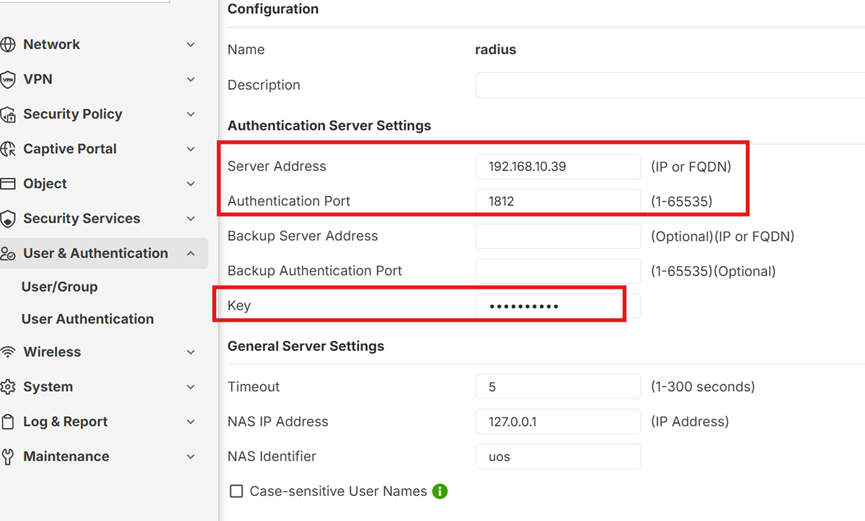
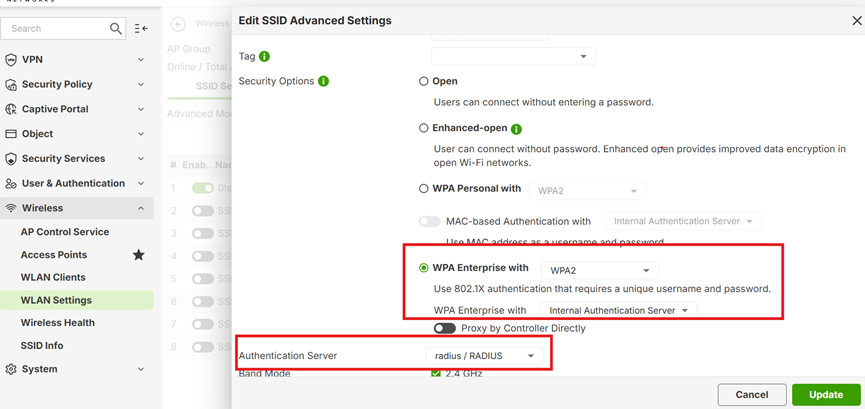
2. Configure SSID with wpa2 enterprise and WPA Enterprise with internal authentication
server.
a. wireless-wlan settings > ssid settings > advanced mode enabled
b. Edit SSID
Authentication Server is the AAA server you configured on step 1
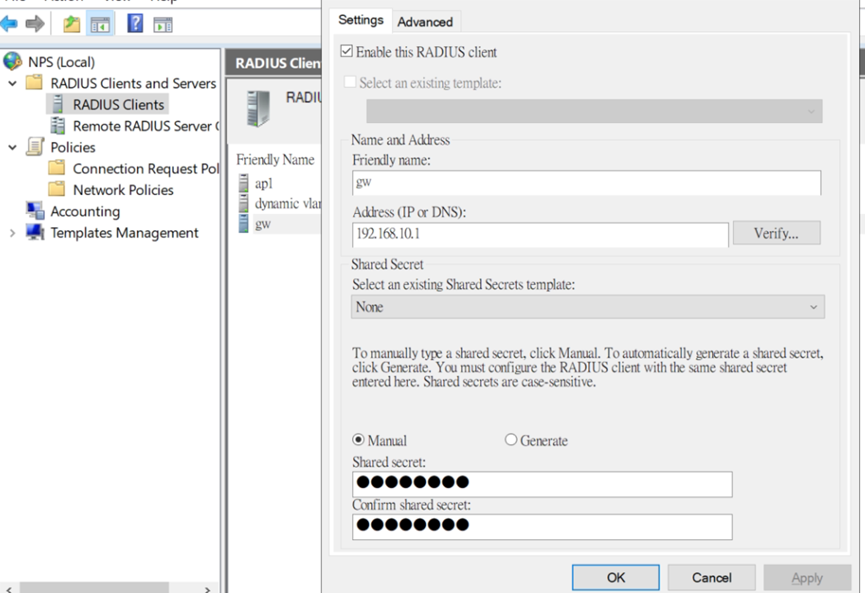
3. On radius server (Windows NPS)
a. Configure the IP address of the firewall interface as a RADIUS client on the RADIUS server, and configure the same shared secret as the AAA server on the firewall.
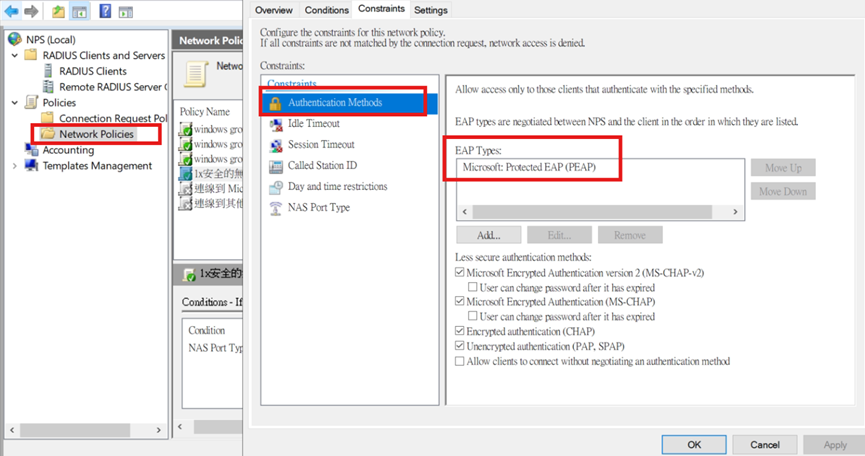
b. Policies > Network Polices > Constraints > Authentication Methods > Microsoft:Protected EAP(PEAP)
c. Create a radius user on AD server
d. NB connects the SSID and use radius user name/password for 1x auth
Categories
- All Categories
- 442 Beta Program
- 3.1K Nebula
- 243 Nebula Ideas
- 6.8K Security
- 783 USG FLEX H Series
- 389 Security Ideas
- 1.8K Switch
- 87 Switch Ideas
- 1.5K Wireless
- 58 Wireless Ideas
- 7.2K Consumer Product
- 325 Service & License
- 527 News and Release
- 101 Security Advisories
- 31 Education Center
- 10 [Campaign] Zyxel Network Detective
- 5.3K FAQ
- 34 Documents
- 91 About Community
- 122 Security Highlight