WISP: Nebula Configuration and Forwarding Modes





 Zyxel Employee
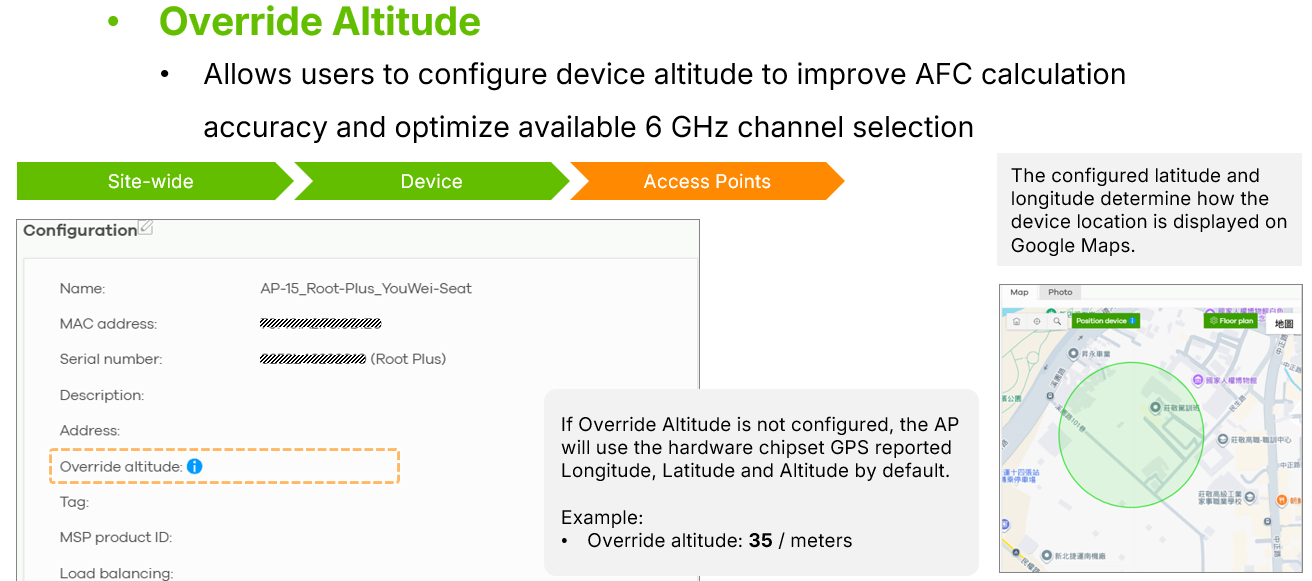
The Nebula Control Center provides flexible configuration options for WISP deployments, including AFC optimization and Ethernet forwarding settings. Administrators can manually configure the device altitude in Nebula to improve AFC calculation accuracy and help optimize the available 6GHz channel selection. The AP’s built-in GPS information is also synchronized with Google Maps in the Nebula dashboard, allowing accurate device location tracking.
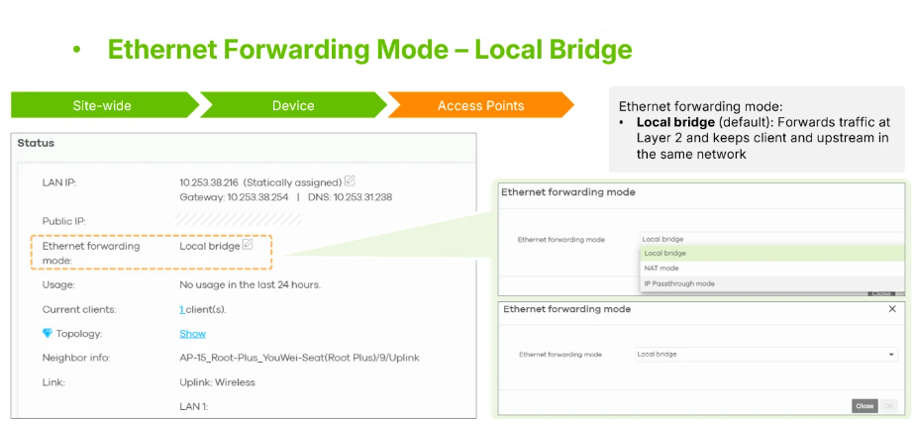
The FWA7-Leaf-Plus supports three different Ethernet forwarding modes to fit various deployment requirements. In Local Bridge mode, the AP functions as a standard bridge so connected devices such as switches or firewalls remain within the same subnet as the AP.
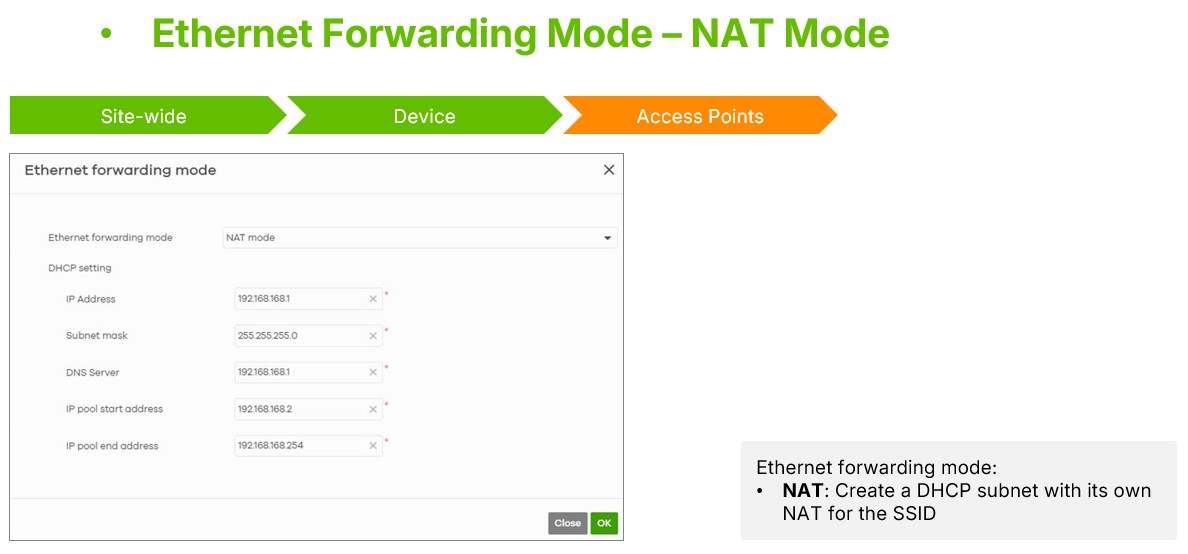
In NAT mode, the Leaf AP operates as a DHCP server and creates a separate local subnet for connected devices.
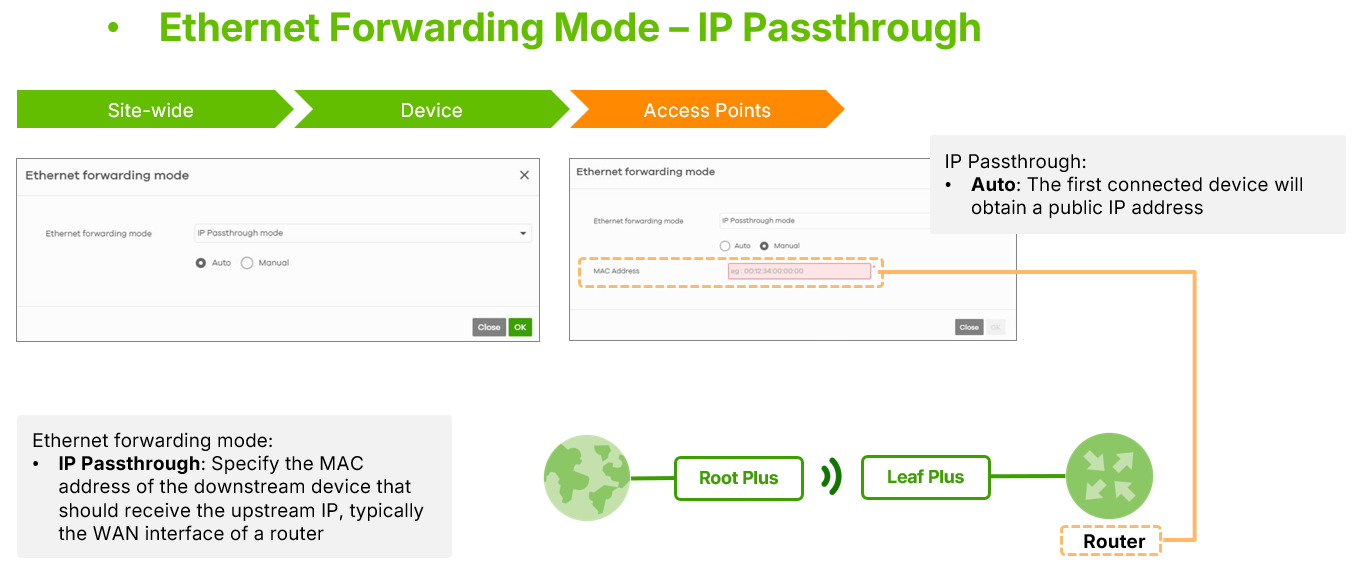
In IP Pass-through mode, the AP forwards a public IP address directly to a connected device. This can operate in Auto mode, where the first connected device receives the IP address automatically, or Manual mode, where the public IP is assigned only to a specified MAC address.


Categories
- All Categories
- 442 Beta Program
- 3.1K Nebula
- 243 Nebula Ideas
- 6.8K Security
- 783 USG FLEX H Series
- 389 Security Ideas
- 1.8K Switch
- 87 Switch Ideas
- 1.5K Wireless
- 58 Wireless Ideas
- 7.2K Consumer Product
- 325 Service & License
- 527 News and Release
- 101 Security Advisories
- 31 Education Center
- 10 [Campaign] Zyxel Network Detective
- 5.3K FAQ
- 34 Documents
- 91 About Community
- 122 Security Highlight