Why can't I connect to IPSec VPN with SecuExtender?
Options

Zyxel_Emily
Posts: 1,499




 Zyxel Employee
Zyxel Employee
in VPN
Question:
Why can't I connect to IPSec VPN with SecuExtender?
Answer:
If you are facing issues while establishing an IPSec VPN connection via SecuExtender, it could be related to the authentication settings in your VPN configuration. Here's how to resolve it:
- Log in to USG FLEX H's web interface.
- Navigate to the VPN > IPSec VPN > Remote Access VPN.
- Locate the Authentication setting and confirm it is correctly configured for your user type (e.g., Local or AD users). In this example, the group user contains "ad-users" but only "local" is selected as the Authentication server.
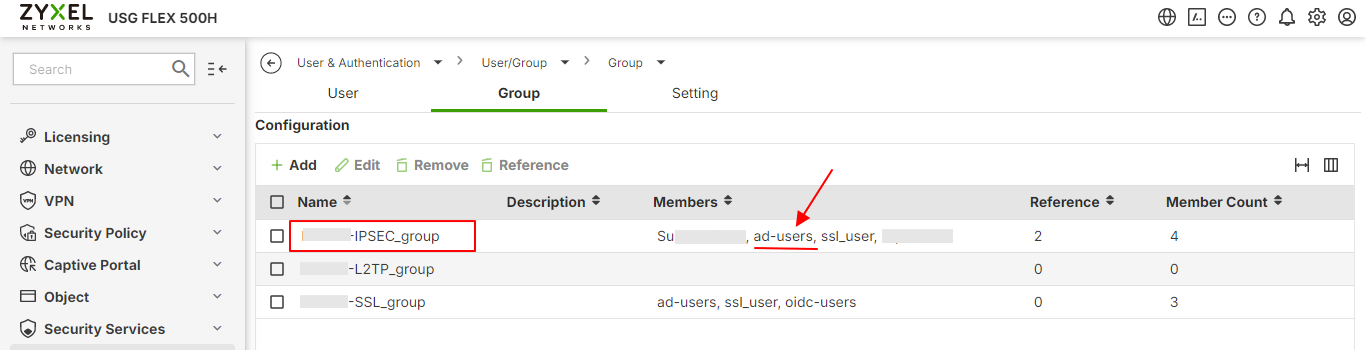
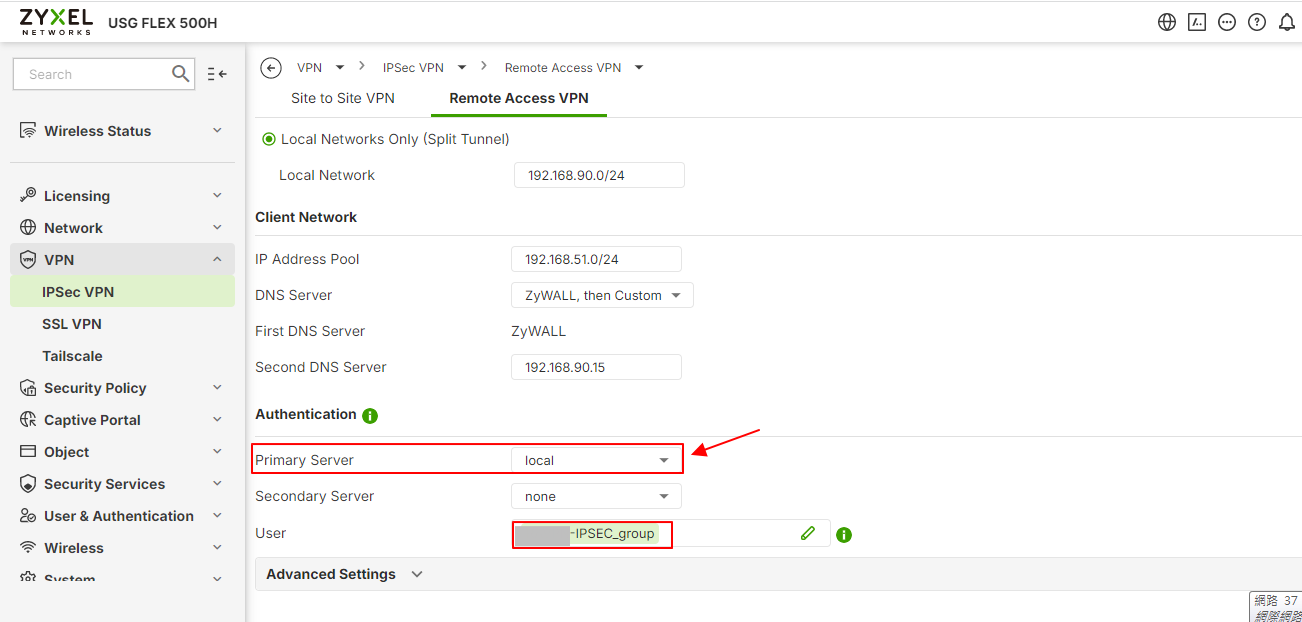
- If necessary, create a new local user account for testing purposes or ensure your existing user account details are correct.
Tagged:
0
Categories
- All Categories
- 442 Beta Program
- 3.1K Nebula
- 243 Nebula Ideas
- 6.8K Security
- 781 USG FLEX H Series
- 387 Security Ideas
- 1.8K Switch
- 87 Switch Ideas
- 1.5K Wireless
- 58 Wireless Ideas
- 7.2K Consumer Product
- 324 Service & License
- 527 News and Release
- 101 Security Advisories
- 31 Education Center
- 10 [Campaign] Zyxel Network Detective
- 5.3K FAQ
- 34 Documents
- 91 About Community
- 121 Security Highlight