How to Configure SecuReporter for Sending Weekly Reports?
Options

Zyxel_Emily
Posts: 1,499




 Zyxel Employee
Zyxel Employee
in Other Topics
Question:
How to configure SecuReporter for sending weekly reports?
Answer:
To send periodic reports, such as weekly reports, to your clients via email in SecuReporter, follow these easy steps:
Login to your SecuReporter account.
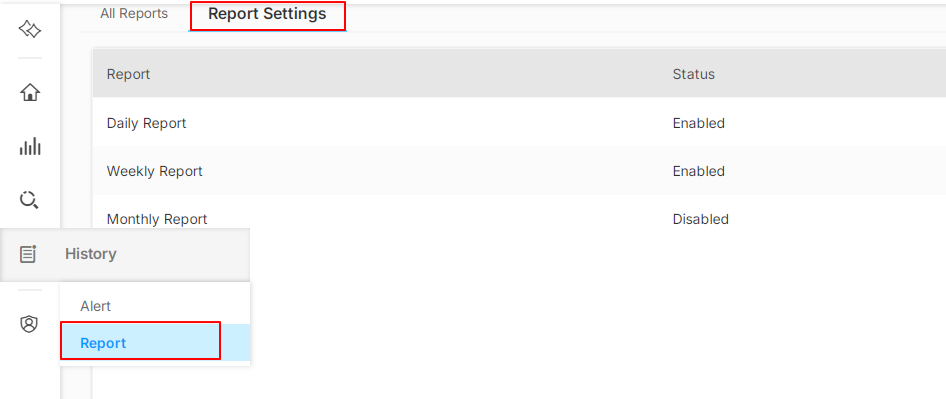
1. Navigate to History > Report > Report Settings.
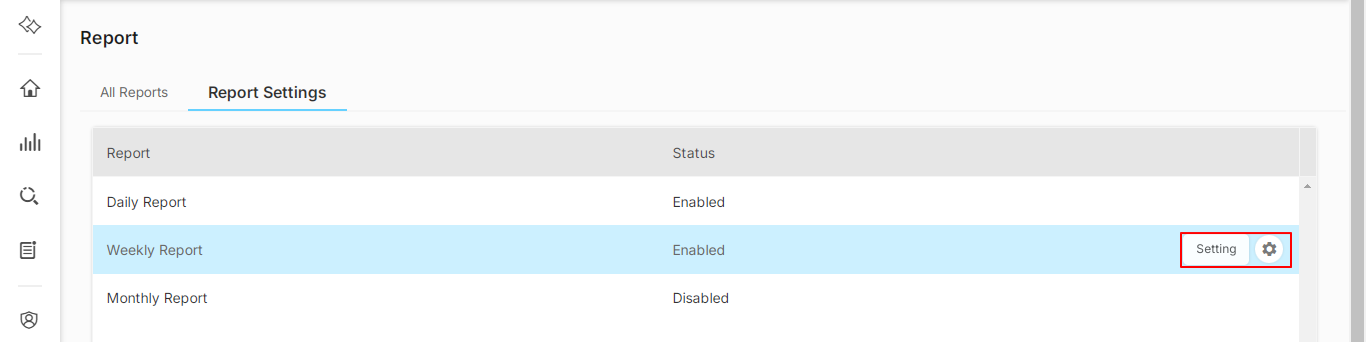
2. Select 'Weekly Report' and click on 'Setting'.
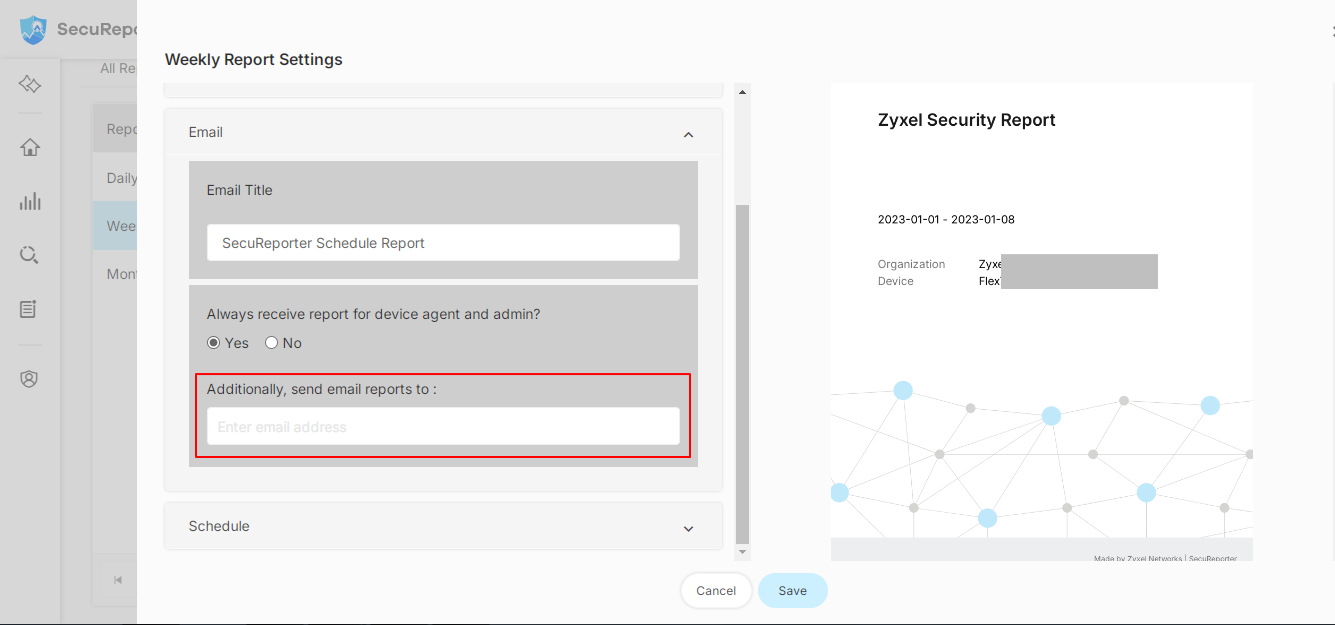
3. In the configuration menu, locate the 'Email' section and enter your client's email address in the field labeled 'Additionally, send email reports to:'.
4. Click on 'Save' to confirm the changes.
Now your clients will begin receiving the reports via email according to the selected schedule.
Tagged:
0
Categories
- All Categories
- 442 Beta Program
- 3.1K Nebula
- 243 Nebula Ideas
- 6.8K Security
- 783 USG FLEX H Series
- 389 Security Ideas
- 1.8K Switch
- 87 Switch Ideas
- 1.5K Wireless
- 58 Wireless Ideas
- 7.2K Consumer Product
- 325 Service & License
- 527 News and Release
- 101 Security Advisories
- 31 Education Center
- 10 [Campaign] Zyxel Network Detective
- 5.3K FAQ
- 34 Documents
- 91 About Community
- 122 Security Highlight