Stations are connected to different SSIDs with NAT mode enabled, but are able to discover each other
Options

Zyxel_JoyLee
Posts: 218


 Zyxel Employee
Zyxel Employee
The NAT mode of an SSID is used to assign IP addresses to devices when there is no gateway or router in the environment to provide DHCP service. However, it is not a true Layer 3 isolation mechanism and cannot fully isolate devices from each other.
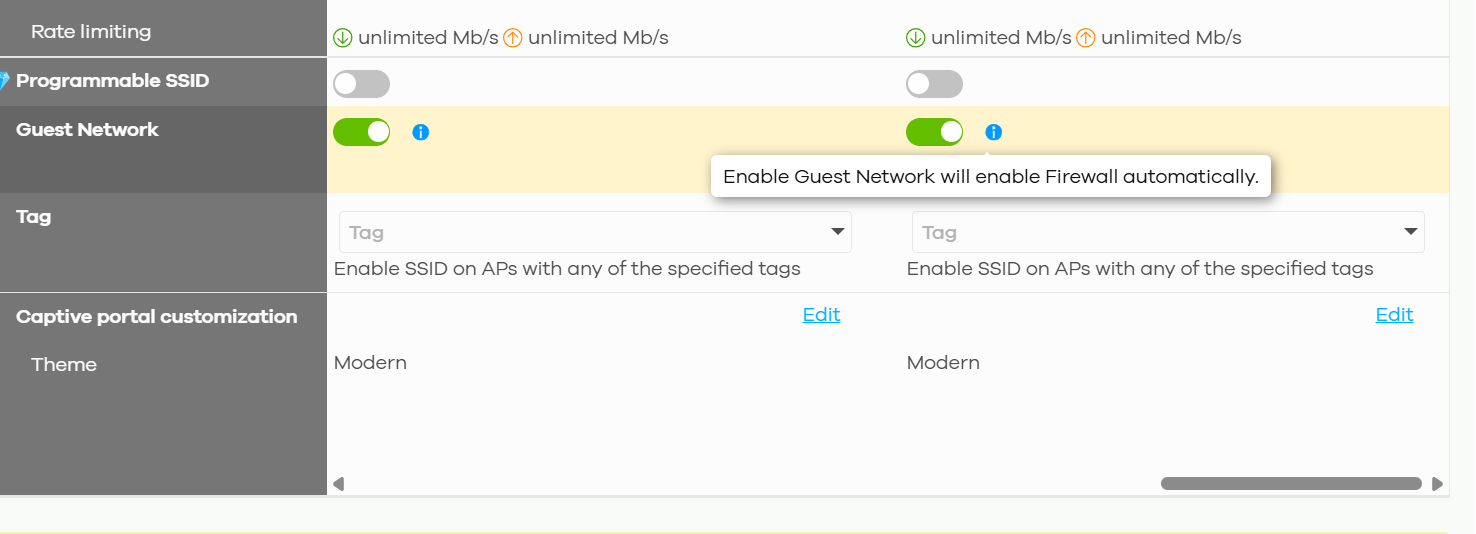
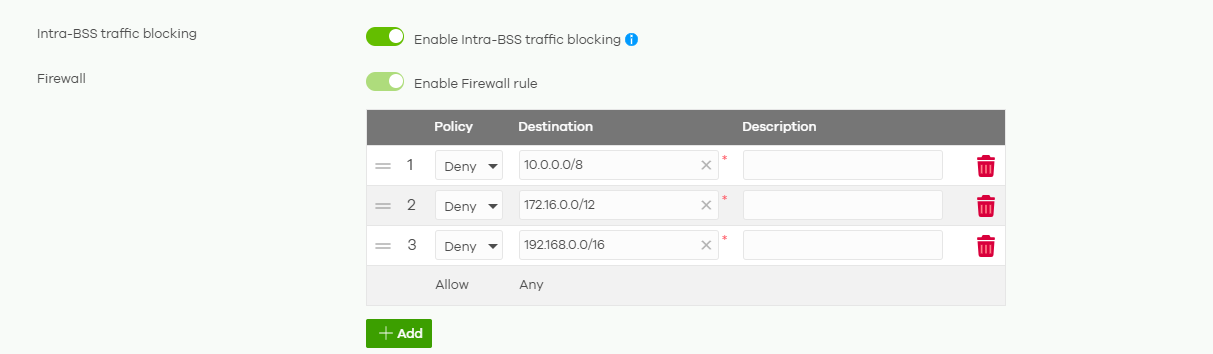
To prevent devices on different NAT-mode SSIDs from communicating with each other, enable the Guest Network function. This will automatically create firewall rules to isolate wireless clients.
- Go to Site-wide > Configure > Access points > SSID settings and enable “Guest Network"
2. Go to Site-wide > Configure > Access points > SSID advanced settings > Intra-BSS traffic blocking and the firewall rule are enabled
0
Categories
- All Categories
- 442 Beta Program
- 3.1K Nebula
- 243 Nebula Ideas
- 6.8K Security
- 783 USG FLEX H Series
- 389 Security Ideas
- 1.8K Switch
- 87 Switch Ideas
- 1.5K Wireless
- 58 Wireless Ideas
- 7.2K Consumer Product
- 325 Service & License
- 527 News and Release
- 101 Security Advisories
- 31 Education Center
- 10 [Campaign] Zyxel Network Detective
- 5.3K FAQ
- 34 Documents
- 91 About Community
- 122 Security Highlight