USG FLEX 700H no more connection on web interface after a couple of minutes...




 Freshman Member
Hi,
I am currently setting up a new USG FLEX 700H. After a few minutes, the web management interface becomes unreachable. The only way to recover access is to reboot the firewall from Nebula.
The device is running the latest firmware, and I have found reports from other users experiencing the same behavior.
Is this a known issue with the USG FLEX 700H? My previous ATP500 ran flawlessly for eight years without a single problem, so this is quite disappointing.
Thanks in advance,
Chris
Accepted Solution
-
Hi @Proxinfo ,
This is known issue, however not hardware issue. The weekly firmware is sent to you via the private message.
Zyxel_Judy
0





 Zyxel Employee
All Replies
-
Hi @Proxinfo
May you share what actions/settings did you set before the issue happens? This could help us to investigate this issue. Thanks.
Zyxel Melen0 -
Just configuring the firewall for our needs, as usual with a new device.
I have never encountered a problem like this before. Could this be a hardware issue?
0 -
Hi @Proxinfo ,
This is known issue, however not hardware issue. The weekly firmware is sent to you via the private message.
Zyxel_Judy
0 -
Sorry for the delay, I was on vacation.
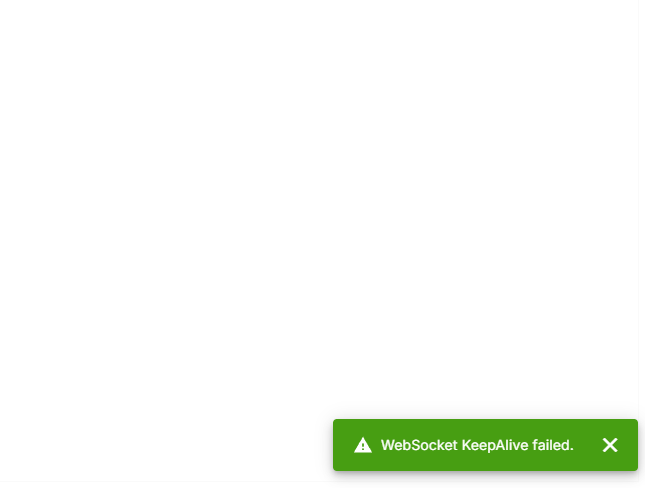
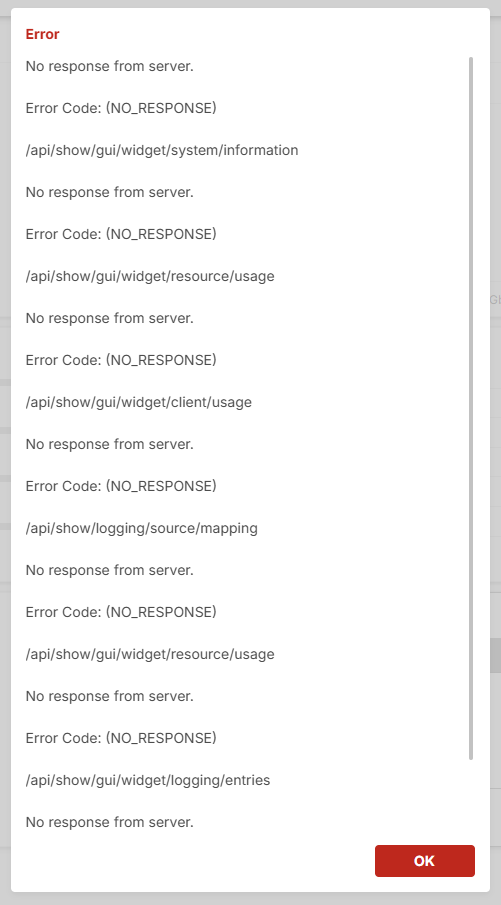
I am still experiencing the same problem with the firmware you provided. After about 15 minutes, I lose access to the firewall's web interface. Rebooting the firewall from Nebula restores the connection, but the issue reoccurs shortly afterwards.
What would be the next step to troubleshoot this issue?
Could this be a hardware problem, or would you recommend replacing the unit for testing purposes?
0 -
Hi @Proxinfo ,
Based on your description, we understand that you are logging into the firewall via Nebula's Live Tool — Remote Configuration. Please note that each session duration is limited to 30 minutes after launching the Remote Configurator. Once the session expires, please re-generate the link to establish a new session; there is no need to reboot the firewall.
Could you please confirm whether the GUI error message has been resolved on your end? If the issue persists, kindly provide the Nebula organization & site name and enable Zyxel support access so we can investigate further.
Zyxel_Judy
0




Categories
- All Categories
- 442 Beta Program
- 3.1K Nebula
- 243 Nebula Ideas
- 6.8K Security
- 783 USG FLEX H Series
- 389 Security Ideas
- 1.8K Switch
- 87 Switch Ideas
- 1.5K Wireless
- 58 Wireless Ideas
- 7.2K Consumer Product
- 325 Service & License
- 527 News and Release
- 101 Security Advisories
- 31 Education Center
- 10 [Campaign] Zyxel Network Detective
- 5.3K FAQ
- 34 Documents
- 91 About Community
- 122 Security Highlight


