Connecting Standalone NWA55AXE


 Freshman Member
Hi All,
I have a standalone NWA55AXE I am trying to test with some external antennas. I don't want to connect to Nebula just yet. When I plug it into the included POE injector using original antennas, the ethernet port lights up and shows a new SSID available - Zyxel-B42C. There is no password on the network, although I am unable to connect. When I scan my IP Address range, I am unable to find it on the network. If I plug my laptop into the POE injector, it gets an IP Address and internet. How can I use it?
Thanks,
Dx.
Accepted Solution
-
Hi @desktronix,
Welcome to the Zyxel Community!
Regarding your issue, could you please clarify whether your device is brand new or second-hand? If it was purchased second-hand, the configuration, including the management IP address, may have been changed to an unknown value. In this case, you will need to reset the device to its factory default settings in order to manage it.
However, if the device is new, please refer to the following information based on my lab test results.
Topology: Internet → Firewall/Gateway → Switch → NWA55AXE (DHCP)
The AP was in factory default status, and my laptop was connected to the default SSID wirelessly.
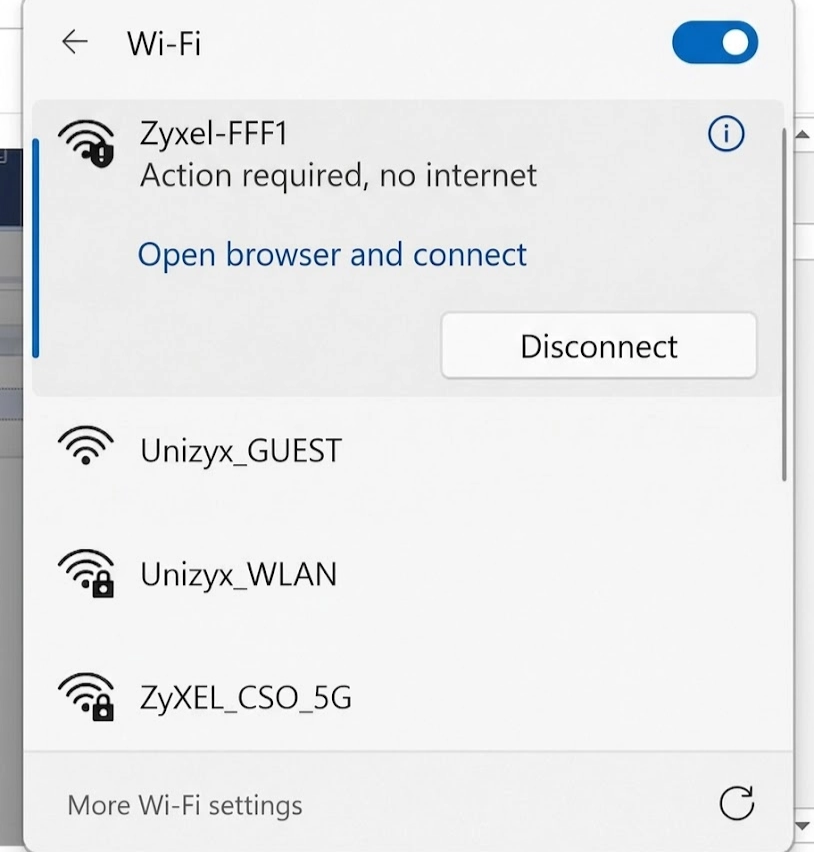
After connecting to the default SSID, the system automatically displayed a notification such as "Open browser and connect".
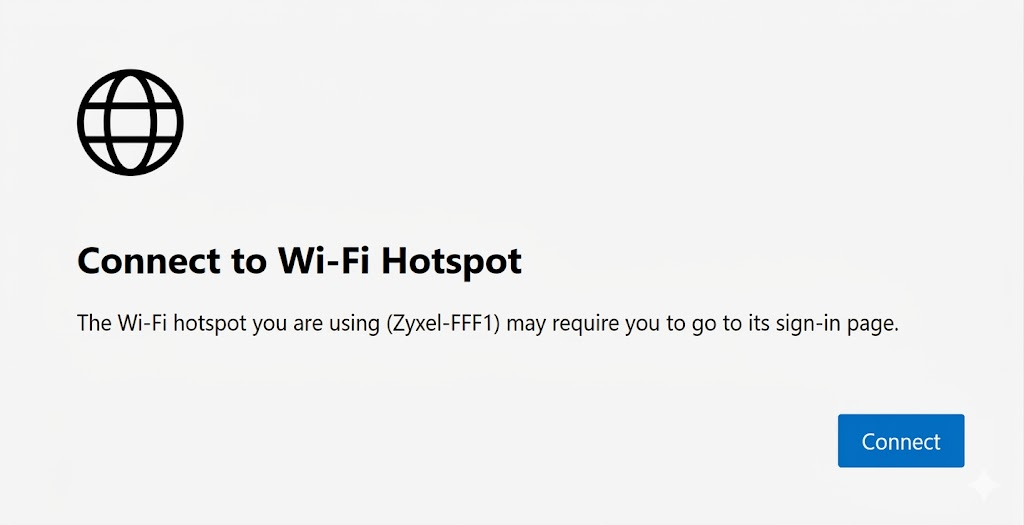
Following this prompt opened a browser window and redirected me to the AP's local management GUI login page.
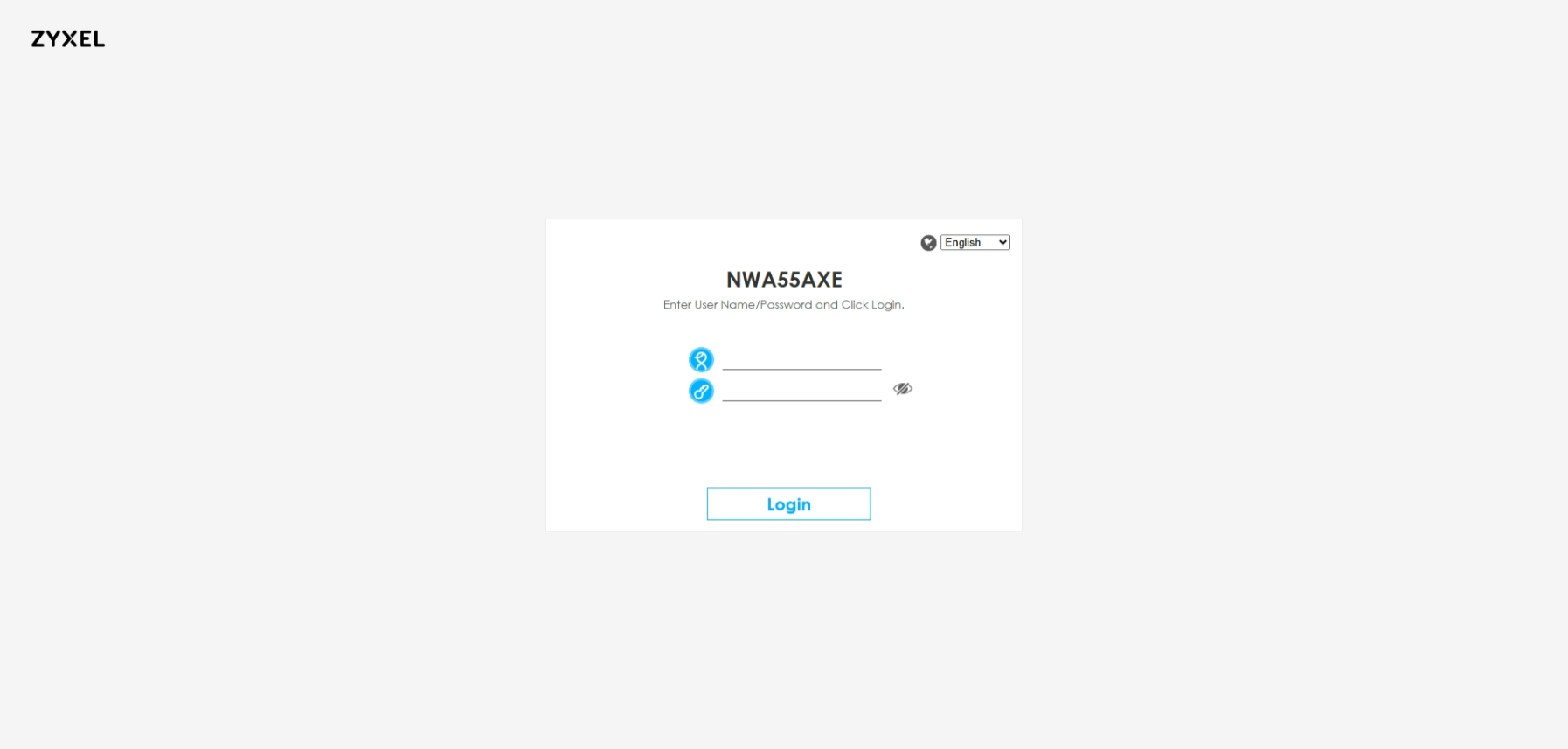
Alternatively, as mentioned in the Quick Start Guide, manually browsing to
https://1.1.1.1orhttps://setup.zyxel.comalso redirected to the local GUI.Please note that this method is intended for initial access only. Once the setup wizard has been completed, these URLs may no longer redirect to the AP's management page.
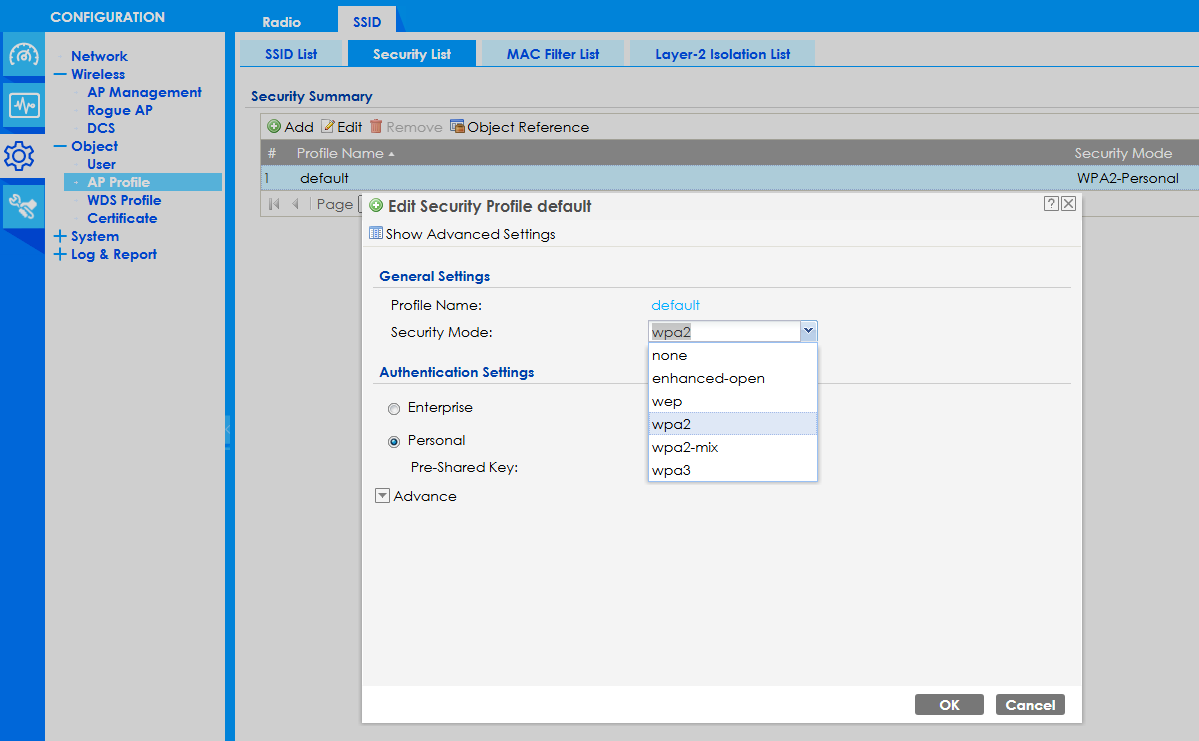
During initial setup, the default SSID uses Enhanced Open security.
For security reasons, changing the wireless security setting to WPA2. After clicking OK, the GUI appeared to stop responding. This is expected because the wireless security settings had changed and the client device needed to reconnect to the SSID using the new credentials.
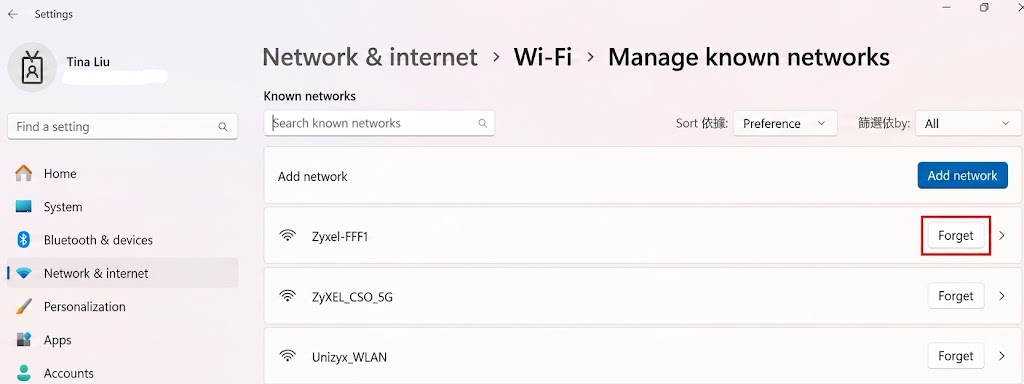
In this case, I removed the existing wireless profile, reconnected to the SSID, entered the newly configured password, and was then able to access the GUI and the internet normally.
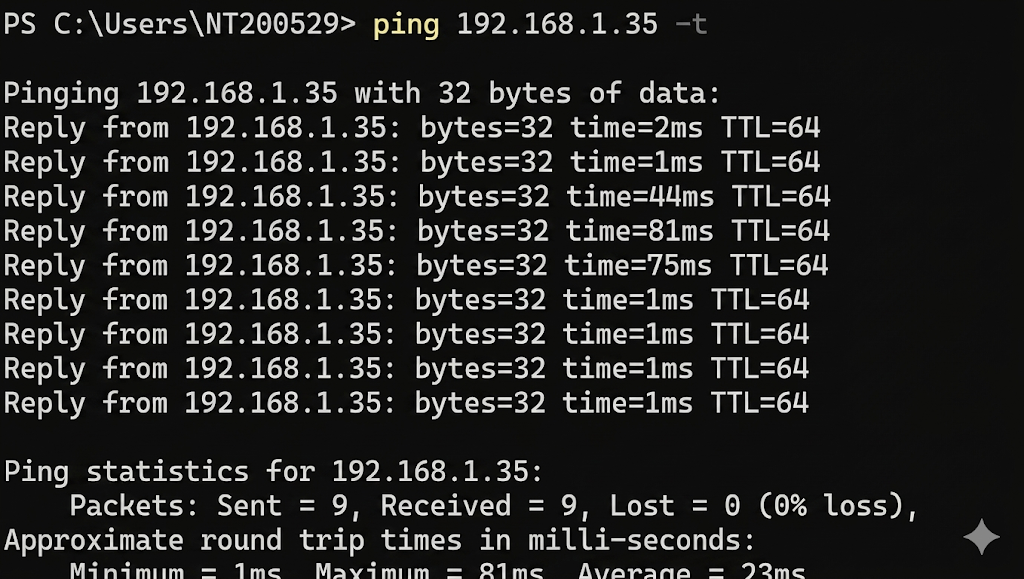
Additionally, I performed a ping test to the AP management IP address (192.168.1.35) and did not observe any packet loss.
Or, you can try establishing a direct connection to the switch and then access the AP’s GUI using the ZON utility.
After trying the above methods, if the issue still persists, please let us know and provide a detailed description of the problem you are encountering.
Zyxel Tina
0





 Zyxel Employee
All Replies
-
Update: I was able to plug the NWA55AXE into a POE switch along with my laptop. I was able to ping the default IP Address of 192.168.1.2, but about 20% of the packets were lost. In addition, I was unable to view the web interface in a browser, although the web browsing ports were definitely open.
Dx.
0 -
Hi @desktronix,
Welcome to the Zyxel Community!
Regarding your issue, could you please clarify whether your device is brand new or second-hand? If it was purchased second-hand, the configuration, including the management IP address, may have been changed to an unknown value. In this case, you will need to reset the device to its factory default settings in order to manage it.
However, if the device is new, please refer to the following information based on my lab test results.
Topology: Internet → Firewall/Gateway → Switch → NWA55AXE (DHCP)
The AP was in factory default status, and my laptop was connected to the default SSID wirelessly.
After connecting to the default SSID, the system automatically displayed a notification such as "Open browser and connect".
Following this prompt opened a browser window and redirected me to the AP's local management GUI login page.
Alternatively, as mentioned in the Quick Start Guide, manually browsing to
https://1.1.1.1orhttps://setup.zyxel.comalso redirected to the local GUI.Please note that this method is intended for initial access only. Once the setup wizard has been completed, these URLs may no longer redirect to the AP's management page.
During initial setup, the default SSID uses Enhanced Open security.
For security reasons, changing the wireless security setting to WPA2. After clicking OK, the GUI appeared to stop responding. This is expected because the wireless security settings had changed and the client device needed to reconnect to the SSID using the new credentials.
In this case, I removed the existing wireless profile, reconnected to the SSID, entered the newly configured password, and was then able to access the GUI and the internet normally.
Additionally, I performed a ping test to the AP management IP address (192.168.1.35) and did not observe any packet loss.
Or, you can try establishing a direct connection to the switch and then access the AP’s GUI using the ZON utility.
After trying the above methods, if the issue still persists, please let us know and provide a detailed description of the problem you are encountering.
Zyxel Tina
0
Categories
- All Categories
- 442 Beta Program
- 3.1K Nebula
- 243 Nebula Ideas
- 6.8K Security
- 783 USG FLEX H Series
- 389 Security Ideas
- 1.8K Switch
- 87 Switch Ideas
- 1.5K Wireless
- 58 Wireless Ideas
- 7.2K Consumer Product
- 325 Service & License
- 527 News and Release
- 101 Security Advisories
- 31 Education Center
- 10 [Campaign] Zyxel Network Detective
- 5.3K FAQ
- 34 Documents
- 91 About Community
- 122 Security Highlight


