How to unlock SIM card PIN code via mobile router(FWA505)?
Options

Zyxel_JoyLee
Posts: 218


 Zyxel Employee
Zyxel Employee
- The PIN protection is disabled as default setting of mobile router
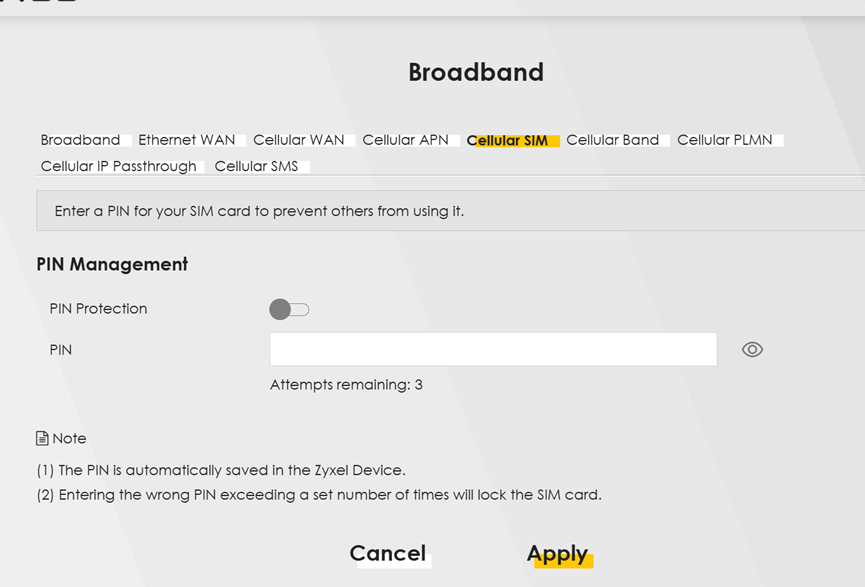
2. Insert SIM card which is PIN locked by ISP
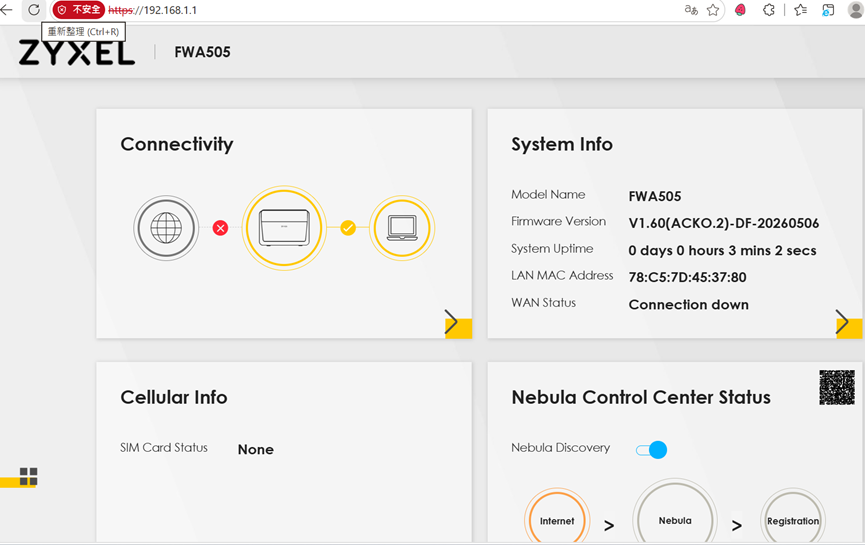
3. Login WEB GUI of FWA505 and the Cellular Info for SIM Card Status is None
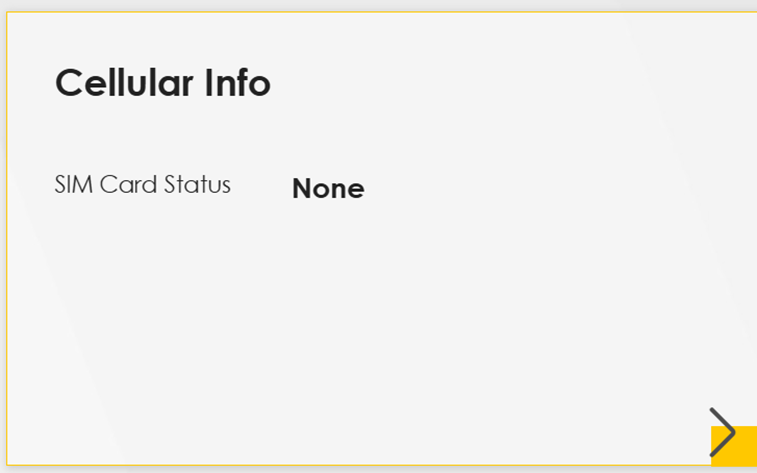
4. Refresh your WEB browser via icon

5. Pop up a Warning message :SIM Card status is locked and click “OK”
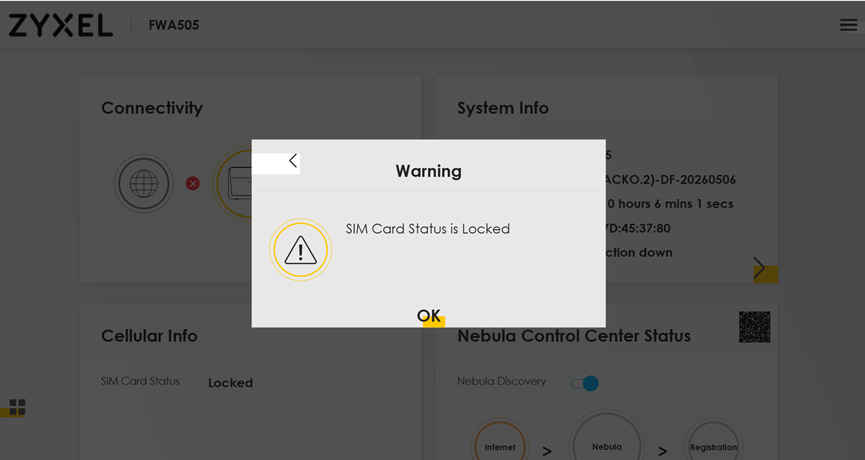
6. The page will be redirected to PIN Management page
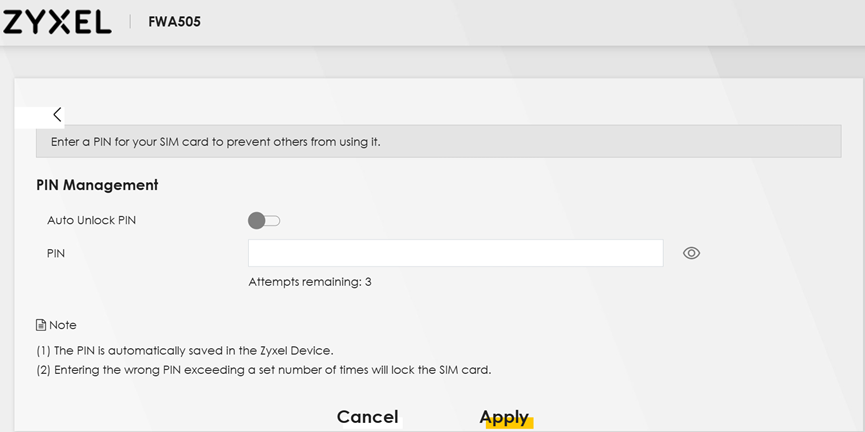
7. Enable Auto unlock PIN and enter the PIN code the ISP provided
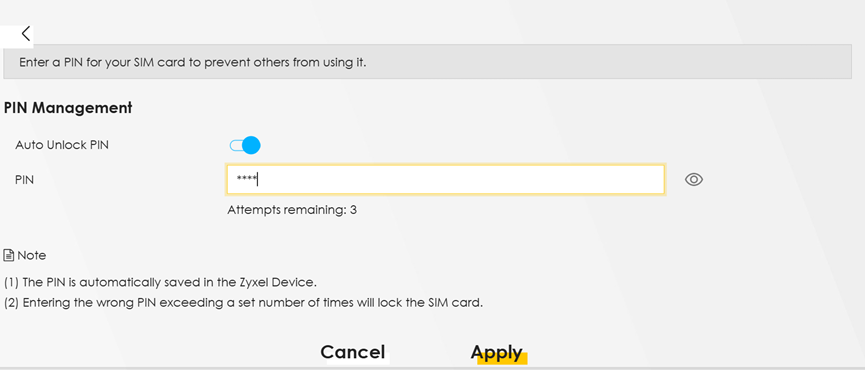
8. Click “Apply” and then a message shows up that PON setting is success
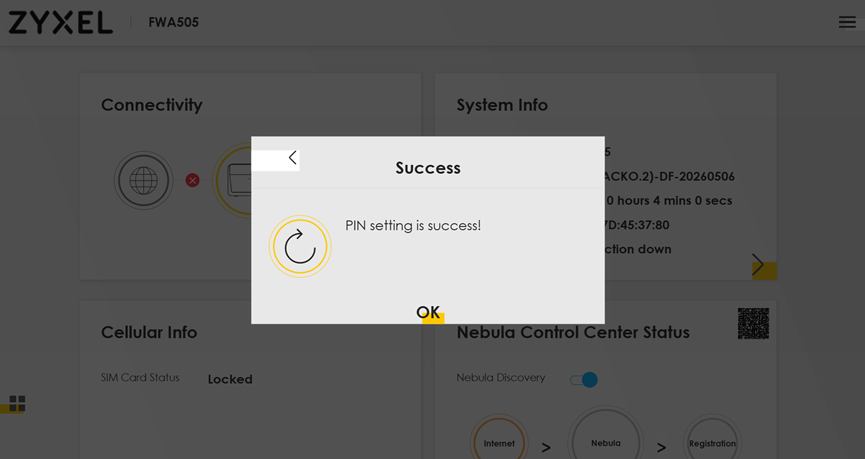
9. Click “OK” and then the page will be redirected back to “Home” page
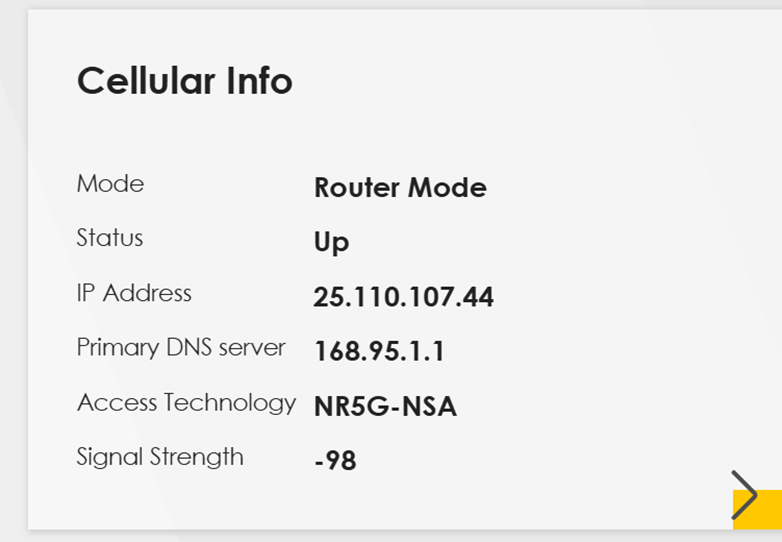
Please refresh web browser again then you will see the cellular WAN is connected
0
Categories
- All Categories
- 442 Beta Program
- 3.1K Nebula
- 243 Nebula Ideas
- 6.8K Security
- 783 USG FLEX H Series
- 389 Security Ideas
- 1.8K Switch
- 87 Switch Ideas
- 1.5K Wireless
- 58 Wireless Ideas
- 7.2K Consumer Product
- 325 Service & License
- 527 News and Release
- 101 Security Advisories
- 31 Education Center
- 10 [Campaign] Zyxel Network Detective
- 5.3K FAQ
- 34 Documents
- 91 About Community
- 122 Security Highlight