Does mobile router support Wi-Fi 2.4G and how to disable Wi-Fi 5G?



 Zyxel Employee
Yes, the Zyxel Nebula FWA505 is fully capable of working on the 2.4 GHz frequency.
The router is a dual-band concurrent Wi-Fi device supporting both 2.4 GHz and 5 GHz bands. You can easily configure the router to accommodate your 2.4 GHz-only devices using one of two methods:
Option 1:
Separate the 2.4 GHz and 5 GHz networks (Recommended)
Instead of completely disabling the 5 GHz band (which would prevent your faster devices like smartphones or laptops from using it), you can separate them into two different Wi-Fi names (SSIDs):
- Connect a computer or mobile device to the FWA505's network and open a web browser. or login Nebula Org/Site and go to Live tools > Remote Configurator
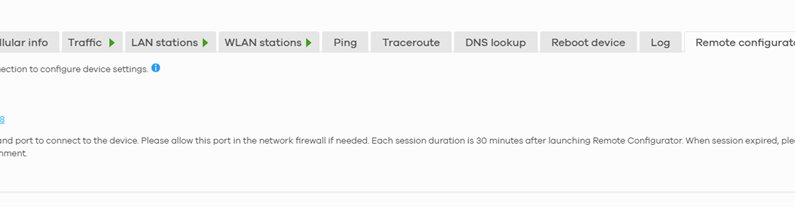
2. Log in to the router's local web configurator by navigating to 192.168.1.1 (using the admin login credentials printed on the sticker at the back/bottom of the unit).
If the FWA505 is managed by Nebula so the password will the be Nebula site password.
3. Look for the setting that says "Keep the same settings for 2.4G and 5G WiFi networks" and clear the checkbox (uncheck it).
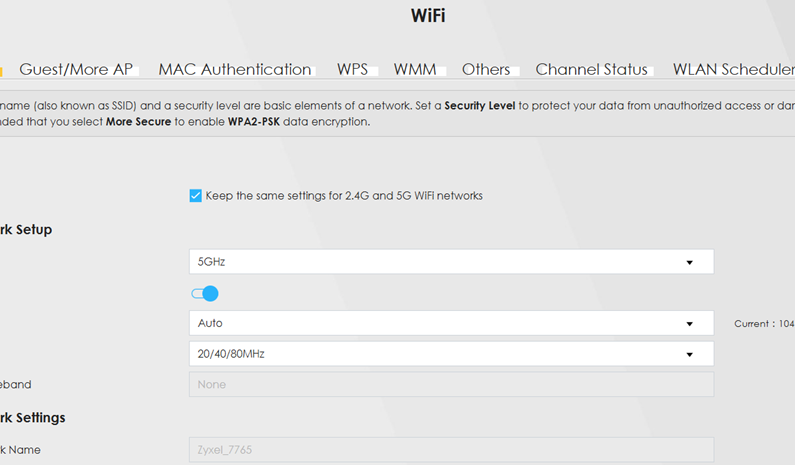
4. Separately (for example, MyHomeWiFi_2.4G and MyHomeWiFi_5G).
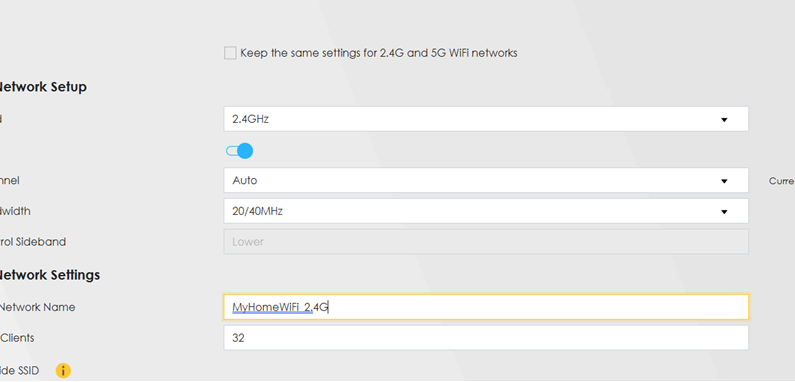
5. Connect your 2.4 GHz-only devices strictly to the 2.4 GHz SSID.
Option 2: Completely Disable the 5 GHz Band
If you prefer to completely shut down the 5 GHz radio so the router only broadcasts 2.4 GHz:
1.Go to Network Settings > Wireless (or Wi-Fi Settings).
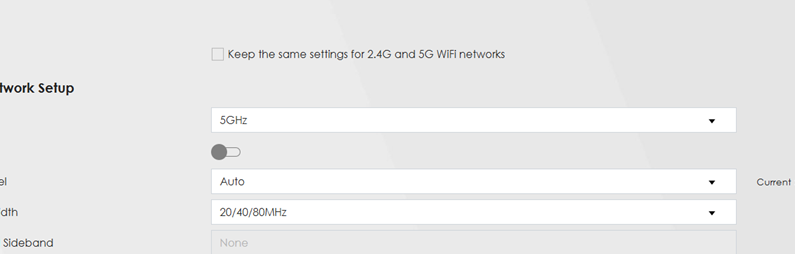
2. Navigate to the 5 GHz band settings tab.
3. Set the 5 GHz WiFi option to Disable and save/apply your changes.
Once saved, the router will stop broadcasting the 5 GHz band entirely, and only the 2.4 GHz band will remain active.
Categories
- All Categories
- 442 Beta Program
- 3.1K Nebula
- 243 Nebula Ideas
- 6.8K Security
- 783 USG FLEX H Series
- 389 Security Ideas
- 1.8K Switch
- 87 Switch Ideas
- 1.5K Wireless
- 58 Wireless Ideas
- 7.2K Consumer Product
- 325 Service & License
- 527 News and Release
- 101 Security Advisories
- 31 Education Center
- 10 [Campaign] Zyxel Network Detective
- 5.3K FAQ
- 34 Documents
- 91 About Community
- 122 Security Highlight