Problem loading a .conf configuration file onto an ATP200.



 Freshman Member
Good morning. I am having trouble uploading a .conf configuration file to an ATP200 after exporting it from another ATP200 running the same firmware version. When I upload the file, the standard "upload in progress" message appears, but it takes about 10 minutes before the 5-minute countdown even begins. Once those 5 minutes are up (making it a 15-minute upload process in total), I close the browser, but I am subsequently unable to access the new ATP unless I reset it. I even tried resetting the device before uploading the .conf file, but the result was the same. I also tried pasting the contents of the .conf file into a new text file, but that didn't work either. It really seems like the old ATP is exporting the configuration incorrectly. How can I resolve this issue? Thanks.
All Replies
-
Hi @pieroCastampi ,
To help check whether there is an issue with the configuration file, please share it privately by clicking on my account > Message.
Zyxel_Judy
0 -
I am attaching the requested items; thank you.
-Configuration file is removed by Zyxel agent-
0 -
Judy would of wanted you to PM your config privately so you may wish to remove you config from your post
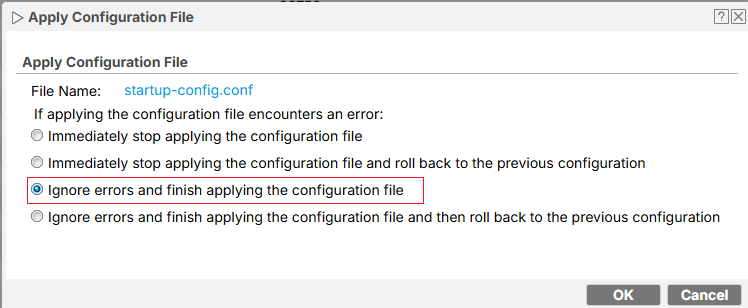
With the ZLD models there is a option when applying a config should there compatibility problem
 0
0 -
Hello, I couldn't find the "Message" option in my account, which is why I attached the file to the post. How can I send it privately? Also, I couldn't find the option to ignore errors when uploading the config file. Please note that the config file I want to restore comes from another ATP200 running the same firmware version (5.42) as the destination ATP200. Thanks.
0 -
If you click on Zyxel_Judy you will see message
0 -
Done Judy, thanks a lot for your patience.
0 -
Hi @pieroCastampi ,
We received your configuration file and are currently reviewing it. We'll let you know if there are any updates.
Zyxel_Judy
0 -
Ok thanks.
I also tried uploading a few lines at a time via SSH. At first, they are accepted, but then errors start occurring.
0 -
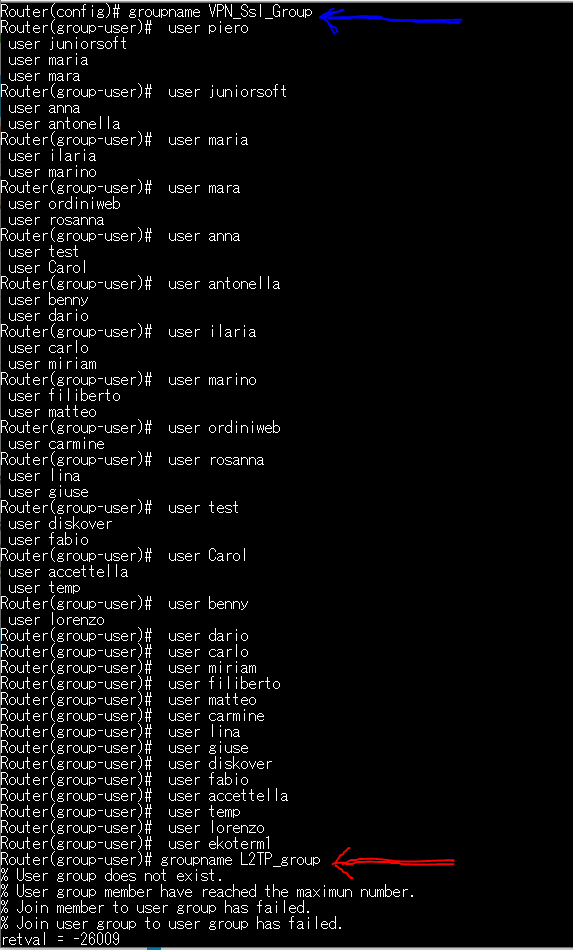
I also tried pasting a few commands at a time into the CLI; as you can see in the screenshot, everything went fine up to the point marked by the blue arrow (the `groupname VPN_Ssl_Group` command), but then problems started where the red arrow points.
0 -
Hi @pieroCastampi ,
We were able to successfully upload and apply your configuration file to your ATP200.
We believe the issue occurred because the configuration file wasn't renamed from "startup-config" before uploading. As a result, after clicking Upload, you may have been prompted with a warning and selected "Yes" to proceed, which likely caused the issue.
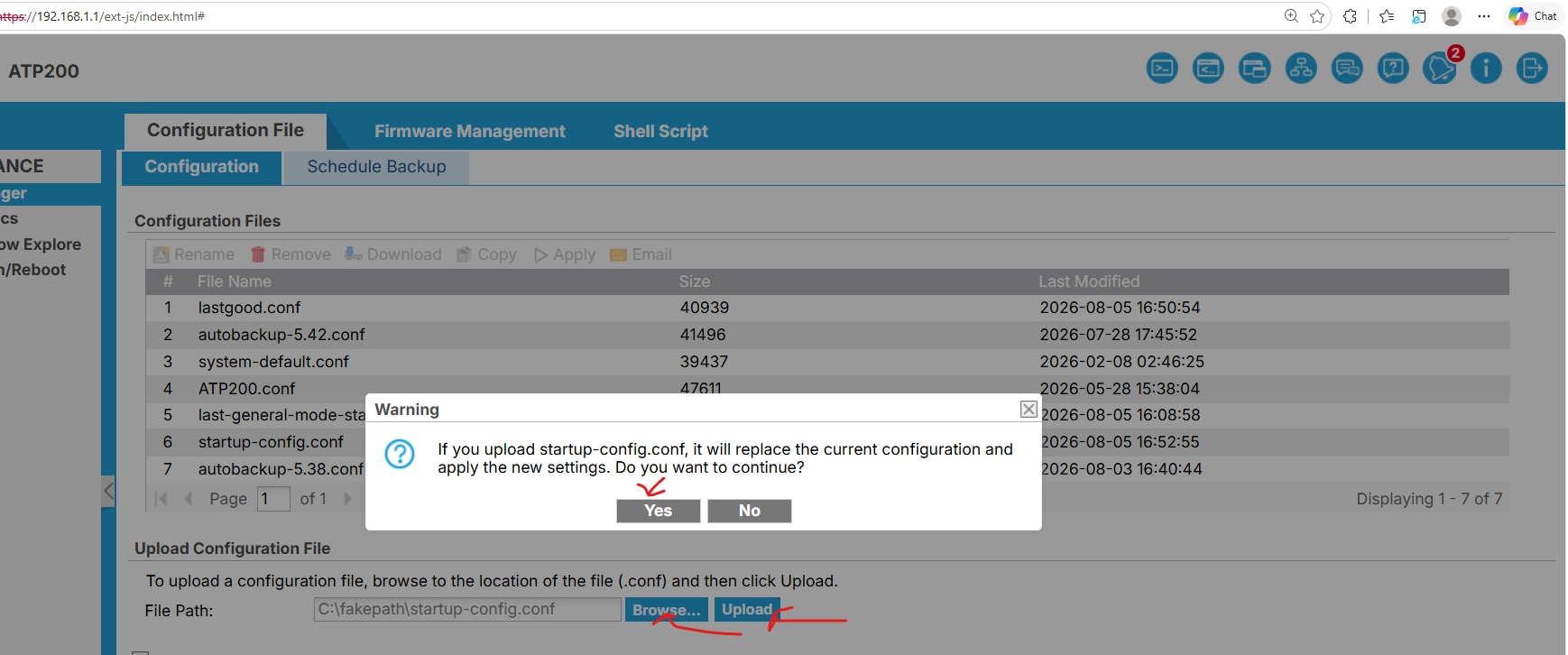
Here are the recommended steps:
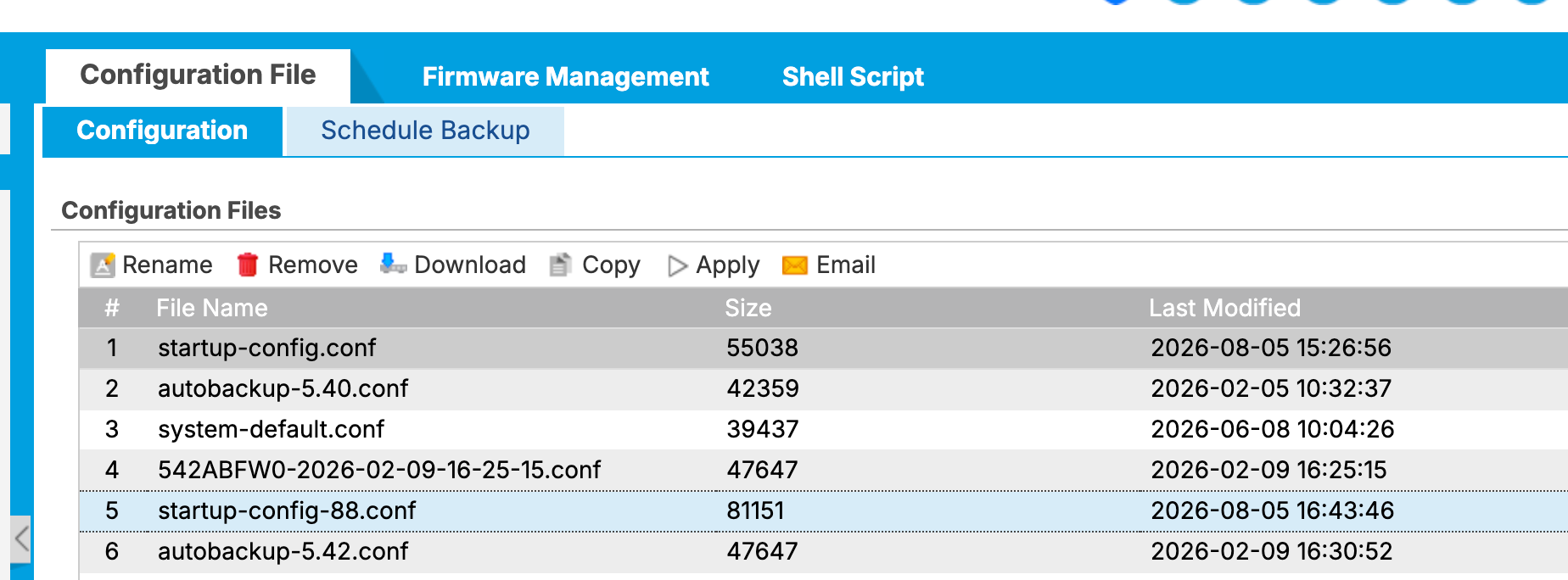
- Rename the file to startup-config-88 (or another name other than "startup-config").
- Upload it to the Configuration File list.
- Select the file and click Apply.
- You'll see an option to ignore errors during the upload — you can select this if prompted.
Zyxel_Judy
0





 Zyxel Employee



 Guru Member
Categories
- All Categories
- 442 Beta Program
- 3.1K Nebula
- 243 Nebula Ideas
- 6.8K Security
- 783 USG FLEX H Series
- 389 Security Ideas
- 1.8K Switch
- 87 Switch Ideas
- 1.5K Wireless
- 58 Wireless Ideas
- 7.2K Consumer Product
- 325 Service & License
- 527 News and Release
- 101 Security Advisories
- 31 Education Center
- 10 [Campaign] Zyxel Network Detective
- 5.3K FAQ
- 34 Documents
- 91 About Community
- 122 Security Highlight