Circle: How to Purchase an Individual License Key
Options

Zyxel_Judy
Posts: 2,789




 Zyxel Employee
Zyxel Employee
The following is an example of purchasing a SecuExtender license key.
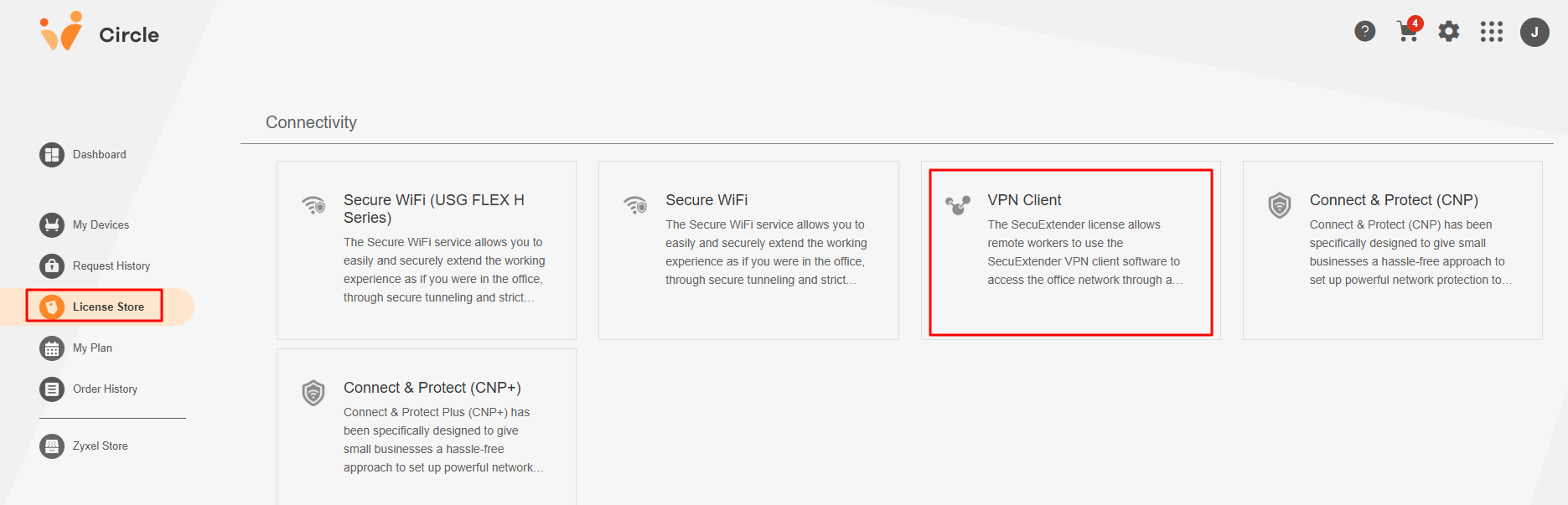
- Go to the License Store screen, click the Connectivity tab, and select VPN Client.
- Set the number of licenses you want to purchase, then click Add to Cart.
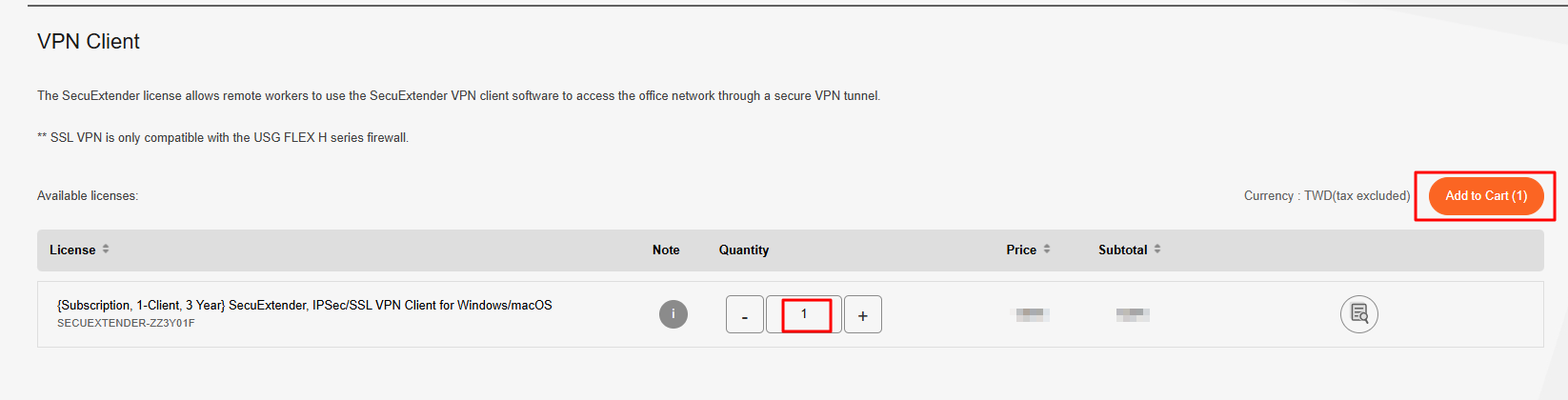
Once you add a license to the shopping cart, the cart will show the total number of licenses for checkout.
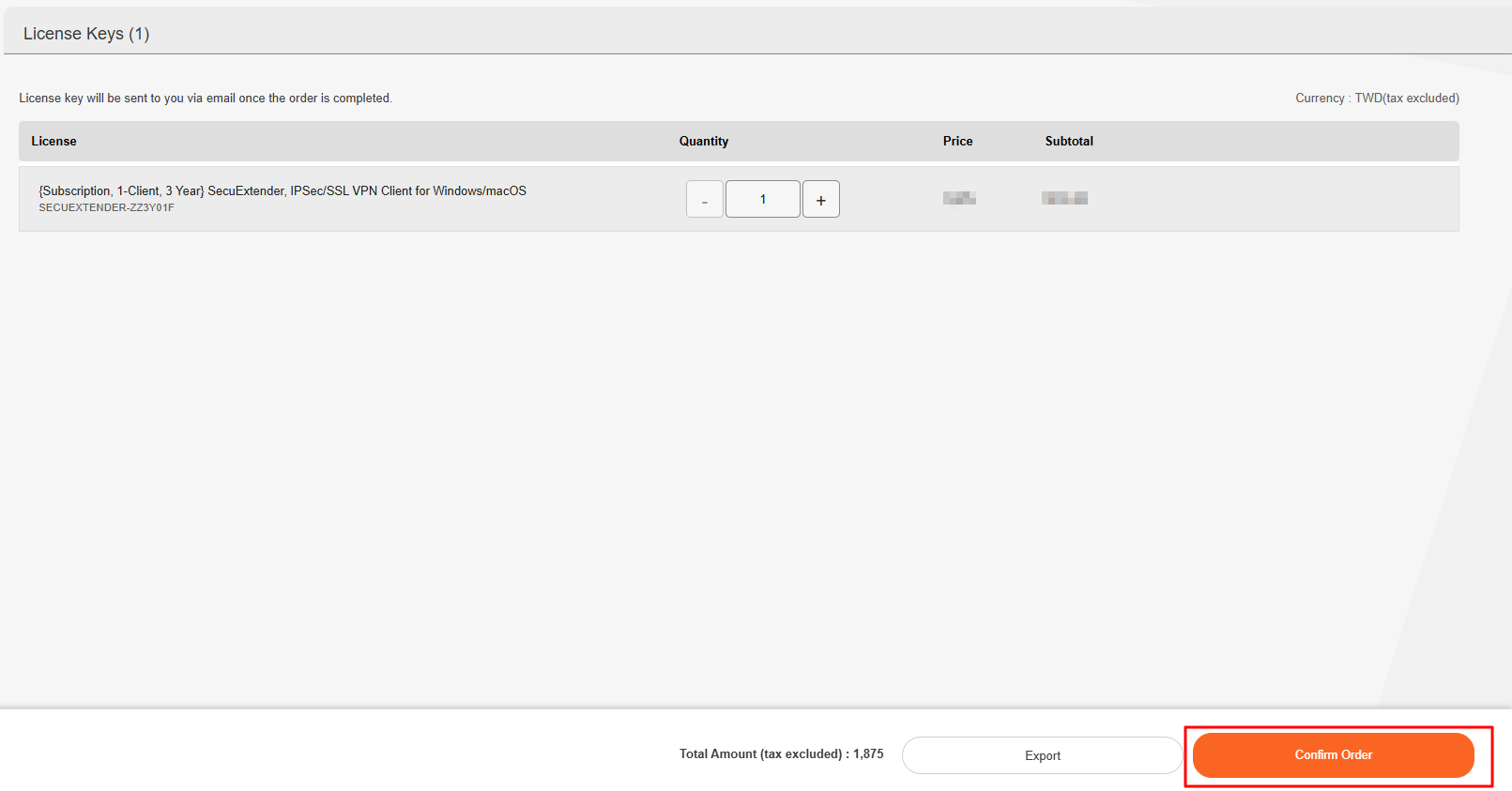
- Click Proceed to Checkout (or click Later if you want to return to the previous screen and choose another license).

- Click Confirm Order.
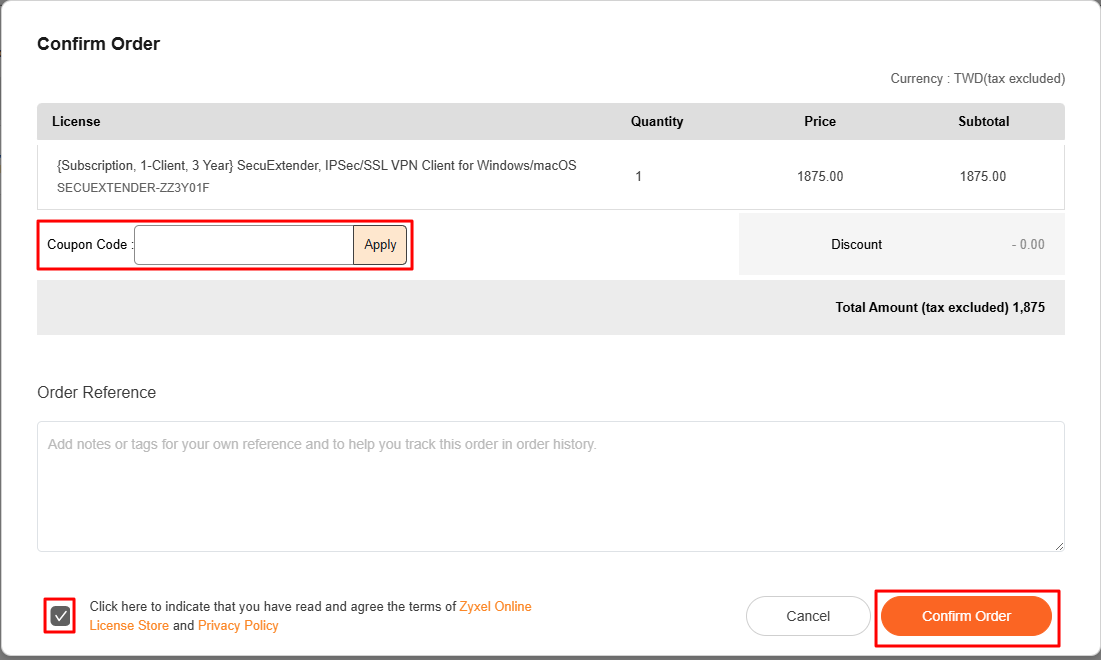
- The Confirm Order screen appears. If you have a coupon code, enter it to receive a discount and click Apply. Click the tick box to indicate that you have read and agree the terms of Zyxel Online License Store and Privacy Policy. Click Confirm Order to continue (or click Cancel to return to the previous screen).
- Click Enter VAT ID.
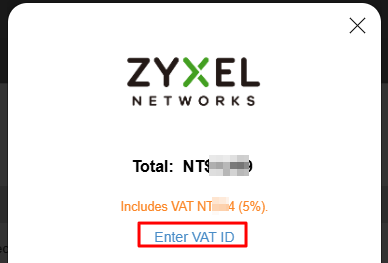
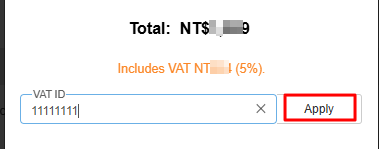
- On the screen that appears, enter your Value-Added Tax ID if your company is registered for the VAT system, and click Apply.
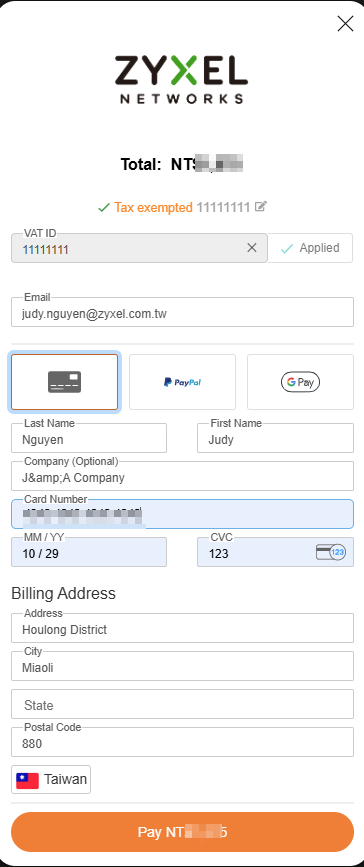
- Enter your email address, name, credit card number, expiration month/year, and CVC number. After entering all necessary information, click Pay to authenticate the transaction.
The completed order page displays:
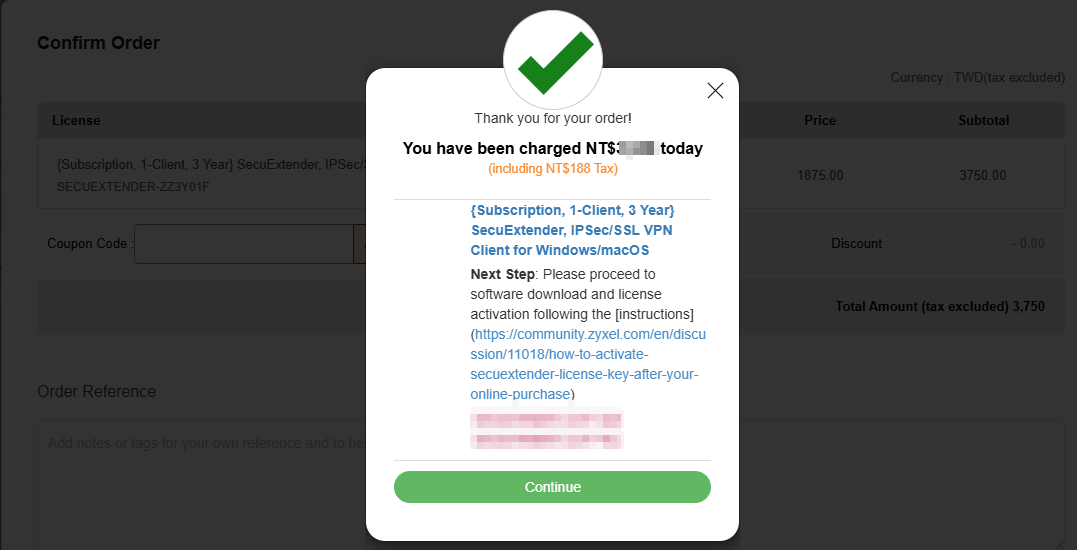
- Go to the Order History screen and click the order number to check your license key.
- You will also receive the license key via email.
Zyxel_Judy
0
Categories
- All Categories
- 442 Beta Program
- 3.1K Nebula
- 243 Nebula Ideas
- 6.8K Security
- 783 USG FLEX H Series
- 389 Security Ideas
- 1.8K Switch
- 87 Switch Ideas
- 1.5K Wireless
- 58 Wireless Ideas
- 7.2K Consumer Product
- 325 Service & License
- 527 News and Release
- 101 Security Advisories
- 31 Education Center
- 10 [Campaign] Zyxel Network Detective
- 5.3K FAQ
- 34 Documents
- 91 About Community
- 122 Security Highlight