Nebula Identity Federation Service (NID FS) Overview and Configuration





 Zyxel Employee
Nebula Identity Federation Service (NID FS) Overview
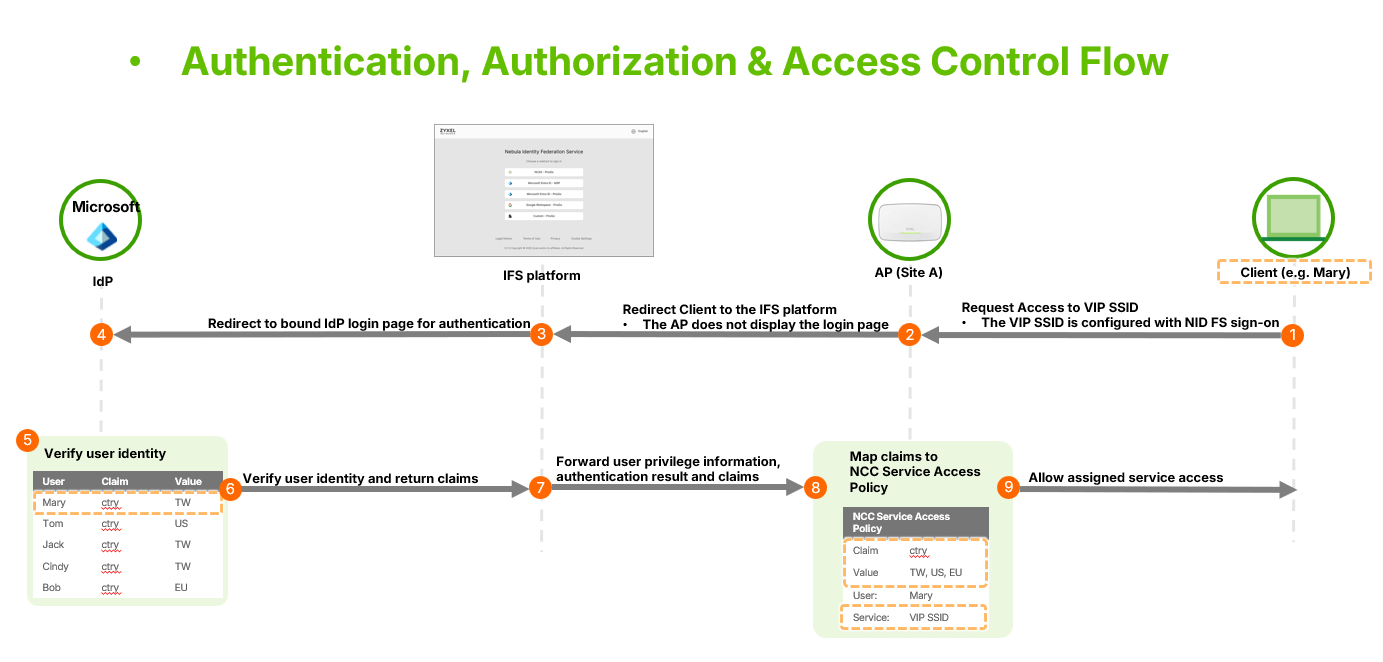
The Nebula Identity Federation Service (NID FS) is a comprehensive enterprise identity solution developed by Zyxel Networks to centralize user authentication and authorization at the organization level. This feature allows administrators to manage user identities across multiple sites and services through a single platform instead of site-by-site.
Key Functions of NID FS
- Centralized Authentication: Authenticate users for various NCC services, such as SSIDs or remote access VPNs, using Identity Providers (IdPs) bound to the IFS platform.
- Centralized Privilege Assignment: Define and assign user privileges organization-wide, specifying which users from which IdPs can access particular services.
Core Concepts: IdP and IFS
Identity Provider (IdP): Functions as the authentication source used to manage or verify user identities. Examples include NCAS, Microsoft Entra ID, or Google Workspace.
Identity Federation Service (IFS): A platform that integrates with multiple IdPs, redirecting users to the appropriate bound IdP for verification. Each organization has its own unique IFS configuration.
Configuration Workflow
To set up NID FS, navigate to Organization-wide > Org-wide Manage > Nebula Identity Federation Service.
1. Binding an Identity Provider
- Navigate to the Identity Provider tab and click "Add".
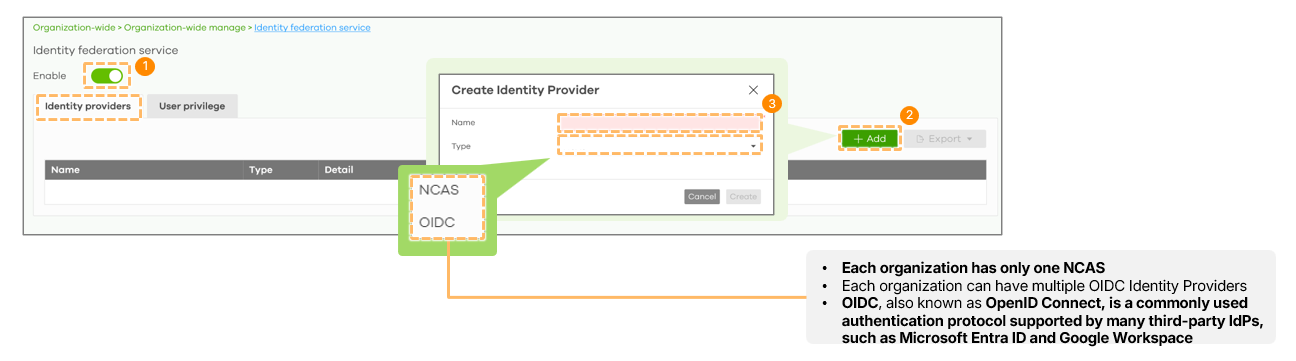
- Select the IdP source (NCAS or OIDC). While only one NCAS IdP is allowed per organization, multiple OIDC providers can be bound.
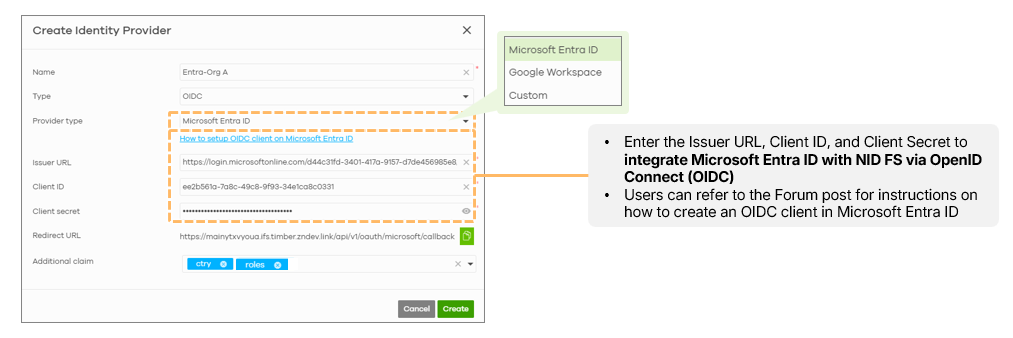
- For OIDC providers like Microsoft Entra ID, administrators must input the Issuer URL, Client ID, and Client Secret.
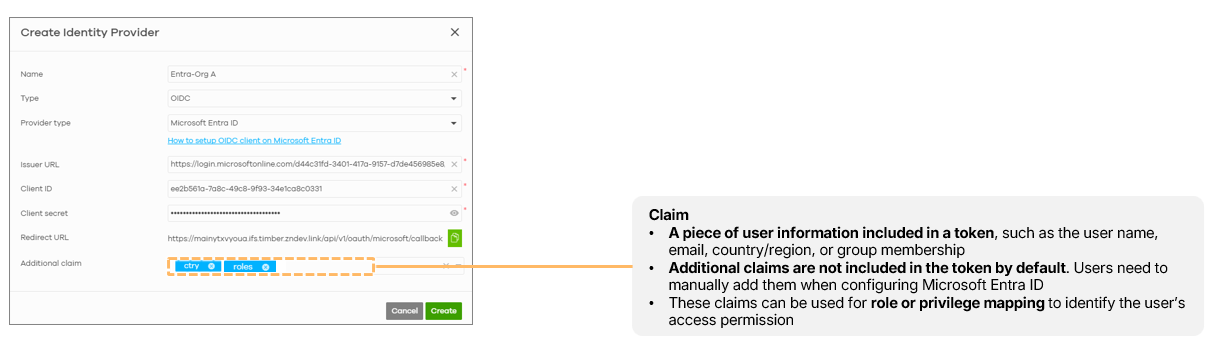
- Additional Claims: Administrators can configure specific user information (claims) to be sent from the IdP to the IFS platform for mapping access permissions.
2. Creating User Privilege Policies
- Under the User Privilege tab, click "Add" to define which users from which IdPs are authorized.
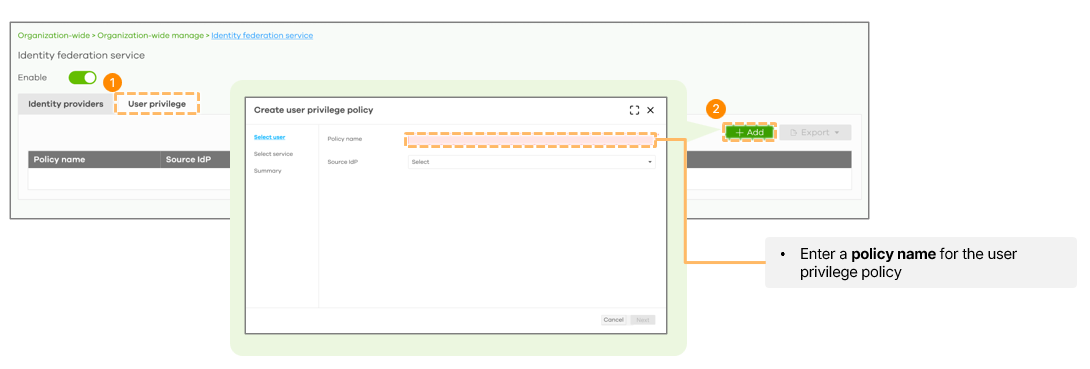
- Select Users: Users can be selected based on "All Users," "Specified Email List," or "Group by Claims".
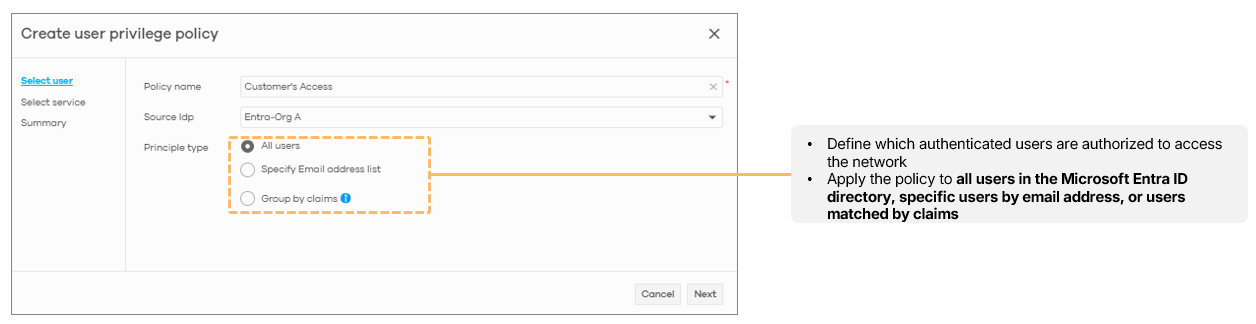
- Note: Group by claims for authorization currently only applies to firewall services; AP services apply policies to all users from the selected IdP.
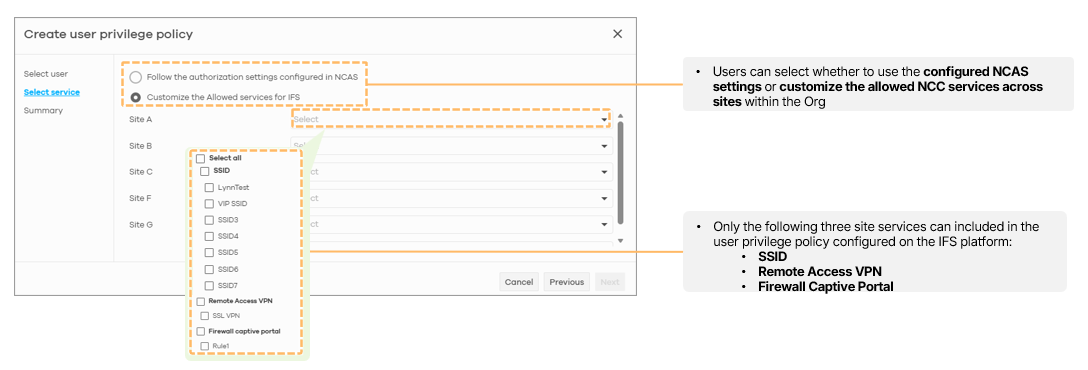
- Select Services: Services can be selected based on "Follow the authorization settings configured in NCAS" or "Customize the Allowed NCC services across sites within the Org".
Categories
- All Categories
- 442 Beta Program
- 3.1K Nebula
- 243 Nebula Ideas
- 6.8K Security
- 783 USG FLEX H Series
- 389 Security Ideas
- 1.8K Switch
- 87 Switch Ideas
- 1.5K Wireless
- 58 Wireless Ideas
- 7.2K Consumer Product
- 325 Service & License
- 527 News and Release
- 101 Security Advisories
- 31 Education Center
- 10 [Campaign] Zyxel Network Detective
- 5.3K FAQ
- 34 Documents
- 91 About Community
- 122 Security Highlight