Monitoring System Health with the Nebula Status Page
Options

Zyxel_Lynn
Posts: 212




 Zyxel Employee
Zyxel Employee
Introducing the Nebula Status Page
The Nebula Status Page is a dedicated official service that allows users to quickly verify if the Nebula Control Center (NCC) is operating normally. It offers a visualized board summarizing system health and historical performance.
Accessing the Status Page
Users can access the page directly via its URL(https://www.nebulastatus.zyxel.com/), through the Zyxel Community (Help Center), or via the Help > Support Tools menu within NCC.
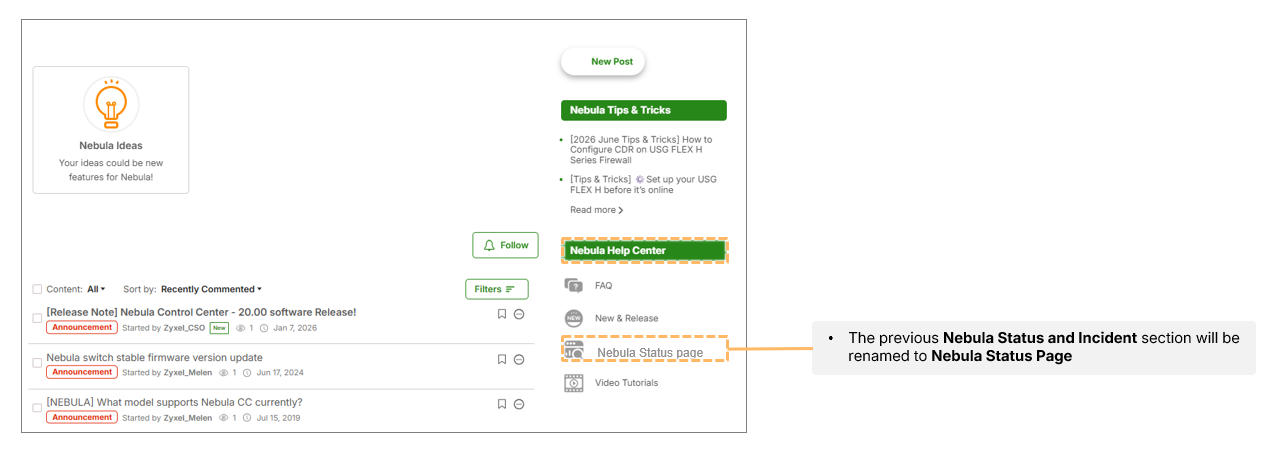
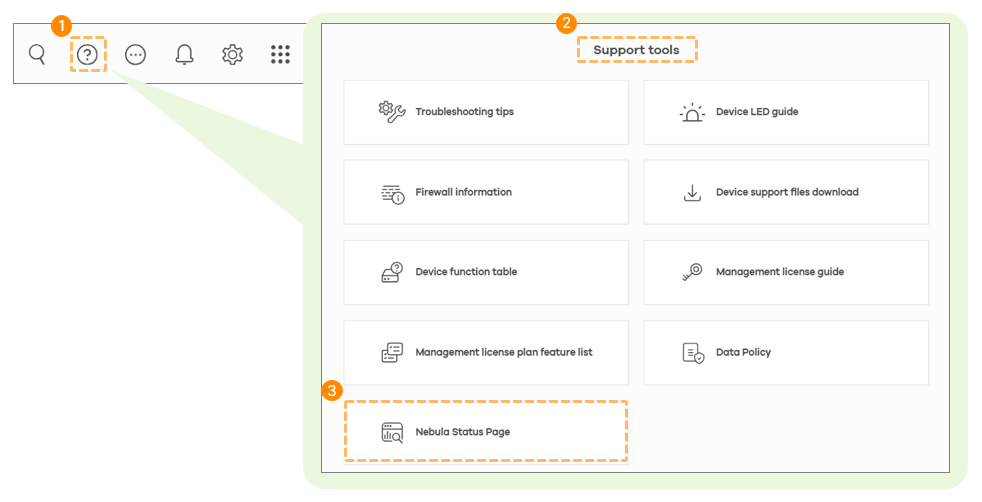
Page Sections
- Subscription: Users can sign up for RSS feeds to receive automatic notifications regarding Nebula status changes.
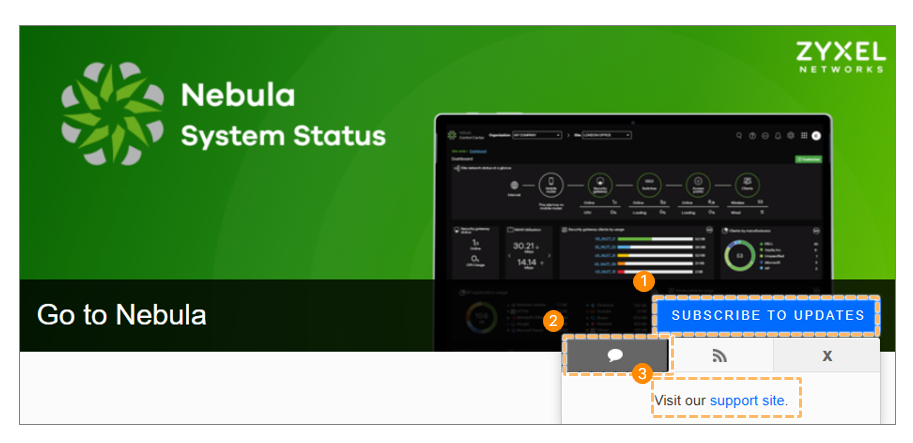
- Service Status: A visualized 90-day history bar for different categories like Zyxel account or License/Device issues. Green blocks indicate operational status, orange indicates minor outages (<60 mins), and red indicates severe outages (>1 hour).
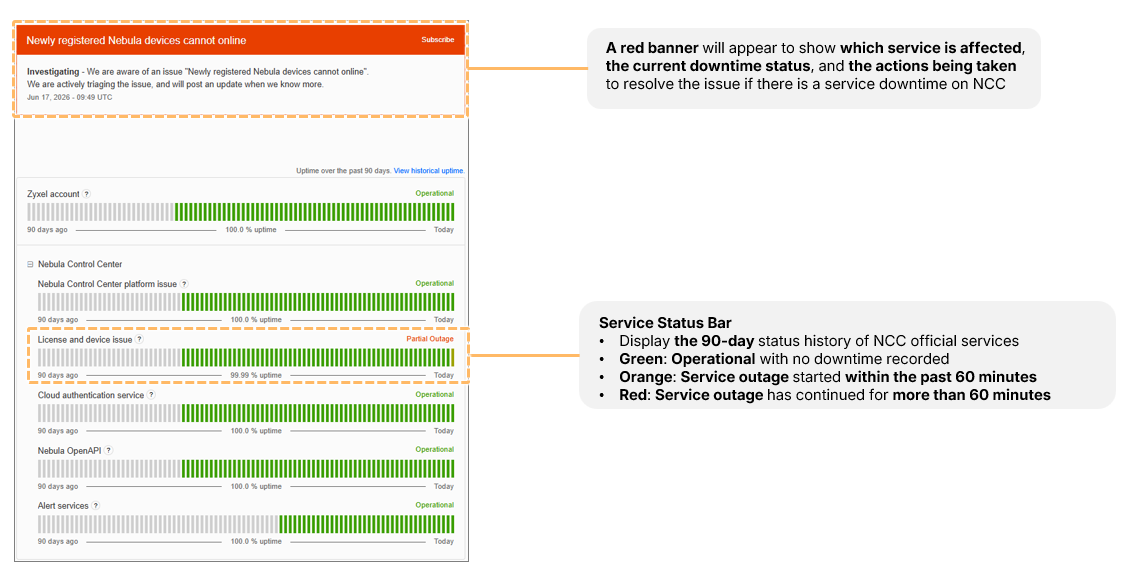
- Maintenance: Displays upcoming upgrade schedules and maintenance windows to help users plan for temporary unavailability.
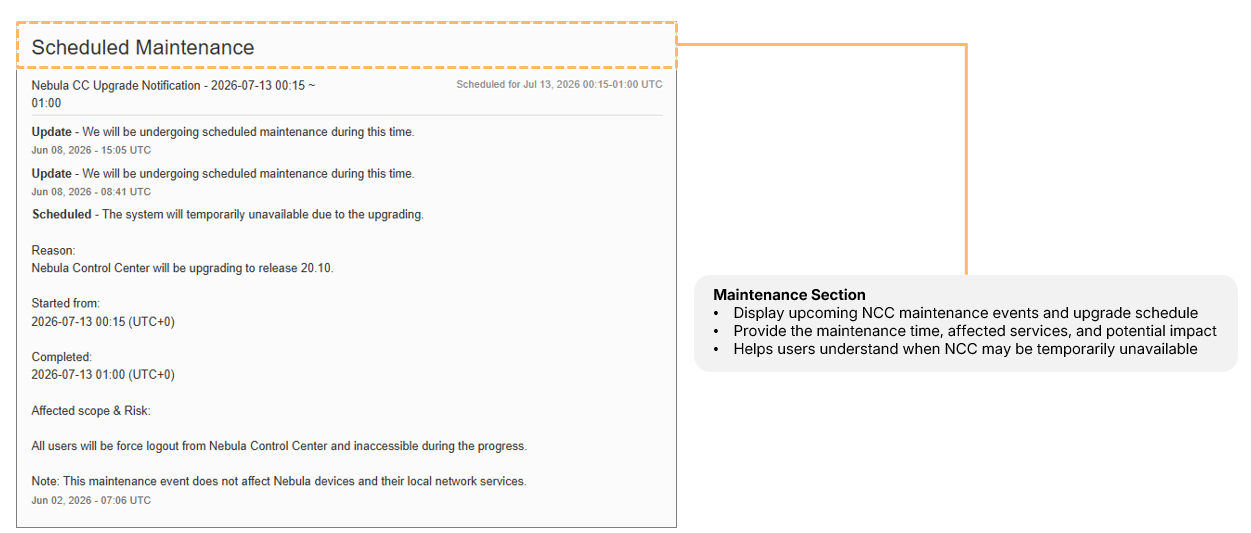
- Incidents: Records service incidents from the past 15 days, detailing the affected service and issue resolution.
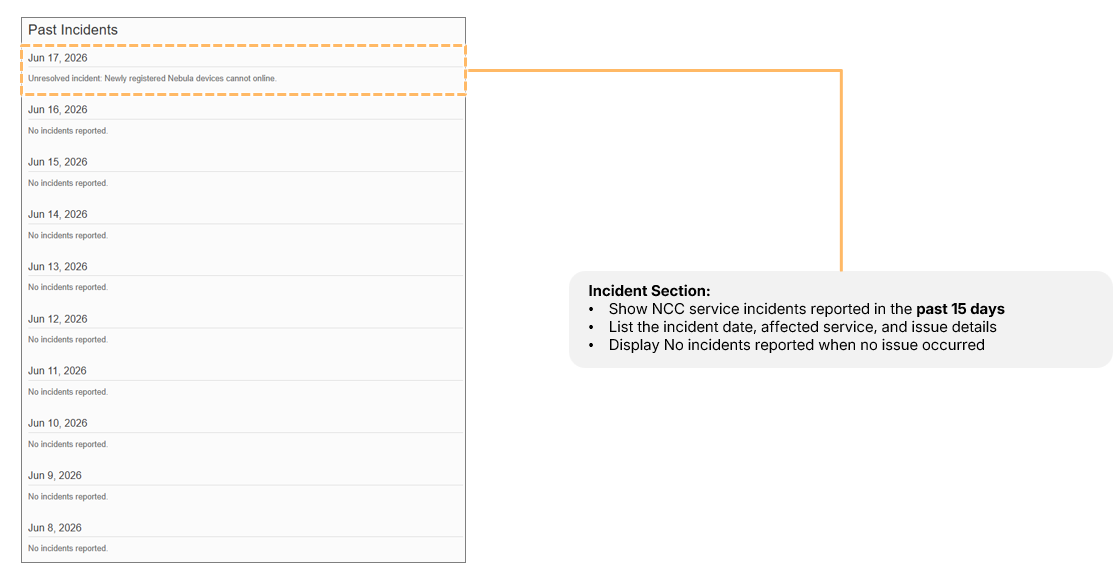
Incident Reporting Guidelines
Zyxel monitors abnormalities continuously. Minor incidents lasting less than 15 minutes may not be recorded. For impacts lasting 15-30 minutes, an event card is created. For severe impacts exceeding 30 minutes, stakeholders are notified, and updates are provided every 30 minutes until resolution.
0
Categories
- All Categories
- 442 Beta Program
- 3.1K Nebula
- 243 Nebula Ideas
- 6.8K Security
- 783 USG FLEX H Series
- 389 Security Ideas
- 1.8K Switch
- 87 Switch Ideas
- 1.5K Wireless
- 58 Wireless Ideas
- 7.2K Consumer Product
- 325 Service & License
- 527 News and Release
- 101 Security Advisories
- 31 Education Center
- 10 [Campaign] Zyxel Network Detective
- 5.3K FAQ
- 34 Documents
- 91 About Community
- 122 Security Highlight