Visualizing Networks with Advanced Topology Enhancements
Options

Zyxel_Lynn
Posts: 212




 Zyxel Employee
Zyxel Employee
Advanced Network Topology Enhancements
Nebula's Topology feature has evolved into a free tool available to all users, with advanced diagnostic and display options reserved for Pro Pack organizations.
Advanced Pro Pack Features
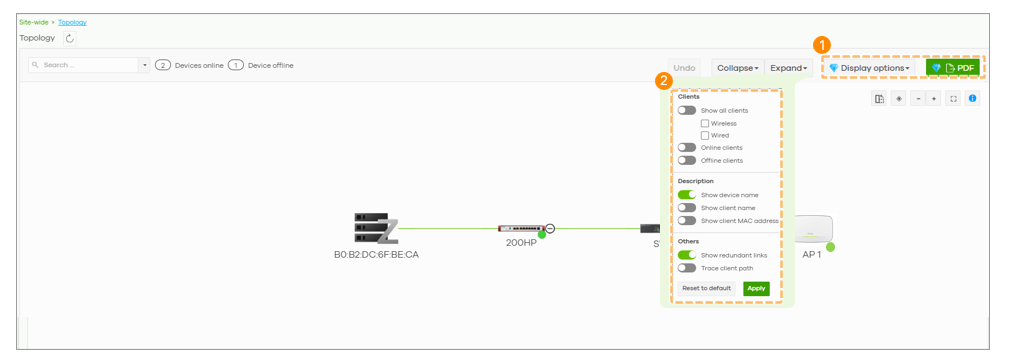
- Display Options: Customize the topology to show specific client details like names or MAC addresses.
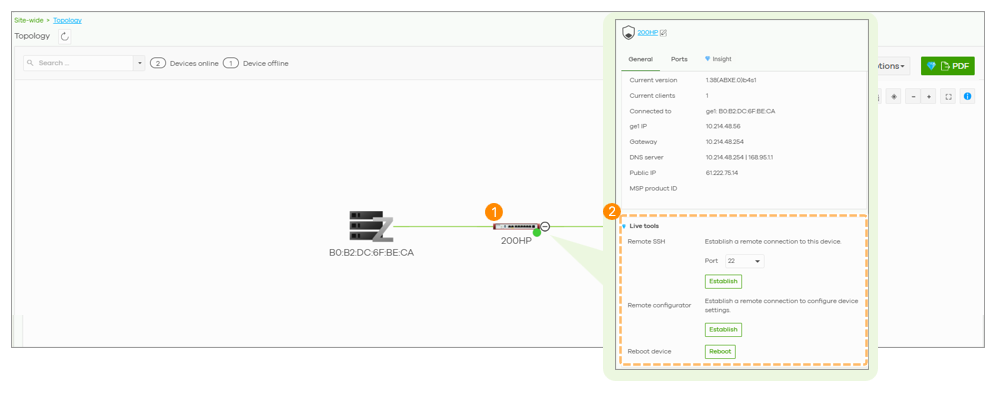
- Live Tools: Perform troubleshooting directly from the topology page.
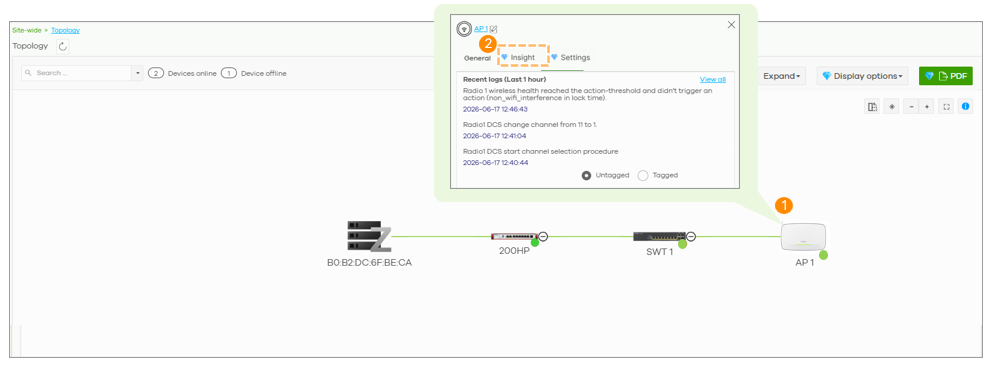
- Insight: View device event logs from the last hour directly within the topology view.
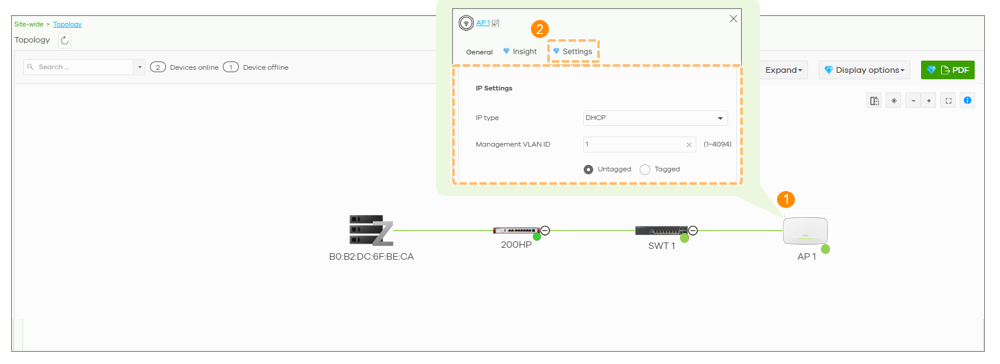
- Settings: Modify device IP types or management VLANs directly from the topology map.
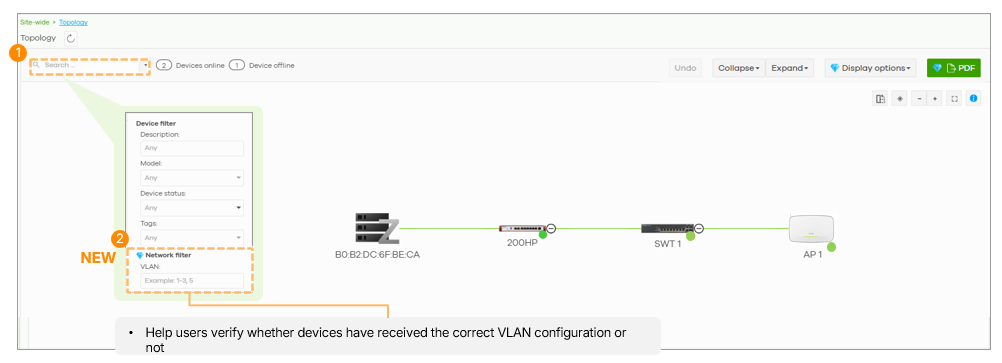
New: Network Filter by VLAN
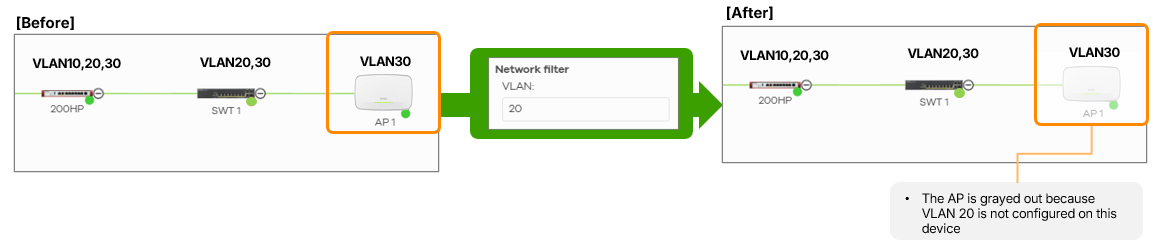
A new filtering tool allows administrators to filter the topology based on VLAN IDs. Devices that do not match the selected VLAN criteria are grayed out, helping to quickly identify misconfiguration.
VLAN Matching Criteria
- Firewall: Matching if an interface is configured with the VLAN.
- Switch: Matching based on PVID, VLAN ID settings, or VLAN trunking.
- AP: Matching based on Ethernet port PVID or SSID VLAN configurations.
Visual and Connectivity Updates
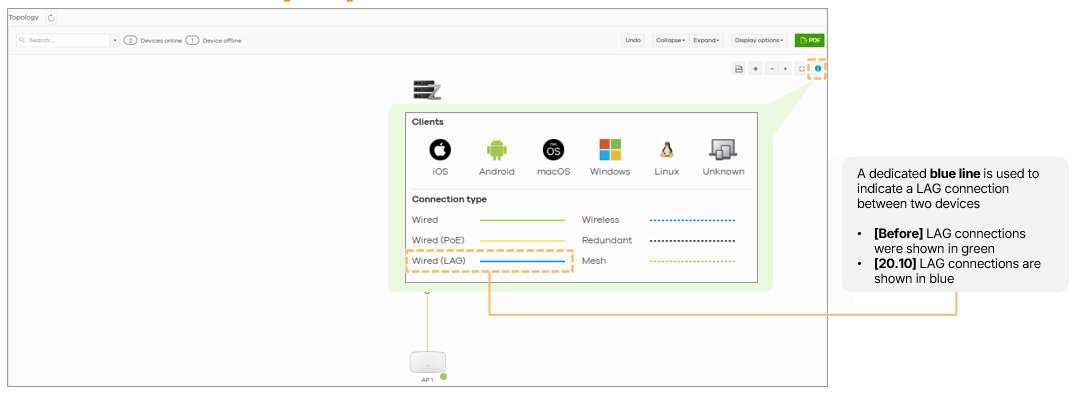
The topology now supports Vertical View in addition to the traditional horizontal layout. Furthermore, Link Aggregation (LAG) connections for H-series devices are now clearly indicated with a blue line instead of a thick green line to distinguish them from standard wired connections.
0
Categories
- All Categories
- 442 Beta Program
- 3.1K Nebula
- 243 Nebula Ideas
- 6.8K Security
- 783 USG FLEX H Series
- 389 Security Ideas
- 1.8K Switch
- 87 Switch Ideas
- 1.5K Wireless
- 58 Wireless Ideas
- 7.2K Consumer Product
- 325 Service & License
- 527 News and Release
- 101 Security Advisories
- 31 Education Center
- 10 [Campaign] Zyxel Network Detective
- 5.3K FAQ
- 34 Documents
- 91 About Community
- 122 Security Highlight