Implementing Captive Portal with NID FS Integration
Options

Zyxel_Lynn
Posts: 212




 Zyxel Employee
Zyxel Employee
Captive Portal Support for NID FS
Integrating the Nebula Identity Federation Service (NID FS) with Captive Portals allows for a modernized, multi-stage authentication process for wireless users.
The Three Stages of NID FS Login
- Authentication Stage: Handled entirely by the selected IdP (e.g., Google or Entra ID). The IFS platform redirects the user to the IdP's login page. Zyxel devices do not see the credentials directly.
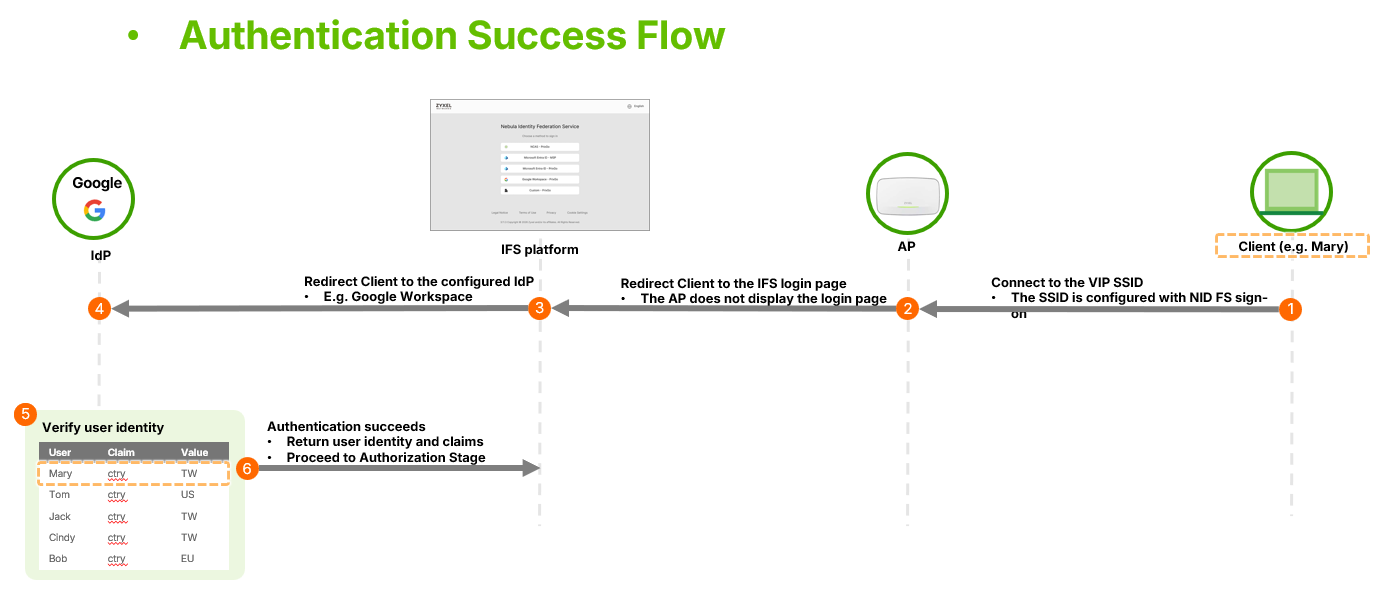
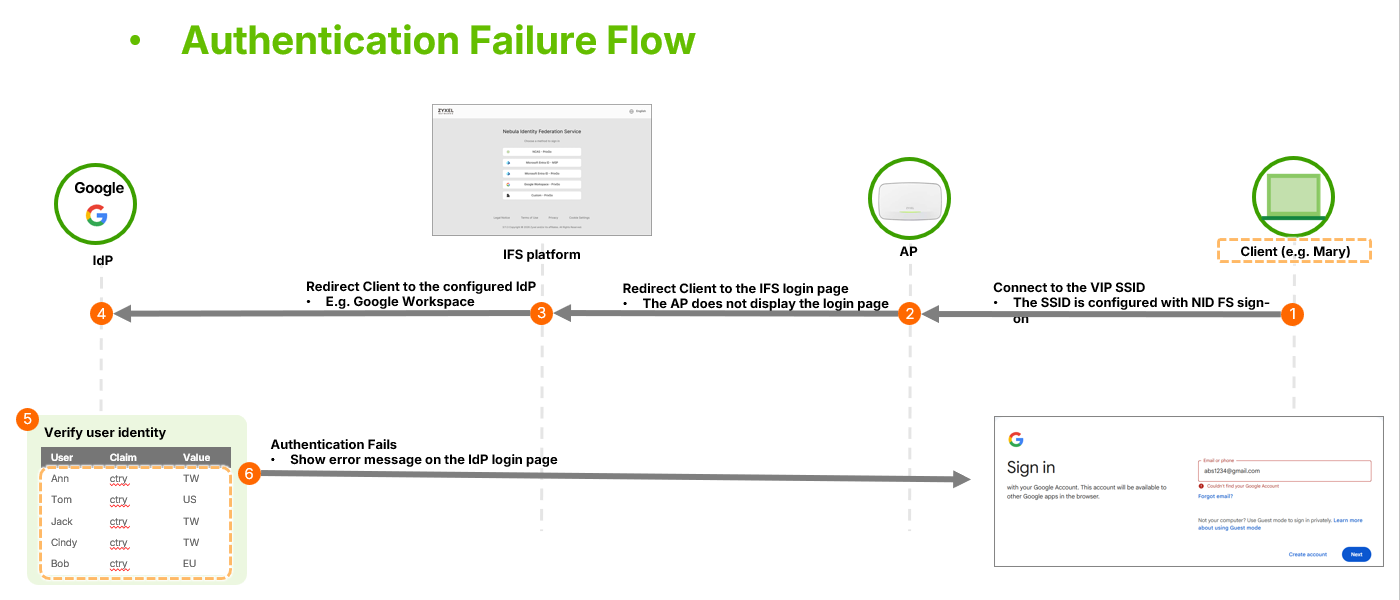
2. Authorization Stage: Handled by the AP. The device checks the authentication result and the principle type against the privilege policies configured on the IFS platform.
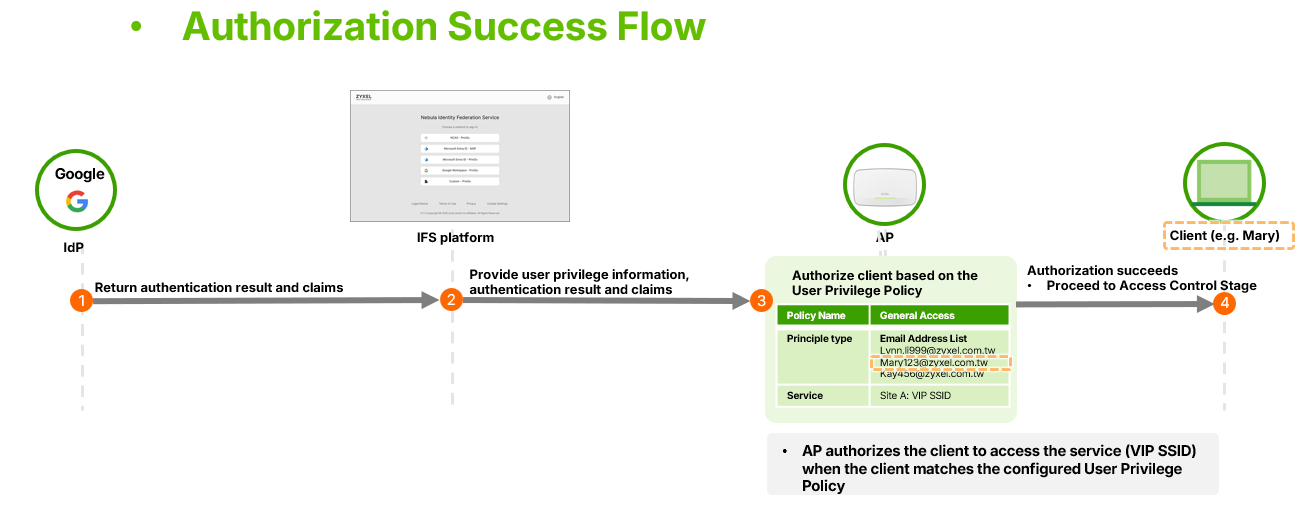
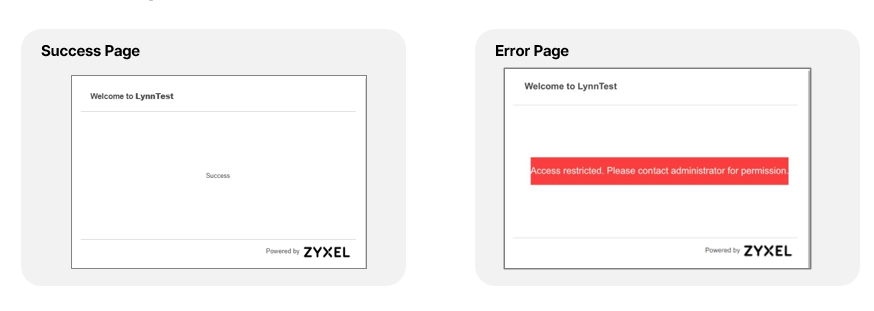
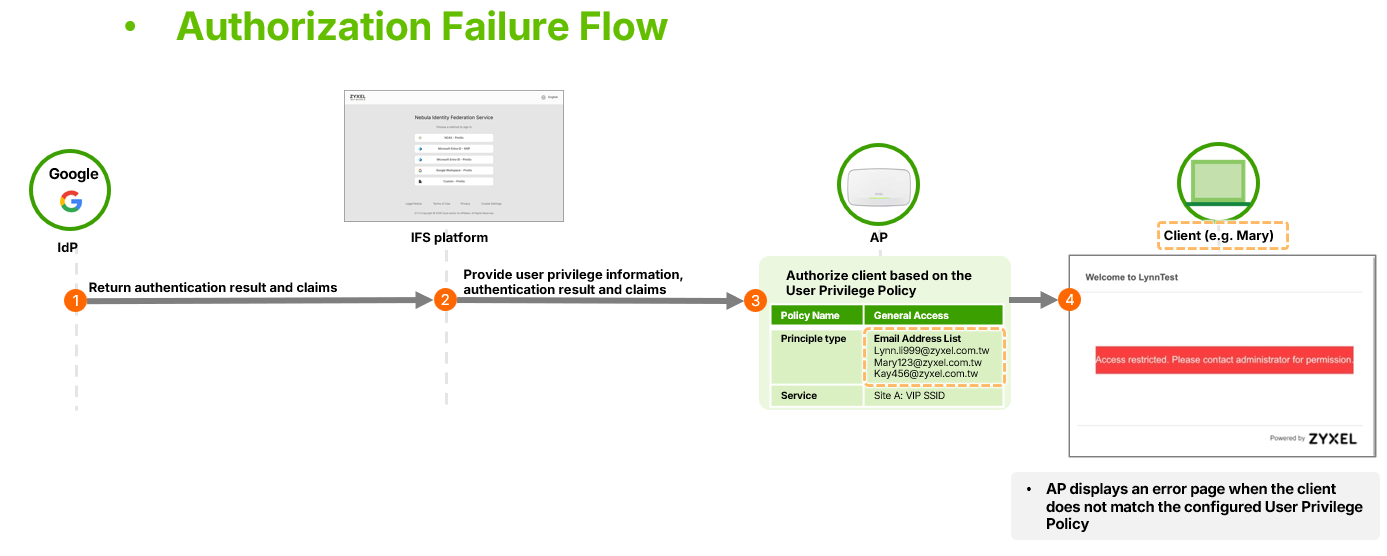 3. Access Control Stage: The device grants or denies network access. If authorization
 fails, the device displays a new "Error Page" indicating restricted access. If both
authentication and authorization are successful, the AP allows service access and display
a "Success Page".
Configuration and Behavior Notes
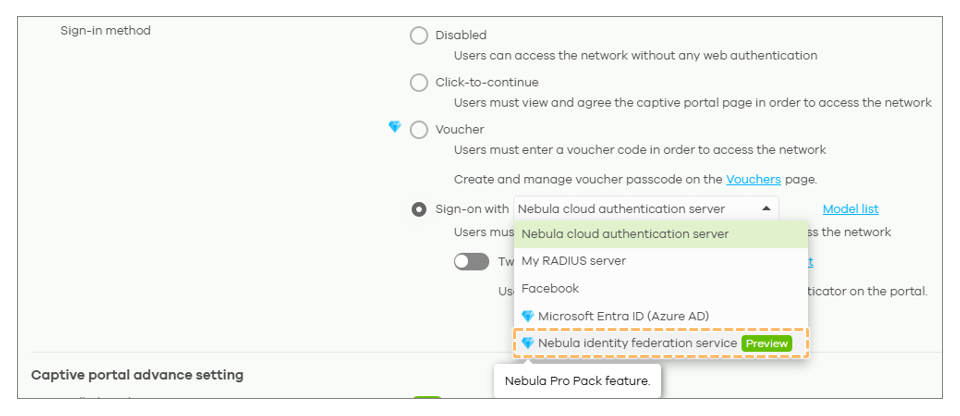
- Setup: In SSID settings, select "Sign-on with Nebula Identity Federation Service".
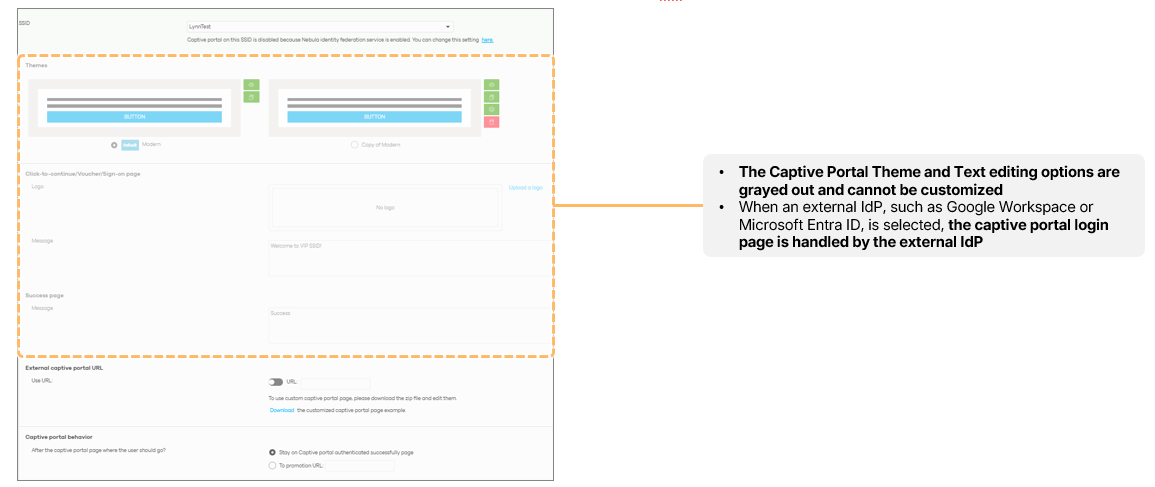
- Customization Restrictions: Because the login page is hosted by a third-party IdP, theme and text customization for the login page is restricted within Nebula.
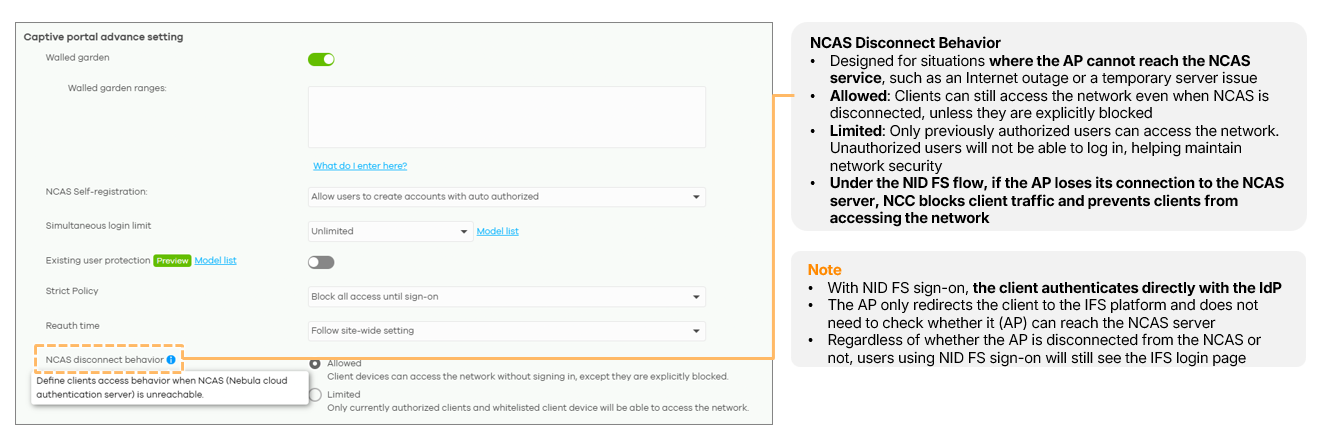
- NCAS Disconnect Behavior: If the device loses its connection to the NCAS Server, the current behavior is to drop all traffic to ensure security, regardless of previous "Allow/Limit" settings.
- License Requirement: This feature is exclusive to Pro Pack organizations. If the license expires, the SSID will be automatically disabled.
0


Categories
- All Categories
- 442 Beta Program
- 3.1K Nebula
- 243 Nebula Ideas
- 6.8K Security
- 783 USG FLEX H Series
- 389 Security Ideas
- 1.8K Switch
- 87 Switch Ideas
- 1.5K Wireless
- 58 Wireless Ideas
- 7.2K Consumer Product
- 325 Service & License
- 527 News and Release
- 101 Security Advisories
- 31 Education Center
- 10 [Campaign] Zyxel Network Detective
- 5.3K FAQ
- 34 Documents
- 91 About Community
- 122 Security Highlight