Modernizing Authentication with the New NCAS Captive Portal Flow





 Zyxel Employee
Modernizing the NCAS Captive Portal Flow
Nebula Cloud Authentication Server (NCAS) has been updated to follow a standardized OIDC-based flow, matching the security architecture of NID FS. This modernization introduces support for biometric passkeys and refined site privilege checks.
New NCAS Authentication Workflow
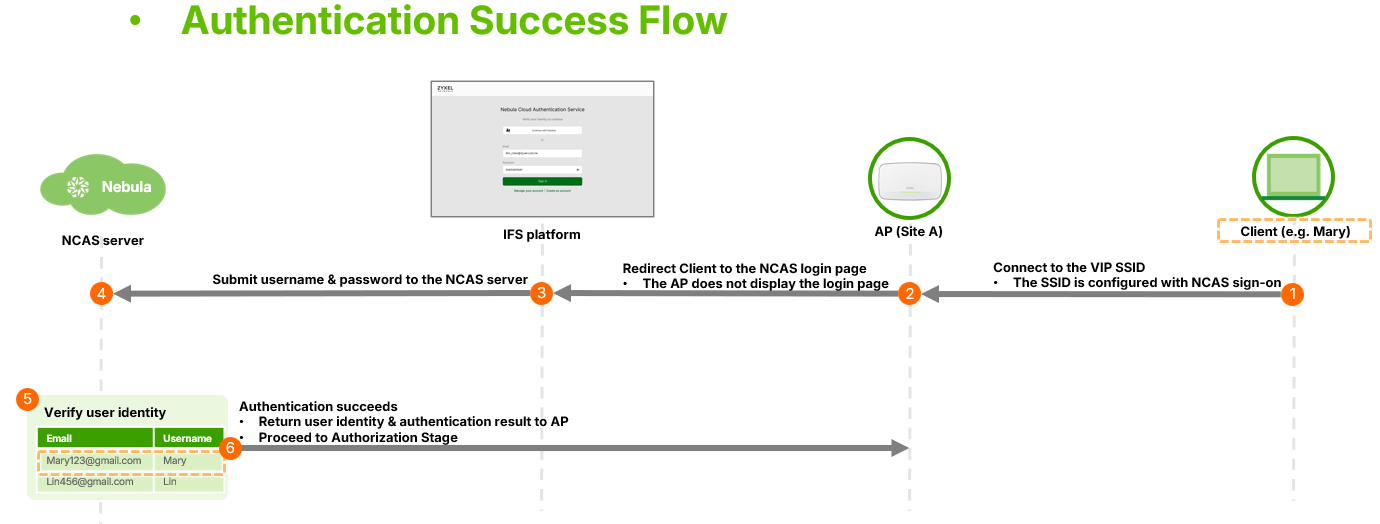
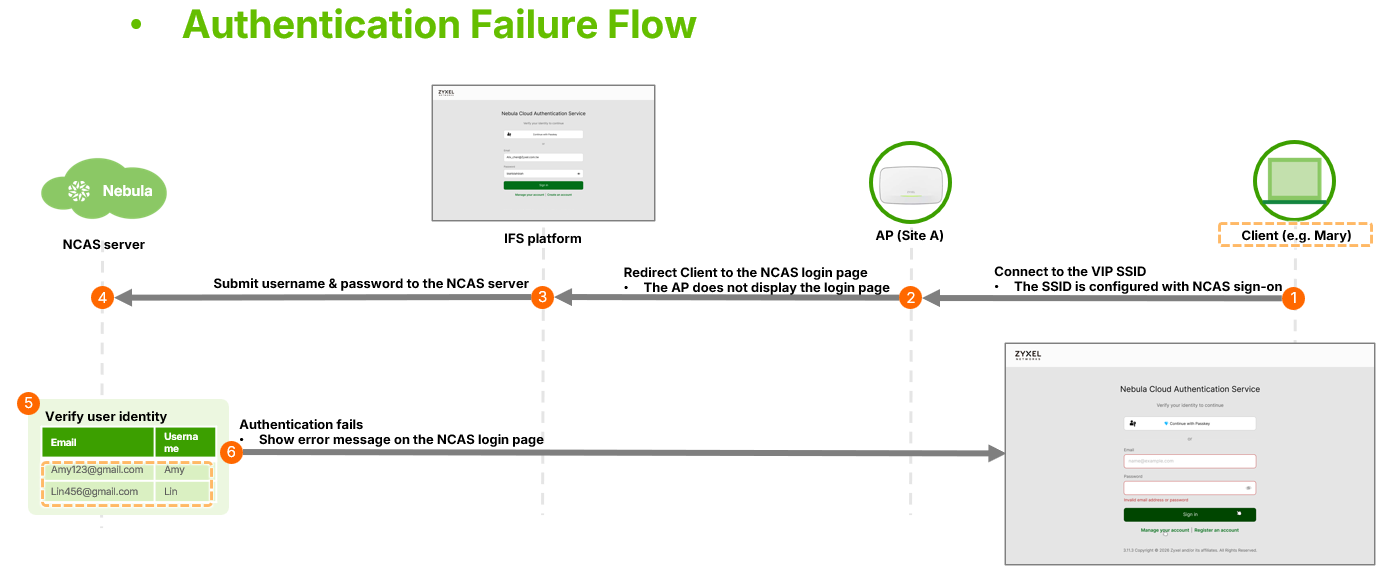
- Authentication: The IFS platform hosts the new login page, redirecting users to the NCAS server. This page supports standard credentials and the "Continue with Passkey" option.
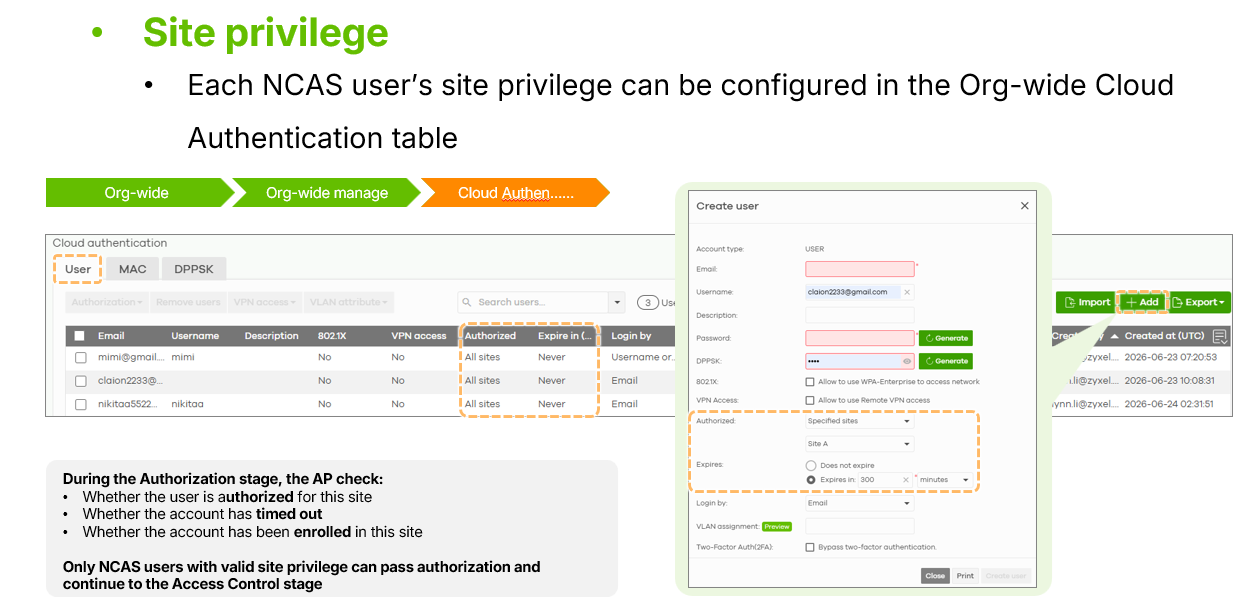
- Authorization: The AP verifies the user's site privilege, which includes checking authorized sites, account expiration times, and enrollment status.
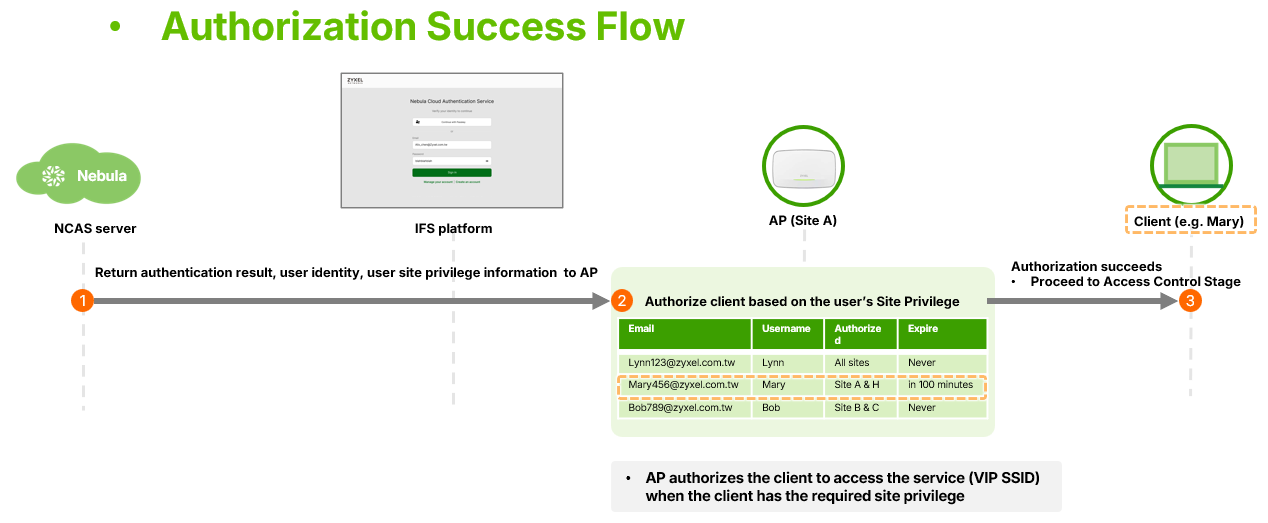
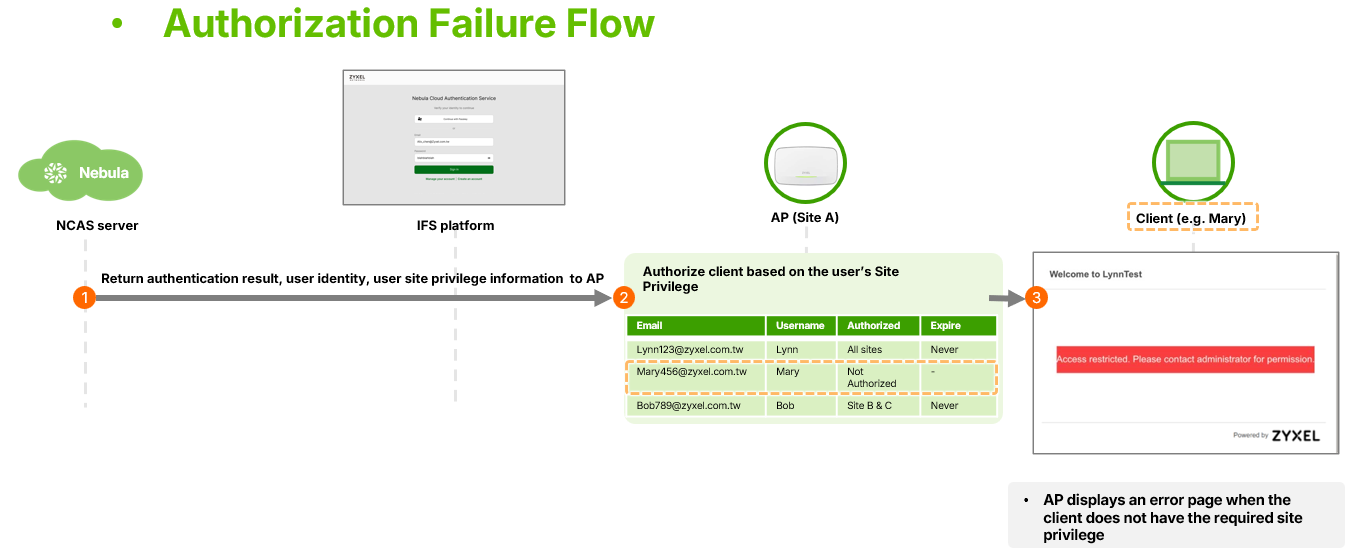
- Access Control: Successful users reach the network, while failed users see a customizable error page.
Operational Changes
With the new flow, the NCAS Disconnect Behavior setting is no longer supported. If an AP loses its connection to the NCAS server, it will automatically block traffic for non-authenticated users to prevent unauthorized access. This is a significant change from the legacy flow where "Allow" could permit access during outages.
Customization
Unlike third-party OIDC providers, NCAS still allows administrators to customize the theme and text additions for the login page such as success page, Error Page, click-to-continue page. Error page is a new page that has been added to the customization menu, allowing for script-based modifications to the message shown when authorization fails.
Please note that since the login page is fully managed by the NID FS platform, it cannot be customized when using the new NCAS sign-in flow. Currently, customization is only available for the Click-to-Continue login page.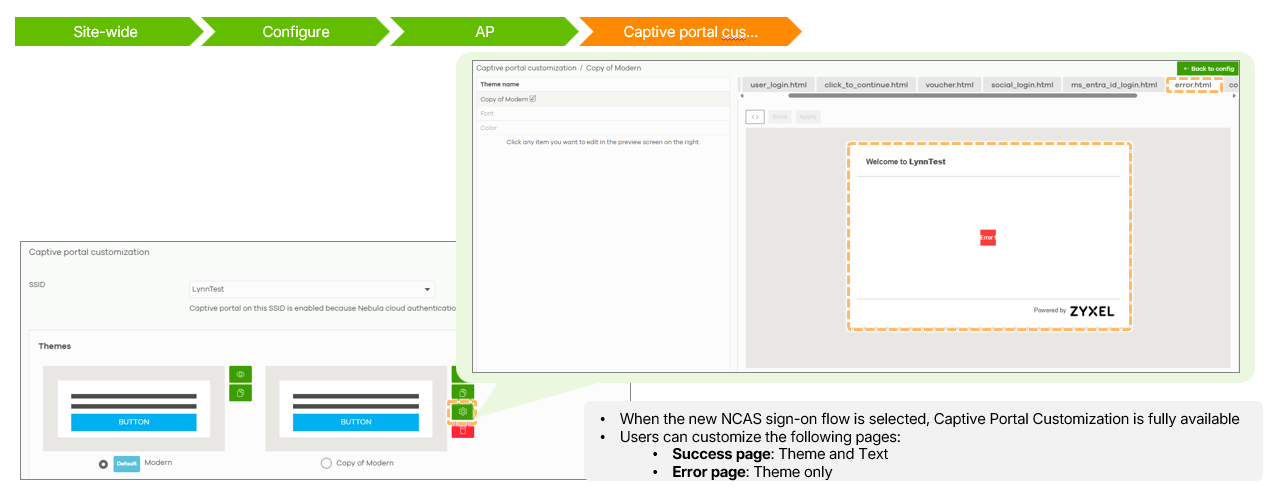


Categories
- All Categories
- 442 Beta Program
- 3.1K Nebula
- 243 Nebula Ideas
- 6.8K Security
- 783 USG FLEX H Series
- 389 Security Ideas
- 1.8K Switch
- 87 Switch Ideas
- 1.5K Wireless
- 58 Wireless Ideas
- 7.2K Consumer Product
- 325 Service & License
- 527 News and Release
- 101 Security Advisories
- 31 Education Center
- 10 [Campaign] Zyxel Network Detective
- 5.3K FAQ
- 34 Documents
- 91 About Community
- 122 Security Highlight