[USG FLEX H]How to update firmware on the USG FLEX H series




 Zyxel Employee
The firmware update methods for the [USG FLEX H] series can be categorized into two main management approaches: Local Web GUI (Manual/Automatic) and the Nebula Control Center.
Method 1: Via Local Web GUI (Manual)
First, search for your model on the official website and download the firmware file:
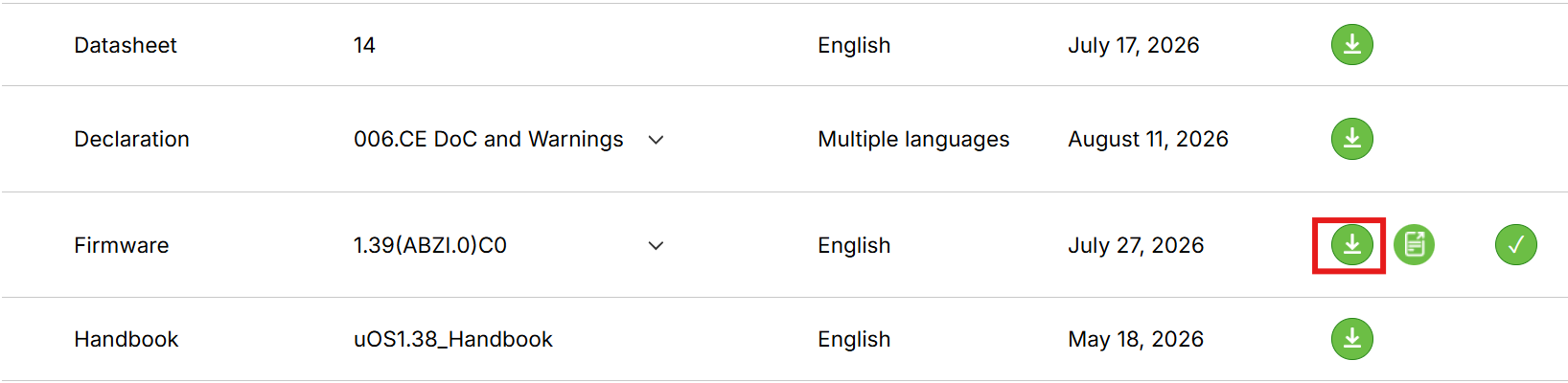
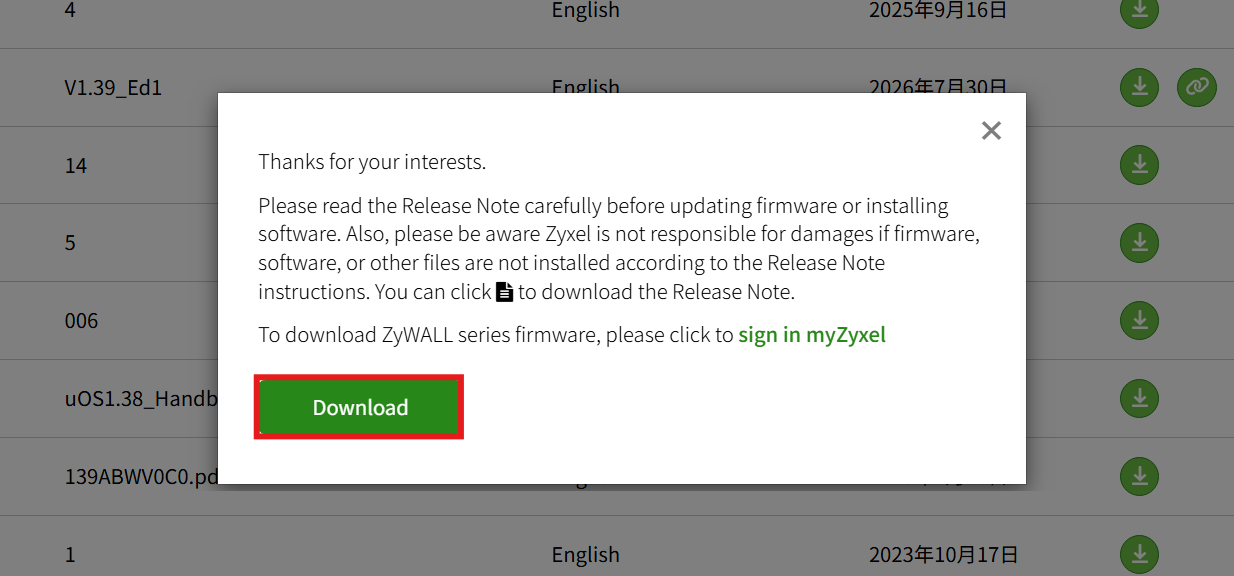
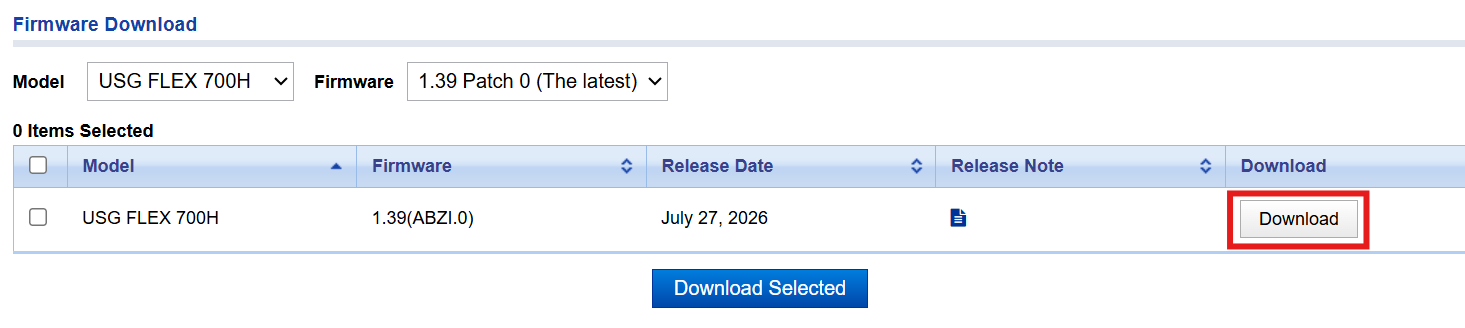
Once obtained, navigate to the local Web GUI:
Maintenance > Firmware/File Manager > Firmware Management
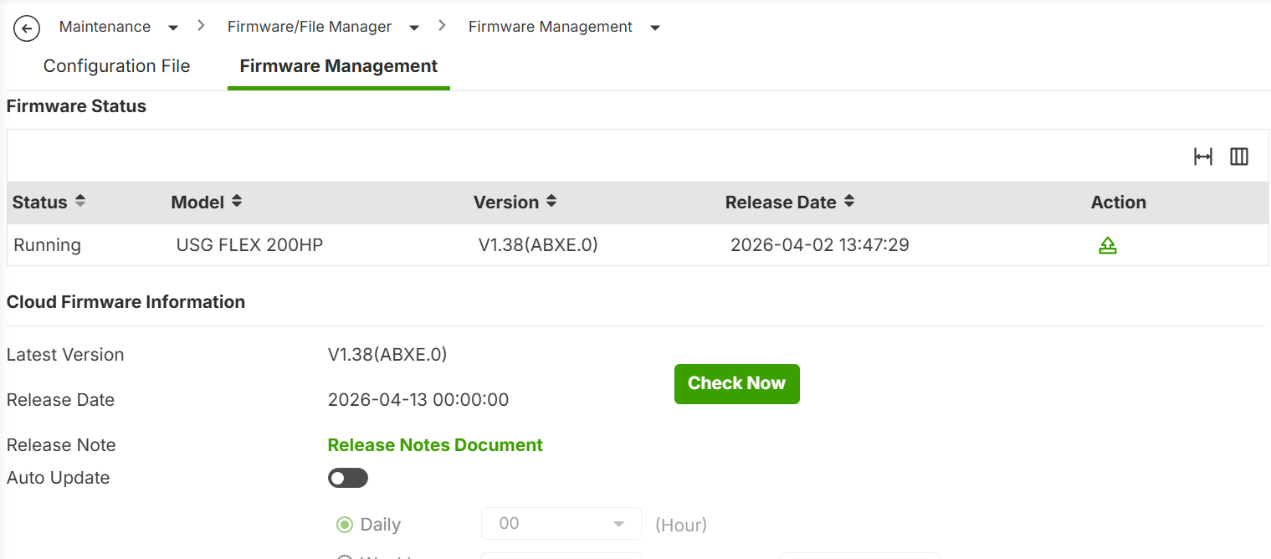
The [USG FLEX H] series supports Partition Boot Selection.
By default, the standby partition is hidden. To display it, execute the following CLI commands:
usgflex200hp#edit running
usgflex200hp running config# gui system standby-firmware-display true
usgflex200hp running config# commit

You can upload the firmware file to the Standby partition first.
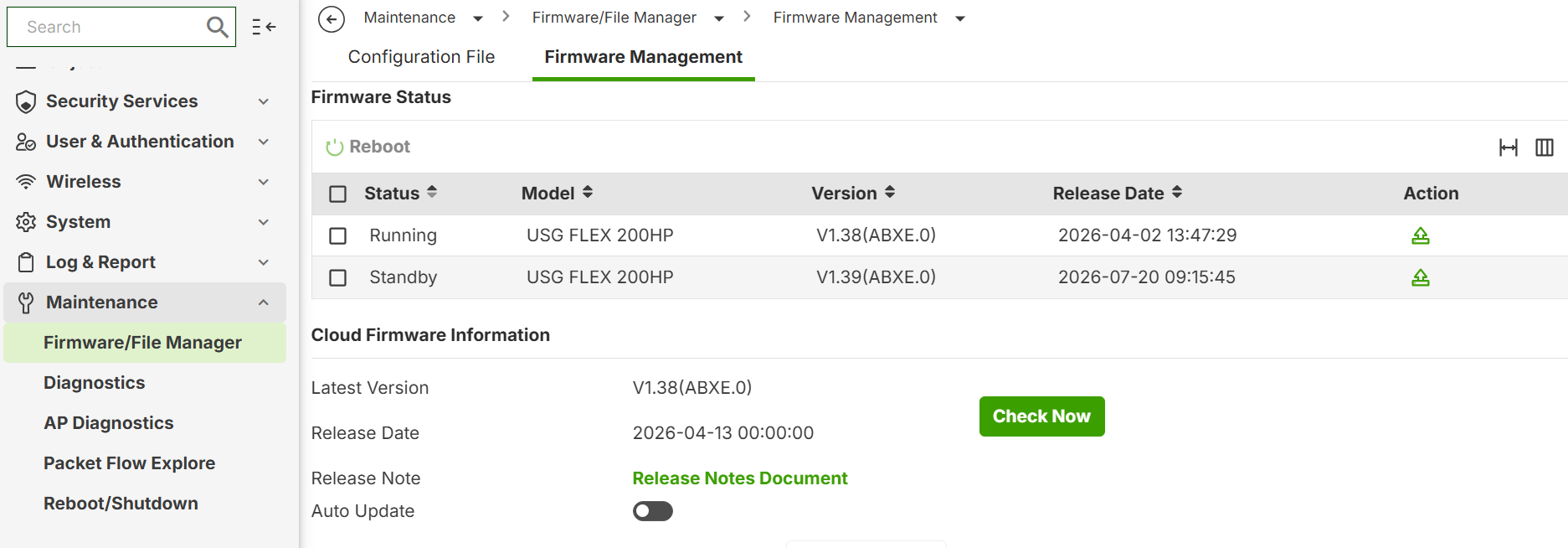
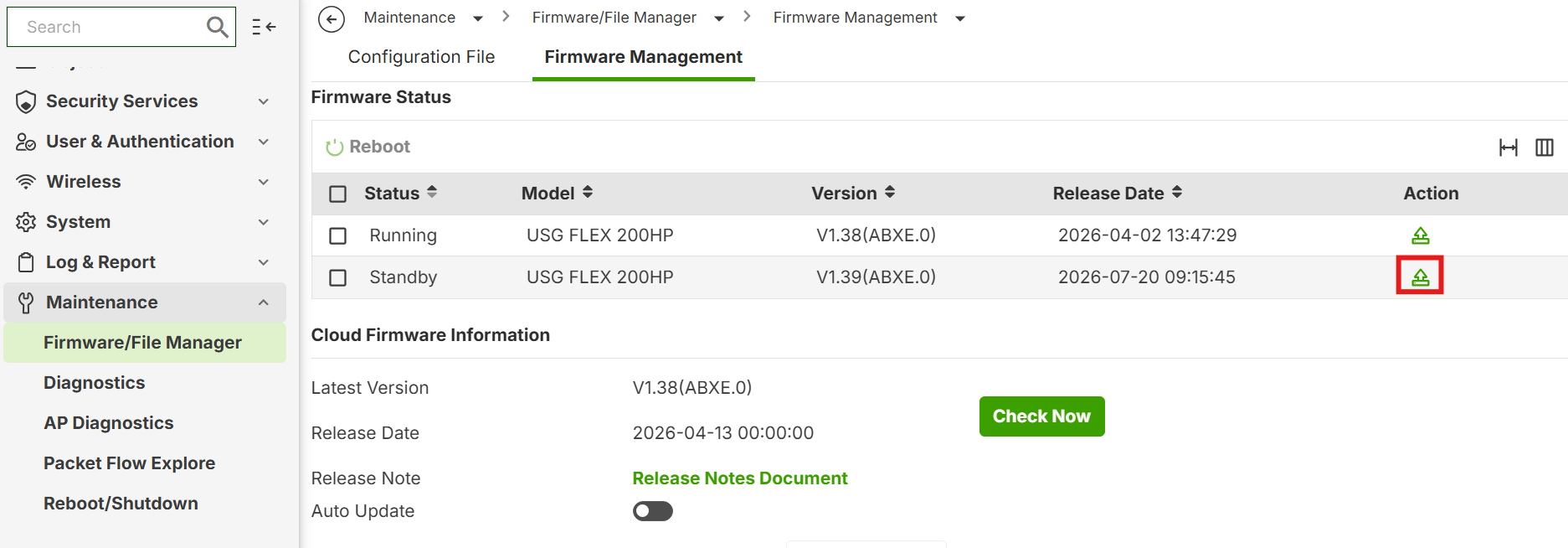
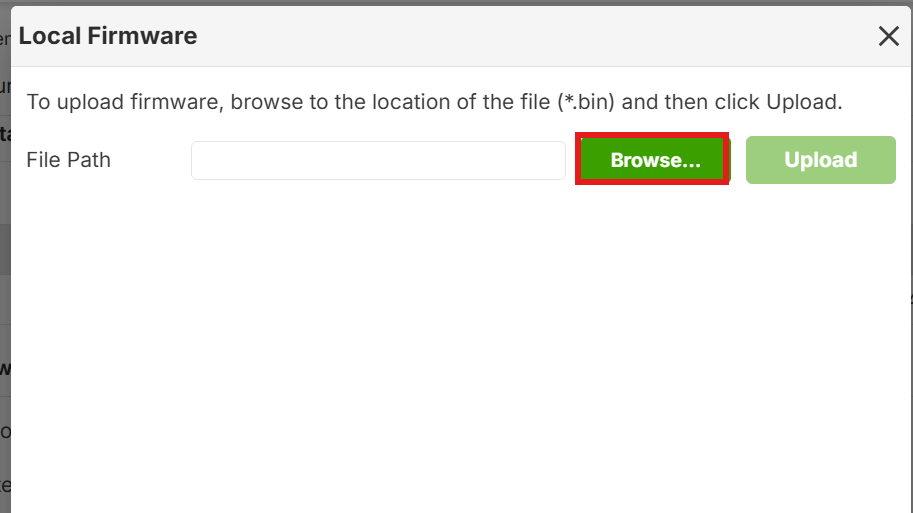
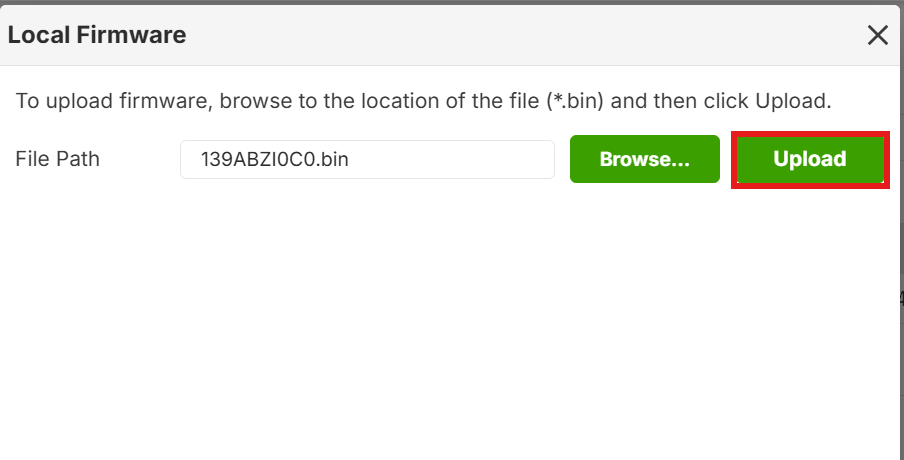
After the upload is complete, select the Standby partition and click [Reboot] when you are ready to upgrade. The update process will be complete once the system finishes rebooting.

Method 2: Via Local Web GUI (Automatic)
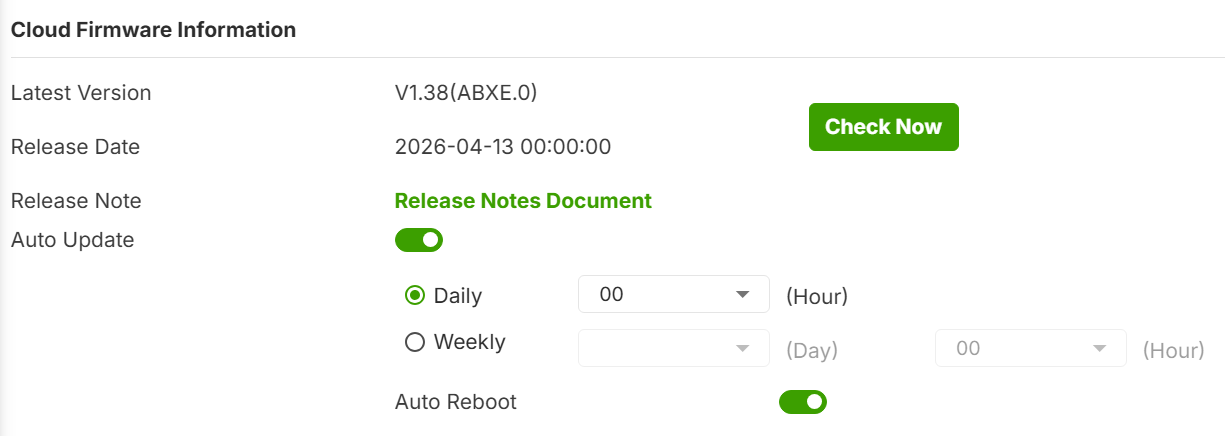
Navigate to Maintenance > Firmware/File Manager > Firmware Management in the local Web GUI to configure cloud auto-updates at the bottom of the page.
Method 3: Via Nebula Control Center
Navigate to Site-wide > Configure > Firmware management
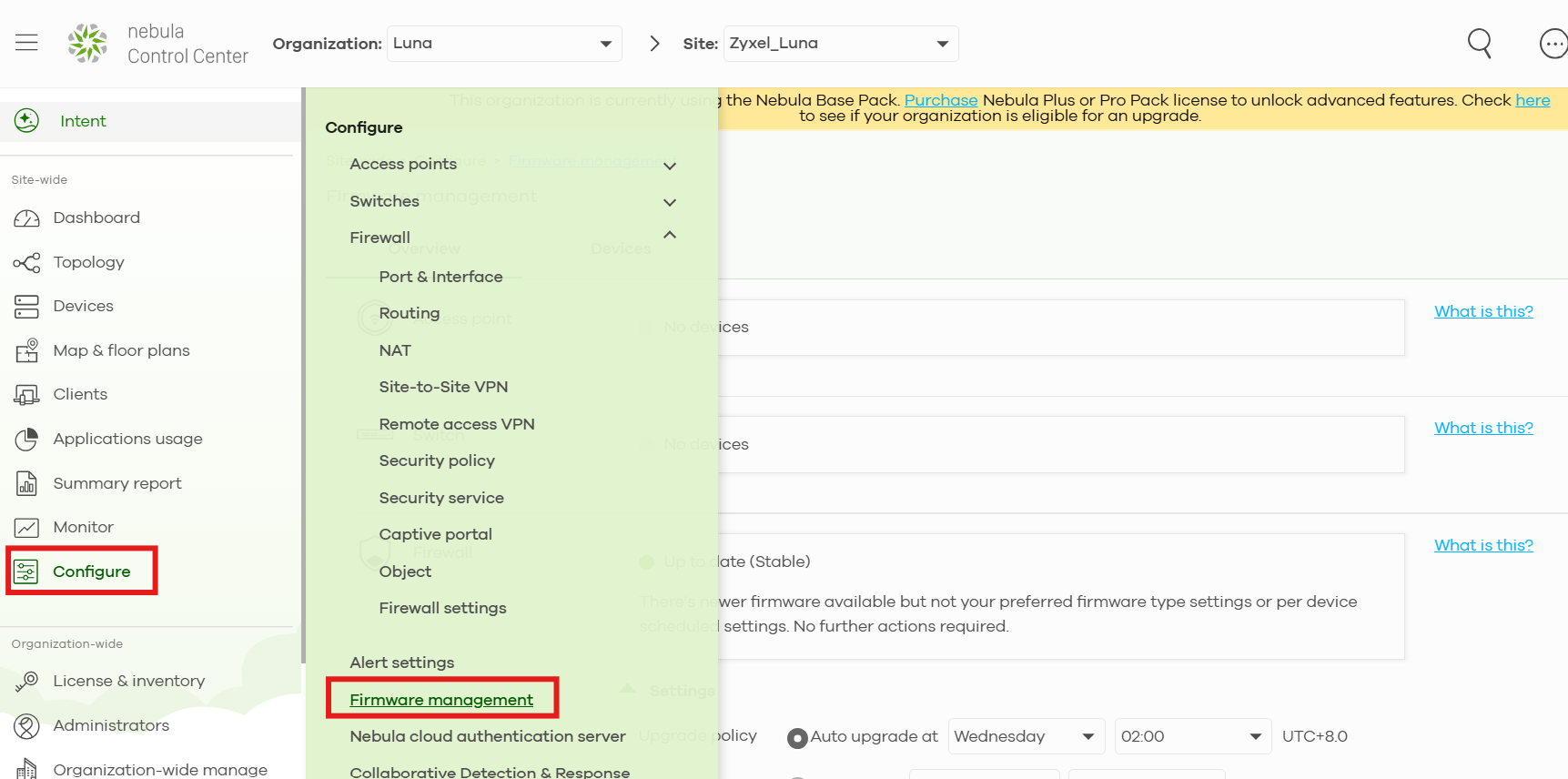
From here, you can set up cloud auto-update preferences (including scheduled, immediate, or ignore update) and choose whether to upgrade to the Stable or Latest version.
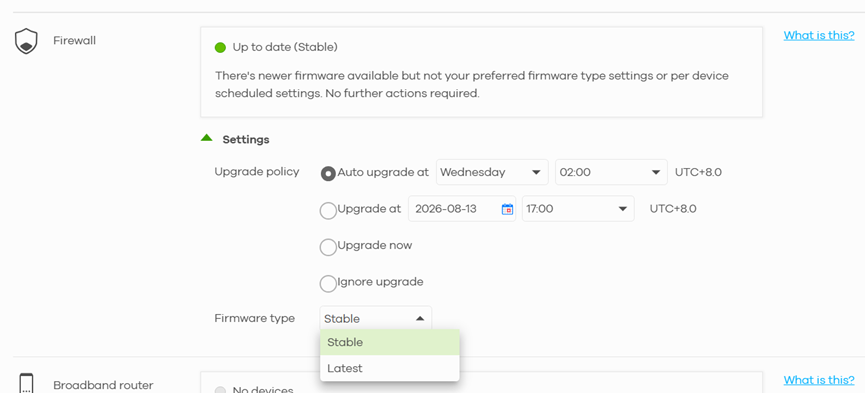
This demonstration uses the USG FLEX 200HP (V1.39). Minor differences may exist depending on the model and firmware version.
Pre-Upgrade Precautions
- Backup Configuration: Always save and back up your current configuration file to your local computer before starting any upgrade process.
[USG FLEX H] How to download configuration file via Local WEB GUI? — Zyxel Community
- Do Not Power Off: Once the firmware transfer begins, do not turn off or interrupt power to the device. The process can take between 5 to 15 minutes.
Categories
- All Categories
- 442 Beta Program
- 3.1K Nebula
- 242 Nebula Ideas
- 6.8K Security
- 781 USG FLEX H Series
- 387 Security Ideas
- 1.8K Switch
- 87 Switch Ideas
- 1.5K Wireless
- 58 Wireless Ideas
- 7.2K Consumer Product
- 324 Service & License
- 527 News and Release
- 101 Security Advisories
- 31 Education Center
- 10 [Campaign] Zyxel Network Detective
- 5.3K FAQ
- 34 Documents
- 91 About Community
- 121 Security Highlight