[Circle] How To Cancel My Auto-Renewal Subscription?
Options

Zyxel_Tina
Posts: 1,047




 Zyxel Employee
Zyxel Employee
This article uses an ATP/USG FLEX series device as an example to demonstrate how to cancel an Auto-Renewal subscription in Zyxel Circle.
If you no longer wish to automatically renew your license through Zyxel Circle, you can cancel your auto-renewal subscription at any time before your next billing date. Please follow the steps below:
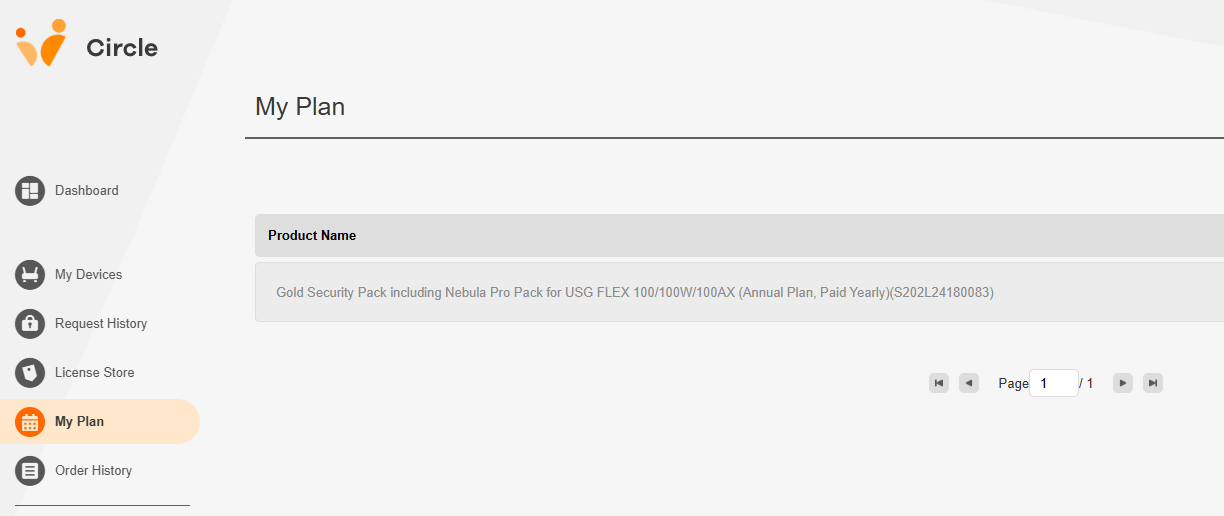
Step 1. Log in to Zyxel Circle and go to My Plan. Select the product with the auto-renewal plan you'd like to cancel.
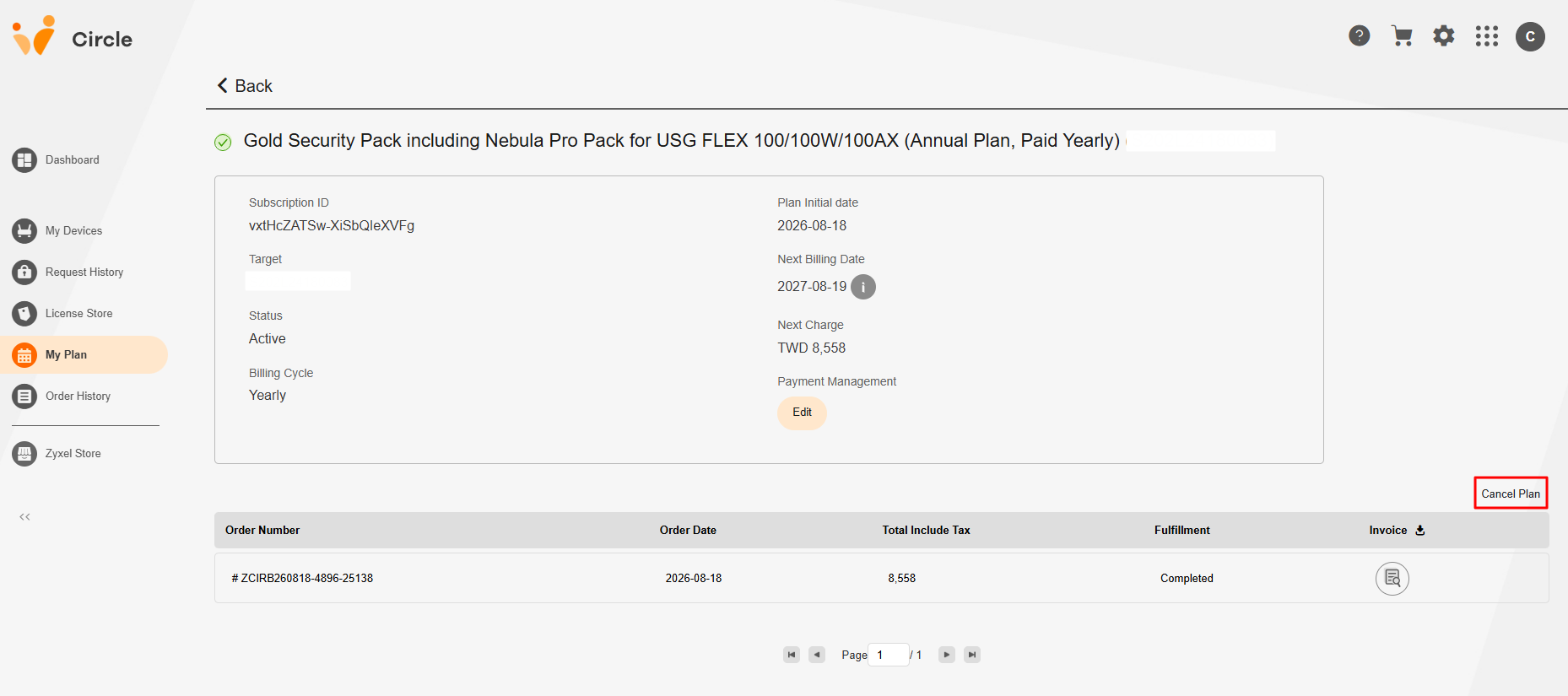
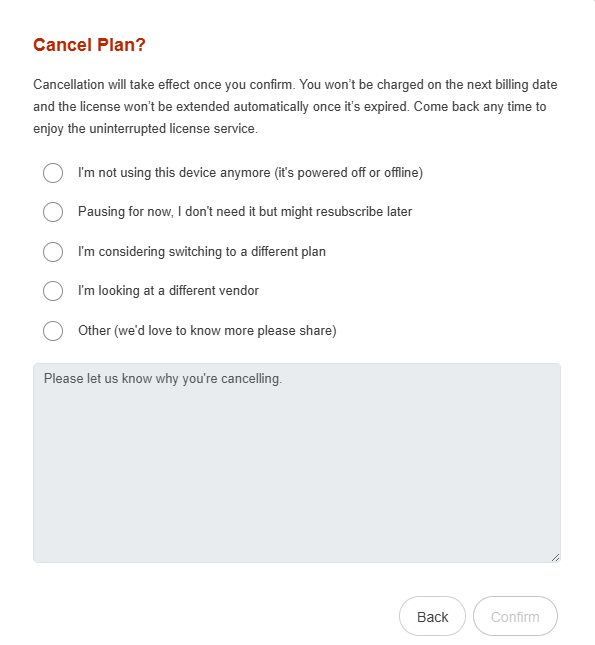
Step 2. Click on Cancel Plan, then confirm your selection in the pop-up dialogue.
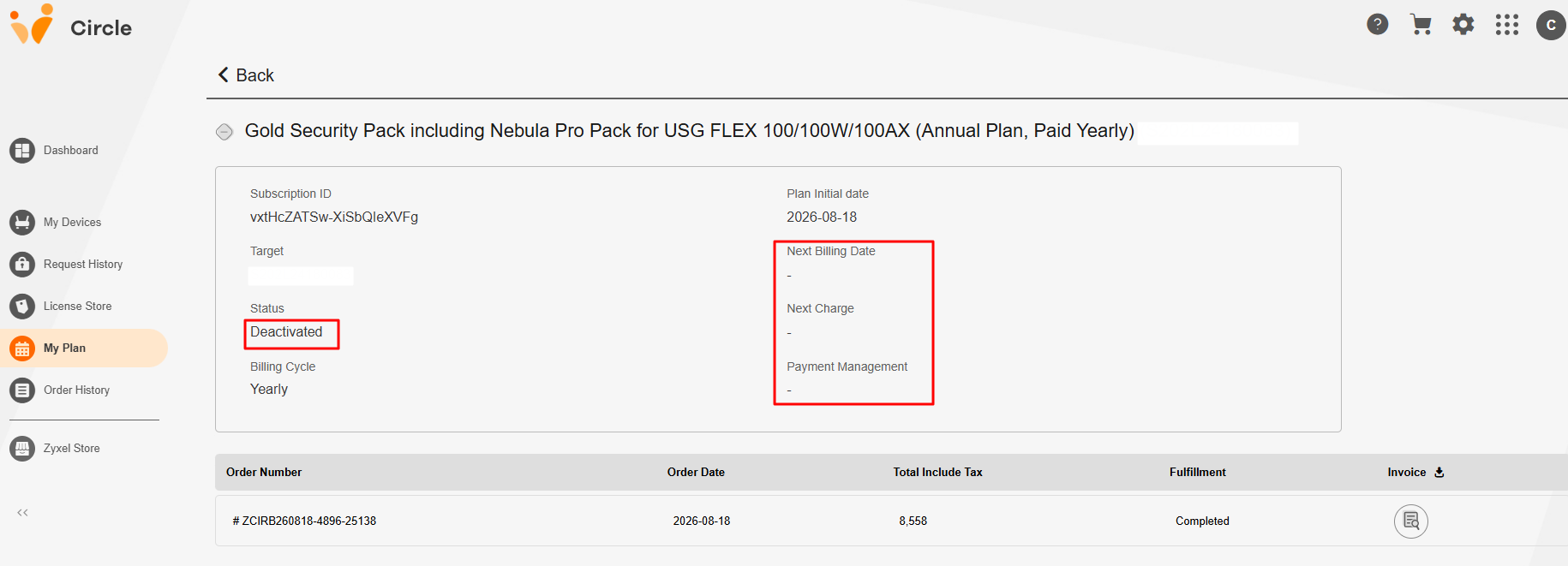
Once the cancellation is confirmed, the annual plan status will change to Deactivated. No further charges will be made, indicating that the subscription has been successfully canceled.
Zyxel Tina
0
Categories
- All Categories
- 442 Beta Program
- 3.1K Nebula
- 243 Nebula Ideas
- 6.8K Security
- 783 USG FLEX H Series
- 389 Security Ideas
- 1.8K Switch
- 87 Switch Ideas
- 1.5K Wireless
- 58 Wireless Ideas
- 7.2K Consumer Product
- 325 Service & License
- 527 News and Release
- 101 Security Advisories
- 31 Education Center
- 10 [Campaign] Zyxel Network Detective
- 5.3K FAQ
- 34 Documents
- 91 About Community
- 122 Security Highlight