How to configure WAN IP via local Web GUI when USG FLEX series is offline on Nebula
Options

Zyxel_Luna
Posts: 113



 Zyxel Employee
Zyxel Employee
in Maintenance
If your USG FLEX series device is registered to Nebula but goes offline due to an uplink change, requiring you to update the WAN settings, you can refer to the following steps:
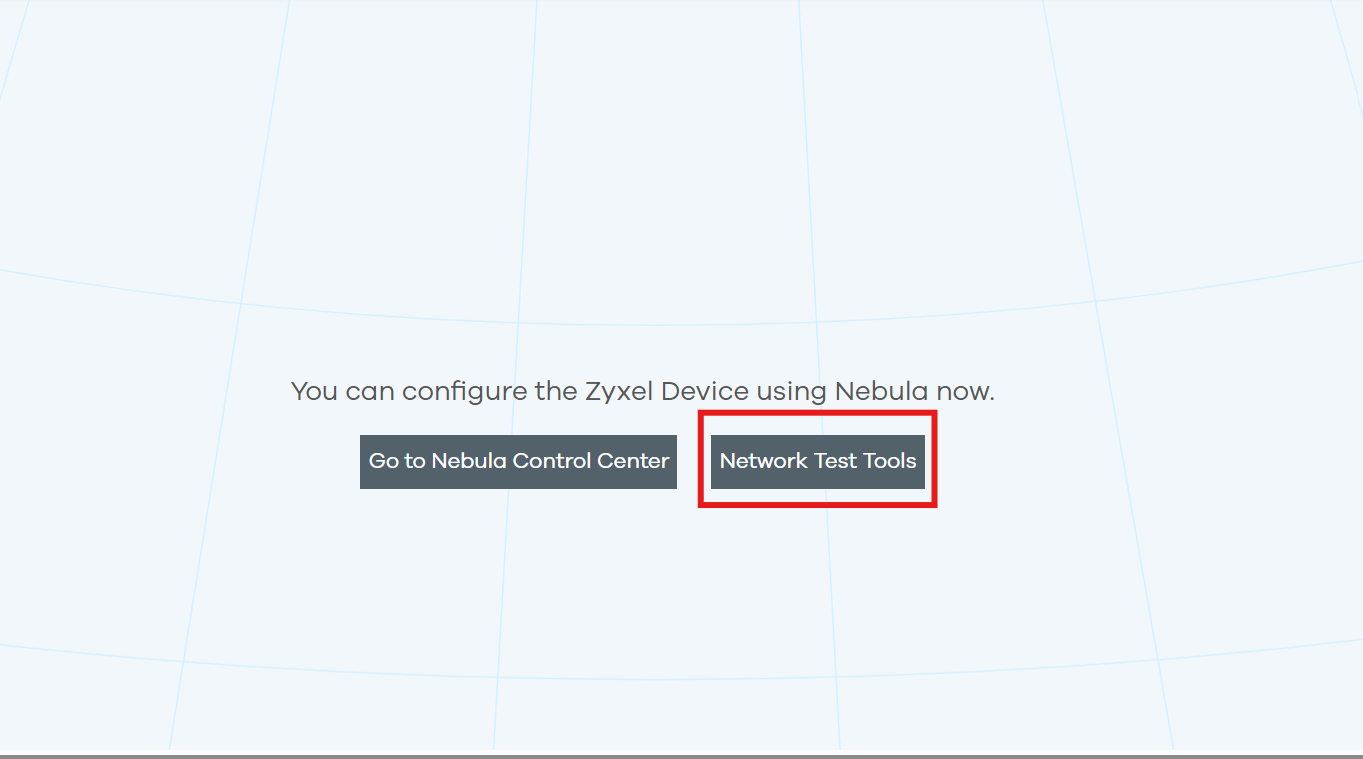
1.Connect to the local Web GUI using the LAN IP, then click Network Test Tools button.
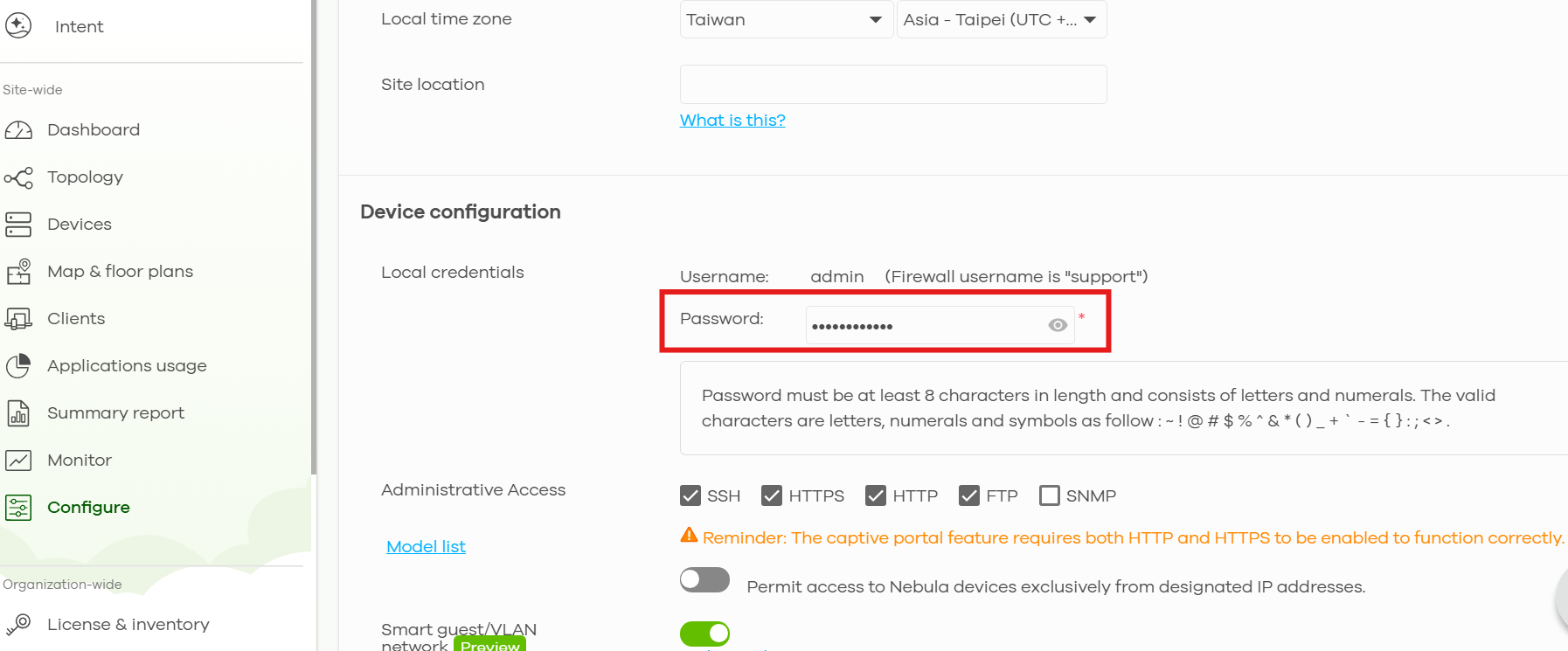
2.The login password can be viewed and configured in the Nebula Control Center under Site-wide > Configure > Site settings.
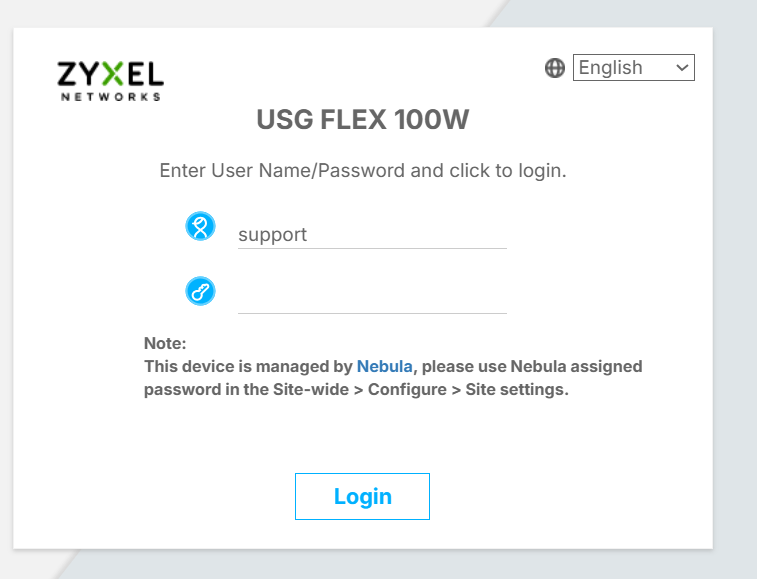
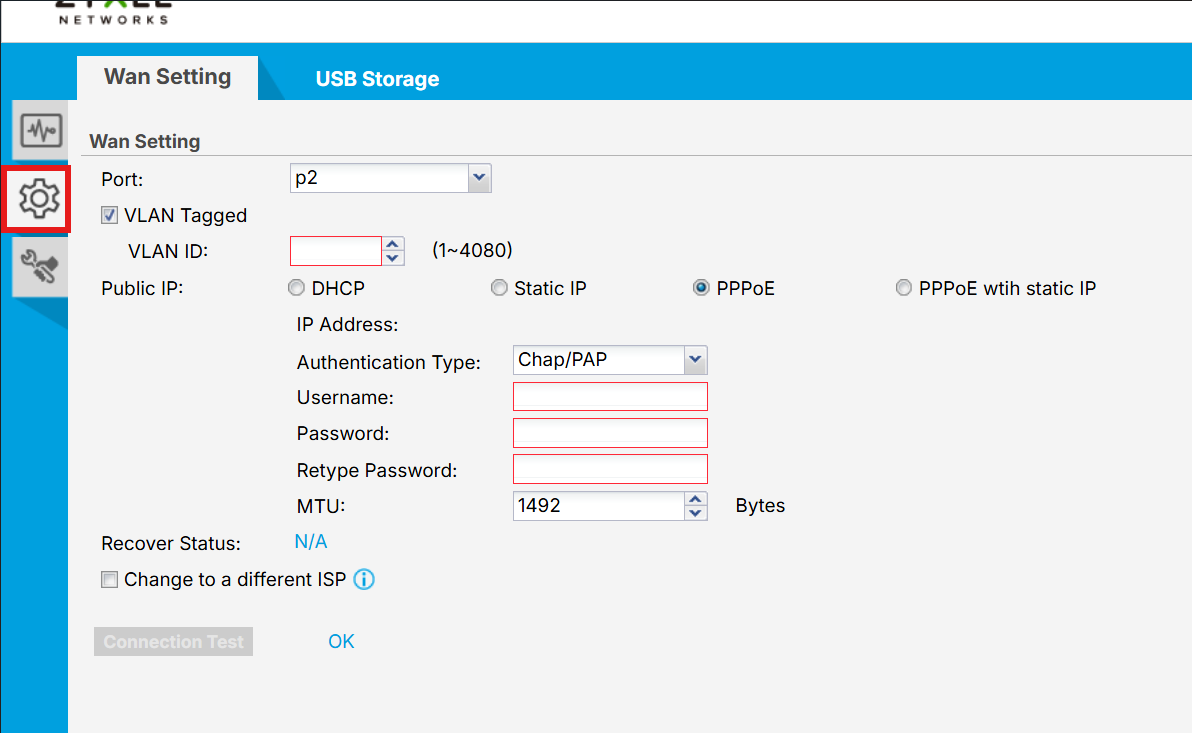
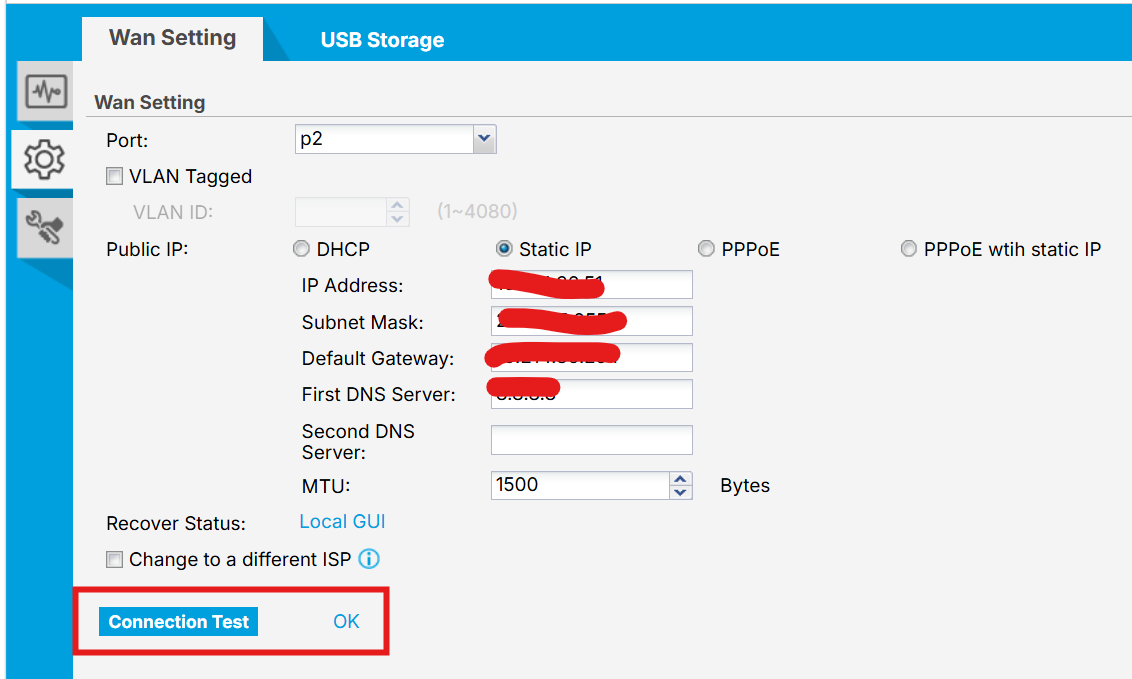
3. After logging in, click the gear icon to enter the WAN settings, The settings configured on this local web interface will first change the device settings, and the settings will be pushed to the cloud (Nebula) after your "Connection test" is successful.
0
Categories
- All Categories
- 442 Beta Program
- 3.1K Nebula
- 243 Nebula Ideas
- 6.8K Security
- 783 USG FLEX H Series
- 389 Security Ideas
- 1.8K Switch
- 87 Switch Ideas
- 1.5K Wireless
- 58 Wireless Ideas
- 7.2K Consumer Product
- 325 Service & License
- 527 News and Release
- 101 Security Advisories
- 31 Education Center
- 10 [Campaign] Zyxel Network Detective
- 5.3K FAQ
- 34 Documents
- 91 About Community
- 122 Security Highlight