[2026 September Tips & Tricks] How to Replicate Configuration to a New Site





 Zyxel Employee
The Replicate Site Configuration feature allows administrators to quickly deploy a new site by copying the configuration from an existing site. This significantly reduces deployment time and ensures consistent settings across multiple sites.
This feature is especially useful for organizations or MSPs that deploy multiple sites with identical or similar configurations, such as branch offices, retail stores, schools, or other environments that require consistent configurations.
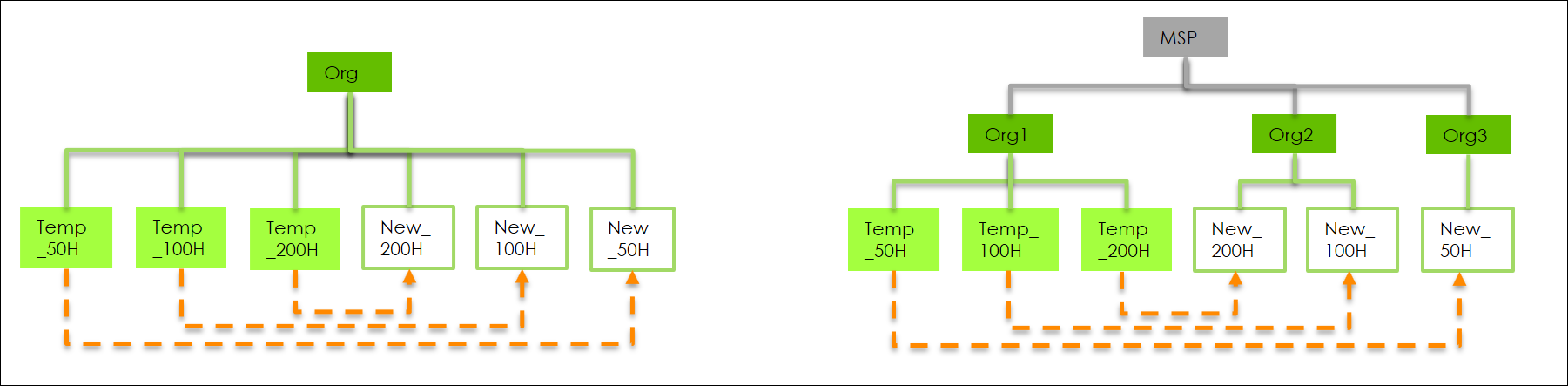
Go to Organization-wide > Organization-wide manage > Configuration management, then scroll down to the Replicate site configuration section.
Select the source site, choose the desired replication scope, and then click Replicate to create a new site using the selected site's configuration.
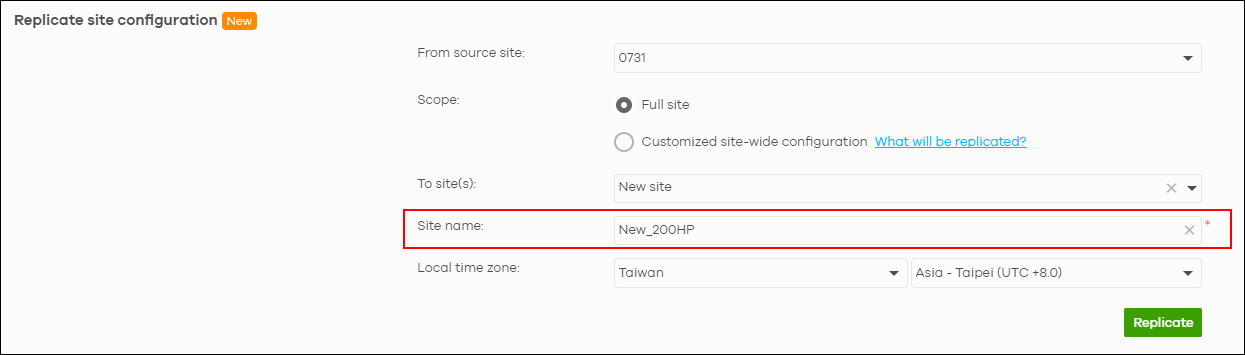
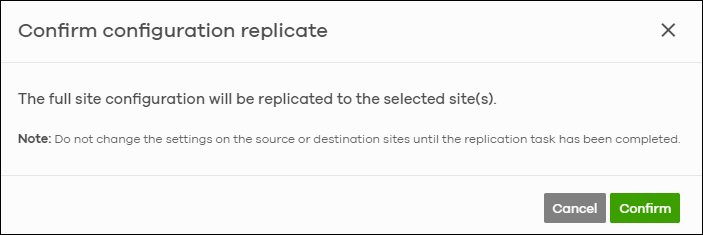
Once the replication process is complete, Nebula automatically creates a new site with the replicated configuration.
All site settings from the source site are copied to the new site. You can then go to License & inventory to assign a new device to the newly created site.
If you need to replicate a site configuration across organizations, an MSP license is required.
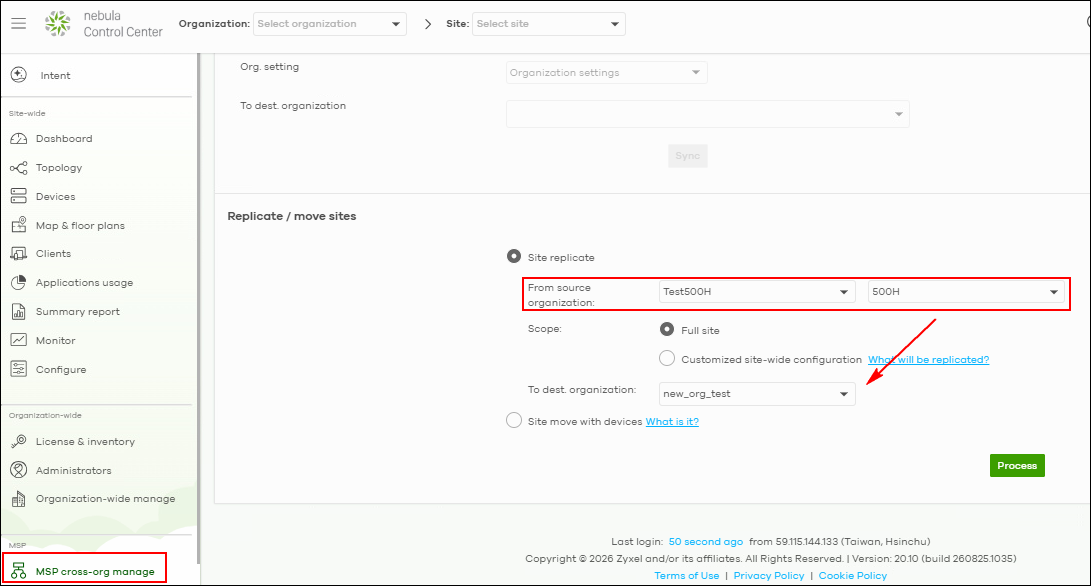
With an MSP license, you can go to MSP Cross-Org Manage > Config Management > Replicate / move sites to replicate the entire site configuration from the original organization to an existing organization or a newly created organization.
Note:
(1) If the firewall model is an H Series, the destination site must use the same firewall model as the source site.
For example: Source site: USG FLEX 200HP —> Destination site: USG FLEX 200HP
(2) If Nebula VPN is enabled on the source site, it will be automatically disabled on the destination site after replication to prevent VPN subnet conflicts.
Categories
- All Categories
- 442 Beta Program
- 3.1K Nebula
- 243 Nebula Ideas
- 6.8K Security
- 783 USG FLEX H Series
- 389 Security Ideas
- 1.8K Switch
- 87 Switch Ideas
- 1.5K Wireless
- 58 Wireless Ideas
- 7.2K Consumer Product
- 325 Service & License
- 527 News and Release
- 101 Security Advisories
- 31 Education Center
- 10 [Campaign] Zyxel Network Detective
- 5.3K FAQ
- 34 Documents
- 91 About Community
- 122 Security Highlight


