How to change the name of Wi-Fi network?
Options

Zyxel_Bella
Posts: 605




 Zyxel Employee
Zyxel Employee
in SSID
For a Zyxel AP managed by Nebula, follow these steps:
- Log in to Nebula Control Center (NCC).
- Go to Configure > Access points > SSID advanced settings.
- Select the SSID you want to modify.
- Change the SSID name to your preferred Wi-Fi name.
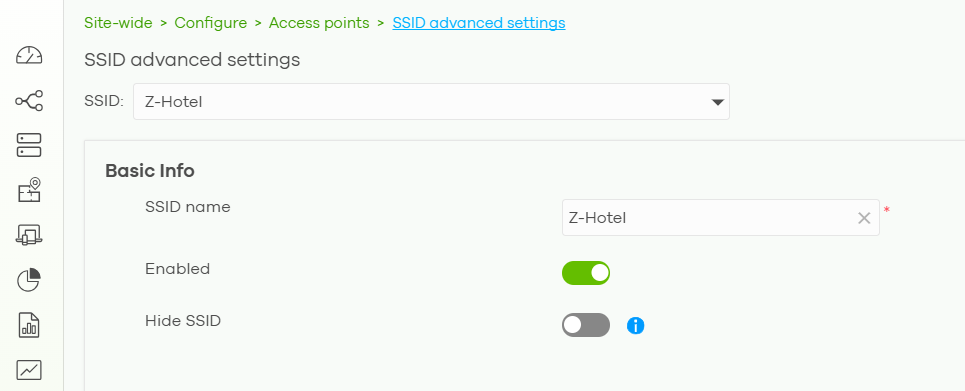
- Click Save to apply the configuration.
After the change is applied, wireless devices may be disconnected from the old SSID and will need to connect to the newly named Wi-Fi network.
0
Categories
- All Categories
- 442 Beta Program
- 3.1K Nebula
- 243 Nebula Ideas
- 6.8K Security
- 783 USG FLEX H Series
- 389 Security Ideas
- 1.8K Switch
- 87 Switch Ideas
- 1.5K Wireless
- 58 Wireless Ideas
- 7.2K Consumer Product
- 325 Service & License
- 527 News and Release
- 101 Security Advisories
- 31 Education Center
- 10 [Campaign] Zyxel Network Detective
- 5.3K FAQ
- 34 Documents
- 91 About Community
- 122 Security Highlight