“Select file is unsupported” when importing a device or license template

 Zyxel Employee
When importing a device or license template, you may encounter the following error:
“Select file is unsupported.”

Please check the following:
1.Confirm the file extension
Make sure the file extension matches the original template format.
The default supported format is .xlsx.
2.Check the default application for .xlsx files
If the file extension is already .xlsx but the error still occurs, please check whether .xlsx files are associated with Microsoft Excel in Windows.
Go to:
Settings > Apps > Default apps > Excel
Then verify that the default application for .xlsx is set to Microsoft Excel.
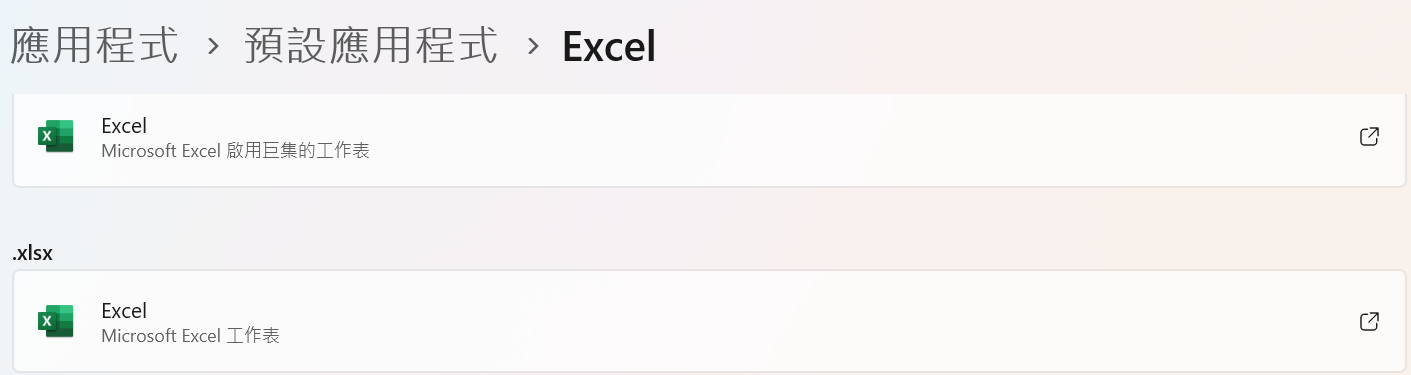
If another application, such as a third-party office suite, is associated with .xlsx, Windows may report a different file type/MIME type, which can cause the import file to be recognized as unsupported.
After changing the default application to Microsoft Excel, please try importing the template again.
Categories
- All Categories
- 442 Beta Program
- 3.1K Nebula
- 243 Nebula Ideas
- 6.8K Security
- 783 USG FLEX H Series
- 389 Security Ideas
- 1.8K Switch
- 87 Switch Ideas
- 1.5K Wireless
- 58 Wireless Ideas
- 7.2K Consumer Product
- 325 Service & License
- 527 News and Release
- 101 Security Advisories
- 31 Education Center
- 10 [Campaign] Zyxel Network Detective
- 5.3K FAQ
- 34 Documents
- 91 About Community
- 122 Security Highlight