The limitations of DPPSK (Dynamic Personal Pre-Shared Key)



 Zyxel Employee
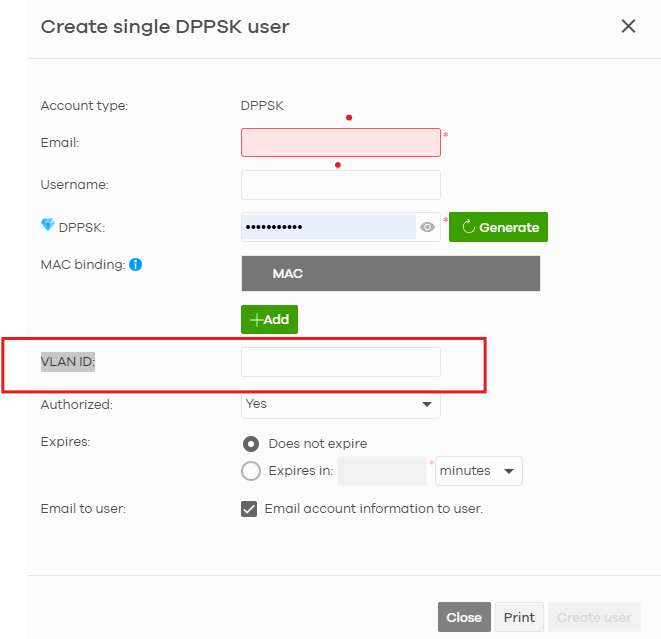
1. DPPSK and Dynamic VLAN Assignment
Yes, you can absolutely combine DPPSK and Dynamic VLAN assignment at the same time.
During the creation of individual or batch DPPSK keys, you can specify a dedicated VLAN ID directly for each key. When a tenant connects using their assigned DPPSK password, the AP will dynamically assign them to their respective VLAN.
* Note: Dynamic VLAN Assignment is a Nebula Pro Pack feature.
2. Limits on Simultaneous Client Connections
*Per DPPSK Key/Account (Simultaneous Logins using the same key):
There is no strict limit on the number of simultaneous client connections using the exact same DPPSK key. Because Nebula does not enforce device-level MAC binding for DPPSK, multiple devices can connect concurrently using the same company key.
* Per SSID:
Only one SSID per site can be configured with DPPSK enabled.
* Per Site / AP (Authorized DPPSK Entries Database Limit):
In the Nebula Control Center (NCC), only 2,048 DPPSK entries can be active/authorized at any given time per site.
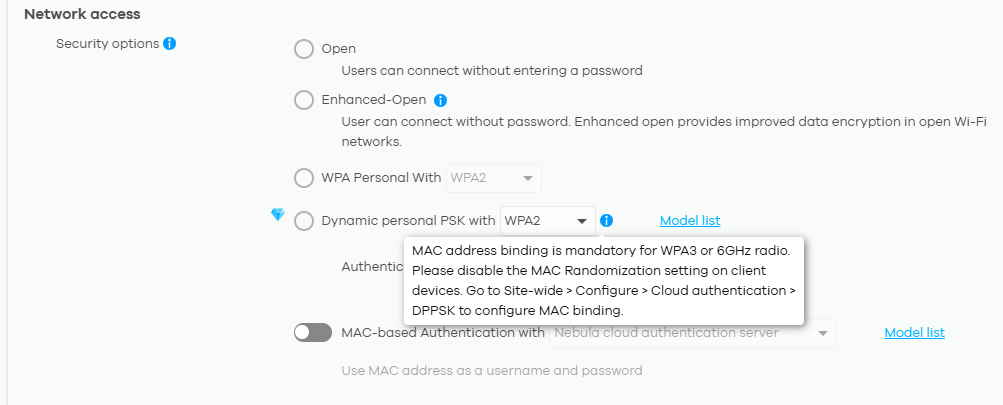
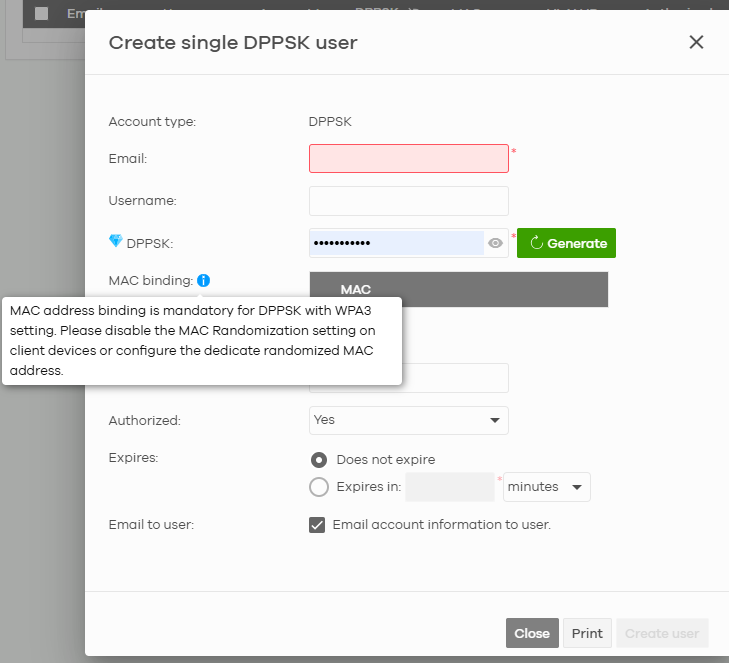
3. MAC Binding with WPA3 When using DPPSK with WPA3, MAC binding is required.
This ensures that a client device can connect to the WiFi network only if it uses both the correct DPPSK and the correct client device (MAC address), preventing unauthorized sharing of WiFi passwords.
- MAC Address Binding Limit At the time of the document, each DPPSK account could bind up to 10 MAC addresses.
- MAC Randomization To use MAC binding effectively, MAC randomization should be disabled on the WiFi client.
- 6 GHz Radio For the 6 GHz radio, MAC binding is also required when using DPPSK.
Categories
- All Categories
- 442 Beta Program
- 3.1K Nebula
- 243 Nebula Ideas
- 6.8K Security
- 783 USG FLEX H Series
- 389 Security Ideas
- 1.8K Switch
- 87 Switch Ideas
- 1.5K Wireless
- 58 Wireless Ideas
- 7.2K Consumer Product
- 325 Service & License
- 527 News and Release
- 101 Security Advisories
- 31 Education Center
- 10 [Campaign] Zyxel Network Detective
- 5.3K FAQ
- 34 Documents
- 91 About Community
- 122 Security Highlight