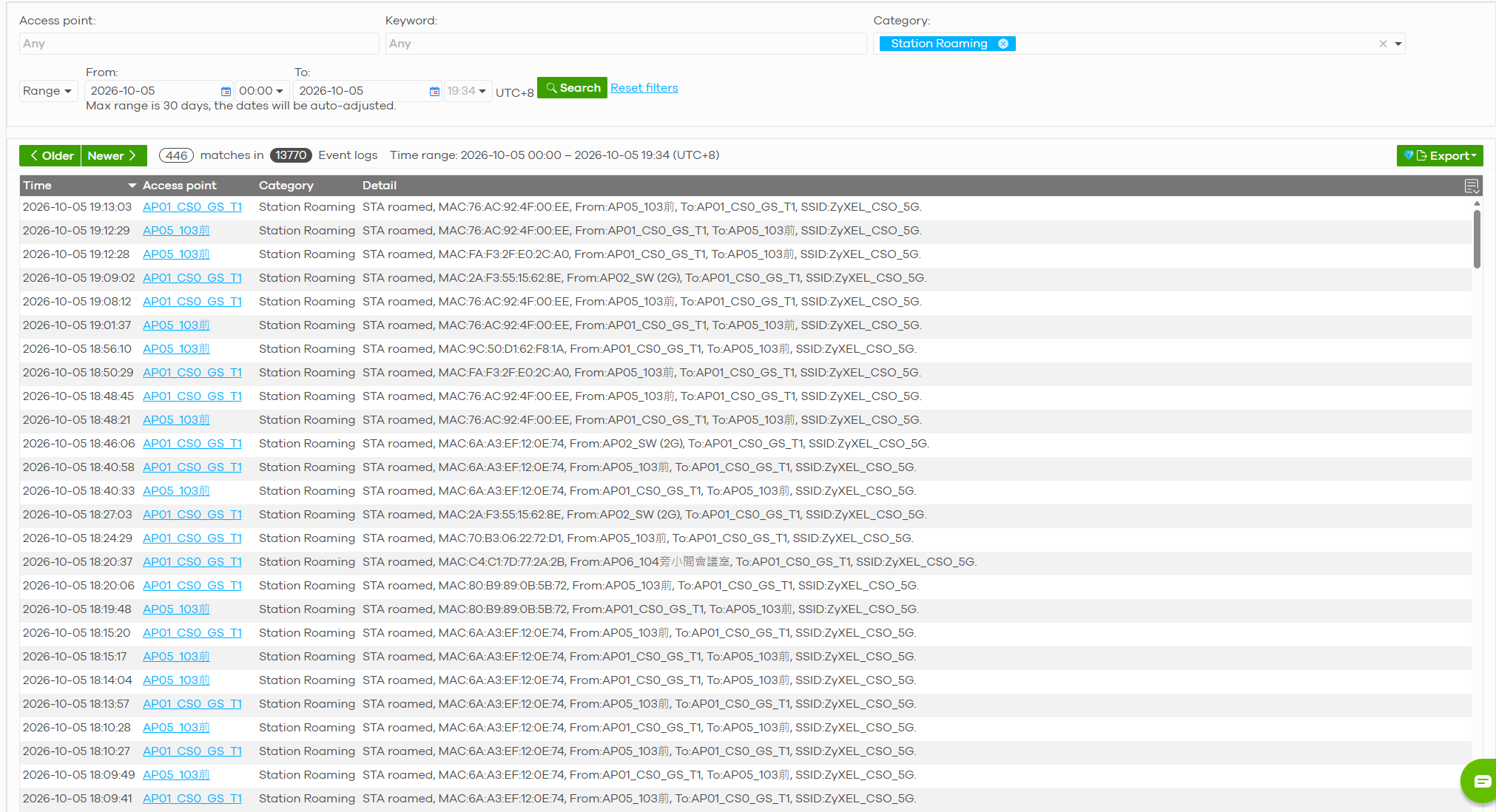
What does the "Station Roaming" category, selectable in the event log screen, represent?
Options

Zyxel_JoyLee
Posts: 220


 Zyxel Employee
Zyxel Employee
in SSID
The "Station Roaming" category selectable in the event log screen (most commonly found in the Zyxel Nebula Control Center or AP Event Logs) represents log entries specifically dedicated to tracing wireless client transitions (roaming) within your Wi-Fi network.
Here is a detailed breakdown of what this category represents and captures:
1. What It Tracks
This category documents the movement of a wireless client station (STA) as it switches its connection:
- Inter-AP Roaming: A client transitioning from one Access Point (AP) to another AP under the same network name (SSID/ESS) because it detected a stronger signal.
- Intra-AP/Band Roaming: A client transitioning between different frequency bands (e.g., roaming from 2.4 GHz to 5 GHz or vice versa on the same AP, often driven by Band Steering or assisted roaming features).
2. Types of Log Events Captured
When filtering by "Station Roaming," you will typically see logs containing:
- Successful Transitions: Client MAC addresses successfully completing handshakes (such as fast roaming via 802.11r, 802.11k, or 802.11v protocols) with a new target AP.
- Roaming Failures/Rejections: Occurrences where a transition failed or was rejected due to strict RSSI thresholds, load balancing, or protocol mismatches (e.g., missing PMKSA cache entries during fast roaming).
- Disconnections and Reassociations: The rapid sequences of deauthentication/disassociation from the source AP and subsequent association with the target AP.

Tagged:
0
Categories
- All Categories
- 442 Beta Program
- 3.1K Nebula
- 243 Nebula Ideas
- 6.8K Security
- 783 USG FLEX H Series
- 389 Security Ideas
- 1.8K Switch
- 87 Switch Ideas
- 1.5K Wireless
- 58 Wireless Ideas
- 7.2K Consumer Product
- 325 Service & License
- 527 News and Release
- 101 Security Advisories
- 31 Education Center
- 10 [Campaign] Zyxel Network Detective
- 5.3K FAQ
- 34 Documents
- 91 About Community
- 122 Security Highlight