Cloudflare DDNS shows "Success" but the DNS record never updates in v1.39




 Master Member
Hi all,
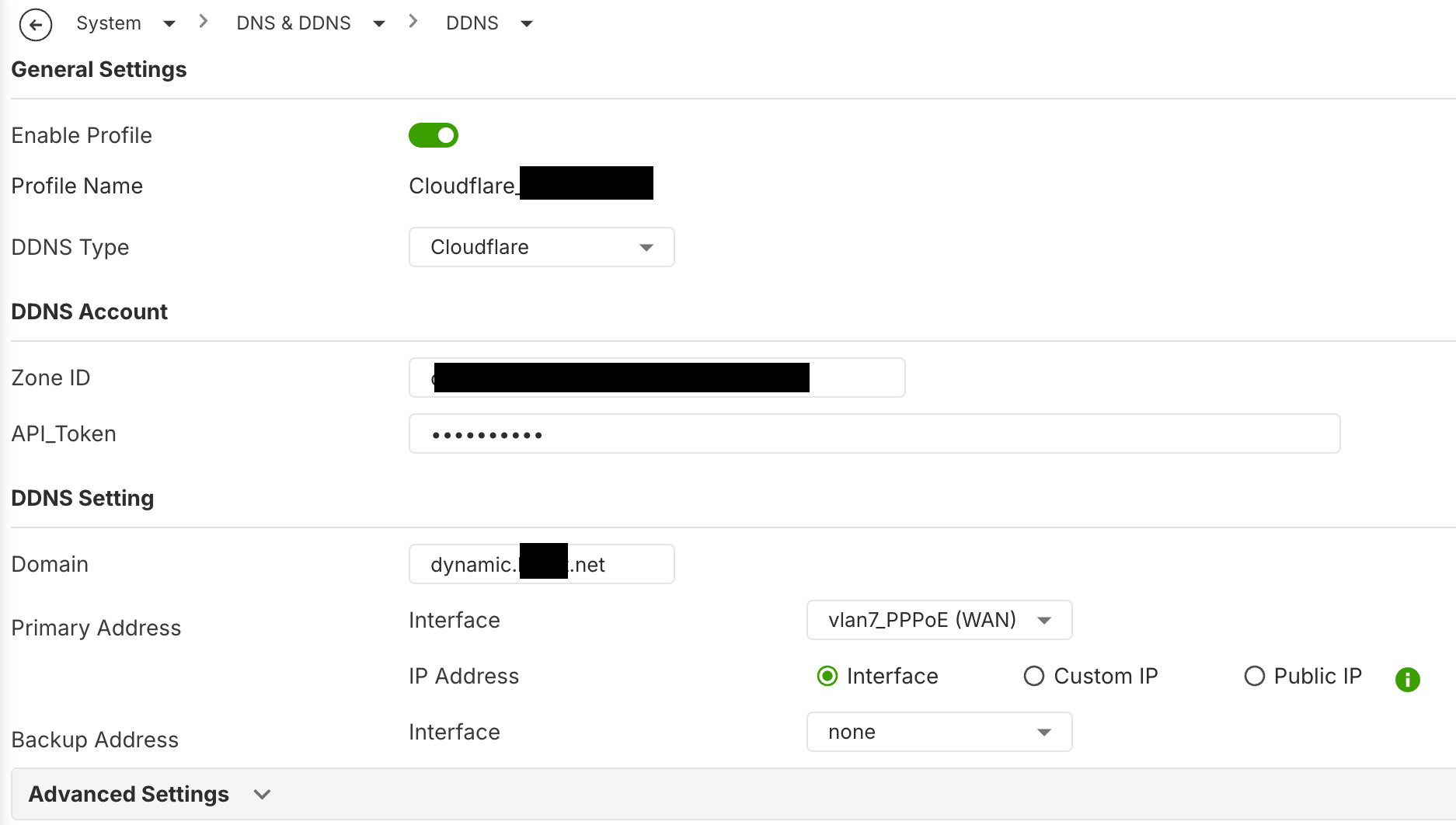
I'm trying to get Cloudflare DDNS working on my USG FLEX 200H, and the IP is never updated. The device reports success anyway.
Environment
- Device: USG FLEX 200H
- Firmware: V1.39
- WAN: PPPoE
- DDNS provider: Cloudflare (built-in profile)
- Record type: A record
Configuration
- Authentication: Cloudflare API token with Zone → DNS → Edit permission on the zone [or: Global API Key + e-mail]
- Zone / record name: [domain.tld] / [sub.domain.tld]
- IP address source: [WAN interface / auto-detect / custom]
Problem
- After a WAN IP change, the DDNS status in the GUI says Success and shows the correct/new IP.
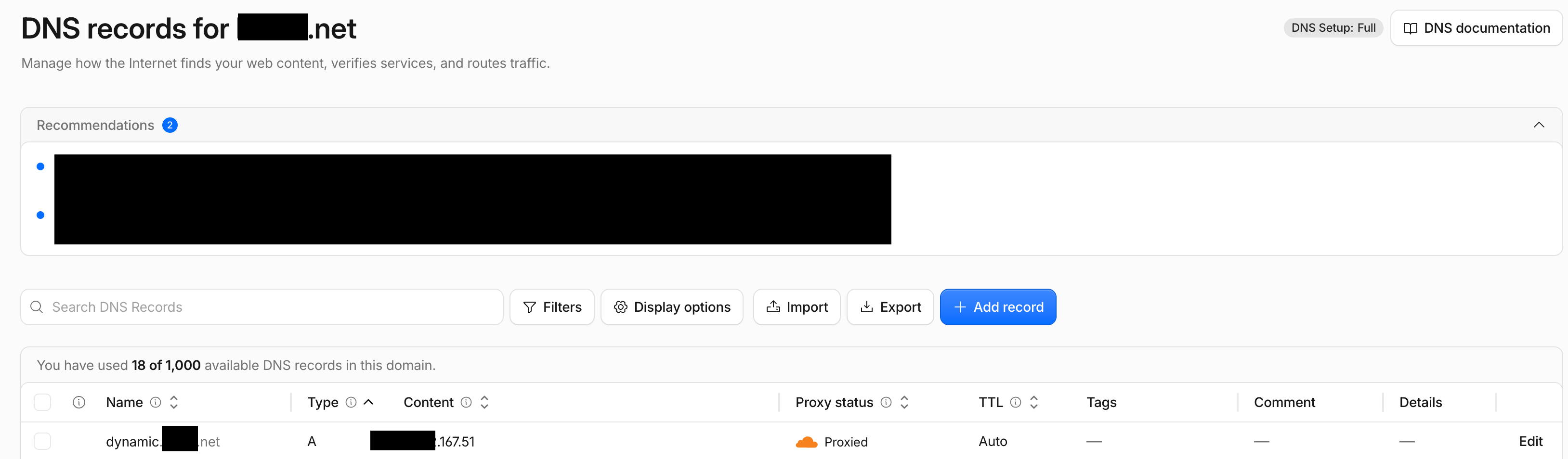
- In the Cloudflare dashboard, the A record still has the old IP. The "last modified" timestamp doesn't change either.
- It makes no difference whether the record is set to Proxied (orange cloud) or DNS only (grey cloud). Neither one updates.
- If I update the record by hand, or with a curl call against the Cloudflare API using the same token, it works right away. So the token and permissions look fine.
What I'd expect
The A record is updated to the new WAN IP. Ideally the Proxied status is kept, because that's how I want to run the record.
Already tried
- Deleted and re-created the DDNS profile
- Created a new API token
- Rebooted the device
Questions
- Is this a known issue with Cloudflare DDNS on uOS 1.39 for the H series?
- Does the built-in Cloudflare client support records set to "Proxied", and does it keep the proxy status when it updates?
- Is there a debug or CLI command to see the actual API request and response sent to Cloudflare?

All Replies
-
This is a know issue
DDNS Type Cloudflare not working — Zyxel Community
It has been fixed and will be released next firmware
1 -
Hi @baba,
Thank you for providing the information.
This issue is scheduled to be resolved in the next official firmware release.
In addition, the datecode firmware our team provided yesterday already includes the fix for this issue. Could you please help upgrade to this version and verify if the problem has been resolved?
Thank you again for your support of Zyxel, and have a wonderful day.
0 -
Fixed in V1.39(ABWV.0)ITS-26WK37-m12845
1



 Guru Member

 Zyxel Employee
Categories
- All Categories
- 442 Beta Program
- 3.1K Nebula
- 242 Nebula Ideas
- 6.8K Security
- 773 USG FLEX H Series
- 386 Security Ideas
- 1.8K Switch
- 87 Switch Ideas
- 1.5K Wireless
- 58 Wireless Ideas
- 7.2K Consumer Product
- 324 Service & License
- 526 News and Release
- 100 Security Advisories
- 31 Education Center
- 10 [Campaign] Zyxel Network Detective
- 5.3K FAQ
- 34 Documents
- 91 About Community
- 121 Security Highlight


