How can I add a description to each MAC address in the WLAN Station list?
Options

Zyxel_JoyLee
Posts: 220


 Zyxel Employee
Zyxel Employee
in Other Topics
- Go to Site-wide > Clients
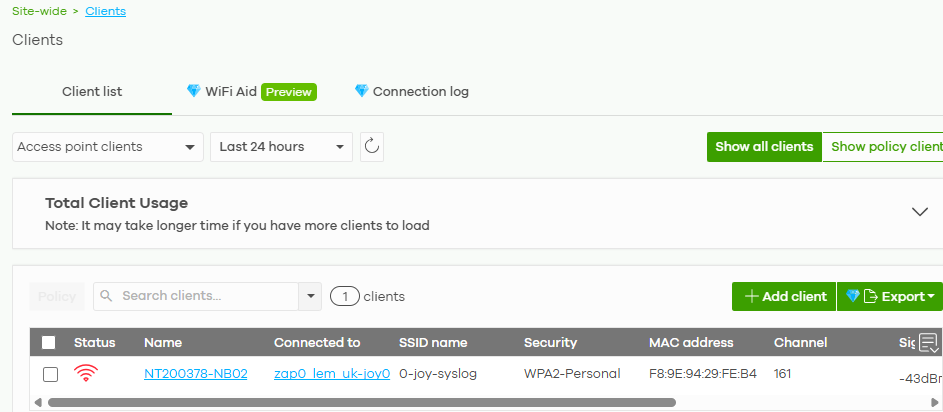
2. Click the device name you want to add a description in "Name" field
3. The client detail page is redirected
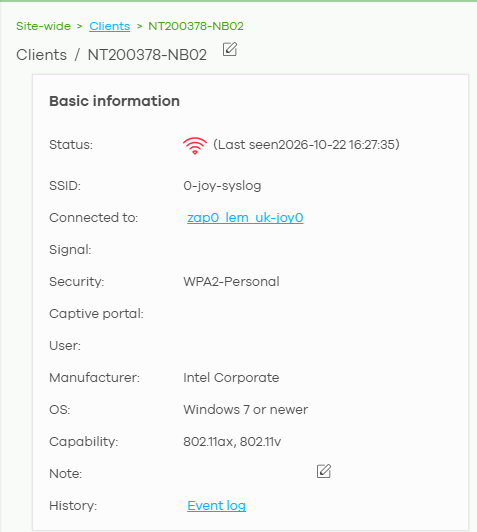
4. If you want to edit the device name, you can click the edit icon beside the client name (NT200378-NB02).
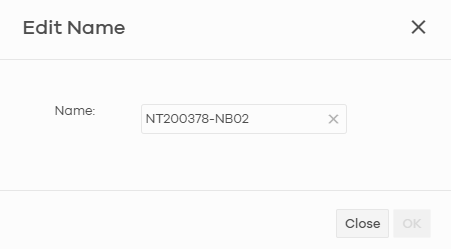
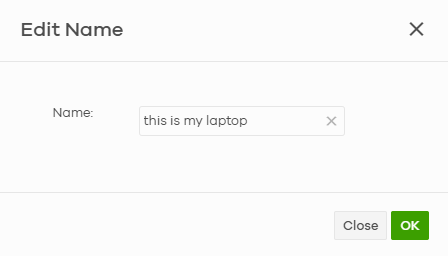
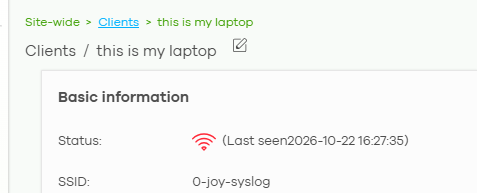
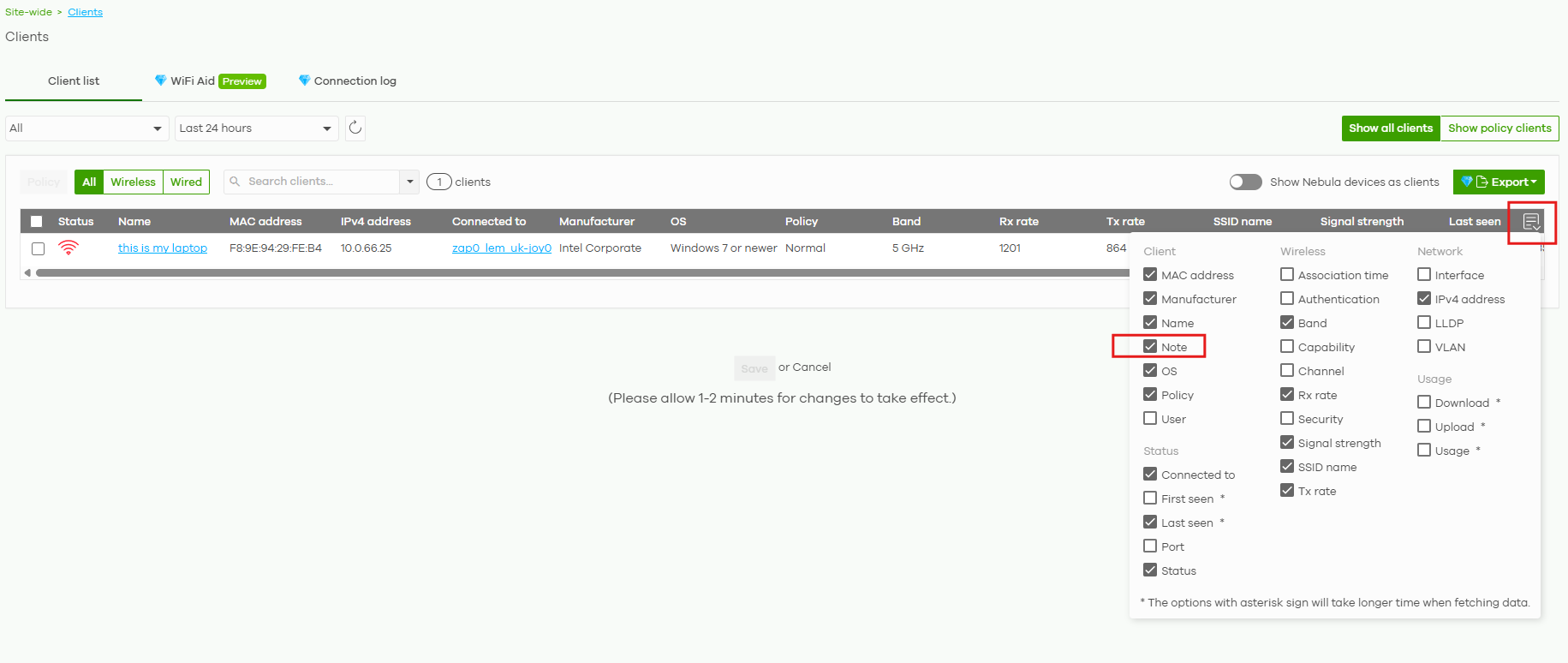
5. If you want to add a description, you can click the edit icon beside the "Note"
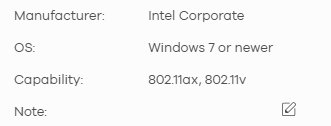
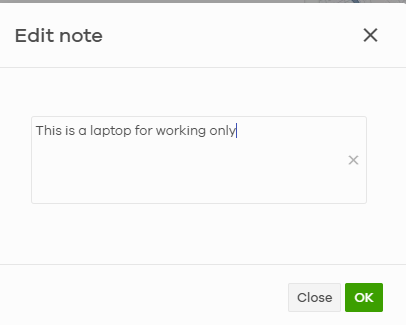
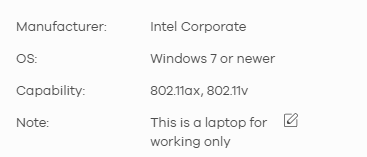
6. Go back Site-wide > Clients and check the "Note" option

0
Categories
- All Categories
- 442 Beta Program
- 3.1K Nebula
- 243 Nebula Ideas
- 6.8K Security
- 783 USG FLEX H Series
- 389 Security Ideas
- 1.8K Switch
- 87 Switch Ideas
- 1.5K Wireless
- 58 Wireless Ideas
- 7.2K Consumer Product
- 325 Service & License
- 527 News and Release
- 101 Security Advisories
- 31 Education Center
- 10 [Campaign] Zyxel Network Detective
- 5.3K FAQ
- 34 Documents
- 91 About Community
- 122 Security Highlight