[USG FLEX H AP Controller] How to Configure Secure Wi-Fi Tunnel Mode on Controller-Managed APs?



 Zyxel Employee
Secure Wi-Fi enables wireless clients to access an enterprise network through a controller-managed access point. The USG FLEX H AP Controller supports the Tunnel Mode deployment procedures shown below.
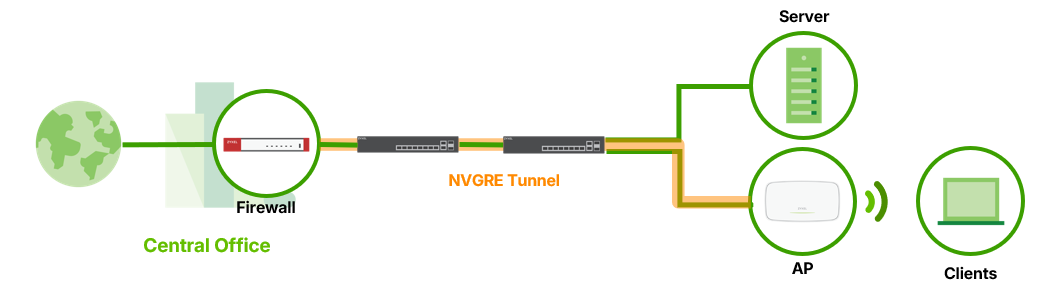
Set up Secure Wi-Fi in Tunnel Mode
- Configure the AP as controller-managed
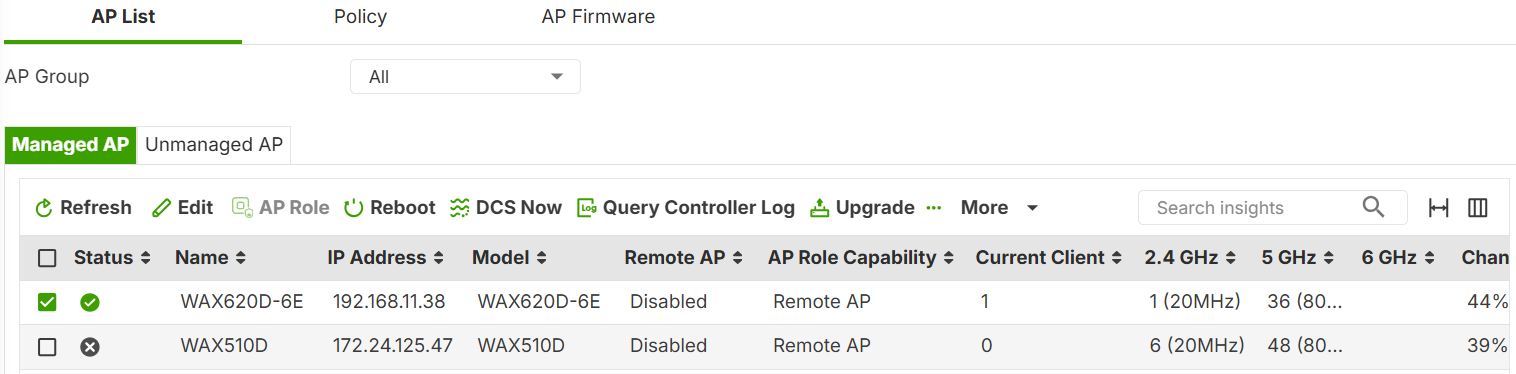
Navigate to Wireless > Access Points > AP List. Configure the target AP to operate as a controller-managed AP, as shown in the screenshot.
2. Configure SSID traffic forwarding
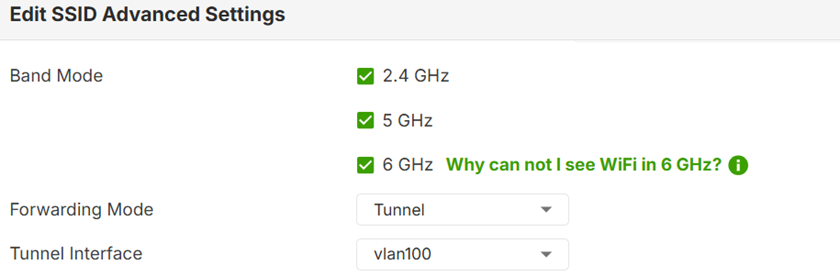
In the WLAN settings, set the SSID traffic forwarding mode to Tunnel Mode. Select the tunnel interface that wireless clients should be able to access.
3. Verify the client IP address
Connect a client to the configured SSID. Open the Client List and verify that the client has received an IP address appropriate for the selected tunnel interface.

4. Verify encapsulated traffic
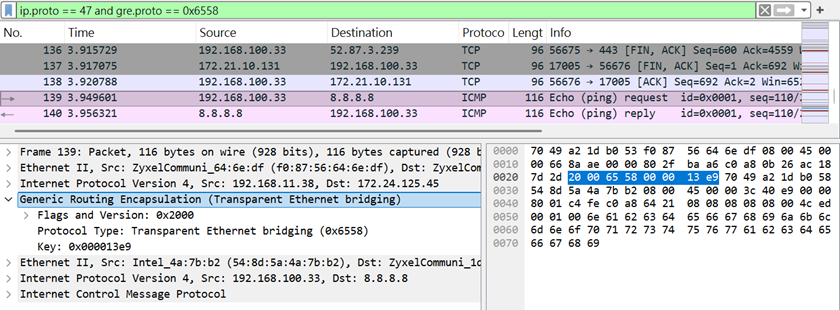
Generate client traffic and inspect traffic on the firewall. In the slide example, NVGRE traffic is visible on internal interface GE3 but not on VLAN 100. Interpret this as the example observation, not a universal interface assignment.


Categories
- All Categories
- 442 Beta Program
- 3.1K Nebula
- 244 Nebula Ideas
- 6.9K Security
- 807 USG FLEX H Series
- 392 Security Ideas
- 1.8K Switch
- 88 Switch Ideas
- 1.5K Wireless
- 60 Wireless Ideas
- 7.3K Consumer Product
- 333 Service & License
- 541 News and Release
- 106 Security Advisories
- 31 Education Center
- 10 [Campaign] Zyxel Network Detective
- 5.5K FAQ
- 34 Documents
- 89 About Community
- 124 Security Highlight