How to display hostname in traffic statistic ?




 Ally Member
Hello,
on my Flex200H (FW 1.35), i want to see hostname of ip client in traffic analysis.
when you go to Network status > Devis Insight > you can see client ip and their computer hostname
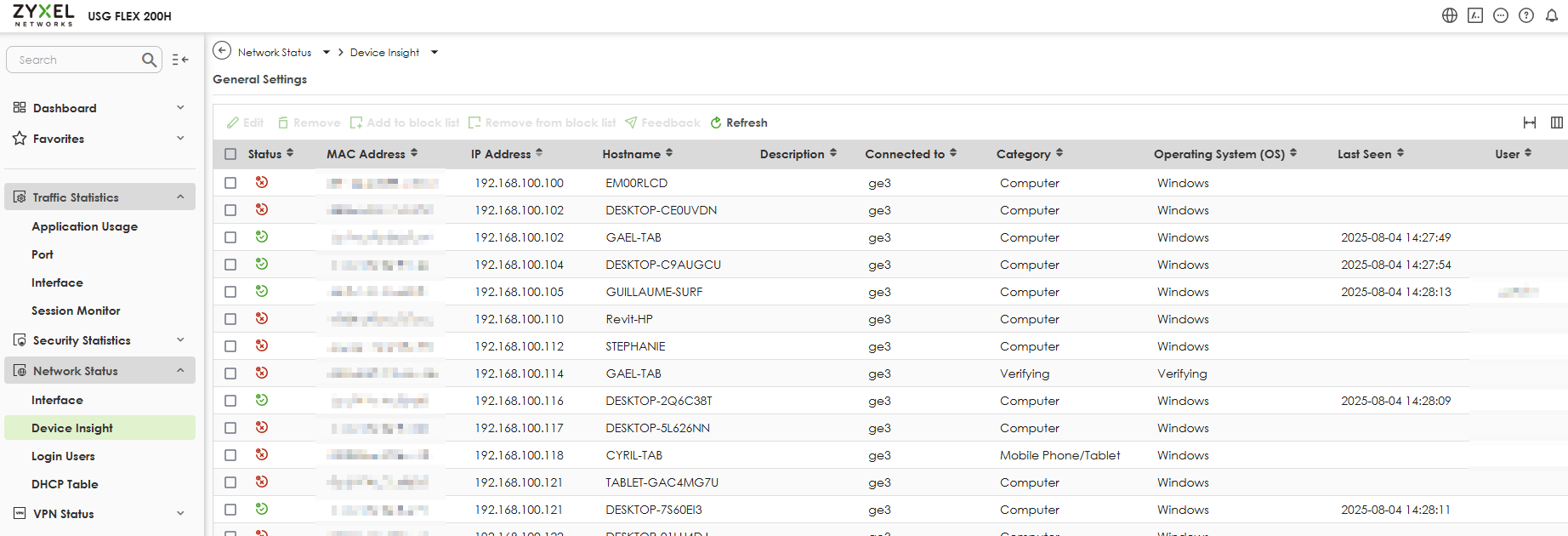
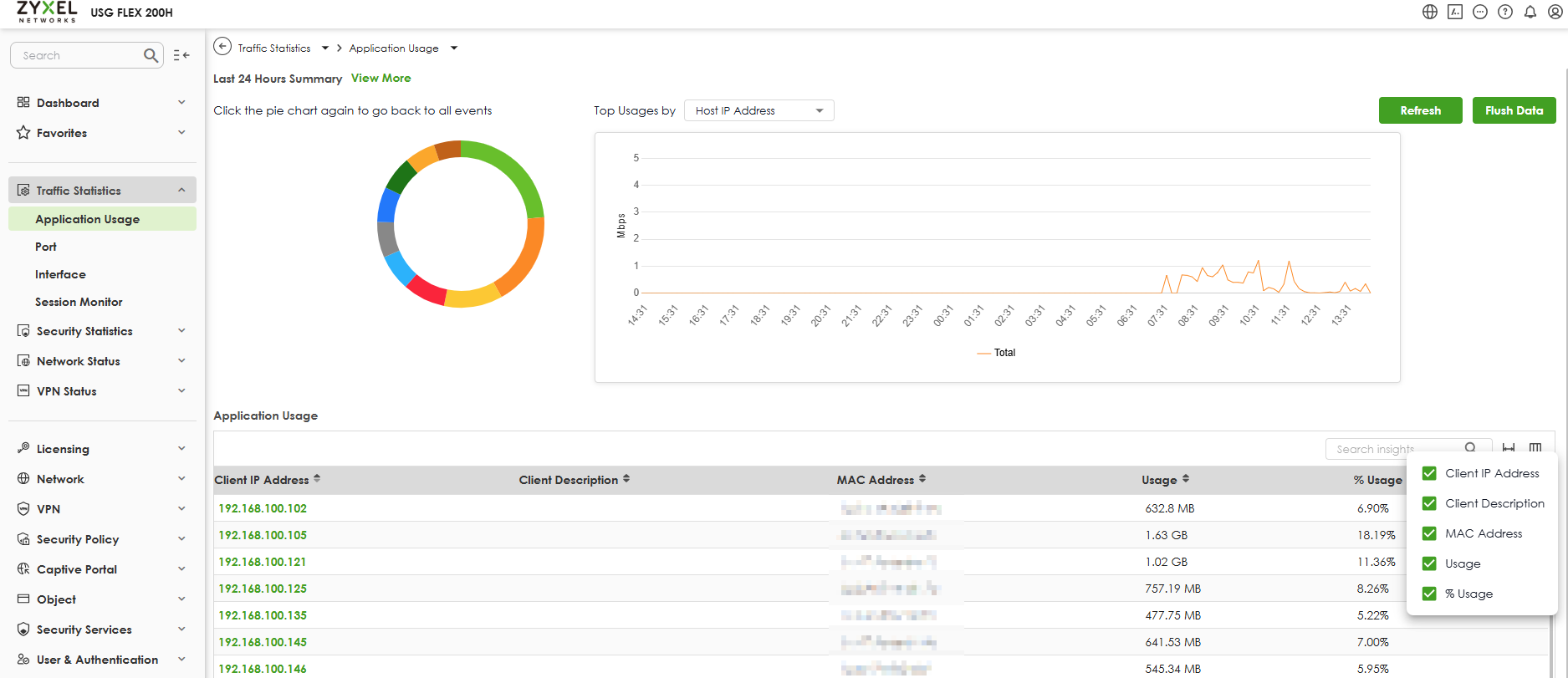
but when you go to Traffic Statistic > Application usage > you see the ip adress but no more hostname. how to add hostname in column ?
Best Answers
-
Hi @Asgatlat,
To display the hostname in the Traffic Statistics > Application Usage view, please refer to the following steps.
- Navigate to System > Advanced to turn on the "Device Insight" toggle
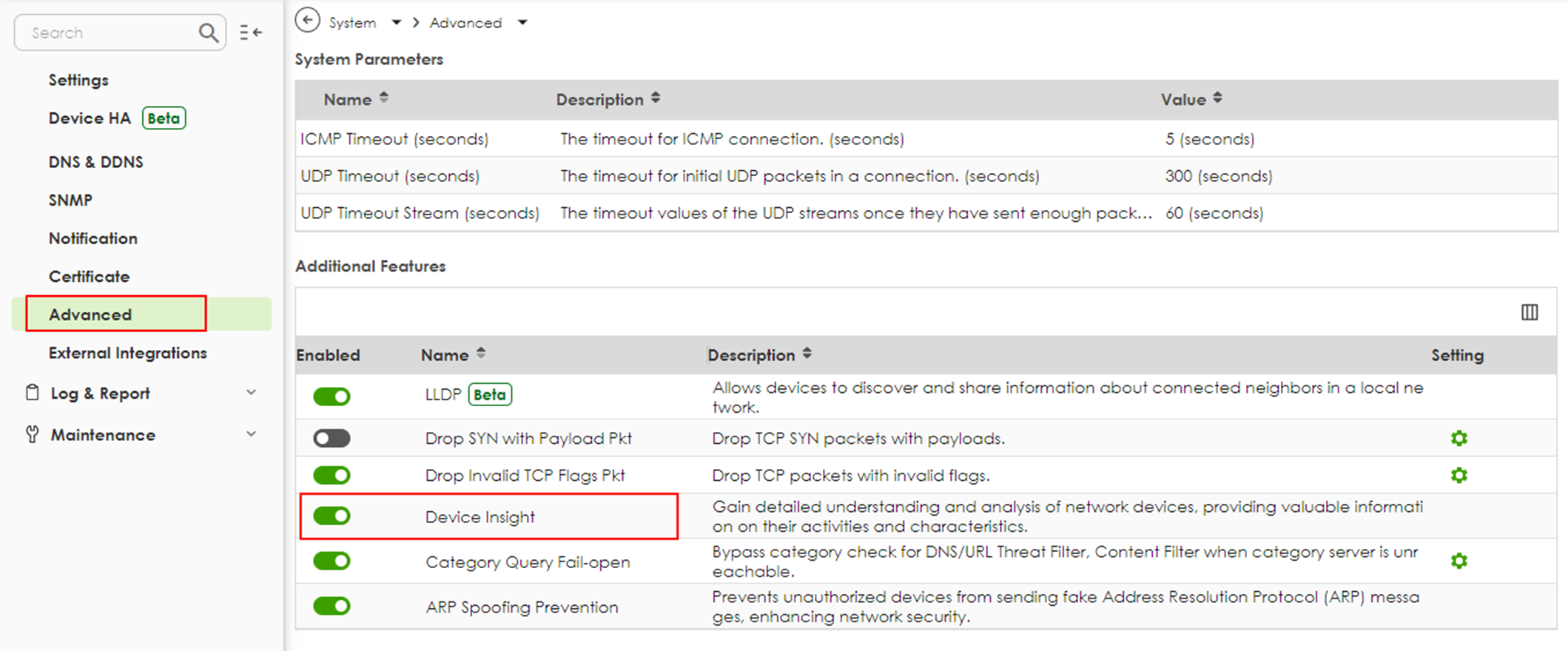
- Once enabled, the toggle allows you to see the hostname in the Client Description section on the Application Usage page.


Zyxel Tina
0 - Navigate to System > Advanced to turn on the "Device Insight" toggle
-
Hi @Asgatlat,
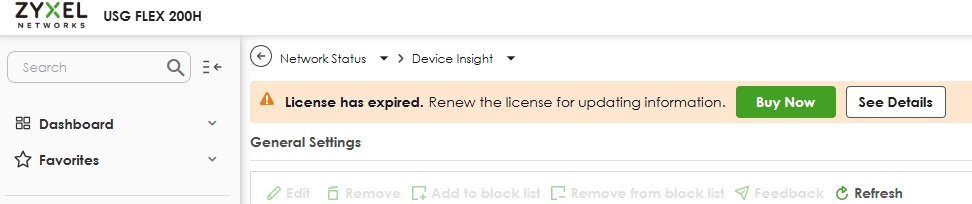
Correct. The Gold Security Pack license includes the Device Insight service. If a license has expired, you will see a reminder in this screen. You need to renew the license in order to keep using the feature.
Zyxel Tina
0





 Zyxel Employee
All Replies
-
Hi @Asgatlat,
Currently, the hostname is not displayed in the Traffic Statistics > Application Usage view.
To better understand your needs, could you please share a bit more about your use case? For example, how would displaying the hostname in this section help with your workflow or network monitoring?
Your input will help us evaluate this feature more effectively.
Zyxel Tina
0 -
Hi @Zyxel_Tina
this could help me to identify a host who use abnormal traffic for exemple
0 -
Hi @Asgatlat,
To display the hostname in the Traffic Statistics > Application Usage view, please refer to the following steps.
- Navigate to System > Advanced to turn on the "Device Insight" toggle
- Once enabled, the toggle allows you to see the hostname in the Client Description section on the Application Usage page.
Zyxel Tina
0 - Navigate to System > Advanced to turn on the "Device Insight" toggle
-
0
-
Hi @Asgatlat,
Correct. The Gold Security Pack license includes the Device Insight service. If a license has expired, you will see a reminder in this screen. You need to renew the license in order to keep using the feature.
Zyxel Tina
0 -
Hi @Zyxel_Tina
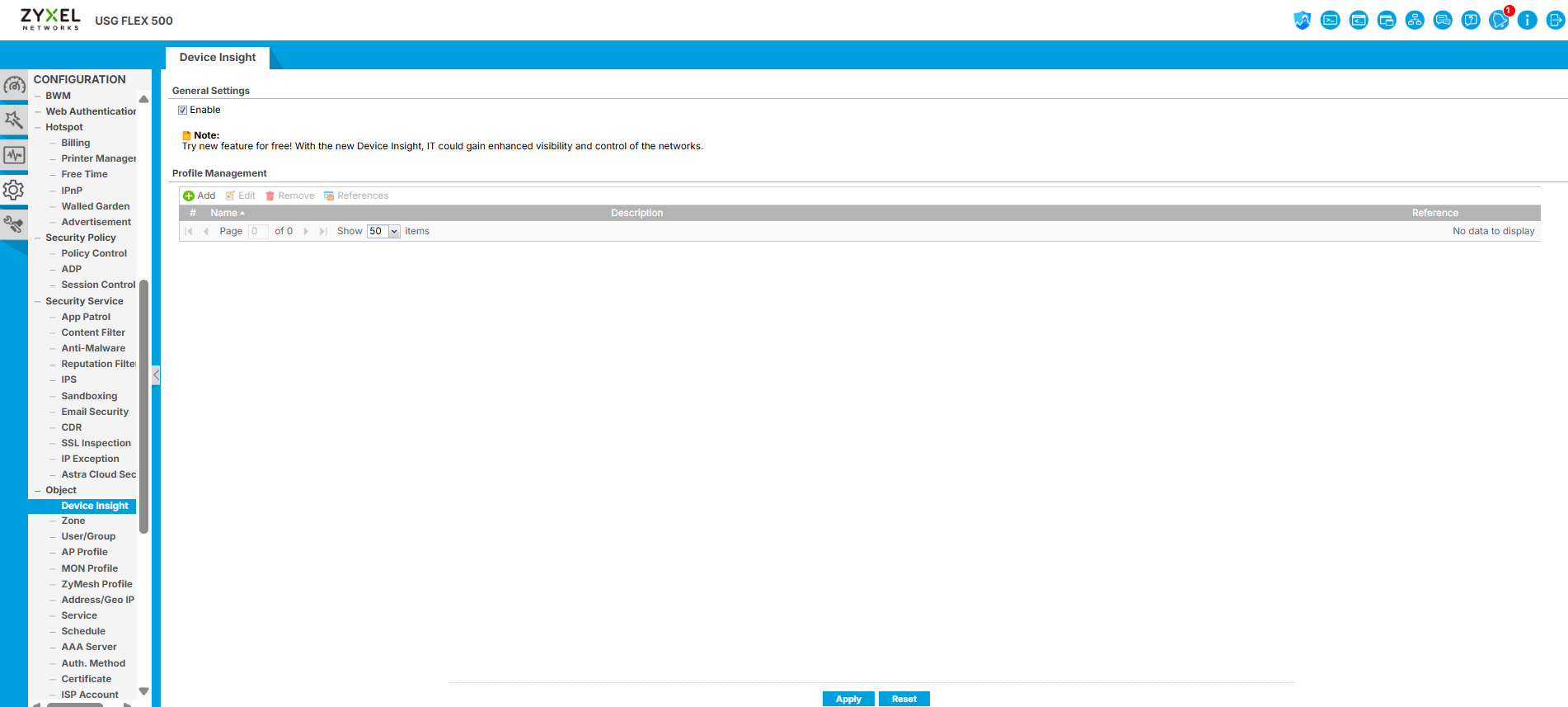
I have the same problem, however I am running a Zyxel USG Flex 500 and I am not using Nebula. I have a Gold pack though. From what I've found in my layout it seems the 'Device Insight' option is under Object. Is this the setting you are referring to, and should I (and how do I) set up a profile under 'Profile Management'. Please refer to attached screenshot.
 0
0 -
0
-
Hi @Zyxel_Tina
Please refer to the attached image for this question. I was wondering if the 'Device Insight' in Object on my USG Flex 500 is the same as what you were referring to above? The next question would be should I (and how) set up a profile under Device Insight?
0 -
Hi @Charl007LWP_ZA,
To help us track and assist you more effectively, could you please create a new post under the correct model section (Zyxel Community > Security)? This will ensure your issue is properly categorized, and we’ll be happy to follow up and assist you there.
Zyxel Tina
0


 Freshman Member
Categories
- All Categories
- 442 Beta Program
- 3.1K Nebula
- 243 Nebula Ideas
- 6.8K Security
- 783 USG FLEX H Series
- 389 Security Ideas
- 1.8K Switch
- 87 Switch Ideas
- 1.5K Wireless
- 58 Wireless Ideas
- 7.2K Consumer Product
- 325 Service & License
- 527 News and Release
- 101 Security Advisories
- 31 Education Center
- 10 [Campaign] Zyxel Network Detective
- 5.3K FAQ
- 34 Documents
- 91 About Community
- 122 Security Highlight



