USG Flex 200 - Cannot sign in via web...

 Freshman Member
I have a Flex 200 for a few years now. It is not monitored by Nebula, I just keep it local. I can log into the switch via console or FTP, but I cannot log in via web. I even reset my admin password to default, but no luck via web.
Any suggestions?
Accepted Solution
-
Hi @UtahDano,
Since we found that your FLEX 200 is still added to your Nebula org (MyOhana), if you are not planning to use cloud management, we suggest removing the device completely from your org and then trying to log in via Web GUI again using the default credentials (admin/1234).
Additionally, it seems the commands you entered were incorrect based on your screenshot. Just a soft reminder that the commands should be:
configure terminalip http secure-server table admin rule insert 1 access-group ALL zone ALL action acceptip http server table admin rule insert 1 access-group ALL zone ALL action acceptOn the other hand, could you please confirm you're logged into the correct device? You mentioned resetting the device to defaults, but the screenshot shows 10.0.0.1.
Zyxel Tina
0

 Zyxel Employee



All Replies
-
Does the log in display or you get a blank page?
Try another browser
Might you of changed firewall rules for the login?
to not redirect to HTTPS do in console
configure terminal

no ip http secure-server force-redirect

write
0 -
Hi @UtahDano,
Welcome to the Zyxel Community!
To help us better understand the issue, could you please clarify the symptom?
- Does the login page display but show “Login denied” after entering credentials?
- Or does the browser show a blank/empty page after entering the management URL?
- Are there any error messages or warning prompts shown in the browser?
If possible, please describe in more detail or share screenshots/recordings when the issue occurs.
You may also try the following:
- Use another browser or clear cache, then test login again.
- Check if the HTTP/HTTPS service are enabled via CLI (Default ports are 80 and 443):
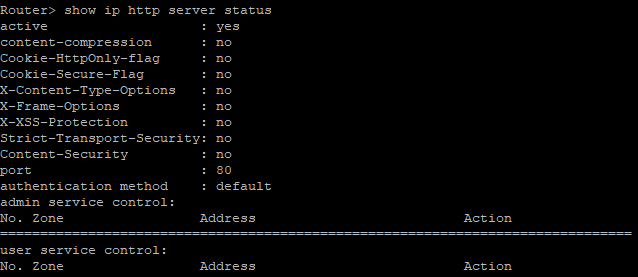
show ip http server status
show ip http server secure status
- If either service is disabled, please enable it using:
configure terminal
ip http server
ip http secure-server
Zyxel Tina
0 -
Thanks Tina,
This is all local in my home office. I have never set SSL, so I'm only using HTTP.
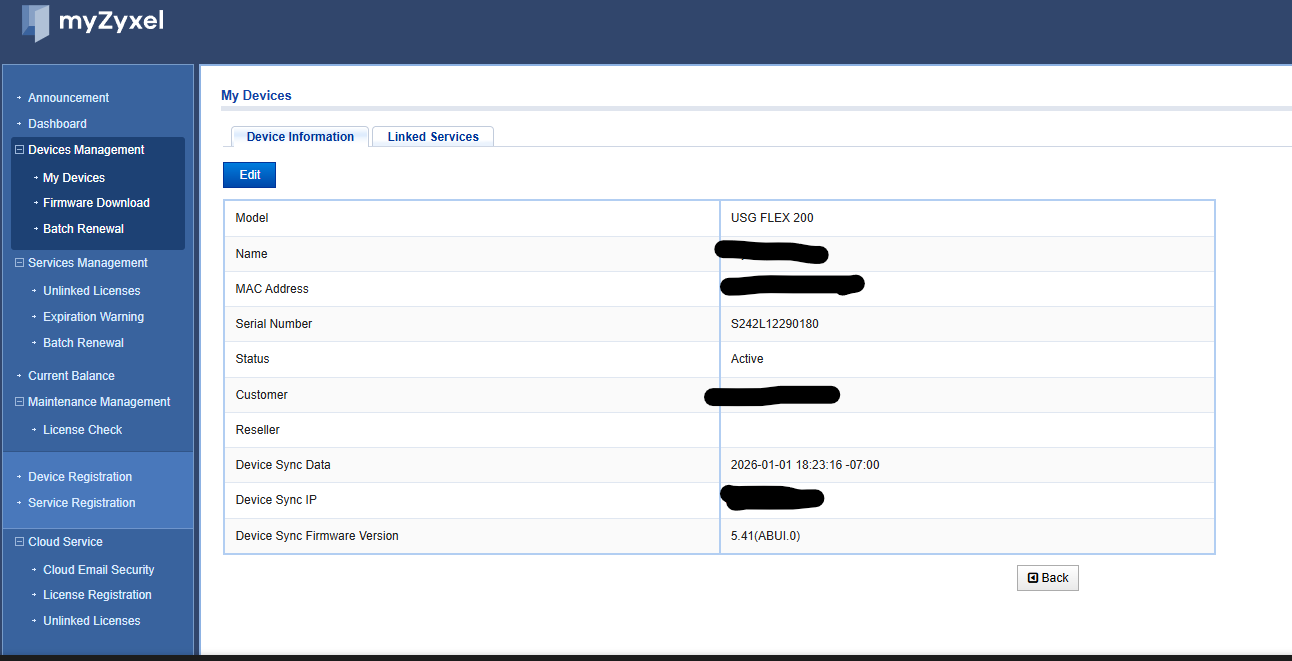
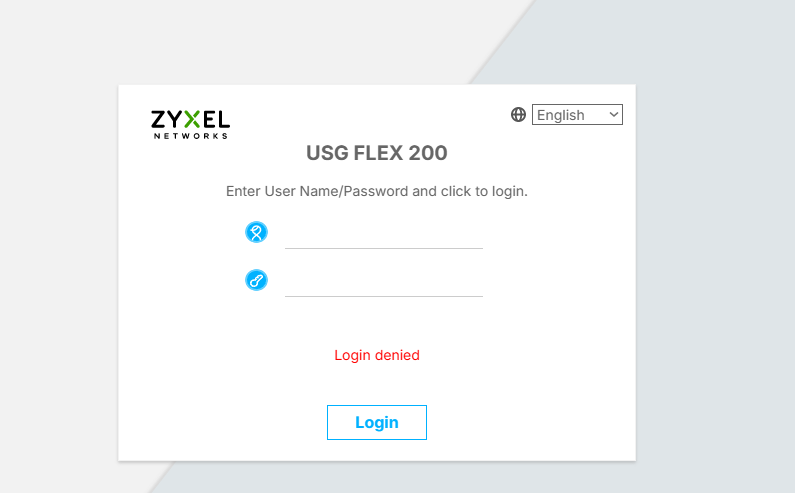
When I use the prior password through HTTP or new Flex 200 default.
When I console in or Putty I can login with the defaults after I reset the password, but I cannot log into it via the web portal.0 -
When you last logged in in did you change in WWW the Admin Service Control?
From your show ip http server status it looks like it missing the default all zone
If you do
configure terminal
ip http secure-server table admin rule insert 1 access-group ALL zone ALL action accept
or for HTTP
ip http server table admin rule insert 1 access-group ALL zone ALL action accept
That should give you access to HTTP and HTTPS of the FLEX
0 -
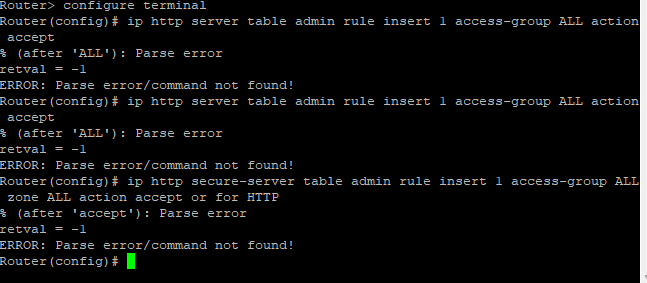
Cannot Parse
 0
0 -
Might be a copy and paste problem? or try copy and paste?
Try typing it manually
looking at the screenshot it does not look like you inputted it correctly
I also use PuTTY
0 -
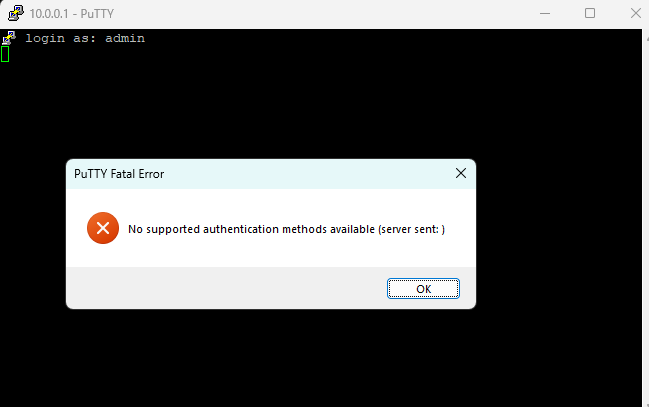
Sorry for acting like a noob here, but now I'm getting. Is that just a reboot?
 0
0 -
Hi @UtahDano,
Since we found that your FLEX 200 is still added to your Nebula org (MyOhana), if you are not planning to use cloud management, we suggest removing the device completely from your org and then trying to log in via Web GUI again using the default credentials (admin/1234).
Additionally, it seems the commands you entered were incorrect based on your screenshot. Just a soft reminder that the commands should be:
configure terminalip http secure-server table admin rule insert 1 access-group ALL zone ALL action acceptip http server table admin rule insert 1 access-group ALL zone ALL action acceptOn the other hand, could you please confirm you're logged into the correct device? You mentioned resetting the device to defaults, but the screenshot shows 10.0.0.1.
Zyxel Tina
0

 Guru Member



Categories
- All Categories
- 442 Beta Program
- 2.9K Nebula
- 222 Nebula Ideas
- 129 Nebula Status and Incidents
- 6.5K Security
- 617 USG FLEX H Series
- 347 Security Ideas
- 1.7K Switch
- 84 Switch Ideas
- 1.4K Wireless
- 53 Wireless Ideas
- 7K Consumer Product
- 298 Service & License
- 485 News and Release
- 92 Security Advisories
- 31 Education Center
- 10 [Campaign] Zyxel Network Detective
- 4.8K FAQ
- 34 Documents
- 88 About Community
- 105 Security Highlight


