SecuReporter for ATP series - missing options in reports

 Guru Member



Accepted Solution
-
Hi @GiuseppeR
This is because the firewall hasn't online. The SecuReporter has a mechanism that it needs to check the device's firmware version first. We didn't record the period, but it should be in 15 ~ 30 minutes.
Zyxel Melen0
 Zyxel Employee


All Replies
-
Hi @GiuseppeR,
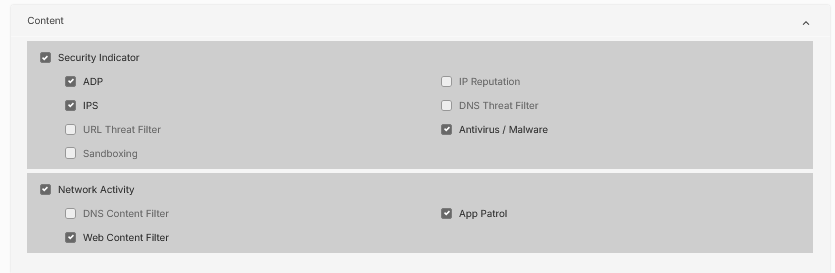
It appears you are experiencing an issue where certain reporting options are missing in SecuReporter despite having a Gold Security Pack on your ATP series device.
Here's a guide to help resolve this and gather necessary information:
- Verify Firmware Version: Ensure your ATP device is running a firmware version that supports the full range of SecuReporter features with the Gold Security Pack. SecuReporter Advanced Analytics, including Sandboxing, botnet filtering, and IP reputation analytics, were introduced with ZLD4.35 for the ATP series. ZLD 5.32 also brought support for DNS Threat Filter, IP Reputation, and Sandboxing with the Gold Security Pack for USG FLEX devices, which are often aligned with ATP series features. You can check for newer firmware versions on the Zyxel website or through your device's local GUI.
- SecuReporter Activation: Confirm that SecuReporter is properly activated for your ATP device. This typically involves registering your device on myZyxel 2.0 and enabling SecuReporter through the device's wizard or GUI.
- Log & Report Settings: Navigate to "Log & Report" > "SecuReporter" in your ATP device's local GUI and ensure that all relevant log categories, including those corresponding to the missing report options, are enabled. Data collection takes approximately 15-30 minutes after enabling.
- Gold Security Pack Features: The Gold Security Pack generally provides comprehensive security services, including Sandboxing, Reputation Filter, Web Filtering, Anti-Malware, IPS, Application Patrol, and SecuReporter integration. The ATP series specifically uses the Gold Security Pack as its recommended license.
To help us investigate this further, please provide the following information:
- Device Model: (e.g., ATP200, ATP500)
- Firmware Version of your ATP device.
- Screenshots: If there are any error messages or further relevant configuration pages.
- Enable Zyxel Support Access: Please enable Zyxel Support Access via
Help > Support Requestin your Nebula console. This allows our support team to directly view your cloud environment configuration, significantly shortening troubleshooting time. - Organization and Site Name: Please provide the Organization and Site name from your Nebula portal.
This AI response aims to provide initial troubleshooting steps and identify information needed for further diagnosis. Feel free to share additional details based on the suggestions above — this will help community members offer more targeted assistance.
If you have feedback or idea about this AI assistant, share them in Community Feedback.0 -
Hi @GiuseppeR
I assume the org is same as the post that ATP can't online. I checked your SecuReporter's report setting and these options are available now. Could you help to take it a look again?
This is more likely the SecuReporter was still in onboarding process.
Zyxel Melen0 -
Hi @Zyxel_Melen
yes it was so: I was configuring its settings for the customer when I opened this post, but I checked these options again some minutes ago and I enabled them. Thanks a lot.
In reality this issue is related also to another ORG where I have another ATP:
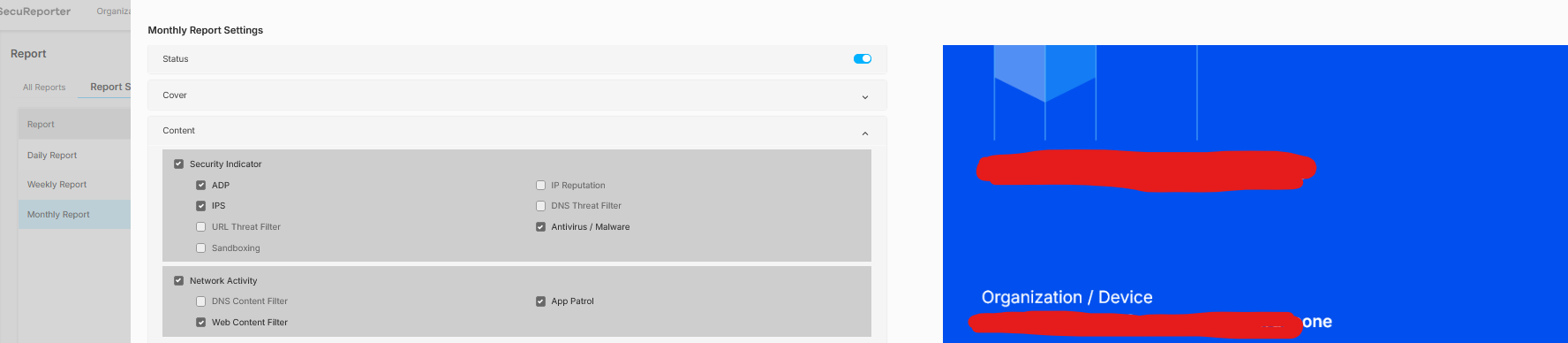
As you can see by its name, the ORG is different.
There I have added the ATP200 but never switched it on, because we had a delay some weeks ago with the new internet subscription activation from the ISP so no new parameters for this ATP firewall.
I installed the rest of the network, but with previous old firewall still working:

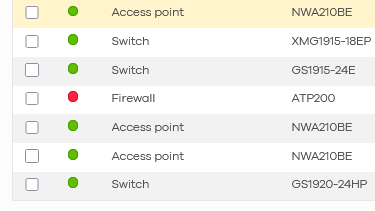
As you can see this ATP200 is offline:
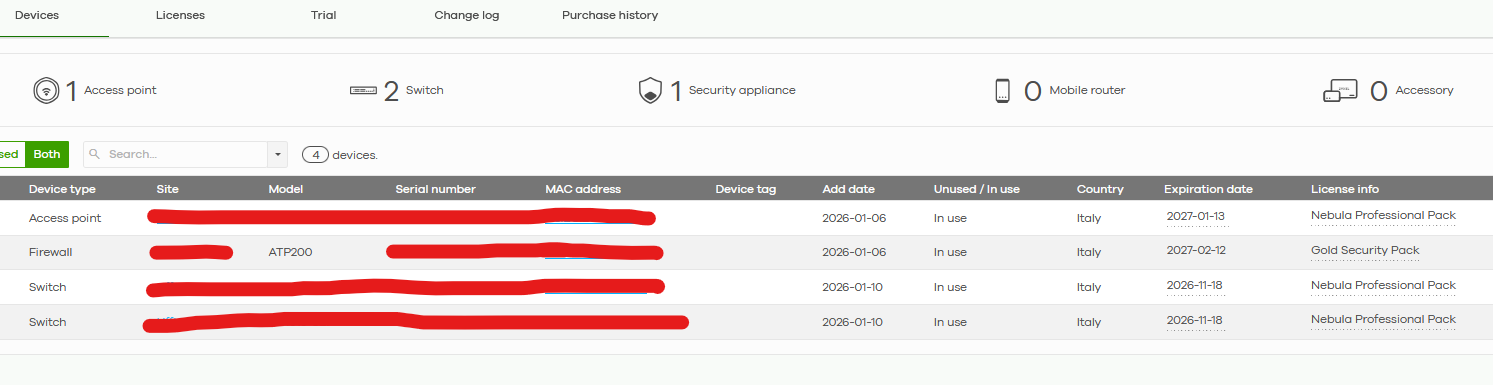
Of course the Gold Pack is applied:

Is it mandatory for ATP series to be online to have the possibility to select these options?
How much time I have to wait after it is online, to have these reporting options working?
0 -
Hi @GiuseppeR
This is because the firewall hasn't online. The SecuReporter has a mechanism that it needs to check the device's firmware version first. We didn't record the period, but it should be in 15 ~ 30 minutes.
Zyxel Melen0


Categories
- All Categories
- 442 Beta Program
- 3K Nebula
- 222 Nebula Ideas
- 129 Nebula Status and Incidents
- 6.5K Security
- 619 USG FLEX H Series
- 349 Security Ideas
- 1.7K Switch
- 84 Switch Ideas
- 1.4K Wireless
- 53 Wireless Ideas
- 7K Consumer Product
- 298 Service & License
- 485 News and Release
- 92 Security Advisories
- 31 Education Center
- 10 [Campaign] Zyxel Network Detective
- 4.8K FAQ
- 34 Documents
- 88 About Community
- 105 Security Highlight


