1.37 uOS - errors when you set DHCP table from Nebula

 Guru Member



Hello everyone,
I was testing new firmware to deploy in production.
As you set DHCP table on Nebula:
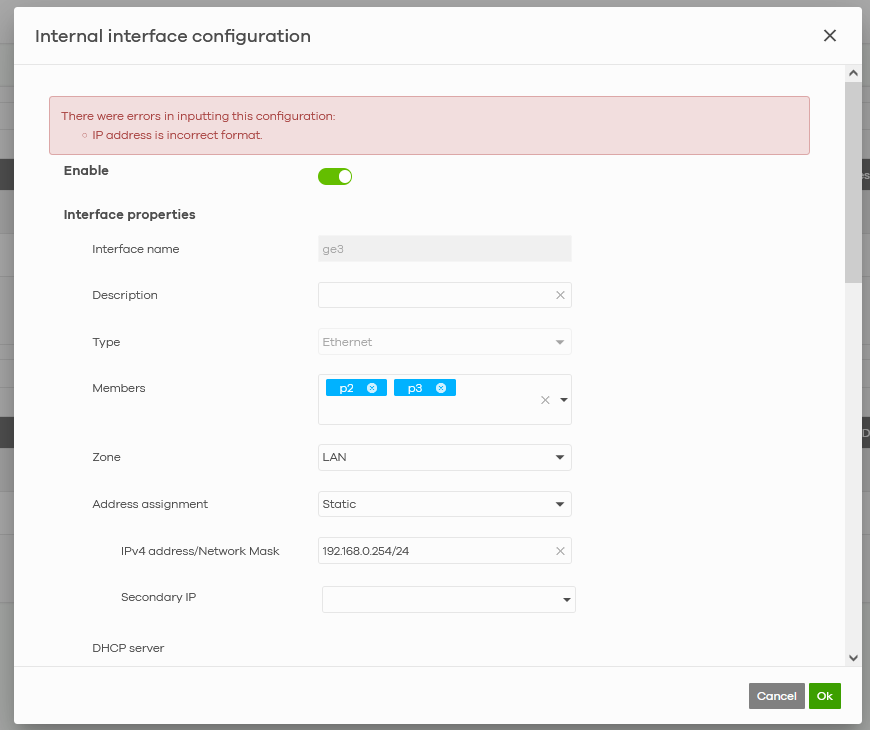
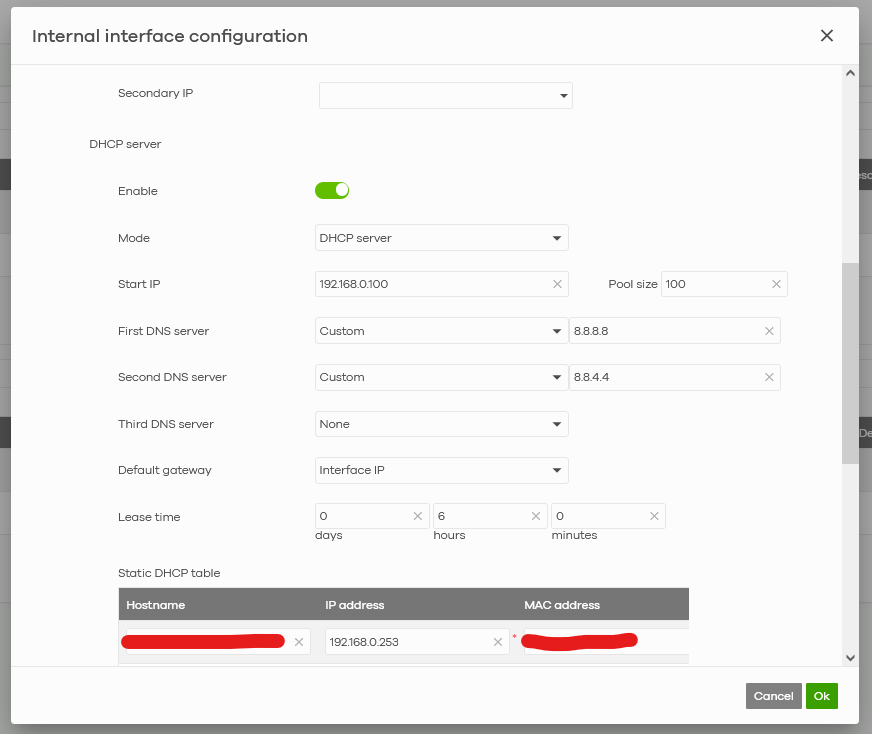
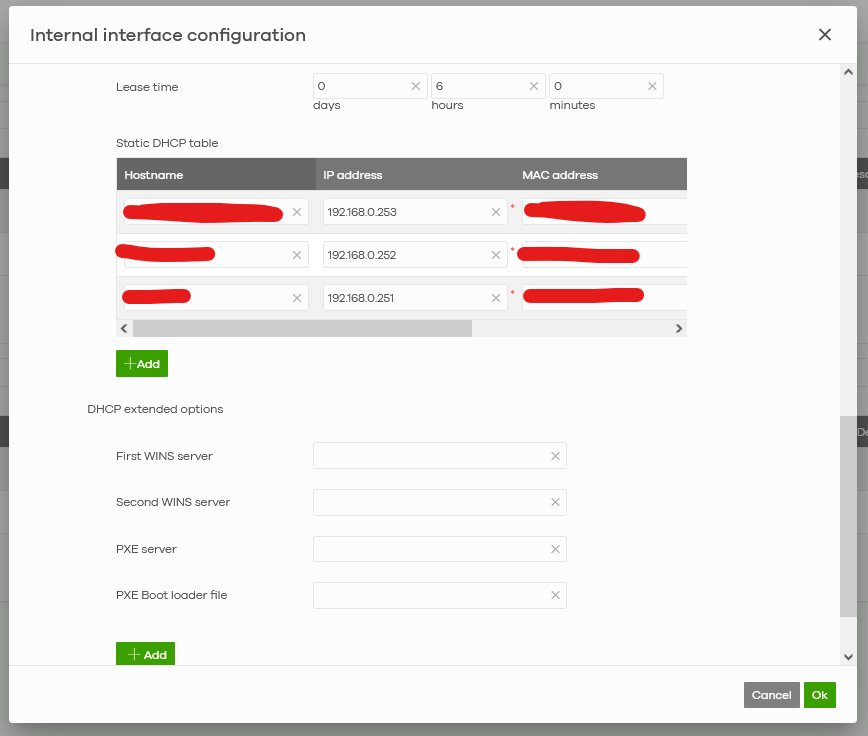
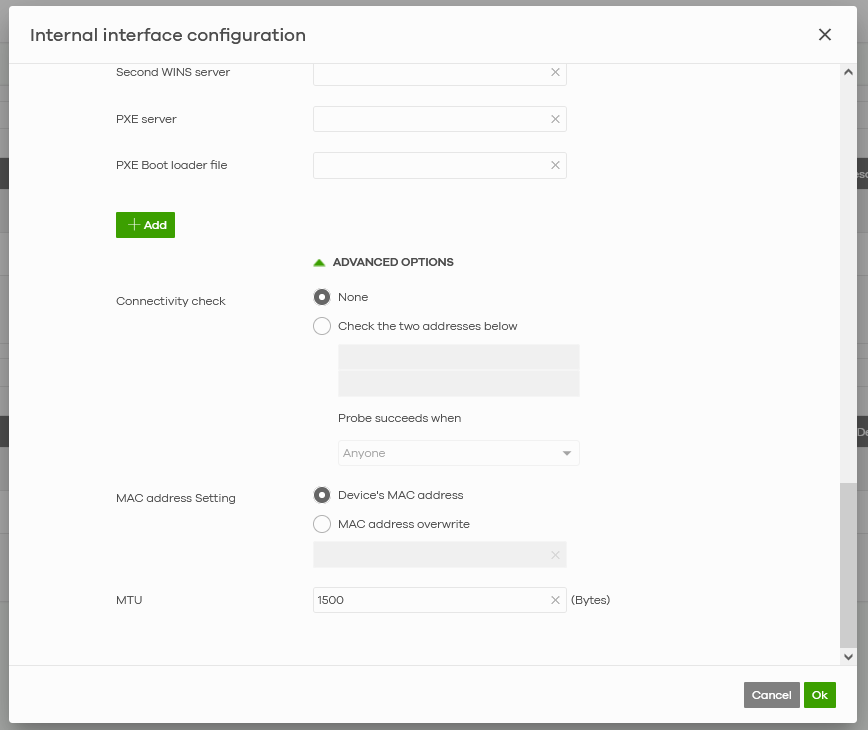
While if you log in to your firewall and set it from there everything is smooth:

Why I cannot set the DHCP reservation from Nebula?
All Replies
-
Hi @GiuseppeR,
Thank you for reaching out to the Zyxel Community regarding the DHCP reservation issue on your USG FLEX H Series device managed by Nebula.
The error message "IP address is incorrect format" when setting the DHCP table from Nebula suggests a potential discrepancy or formatting requirement in the Nebula interface. While the local GUI allows for seamless configuration, Nebula may have specific input validation.
Here's a guide to help you troubleshoot and resolve this:
Review Nebula DHCP Configuration for USG FLEX H Series:
- Navigate to
Site-wide > Configure > Firewall > Port & Interfacein your Nebula console. This is where you configure static DHCP clients directly from the interface page for USG FLEX H Series. - Carefully examine the format of the IP addresses you are trying to reserve. Ensure there are no leading/trailing spaces or invalid characters.
- Verify that the IP addresses you are trying to reserve fall within the defined DHCP pool for that interface.
- Navigate to
Verify Firmware and Nebula Compatibility:
- Ensure your USG FLEX H Series firmware (uOS) and Nebula Control Center are running compatible and up-to-date versions. Nebula 18.30 introduced cloud configuration management and synchronization for H Series firewalls, and updates often include specific behaviors for configuration synchronization.
- Check for any known issues or release notes related to DHCP reservations for your specific firmware version on USG FLEX H Series in conjunction with Nebula.
Utilize Local GUI for Verification (if still an issue):
- Although the goal is to configure via Nebula, temporarily setting a DHCP reservation via the local GUI (
Network Status > DHCP Table) and then observing how Nebula reflects or attempts to synchronize it can provide insight into potential conflicts or formatting differences.
- Although the goal is to configure via Nebula, temporarily setting a DHCP reservation via the local GUI (
To further investigate, please provide the following information:
- Nebula Organization and Site Name: This will allow our support team to directly view your cloud environment configuration and expedite troubleshooting.
- Firmware Version: The exact firmware version (e.g., 1.37 uOS) running on your USG FLEX H Series.
- Screenshots: If the error message in Nebula provides more details or if there are other relevant error messages in the Nebula event logs, please include screenshots.
- Network Topology: A brief description or diagram of your network setup.
This AI response aims to provide initial troubleshooting steps and identify information needed for further diagnosis. Feel free to share additional details based on the suggestions above — this will help community members offer more targeted assistance.
If you have feedback or idea about this AI assistant, share them in Community Feedback.0 -
-
Update:
The issue is fixed on 2026/1/27.
Zyxel Melen0 -
Hi @Zyxel_Melen
thanks for the update
0

 Zyxel Community Virtual Assistant



Categories
- All Categories
- 442 Beta Program
- 3K Nebula
- 222 Nebula Ideas
- 129 Nebula Status and Incidents
- 6.5K Security
- 619 USG FLEX H Series
- 349 Security Ideas
- 1.7K Switch
- 84 Switch Ideas
- 1.4K Wireless
- 53 Wireless Ideas
- 7K Consumer Product
- 298 Service & License
- 485 News and Release
- 92 Security Advisories
- 31 Education Center
- 10 [Campaign] Zyxel Network Detective
- 4.8K FAQ
- 34 Documents
- 88 About Community
- 105 Security Highlight


