1.37 uOS - Clicking on Security Policy does not save NAT rule

 Guru Member



Hello everyone,
when you set a new NAT rule and you click on Security Policy:
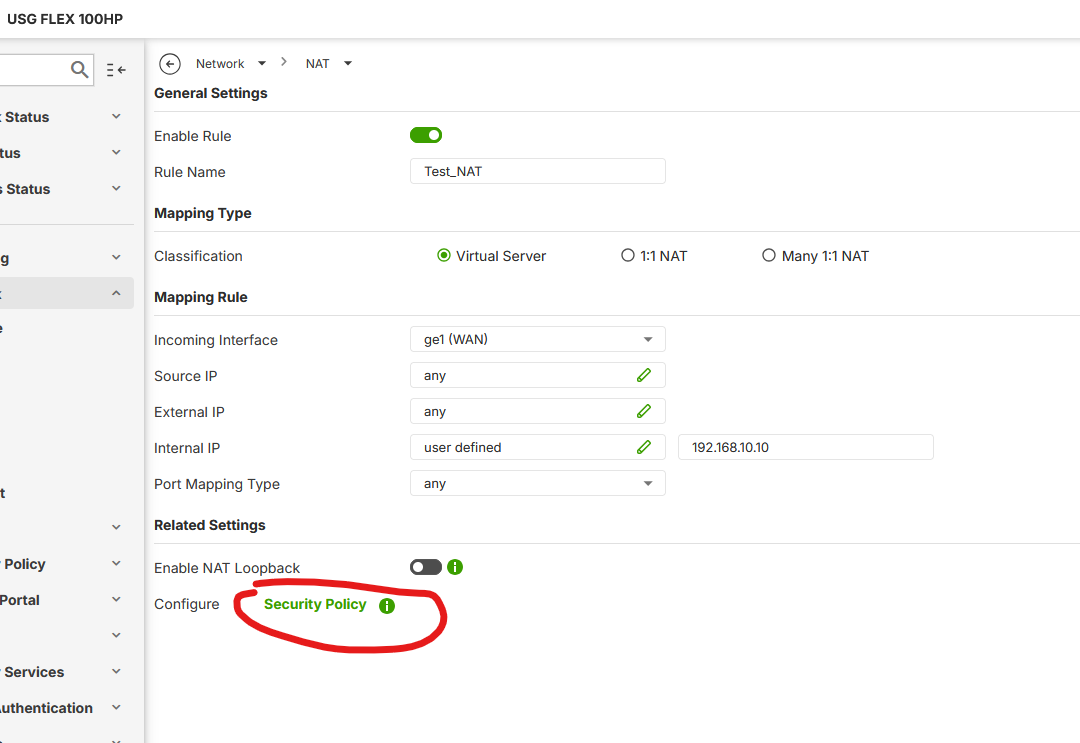
the system does not ask you if you want to save or not the new rule you just edit, so you go to Security Policy area losing the NAT rule. It should be better to have a popup menu asking you if you want to save the new rule.
If you click on Apply:
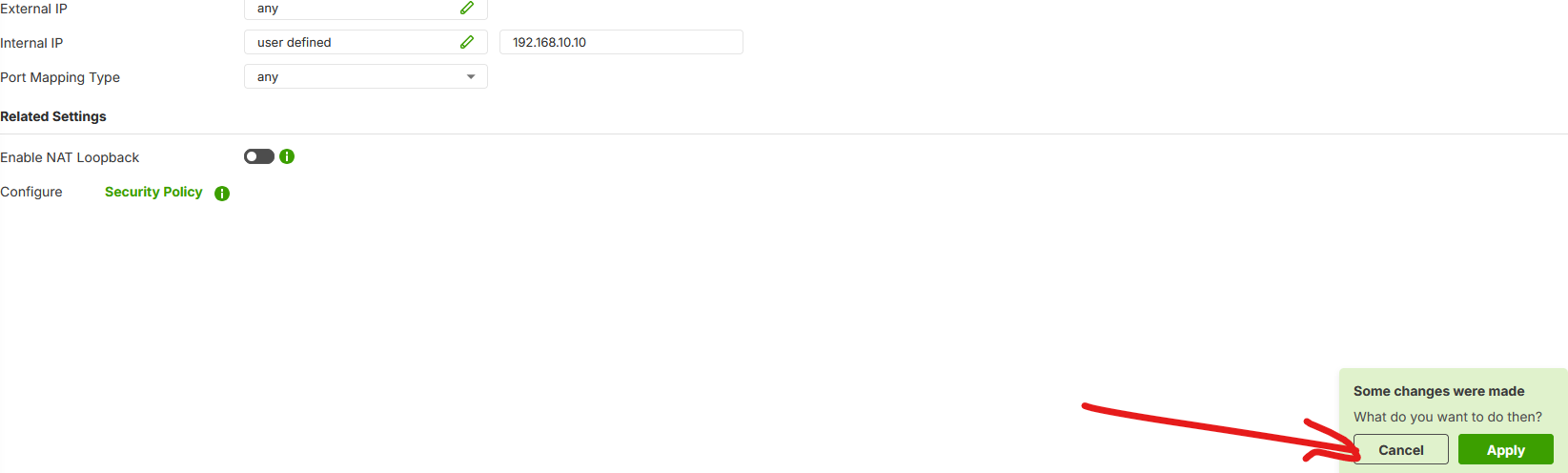
the system saves it but you have to go manually to Security Policy area to add the rule to let someone else to enter that server port.
All Replies
-
Hi @GiuseppeR
The security policy hyperlink only takes you to the security policy page, it won't generate related security policy. You need manually add the security policy.
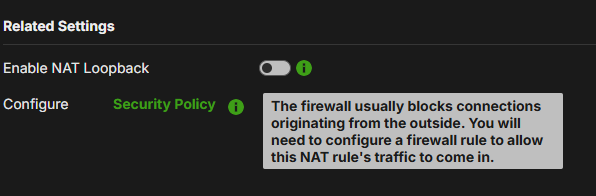 Zyxel Melen0
 -
Hi @Zyxel_Melen
yes, you are right.
But when I write a rule entering values in its fields, the page should suggest to save that new rule before leaving that page.
0 -
Hi @GiuseppeR
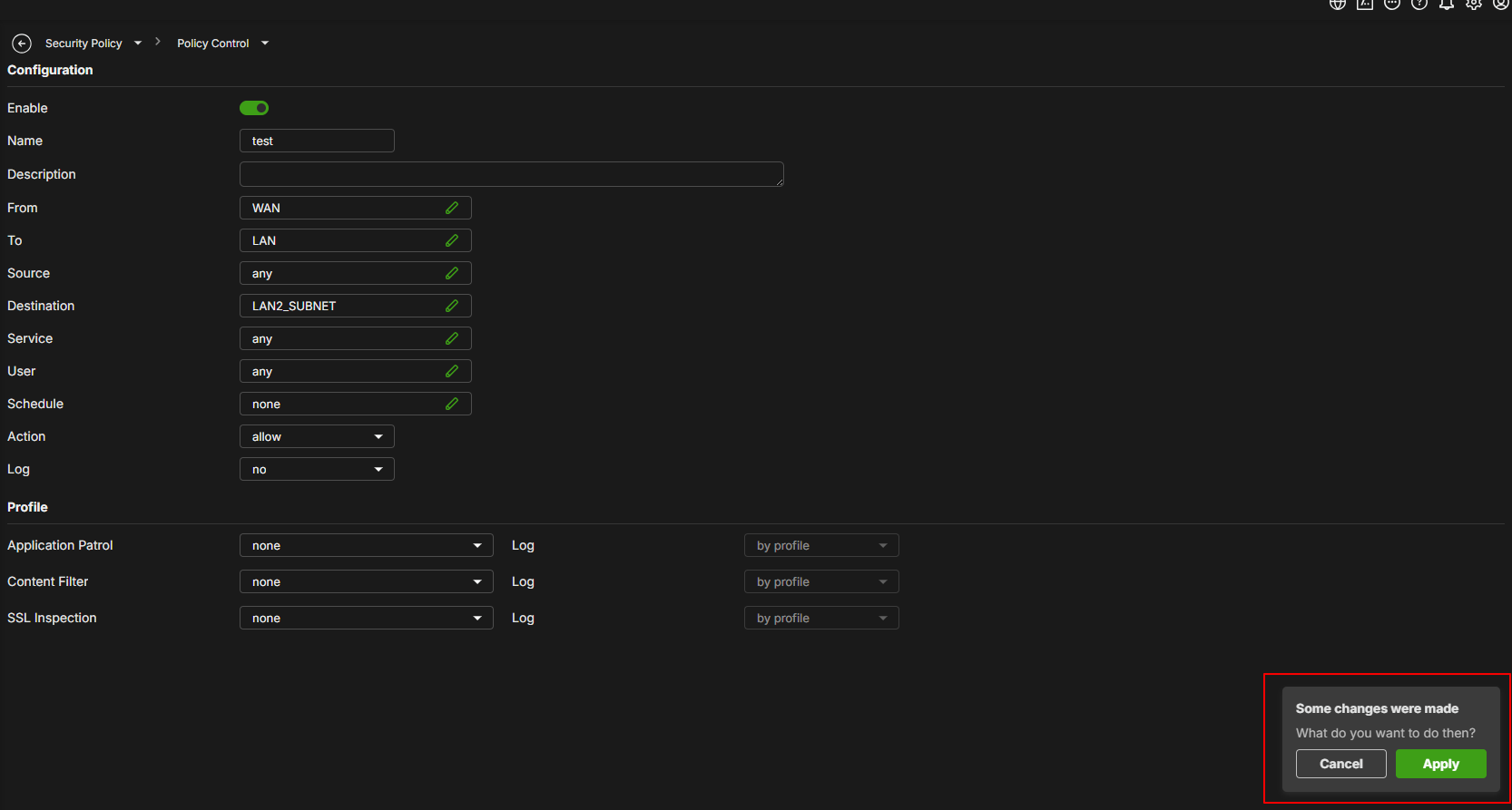
Thanks for the suggestion, we currently have this hint.
When you add a security policy, the edit page will ask you if you want to apply it or not.
 Zyxel Melen0
 -
Hi @Zyxel_Melen
exactly like that, but it should be an alert like that also when setting a NAT rule and then clicking on Security Policy.
In this way it should be easier to create before the NAT rule and then the Security Policy to let that rule to work properly
0
 Zyxel Employee


Categories
- All Categories
- 442 Beta Program
- 3K Nebula
- 222 Nebula Ideas
- 129 Nebula Status and Incidents
- 6.5K Security
- 619 USG FLEX H Series
- 349 Security Ideas
- 1.7K Switch
- 84 Switch Ideas
- 1.4K Wireless
- 53 Wireless Ideas
- 7K Consumer Product
- 298 Service & License
- 485 News and Release
- 92 Security Advisories
- 31 Education Center
- 10 [Campaign] Zyxel Network Detective
- 4.8K FAQ
- 34 Documents
- 88 About Community
- 105 Security Highlight


