Zyxel GS1920-48HP i need reset

 Freshman Member
Accepted Solution
-
Hi @Shanol ,
A blinking green SYS light indicates the system is rebooting. Please wait until the SYS light turns solid green, then press and hold the reset button on the side of the switch for 5–7 seconds before releasing.
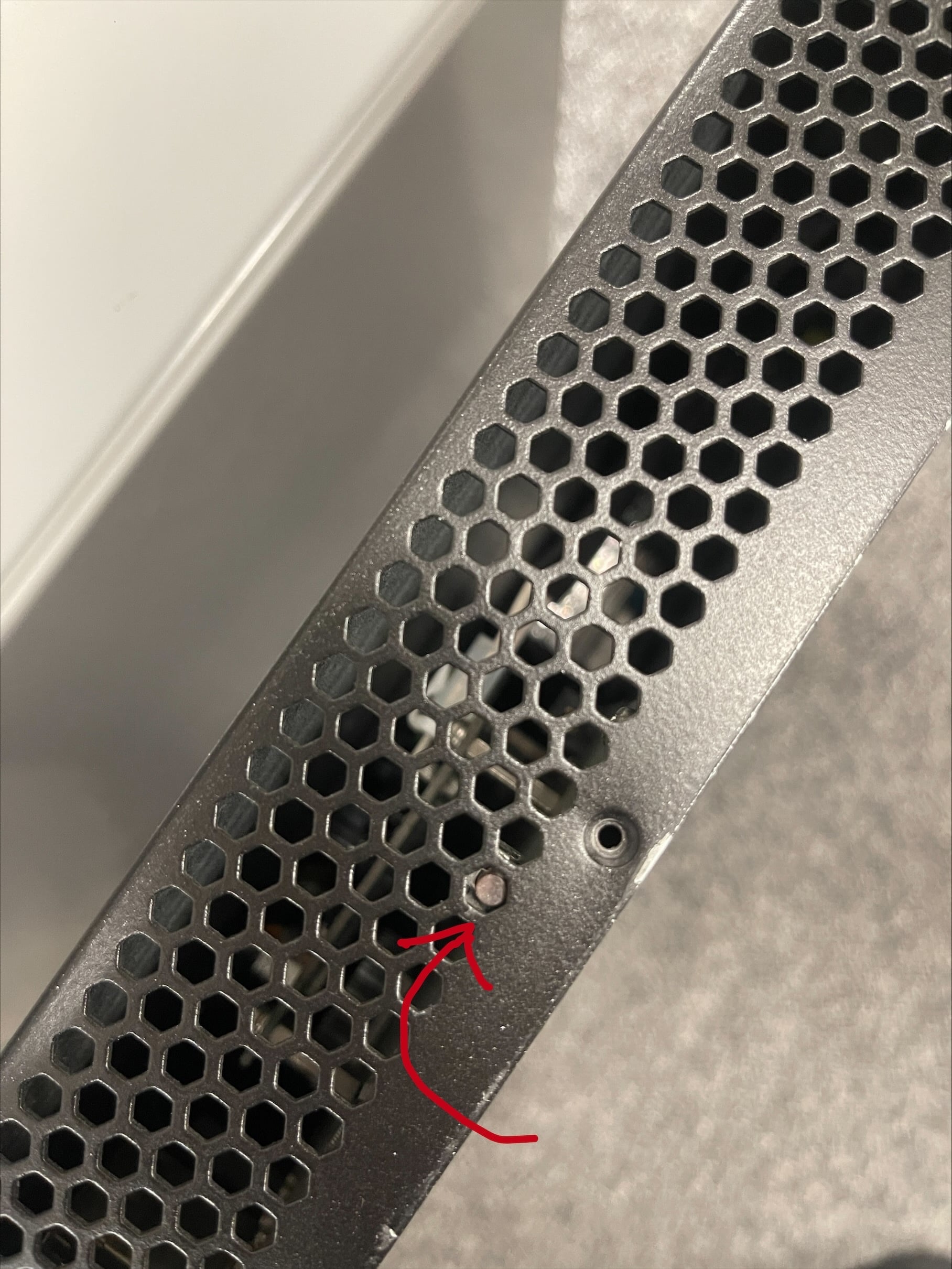
Please be aware that the GS1920-48HP model has reached its End of Life (EOL) status, which means our support for this model will be limited. For information on alternative options, you also can refer to the available models: Switch | Zyxel Networks
Zyxel_Judy
0

 Zyxel Employee



All Replies
-
Hi @Shanol ,
A blinking green SYS light indicates the system is rebooting. Please wait until the SYS light turns solid green, then press and hold the reset button on the side of the switch for 5–7 seconds before releasing.
Please be aware that the GS1920-48HP model has reached its End of Life (EOL) status, which means our support for this model will be limited. For information on alternative options, you also can refer to the available models: Switch | Zyxel Networks
Zyxel_Judy
0 -
no reaction
0 -
Please be aware that the GS1920-48HP model has reached its End of Life (EOL) status, which means our support for this model will be limited. For information on alternative options, you also can refer to the available models: Switch | Zyxel Networks
Zyxel_Judy
0 -
On my older GS2200 switch I too found that the reset button did not work right I think this has to do with VLAN 1 in the end I found how to access it on the VLAN and IP it had.
So your only other option is to use a console port to reset it
0

 Guru Member



Categories
- All Categories
- 442 Beta Program
- 3.1K Nebula
- 237 Nebula Ideas
- 6.8K Security
- 740 USG FLEX H Series
- 376 Security Ideas
- 1.8K Switch
- 87 Switch Ideas
- 1.5K Wireless
- 58 Wireless Ideas
- 7.2K Consumer Product
- 319 Service & License
- 512 News and Release
- 99 Security Advisories
- 31 Education Center
- 10 [Campaign] Zyxel Network Detective
- 5.3K FAQ
- 34 Documents
- 91 About Community
- 119 Security Highlight


