XMG2230-52HP 2.5 Gb speed + port status error table




 Ally Member
I have installed a XMG2230-52HP with 2.5 Gb/s client and a server on 10 Gb/s through ZyXEL SFP10G-T and CAT6A cabling. Client on port 33 (2.5 Gb/s) and server on P52 (SFP+)
Upload speeds from client to server are fine, I get 240 MB/s. But download speeds are stuck on 110 MB/s, so 1 Gb/s. No VLAN, flat network.
What could be the cause? Is this because of the converter? I'm going to test 2.5 Gb/s pc to 2.5 Gb/s to see if there is a difference.
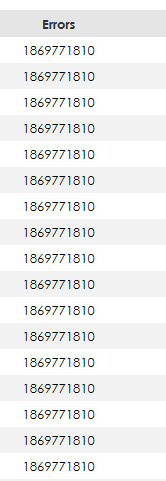
Als I tried to check for errors, but the error table is not reliable:
Firmware version:
|
|---|
Edit: I can confirm that 2.5 Gb workstation to 2.5 Gb client works fine both ways with speeds over 200 MB/s. Also with a NWA130BE and a Wifi 6e client I get 180 MB/s
Best Answers
-
Thanks for the information. I tested in my lab with two Windows 11 PCs, one is in 2.5G link and one is in 10G link to switch with SFP10G-T. Here are my results:
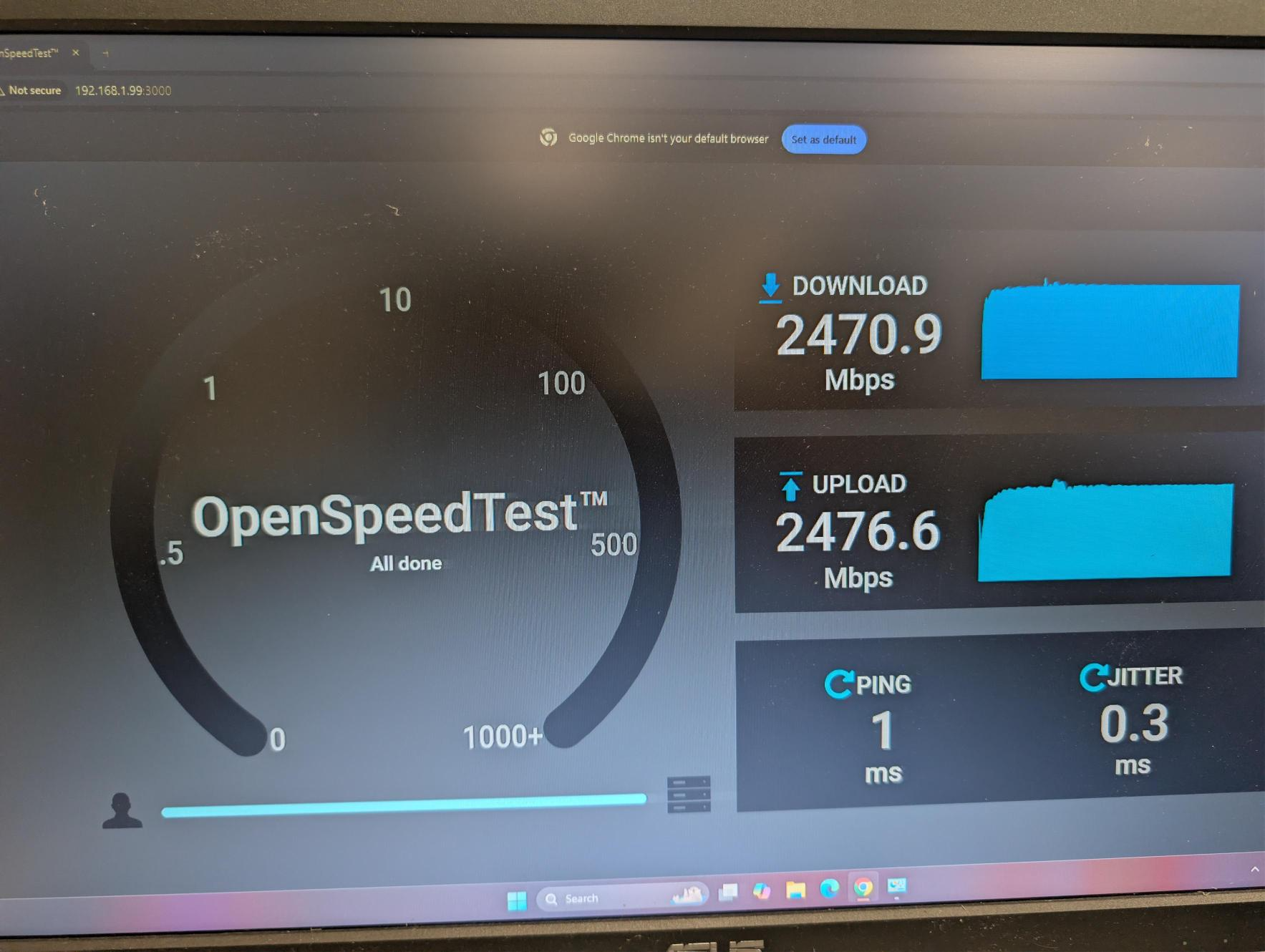
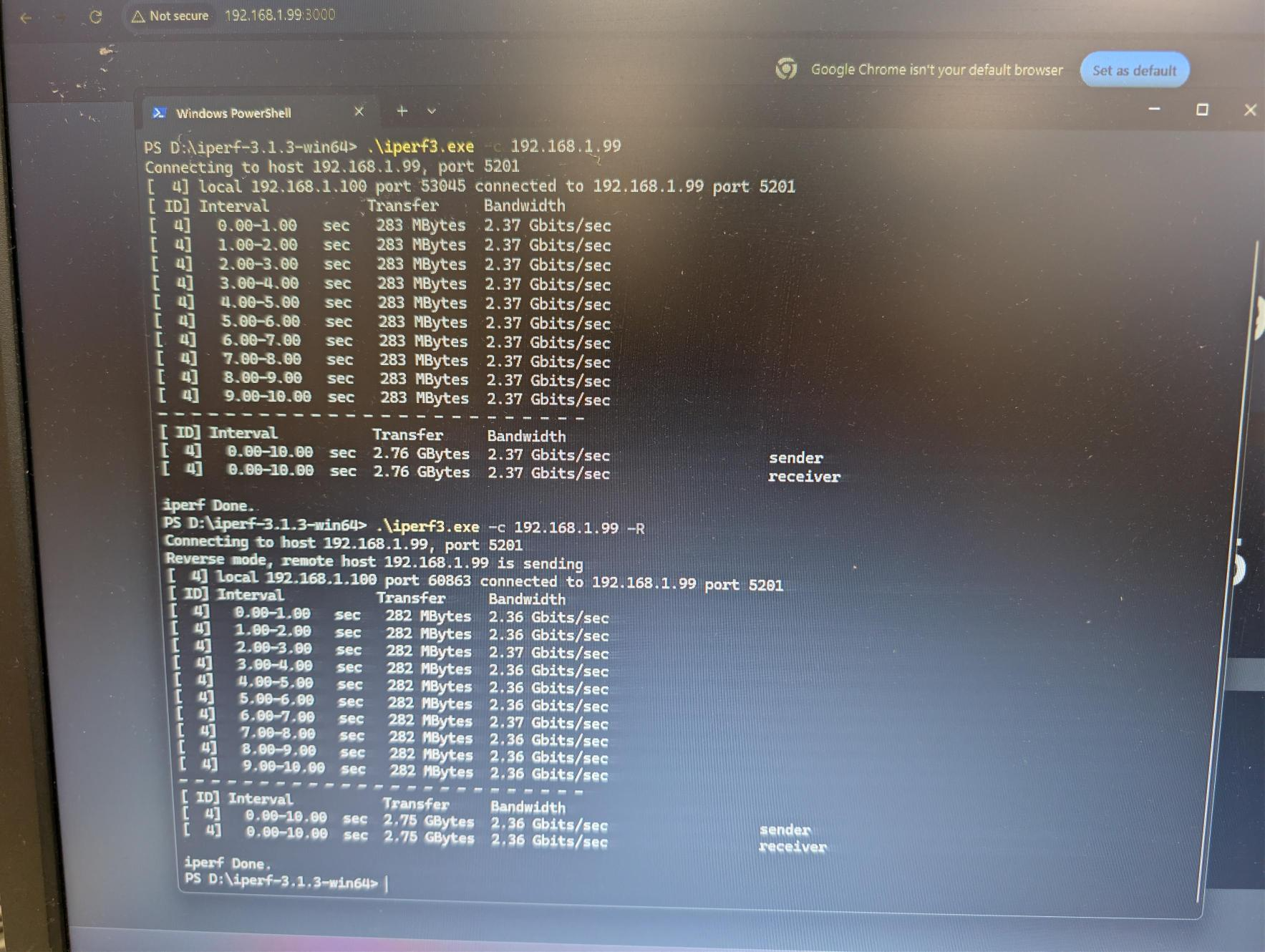
Open speed test and iperf are both reaching 2.5G. SMB test is also around 270MB/s when downloading from the server. Therefore, your issue is more likely on the client side (HyperV Server). Please check your client's settings. Thanks!
Zyxel Melen0 -
Update:
The issue of not reliable interface error count is a known issue and will be fixed in the future firmware release.
Zyxel Melen0




 Zyxel Employee
All Replies
-
This is more likely the high to low issue. Since the server and client are connecting to the switch directly, please help to enable flow control (TX RX) on both ports for clarification first.
Also, please help to collect the switch tech support for us to check the errors issue.
Zyxel Melen0 -
Enabling flow control is not changing anything. Uploading from client to 10G server is fine, downloading from server to client is limited at 1 Gb/s
I send you the tech support collection in PM.
0 -
Thanks for the information. I tested in my lab with two Windows 11 PCs, one is in 2.5G link and one is in 10G link to switch with SFP10G-T. Here are my results:
Open speed test and iperf are both reaching 2.5G. SMB test is also around 270MB/s when downloading from the server. Therefore, your issue is more likely on the client side (HyperV Server). Please check your client's settings. Thanks!
Zyxel Melen0 -
Ok, I'll setup a complete new testserver with Windows Server 2025 for testing.
0 -
Hi @nielsscheldeman ,
Before performing the test, please make sure that flow control is enabled on both switch ports and the client/server NICs.
Please share the ping test results from the server to the client.
By the way, once you have completed the speed test with Windows Server 2025, please share a screenshot of the test results.
Zyxel_Judy
0 -
Update:
The issue of not reliable interface error count is a known issue and will be fixed in the future firmware release.
Zyxel Melen0




Categories
- All Categories
- 442 Beta Program
- 3.1K Nebula
- 243 Nebula Ideas
- 6.8K Security
- 783 USG FLEX H Series
- 389 Security Ideas
- 1.8K Switch
- 87 Switch Ideas
- 1.5K Wireless
- 58 Wireless Ideas
- 7.2K Consumer Product
- 325 Service & License
- 527 News and Release
- 101 Security Advisories
- 31 Education Center
- 10 [Campaign] Zyxel Network Detective
- 5.3K FAQ
- 34 Documents
- 91 About Community
- 122 Security Highlight


