native Windows VPN connection KO in the last few days (IPSec IKEv2)





 Ally Member
Hello folks!
I'm experiencing a total stop of the VPN connection on some Windows 11 clients. It started no more than 2 weeks ago.
PROBLEM DESCRIPTION:
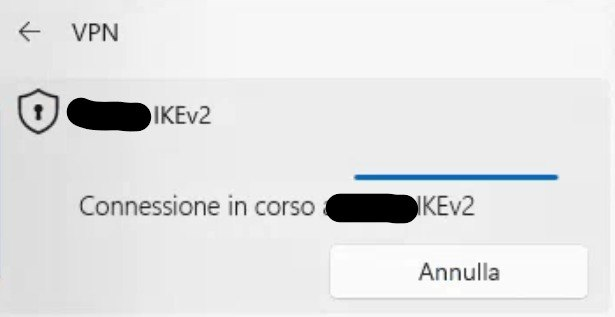
- when i launch the connection it hangs on "connection in progress" and never connects, nor gives error message
- no logs on the firewall
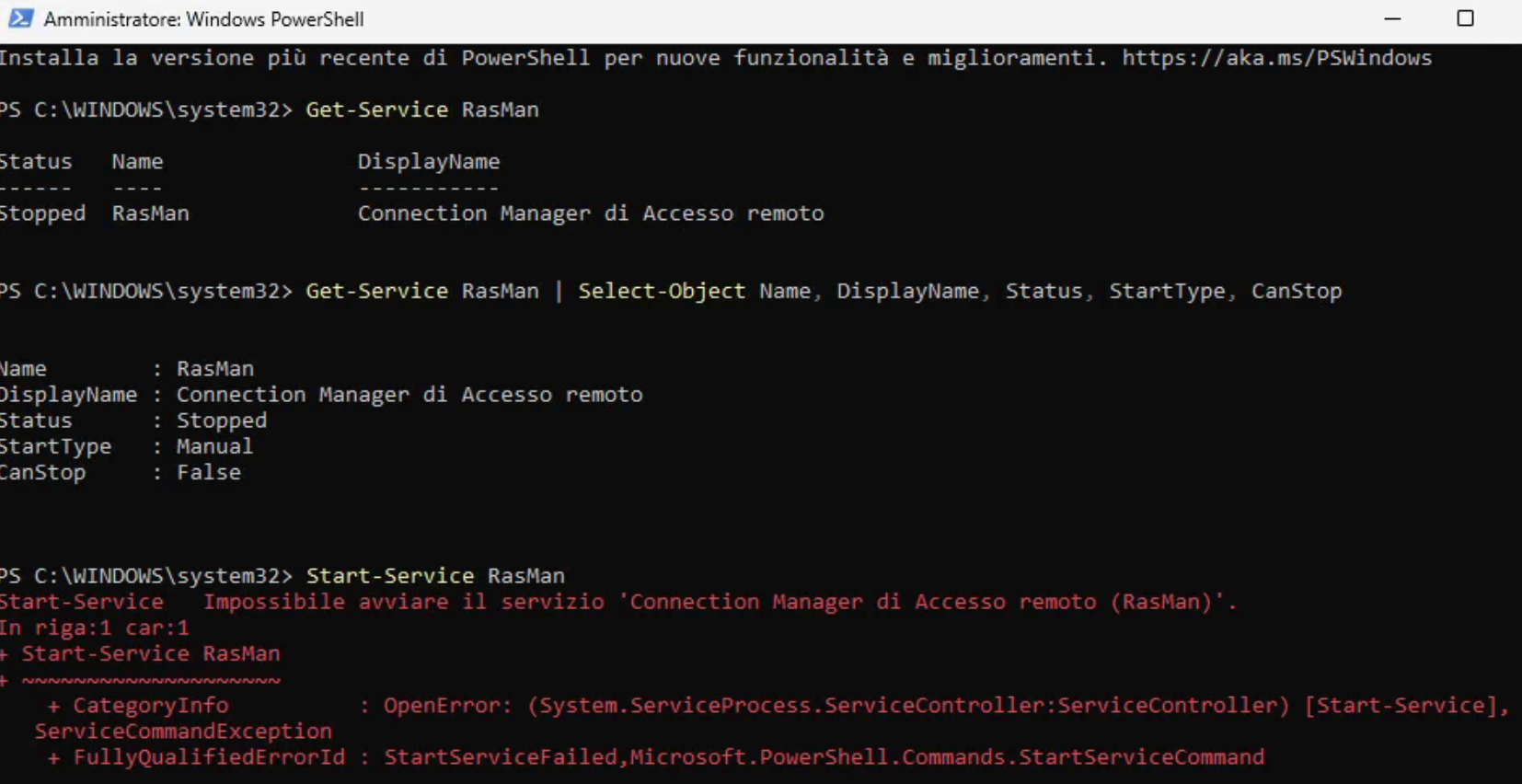
- RASMAN service is stopped and i cannot run it
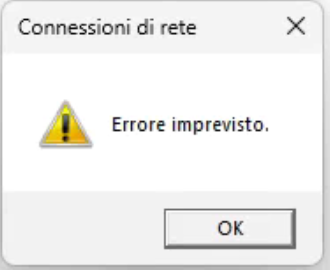
- if i right click proprierties on a connection in control panel i get a "unknown error" (errore imprevisto)
- even if a create any new VPN connection with the windows wizard (just inserting and ip user a password) when i right click proprierties i get "unknown error"
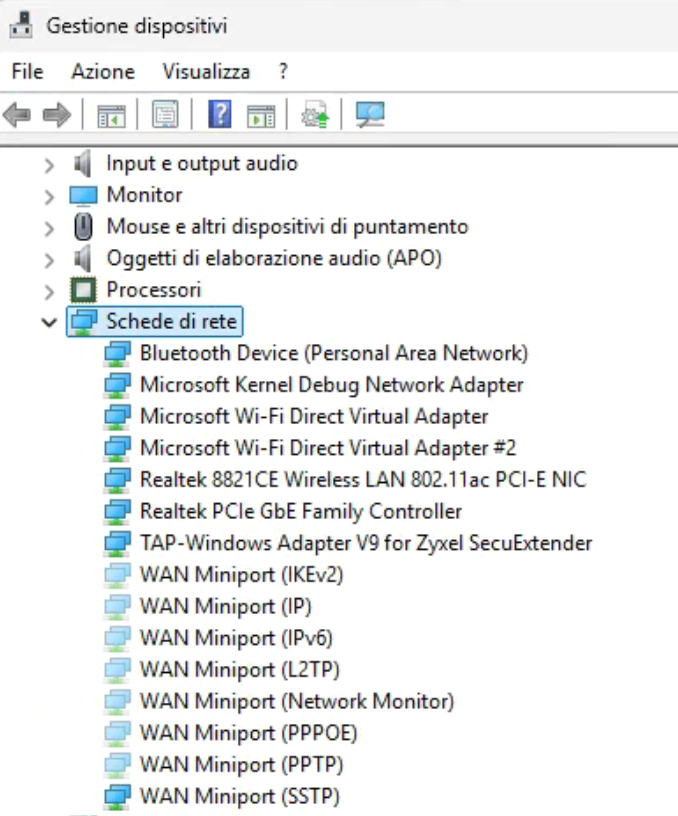
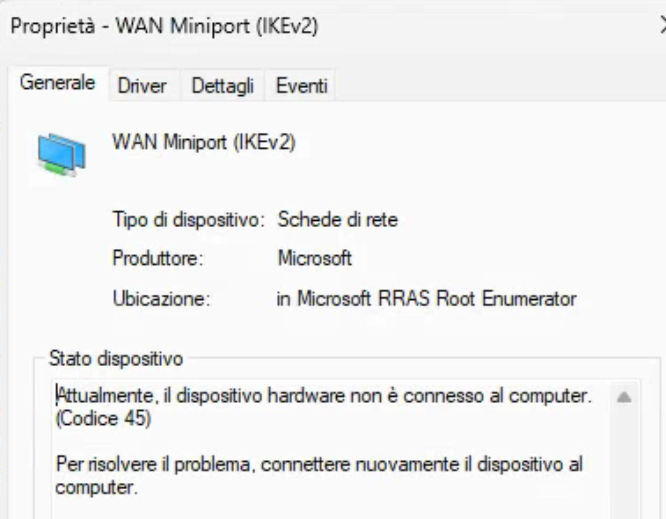
in device management i have almost all the miniports WAN in gray and with error code 45 (device disconnected)
OTHER USEFUL INFO:
- I have reinstalled from zero Windows 11 25H2 on one of these machines: updated drivers, updated windows, installed some classical software, configured the VPN and it worked… the i rebooted the pc, windows installed some update, and i am back to the original problem Win 11 25H2 26200.8457
VPN INFO:
it is quite clear that it is a Windows issue, the connection isn't even started so obviously i have no logs on the firewall. By the way we are talking about a VPN IPSec IKEv2, the same connection works from other computers and from Android. On one of the computers affected I had 3 different VPN configured and all are dead
THINGS ALREADY DONE:
if i delete the miniports wan in device management I am not able to reinstall them in any way
Tried with a restore point, no luck
Checked the events log: 7023 Servizio Connection Manager di Accesso remoto terminato con l'errore: Impossibile trovare il file specificato. Remote Access Service Connnection Manager terminated with error: unable to find the specified file
Thank you to anyone who will enter this thread
@PeterUK do you have any ideas?
Accepted Solution
-
Hi @QuiteSmart ,
Since the firewall configuration remains unchanged before and after the reboot, and the VPN connection works successfully after a clean reinstall of Windows 11 25H2 but fails again after a subsequent Windows update, this points to a Windows update issue rather than a firewall or VPN configuration problem.
Additionally, the Event Log error 7023 — "Remote Access Connection Manager terminated with error: The specified file cannot be found" — indicates that a Windows update is corrupting or removing a file required by the RASMAN service.
Based on this, we recommend contacting Microsoft Support for further assistance.
In the meantime, you may also try the following steps as a double-check:
• Verify that the firewall configuration is correct and unchanged.
• Reinstall the VPN Configuration Script and test whether the VPN connection can be re-established.Zyxel_Judy
0




 Zyxel Employee
All Replies
-
Like you say it is quite clear that it is a Windows issue that a reinstall with all updates shows no problem so something messed up windows.
You can try a Reset TCP/IP
0 -
i have resetted TCP/IP but this didn't solve the issue. I still cannot run rasman service. (error 2)
The thing that really leaves me wordless is that a reinstalled windows yesterday on one of the machines: it worked until a reboot and than again with the same problem0 -
by the way @PeterUK thank you for replying almost any post and in very short time, you are a column of this community
1 -
hmm well I don't understand how a new install of windows on reboot can cause this…if this was wide spread many would be seeing this
0 -
Hi @QuiteSmart ,
Since the firewall configuration remains unchanged before and after the reboot, and the VPN connection works successfully after a clean reinstall of Windows 11 25H2 but fails again after a subsequent Windows update, this points to a Windows update issue rather than a firewall or VPN configuration problem.
Additionally, the Event Log error 7023 — "Remote Access Connection Manager terminated with error: The specified file cannot be found" — indicates that a Windows update is corrupting or removing a file required by the RASMAN service.
Based on this, we recommend contacting Microsoft Support for further assistance.
In the meantime, you may also try the following steps as a double-check:
• Verify that the firewall configuration is correct and unchanged.
• Reinstall the VPN Configuration Script and test whether the VPN connection can be re-established.Zyxel_Judy
0 -
Hello @Zyxel_Judy
Thank you for your reply, indeed i m sure thet this is an issue related to windows not to the firewall. The vpn works from other clients.
When i try launch again the script it gets an error
Even if we know thiS is not zyxel's fault i hope that the mission of this community is to help each other so maybe someone else is experiencing the same issue and on the other end Zyxel can be interested in haveing knowledge of the problem because in the end it stops a network service.
1 -
This is exactly what we have been thinking for 2 weeks: seems like we are the only ones facing this issue but just today another pc freshly formatted had this problem. I have now in the lab a pc to make tests, i will try to install windows and try the vpn on every step and reboot on every step at least i will understand which update.
0 -
You could use VirtualBox to see if it happens on same PC hardware with windows.
Its unlikely but I think I read some time back that where there was a problem for windows due to what language was used to cause a problem?
0 -
Hi @QuiteSmart ,
Have you tried it and how about the result?
• Reinstall the VPN Configuration Script and test whether the VPN connection can be re-established.
Zyxel_Judy
0 -
Unfortunately when this issue happens the script ends with errors, any connection is broken the service rasman is down and the miniwan is not available. I am checking on a demo pc to find out when it happens
0




 Guru Member
Categories
- All Categories
- 442 Beta Program
- 3.1K Nebula
- 243 Nebula Ideas
- 6.8K Security
- 781 USG FLEX H Series
- 387 Security Ideas
- 1.8K Switch
- 87 Switch Ideas
- 1.5K Wireless
- 58 Wireless Ideas
- 7.2K Consumer Product
- 324 Service & License
- 527 News and Release
- 101 Security Advisories
- 31 Education Center
- 10 [Campaign] Zyxel Network Detective
- 5.3K FAQ
- 34 Documents
- 91 About Community
- 121 Security Highlight


