[uOS 1.39] Problems with HTTPS sessions





 Freshman Member
After updating to 1.39, we noticed, particularly on the 200H models but also on some 100H models, a significant increase in "log deny wan-to-device" entries. Specifically, I’ve noticed that the destination IP is my public IP, and the source always appears to be legitimate websites.
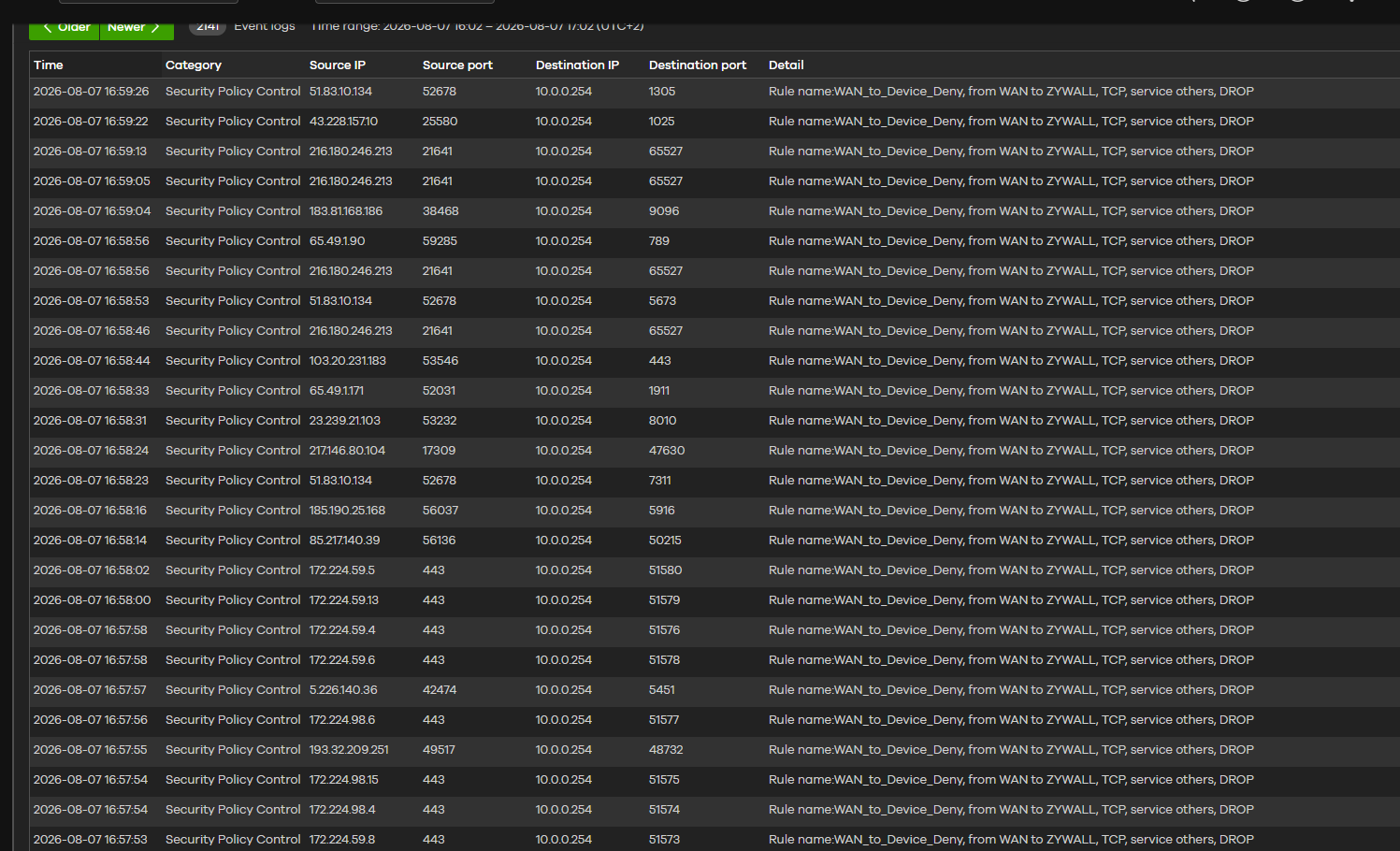
Since the destination port is always an ephemeral port, I suspect this is related to an issue with HTTPS sessions.
Has anyone else encountered this behavior?
Accepted Solution
-
Thank you for your time and for joining the remote sessions, which allowed us to investigate the issue. Here's a summary of the case:
The firewall's fragmentation mechanism was not functioning correctly, causing some fragmented packets to be dropped by the firewall after being split. This specifically affected your environment, where the MTU needed to be set to a value other than the default 1500.
A solution was provided to you, and you confirmed the issue was resolved. This fix will be included in the next firmware release, 1.40, scheduled for Q4 2026.
Zyxel_Judy
0




 Zyxel Employee
All Replies
-
Yes the issue is and I see it too

I have narrowed the issue down to it being UDP show wrong blocked logs
hmm this is odd…let me think about what I'm seeing in packet capture
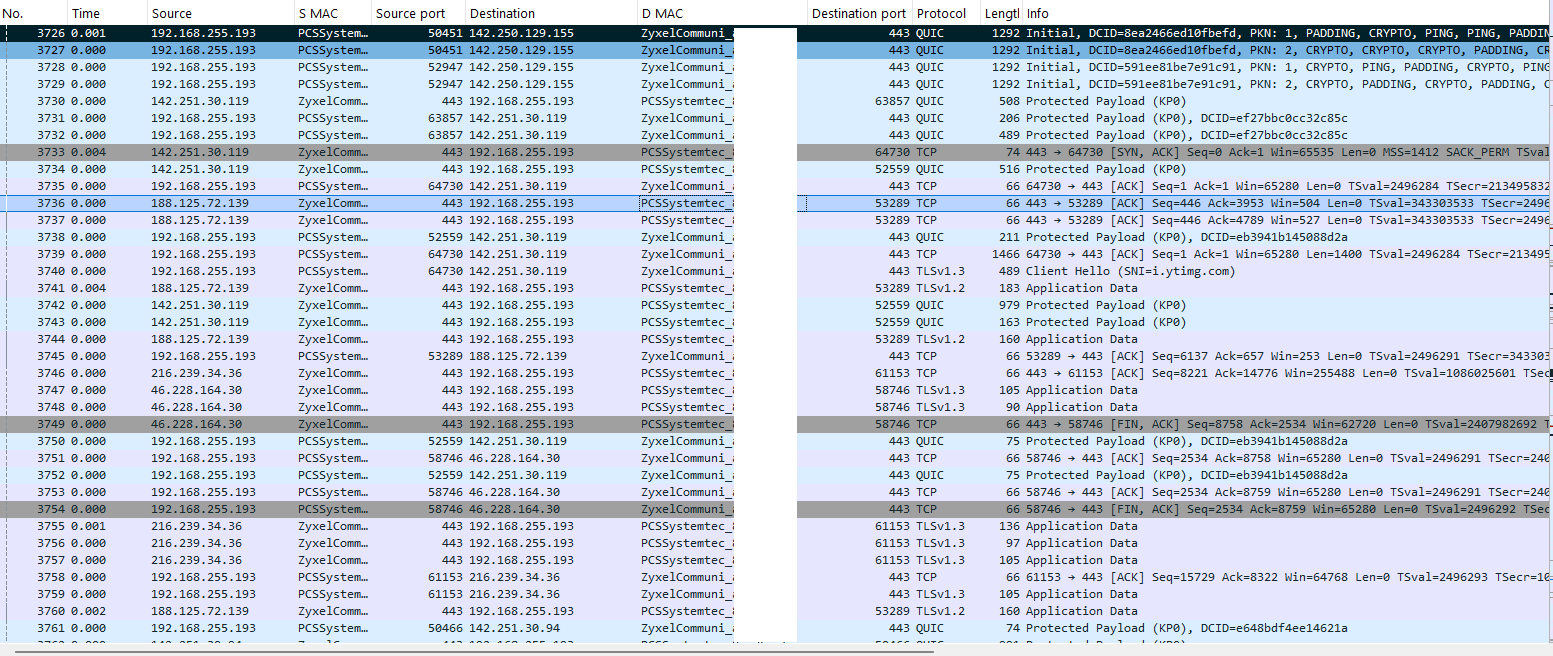
so on my FLEX 200H I have a test WAN as 192.168.177.3 Ge3 and LAN Ge4 192.168.255.243/26
this is what the client sends
and this the the WAN FLEX send
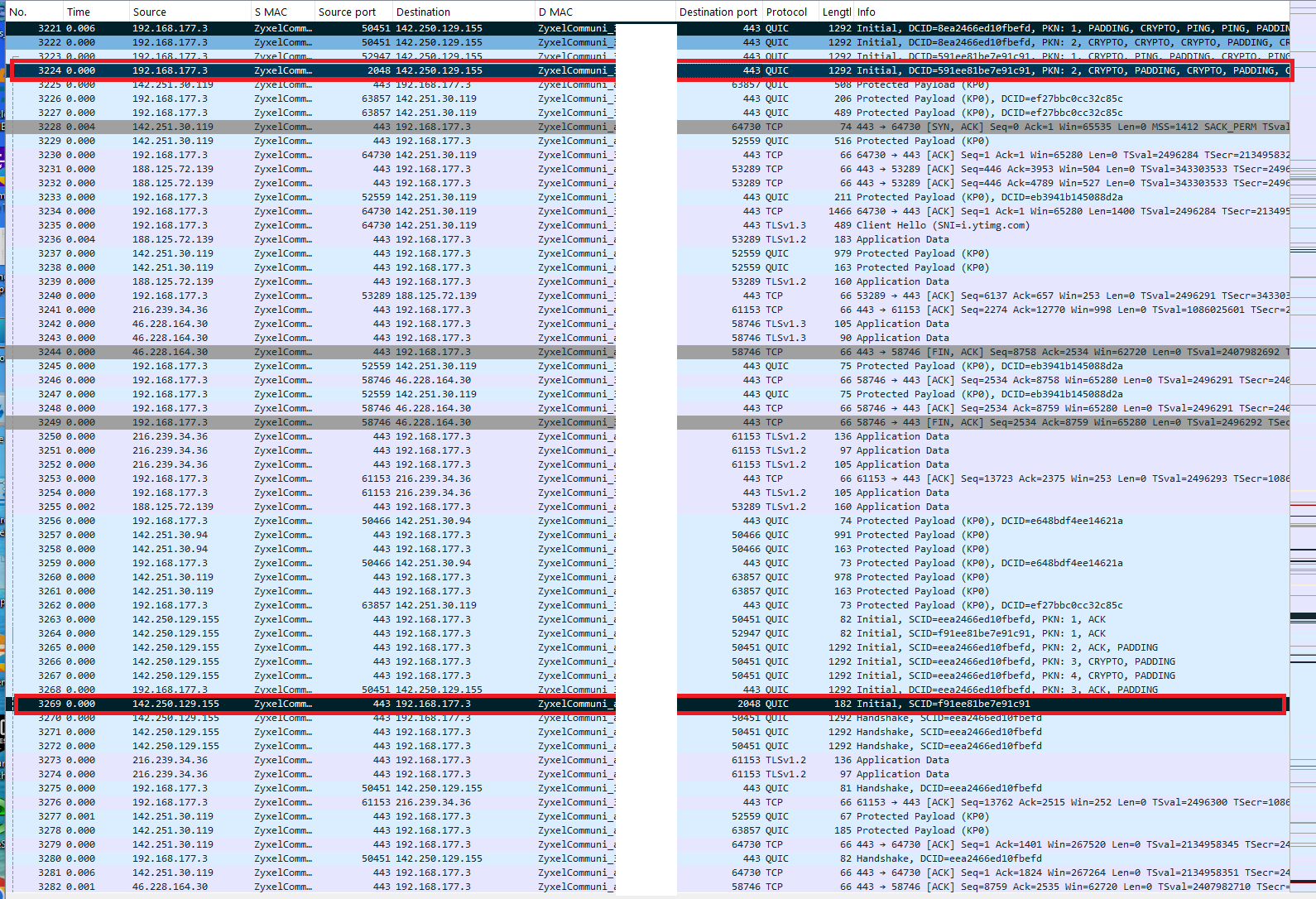
but why is this traffic being sent out in red?
0 -
nope I think this is just UDP if you firewall on client for doing TCP only and allow DNS I don't see the issue I'm not sure if it just QUIC or might happen to other UDP traffic.
0 -
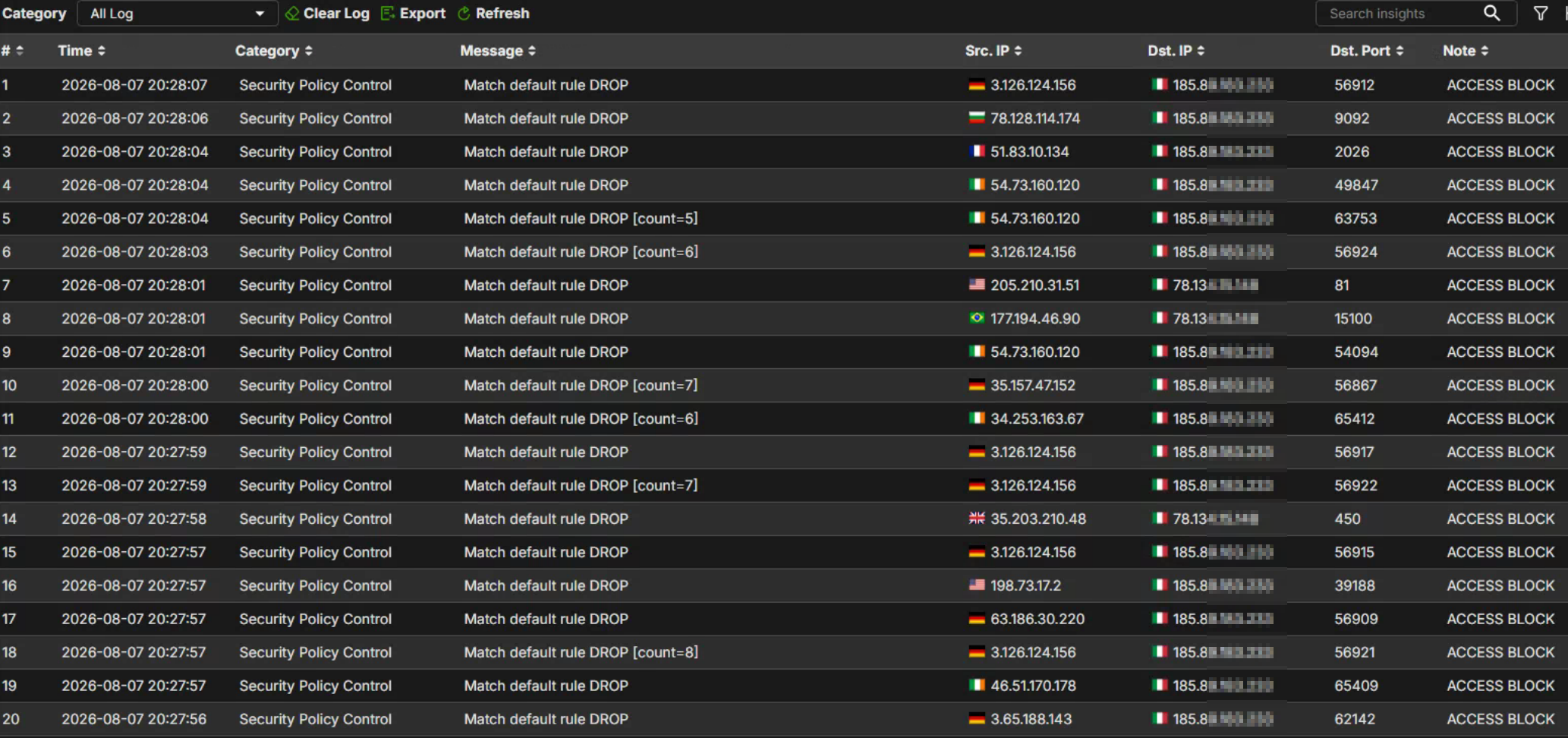
Mmh, but in our cases it seems the TCP handshake completes successfully and the TLS Client Hello is transmitted. Subsequently, the client starts retransmitting packets while the server generates Duplicate ACKs and repeated FIN/ACK retransmissions. This suggests that packets belonging to an already established session are being lost or not correctly associated with the existing state entry after NAT translation. In that cases we can see in the packet capture a lot of TCP retrasmission and in the firewall logs like this (dest ip is WAN1 and WAN2)
 0
0 -
FYI: Zyxel has confirmed that there are issues with 1.39 firmware regarding routing / MTU / VPN in certain scenarios.
0 -
Thank you for your time and for joining the remote sessions, which allowed us to investigate the issue. Here's a summary of the case:
The firewall's fragmentation mechanism was not functioning correctly, causing some fragmented packets to be dropped by the firewall after being split. This specifically affected your environment, where the MTU needed to be set to a value other than the default 1500.
A solution was provided to you, and you confirmed the issue was resolved. This fix will be included in the next firmware release, 1.40, scheduled for Q4 2026.
Zyxel_Judy
0



 Guru Member
 Ally Member
Categories
- All Categories
- 442 Beta Program
- 3.1K Nebula
- 243 Nebula Ideas
- 6.8K Security
- 783 USG FLEX H Series
- 389 Security Ideas
- 1.8K Switch
- 87 Switch Ideas
- 1.5K Wireless
- 58 Wireless Ideas
- 7.2K Consumer Product
- 325 Service & License
- 527 News and Release
- 101 Security Advisories
- 31 Education Center
- 10 [Campaign] Zyxel Network Detective
- 5.3K FAQ
- 34 Documents
- 91 About Community
- 122 Security Highlight


